Why Power Banks Get Hot While Charging and What to Do
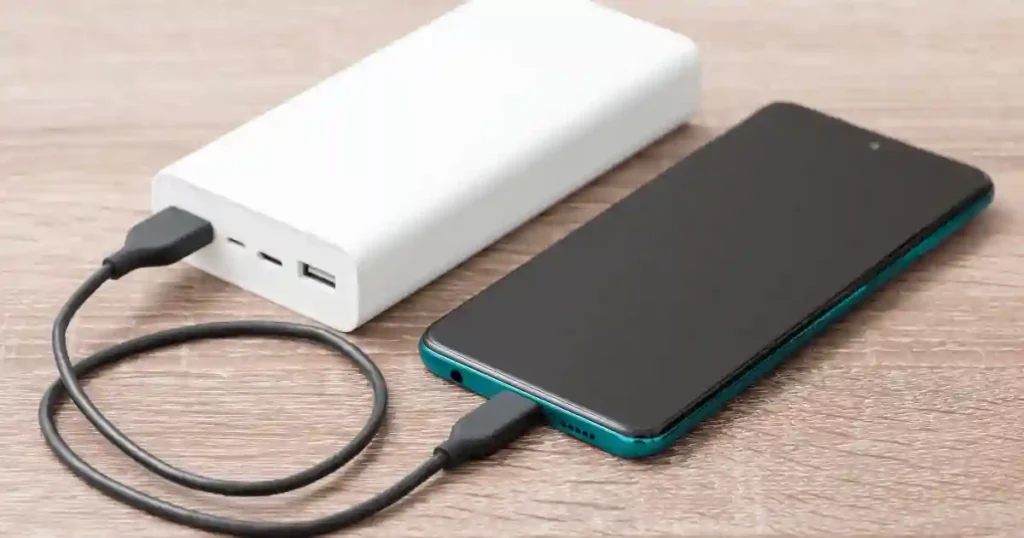
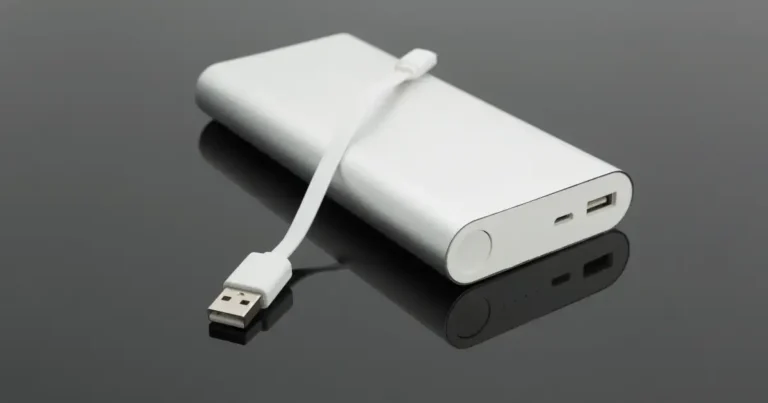
I was sitting at a coffee shop in Seattle on a warm afternoon, phone plugged into my power bank, when I picked it up and felt real heat coming off the casing. My first thought was simple. Is this normal, or is something wrong? That question is exactly why so many people search for answers about why power banks get hot, and the honest truth sits somewhere in the middle. Some warmth during charging or discharging is completely normal, since electricity is never converted with perfect efficiency. Excessive, sudden, or unusual heat is a different story entirely.
Heat can come from ordinary electrical losses, high charging loads, poor ventilation, a damaged cable, battery aging, or in rarer cases, an internal fault. A hot power bank should not cause instant panic, but it should never be ignored either. The CPSC has recalled multiple power banks over the past year because their lithium-ion batteries could overheat and ignite, which shows this topic deserves real attention rather than guesswork.
Why Do Power Banks Get Hot?
A little heat is simply part of the charging process. Electricity is never converted with perfect efficiency, so some energy always becomes heat along the way. The real question is how much heat shows up, and why.
Energy Conversion Creates Heat
The battery stores energy chemically, and the power bank has to convert that stored voltage into the standard USB output your devices expect. That voltage conversion step naturally produces some heat, and the charging process itself adds a bit more on top.
Internal Resistance Produces Heat
Every battery has some internal resistance built into its chemistry. When current flows through that resistance, heat is the natural byproduct. Higher current flowing through the same resistance simply means more heat, which is one reason larger power banks often run warmer than small ones.
Fast Charging Can Increase Heat
Fast charging pushes more power through the system in less time, and more power almost always means more heat.
- Higher charging wattage increases current flow.
- USB-C Power Delivery is a common fast-charging standard.
- Charging temperature naturally rises faster under higher loads.
- Fast charging is not automatically unsafe, as long as the components involved were designed to handle it.
Your Phone Can Make the Power Bank Work Harder
Sometimes the power bank is not the problem at all. Your phone’s activity level changes how hard the power bank has to work.
- Large-battery phones simply need more total energy.
- Gaming while charging pulls extra power continuously.
- Navigation apps keep the screen and GPS chip active.
- A mobile hotspot adds constant radio activity.
- A bright screen alone draws more current than people expect.
- Heavy phone use in general forces the power bank to output more current for longer.
Wireless Charging Can Create Extra Heat
Wireless charging is convenient, but it is inherently less efficient than a direct cable connection.
- Wireless power transfer loses more energy as heat than wired charging does.
- Poor alignment between coils increases that energy loss further.
- Heat concentrates specifically around the charging coils.
- The phone and the power bank both generate heat at the same time, which adds up quickly.
Is It Normal for a Power Bank to Get Warm?
Warm does not automatically mean dangerous. A power bank can feel noticeably warm during heavy charging, especially inside a warm room during summer.
What Normal Warmth Feels Like
Here is what typical, harmless warmth looks like in practice.
- Slightly warm to the touch
- Still comfortable to hold
- Heat stays stable rather than climbing
- No strange or chemical smell
- No swelling anywhere on the casing
- No unusual clicking, hissing, or popping sounds
When Warm Becomes Too Hot
There is no single consumer-safe surface-temperature number that applies to every power bank, since designs and battery cells vary widely. Instead, watch for these behavioral signs.
- A sudden jump in temperature
- Casing that feels genuinely hot rather than warm
- Difficulty holding it comfortably for more than a second or two
- Heat that keeps climbing instead of leveling off
- Significant heat while the device is doing very little work
- Heat appearing even when it is not connected to a charger
Understanding this distinction matters just as much for laptops, and the same reasoning shows up in my guide on how heat really damages your electronics over repeated cycles rather than in one single session.
Why Temperature Alone Is Not Enough
A single touch test rarely tells the whole story.
- Ambient room temperature changes how warm anything feels.
- Charger wattage affects how much heat the system produces.
- Battery condition and age both influence heat output.
- Current load from connected devices matters a great deal.
- Case design and material affect how heat feels from the outside.
Battery University notes that lithium-ion packs can experience some temperature rise during charging, but also advises discontinuing use if temperature rises excessively during moderate charging. This lines up closely with the reasoning behind why electronics overheat in general, since the underlying battery chemistry behaves the same way across phones, laptops, and power banks.
Why Does a Power Bank Get Hot While Charging?
Charging is one of the most common times to actually notice heat, since the battery, the internal circuit, the cable, and the wall charger are all working together at once.
High Charging Power
More power flowing into the unit typically means more heat coming out of it.
- 5W charging tends to stay coolest.
- 10W adds a modest amount of heat.
- 18W runs noticeably warmer under sustained use.
- 20W and above, including USB-C PD, produces the most heat of the common charging speeds.
Poor-Quality Charger
A weak or poorly built charger struggles to regulate power cleanly.
- Unstable output voltage stresses the battery.
- Poor internal regulation wastes energy as heat.
- Low-quality components inside cheap chargers run hotter by design.
Counterfeit chargers are a particularly sneaky version of this problem, and my guide on how to avoid counterfeit chargers and batteries covers the exact warning signs to check before you buy one. This is one of the most overlooked common charging problems I hear about, and swapping to a dependable charger like this one usually solves it within a single charging cycle.
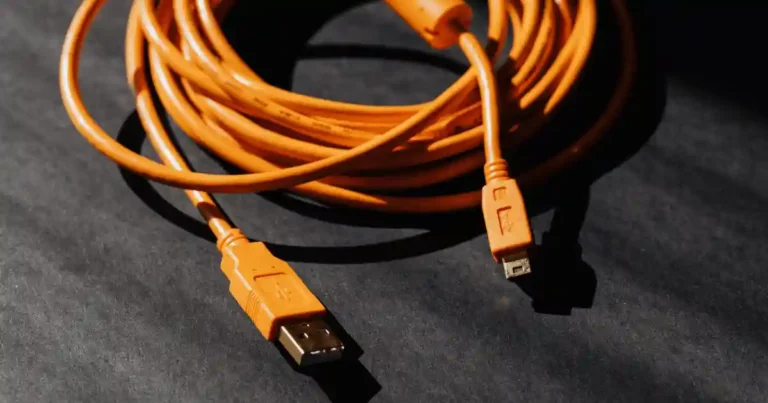
Damaged Charging Cable
A worn cable is a surprisingly common heat source.
- A frayed cable increases electrical resistance.
- A bent connector creates uneven contact points.
- A loose connection forces current through a smaller contact area.
- A generally poor-quality cable simply cannot carry current efficiently.
I always recommend replacing a suspect cable with something reliable, such as this certified cable, rather than risking it with something you found in a junk drawer. It has become my default recommendation for anyone dealing with recurring heat complaints. This is closely tied to the same root causes behind laptop charging problems, since cables fail the same way regardless of the device on the other end.
Blocked Ventilation
Airflow matters more than most people realize.
- Charging under a pillow traps heat immediately.
- Charging inside a blanket does the same thing.
- Charging inside a closed bag removes airflow entirely.
- Charging between couch cushions blocks heat from escaping.
- Charging directly on soft bedding insulates the unit rather than cooling it.
Hot Room or Hot Weather
Environment plays a bigger role than the charger itself in many cases.
- A room with no fan or air conditioning traps ambient heat around the device.
- A hot summer afternoon in a place like Portland can push room temperature higher than people expect.
- Sitting beside a sunny window adds direct radiant heat on top of the room’s ambient temperature.
Why Does a Power Bank Get Hot When Charging a Phone?
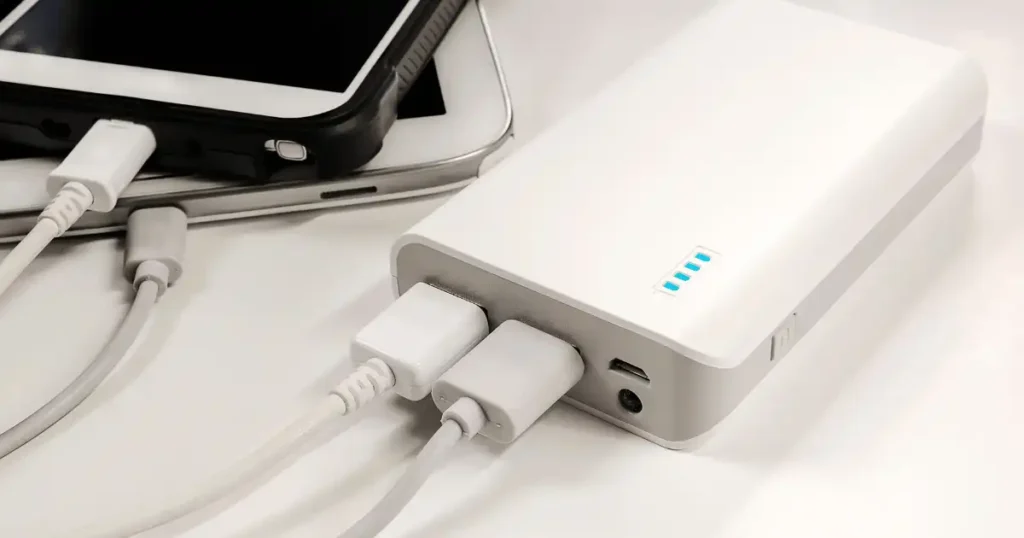
Sometimes the power bank is not the only thing working hard. Your phone may be pulling a lot of power while you use it at the same time.
Charging and Using Your Phone at the Same Time
Active use adds real demand on top of normal charging.
- Gaming keeps the processor and screen under constant load.
- GPS navigation runs continuously in the background.
- Video streaming keeps the screen bright and the radio active.
- A mobile hotspot adds ongoing wireless transmission load.
- Camera recording, especially in 4K, is one of the most power-hungry tasks a phone can run.
High-Power Phones
Phones with larger batteries and faster processors simply need more current to charge at a reasonable speed, which naturally increases heat output on the power bank’s side too.
Fast Charging Your Phone
Pushing your phone’s fast-charging protocol to its maximum speed asks the power bank to sustain a higher output for longer, and that sustained load is a direct driver of extra heat.
Charging Multiple Devices
Splitting power across several devices changes the math entirely.
- Multiple output ports share the same internal power budget.
- Total output limits still apply even when using separate ports.
- Power gets divided rather than duplicated across connected devices.
- Extra heat builds up when the unit runs near its total output limit.
Power Conversion Loss
It helps to remember that 100 units of energy entering one stage of the system do not automatically mean 100 units reach your phone. Some energy is lost as heat at every conversion step, which is exactly why smartphones overheat during charging even when the charger and power bank are both working correctly.
Why Does My Power Bank Get Hot When I’m Not Using It?
This scenario deserves more attention than ordinary charging warmth. If a power bank becomes hot while sitting idle, it is worth investigating further.
Connected Devices Can Still Draw Power
A device left plugged in, even at full charge, can still draw small amounts of trickle current, which generates a small but real amount of heat. This is closely related to why your phone battery drains overnight even while it sits untouched on a nightstand.
Internal Circuitry May Remain Active
Some internal components stay partially active even when the unit is not actively charging anything, which can produce mild residual warmth.
Faulty Battery or Electronics
A failing internal component can generate heat completely independent of any charging activity, and this is one of the clearer signs something inside the unit needs attention.
Internal Short Circuit
A short circuit inside the battery pack can generate heat continuously, regardless of whether the device is connected to anything.
Damaged or Aging Battery
An older or physically damaged battery loses efficiency, and that lost efficiency often shows up as unexpected heat, similar to what happens as your laptop battery drains quickly once its cells start to wear down.
Possible Thermal Runaway
In rare cases, idle heat can signal the early stage of thermal runaway. Battery temperature rises, that heat triggers further internal reactions, and those reactions can generate even more heat in a feedback loop. This does not mean every warm battery is heading toward this outcome. It simply means unexplained idle heat deserves a closer look rather than being ignored.
What Causes a Power Bank to Overheat?
Overheating almost always has a specific cause. Sometimes it is the environment. Sometimes it is the charger. And sometimes the battery itself is the underlying problem.
- High ambient temperature
- Fast charging pushed to its maximum speed
- Heavy device load from the phone being charged
- Poor ventilation around the unit
- Low-quality internal components
- A damaged charging cable
- Natural battery aging
- Physical damage from a drop or crush
- A manufacturing defect
- An overloaded power bank running near its output limit
- An internal electrical fault
Recognizing which of these applies to your situation is the fastest way to fix the problem instead of just watching it happen again next week.
Can a Hot Power Bank Catch Fire?
Yes, in rare cases a lithium-ion power bank can overheat, ignite, or burn. This is exactly why unusual heat should be treated seriously, especially when it appears alongside other warning signs.
Why Lithium-Ion Batteries Can Become Dangerous
Several factors can push a battery past safe operating limits.
- Internal short circuits
- Physical cell damage
- Manufacturing defects
- Excessive external heat
- Drop or crush damage
- Charging faults from mismatched components
Small habits actually go a long way toward avoiding these risks, and the same core advice behind how to improve smartphone battery life applies directly to keeping a power bank’s cells healthier for longer.
What Is Thermal Runaway?
In plain terms, thermal runaway is a chain reaction. Heat builds inside one part of the battery, that heat triggers more internal heating nearby, and the cycle can escalate quickly if nothing interrupts it. You do not need to understand the underlying chemistry to stay safe. You just need to recognize the early warning signs and disconnect the device the moment something feels wrong.
Real CPSC Power Bank Recall Examples
Recall history is some of the clearest evidence available for why this topic matters.
Anker had roughly 481,000 units recalled by the CPSC in September 2025 because the lithium-ion battery could overheat, creating fire and burn hazards. INIU saw about 210,000 BI-B41 power banks recalled in December 2025 after reports of overheating and fires. Casely had its 2026 recall reannounced for approximately 429,200 power banks following additional overheating and fire reports, including serious incidents.
Why Recalls Matter
Checking recall status takes two minutes and can prevent a real hazard. Always verify:
- The brand
- The exact model number
- The serial number
- The official recall database
- The manufacturer’s own recall page
I follow the same verification habit whenever I check if an online electronics deal is legit, since sellers offering recalled or counterfeit stock rarely disclose that information upfront.
This is the same due diligence I recommend before you buy electronics safely online, since a recalled product rarely announces itself with an obvious warning label.
How Hot Is Too Hot for a Power Bank?
This is genuinely one of the hardest questions to answer with a single number, and any article claiming otherwise is oversimplifying a nuanced topic.
Why There Is No Universal Safe to Touch Number
Different products behave differently by design.
- Different battery cells generate different amounts of heat.
- Different casing materials retain or release heat differently.
- Different internal charging systems manage current differently.
- Different environmental temperatures shift the baseline entirely.
Signs the Heat Is Abnormal
Watch for these signals rather than chasing a specific temperature number.
Table 1: Abnormal Heat Warning Signs
| Warning Sign | What It Suggests |
|---|---|
| Rapid temperature increase | Sudden internal stress or fault |
| Extremely hot surface | Excessive current or failing cell |
| Burning smell | Possible internal damage |
| Swelling | Gas buildup inside the battery |
| Smoke | Active internal failure |
| Hissing sound | Pressure release inside the cell |
| Discoloration | Heat or chemical damage to the casing |
| Unexpected shutdown | Internal protection circuit reacting to a fault |
Heat While Idle Is More Concerning
As covered earlier, heat with no active charging or discharging happening is one of the more serious signals, since it points toward an internal issue rather than a normal workload.
Heat Plus Swelling Is a Red Flag
Heat on its own can be explained by many harmless causes. Also, Heat combined with visible swelling almost always points to a genuine battery problem.
Heat Plus Smoke or Smell Is an Emergency
If you notice smoke or a chemical smell alongside heat, treat it as an emergency rather than a minor inconvenience. Disconnect it, move away, and follow local fire safety guidance immediately. Skipping this step is exactly the kind of oversight that leads to a new device not working as expected long before its time, or worse, a genuine safety incident.
What Should You Do If Your Power Bank Gets Too Hot?
Do not keep charging it just to see what happens. If the heat feels unusual, stop and assess the situation calmly.
Step 1: Stop Charging
Pause the charging process the moment you notice concerning heat.
Step 2: Disconnect the Power Bank If Safe
Unplug it from the wall and from any connected device, as long as reaching the plug does not put you at risk.
Step 3: Move Away From Flammable Materials If Safe
Set it down on a hard, open surface away from paper, fabric, or anything else that could catch fire.
Step 4: Do Not Open the Device
Never attempt to open the casing yourself, even out of curiosity.
Step 5: Let It Cool Naturally
Give it time and space to return to a normal temperature on its own.
- Never puncture it.
- Never squeeze or compress it.
- Never put a damaged battery in a freezer.
- Never pour water onto a burning lithium-ion battery as a DIY fix.
Step 6: Check for Damage or Swelling
Once it has cooled, inspect the casing carefully for cracks, bulging, or discoloration before deciding what to do next. If you plan to set it aside afterward rather than dispose of it right away, my guide on how to store electronics you don’t use often explains how to do that safely.
Step 7: Don’t Resume Use If Warning Signs Remain
If anything still looks or smells off, do not plug it back in. Move straight to proper disposal instead.
What Should You Do If a Power Bank Is Swollen?
Swelling changes the entire situation. A swollen lithium-ion battery should never be treated like an ordinary old gadget you can quietly toss aside.
- Stop using it immediately.
- Don’t charge it again under any circumstances.
- Don’t press on the swollen area.
- Don’t attempt to puncture the battery.
- Don’t open the case yourself.
- Keep it away from flammable materials while you arrange disposal.
- Contact the manufacturer or your local hazardous-waste service.
The CPSC specifically warns that defective or recalled lithium-ion batteries may need special handling and should not simply be placed in ordinary trash or standard recycling bins. My full guide on how to safely dispose of old electronics walks through exactly how to handle this the right way.
Can a Bad Cable Make a Power Bank Hot?
Yes. Sometimes the little cable you almost threw away is the real troublemaker behind unexplained heat.
- A damaged cable increases resistance along its length.
- A loose connector creates uneven, unstable contact.
- A poor-quality cable simply cannot carry current efficiently.
- A cable that cannot handle the charging load overheats at its weakest point.
- Dirt or debris inside the USB port disrupts the connection entirely, similar to the buildup that makes it necessary to clean a smartphone charging port on a regular basis.
How to Inspect a Charging Cable
Run through this quick checklist before you use any cable again.
- No exposed internal wires
- No melted plastic near the connector
- No visibly bent connector
- No loose or wobbly plug
- No unusual smell coming from the cable
- No excessive heat right at the connector point
Wiping down connectors regularly is part of the same routine I recommend in my guide on how to safely clean tech products without damaging the internal contacts.
Can a Fast Charger Make a Power Bank Hot?
A fast charger increases the amount of power moving through the entire charging system. That can increase heat, but it does not mean every fast charger will overheat every power bank.
What Is USB Power Delivery?
USB Power Delivery, often shortened to USB-PD, is a charging standard that allows compatible devices to negotiate higher wattage safely, as long as both ends support it.
How Charging Wattage Affects Heat
Higher wattage generally means more current flowing through the system, and more current typically means more heat generated along the way.
Does a 65W Charger Force 65W Into the Power Bank?
No. Charging speed is negotiated between the charger and the power bank based on what the power bank is actually designed to accept. A 65W charger connected to a power bank rated for 20W will simply deliver 20W, not force extra power into a device that cannot handle it.
Should You Use the Manufacturer’s Recommended Charger?
Generally, yes. The manufacturer tested that specific pairing for safety and performance, and a mismatched combination is one of the more common common charging problems I see reported. When I do need a universal replacement, I reach for a charger rated for wide compatibility rather than guessing.
When Fast Charging Becomes a Concern
Watch for heat that climbs rapidly, a casing that becomes uncomfortable to hold, or charging speed that suddenly drops for no clear reason. Any of these suggests it is time to slow down or switch chargers.
Does the Power Bank Get Hot Because It Is Old?
Age genuinely matters here. As lithium-ion batteries age, internal resistance tends to rise and total capacity tends to fall, both of which can affect heat output and charging behavior.
Battery Degradation
Every charge cycle causes small, permanent changes inside the battery, and those changes accumulate over time.
Increased Internal Resistance
Older cells resist current flow more than new ones, and that added resistance converts directly into extra heat.
Reduced Capacity
A battery that has lost capacity simply cannot store or deliver energy as efficiently as it once could.
Longer Charging Times
Reduced efficiency often means longer charging sessions, which gives heat more time to build up overall.
More Heat Than Before
If your two-year-old power bank runs noticeably warmer than it did when it was new, that is a predictable pattern, not a mystery, and it mirrors the same aging curve behind how long a smartphone battery should last.
When Age Means Replacement
Once a unit shows consistent heat, reduced capacity, and slower charging together, replacement is usually the safer and more practical choice over continuing to nurse it along. This same aging pattern is exactly what I cover in how to improve your laptop’s battery health, since lithium-ion degradation follows a predictable curve across every device type.
Why Does a Power Bank Get Hot in a Hot Car?
A car can turn a normal, healthy battery into a very unhappy one quickly. The power bank does not even need to be actively charging to be affected by high heat.
Direct Sunlight
Sunlight streaming through a windshield adds direct radiant heat on top of the car’s already elevated interior temperature.
High Interior Temperature
Car interiors can climb far past outside air temperature within just a few minutes, even on a mild day.
Dashboard Heat
The dashboard specifically tends to run hotter than other parts of the cabin, making it one of the worst possible places to leave a power bank.
Why the Glove Box Is Not a Perfect Solution
A glove box blocks direct sunlight, but it does not meaningfully lower the overall cabin temperature, so the power bank is still exposed to significant heat.
What to Do After Leaving It in a Hot Car
- Let it return to normal indoor temperature before using it.
- Inspect it carefully once it has cooled.
- Look for any swelling or visible damage.
- Don’t immediately charge a visibly damaged device.
- Follow the manufacturer’s specific instructions for your model.
This scenario connects directly to the reasoning behind how to stop a laptop from overheating in a hot vehicle, since lithium-ion batteries in laptops face the exact same environmental risk.
Why Does a Power Bank Get Hot in a Bag?
A backpack can quietly become a small heat trap. Add a phone, a laptop, a charger, some clothes, and a warm afternoon, and airflow disappears almost entirely.
Poor Airflow
Tightly packed bags leave no room for heat to escape, which lets warmth build up steadily over time.
Heat From Other Electronics
A laptop or phone sitting right next to the power bank adds its own heat directly into the same enclosed space.
Charging Inside the Bag
Charging while still inside a closed bag combines poor airflow with active heat generation, which is one of the riskier combinations covered in this guide.
Pressure and Physical Damage
Books, water bottles, and other heavy items pressing against the power bank can cause physical stress that contributes to internal damage over time.
Loose Metal Objects
Keys, coins, or other loose metal touching the charging ports can cause a short circuit, which introduces an entirely separate heat and safety risk. This is one of the common smartphone mistakes that damage battery life that people rarely connect back to a warm power bank sitting in the same pocket.
How to Stop a Power Bank From Getting Too Hot
You cannot eliminate all heat, since some warmth is simply part of normal operation. You can, however, remove most of the unnecessary causes covered throughout this guide.
- Use a compatible charger matched to your power bank’s rated input.
- Use a good-quality cable, such as this reliable option, instead of an unknown or damaged one.
- Charge on a hard, open surface rather than soft bedding.
- Keep it away from direct sunlight whenever possible.
- Avoid charging it under blankets or pillows.
- Reduce heavy phone use while it is actively charging.
- Avoid charging multiple devices at once if the unit already feels hot.
- Keep the charging port clean and completely dry.
- Replace any power bank that shows consistent damage.
- Check for product recalls on your specific model regularly.
Following these habits consistently is one of the simplest ways to extend the life of your smartphone charging routine as well, since the same principles protect every lithium-ion device you own. Pairing good habits with dependable gear, such as this charger and cable combination, gives you the best odds of avoiding unnecessary heat altogether.
Power Bank Heat: Normal vs Dangerous
A comparison table makes this distinction much easier to understand at a glance. The key is to look at the whole pattern together, not just one warm touch in isolation.
Table 2: Normal Warmth vs Warning Signs
| Situation | Usually Less Concerning | More Concerning |
|---|---|---|
| During charging | Mild warmth | Rapid, extreme heat |
| While charging phone | Warm under heavy load | Very hot with little load |
| After unplugging | Gradually cools | Keeps getting hotter |
| Casing | Normal shape | Bulging or swollen |
| Smell | No unusual smell | Chemical or burning smell |
| Sound | Silent | Hissing or popping |
| Appearance | Normal | Cracks, leakage, discoloration |
| Performance | Normal | Sudden shutdowns |
Common Reasons Power Banks Get Hot
Readers often want a quick diagnosis before reading the deeper sections above. This table works as a troubleshooting map you can scan first.
Table 3: Cause, Heat Level, and Action
| Possible Cause | Typical Situation | What to Do |
|---|---|---|
| Normal charging losses | Mild warmth | Monitor |
| Fast charging | Warmer during charging | Check compatibility |
| Heavy phone use | Phone and power bank both hot | Reduce phone load |
| Hot environment | Summer or a parked car | Move to a cooler area |
| Poor cable | Connector gets hot | Replace the cable |
| Blocked airflow | Bed or bag | Move to a hard surface |
| Aging battery | Heat plus reduced capacity | Consider replacement |
| Damaged battery | Swelling plus heat | Stop using it |
| Defective product | Rapid overheating | Check for a recall |
Does Wireless Charging Make Power Banks Hotter?
Wireless charging is genuinely convenient, but it can produce more heat than a simple wired connection because the energy transfer itself is less direct.
Wireless Charging Efficiency
Also, Wireless power transfer loses more energy as heat compared to a wired cable connection, simply due to how the technology works.
Alignment Matters
Poor alignment between the coils increases energy loss further, which shows up as extra heat around the contact point. A wired setup with a stable cable like this one tends to run noticeably cooler if heat is already a recurring concern for you.
Phone and Power Bank Both Produce Heat
Both devices generate heat simultaneously during wireless charging, and that combined heat is often more noticeable than what a single wired connection would produce.
MagSafe-Style Magnetic Charging
Magnetic wireless charging systems improve alignment consistency, but they do not eliminate the underlying efficiency loss that causes extra heat.
When Wireless Heat Is a Problem
The Casely recall serves as a real-world example of why wireless power banks deserve the same safety checks as wired models, especially when heat, swelling, or unusual behavior shows up.
Does Pass-Through Charging Cause More Heat?
Pass-through charging means the power bank is charging itself from the wall while simultaneously charging another device. More electrical work happening at once often means more heat.
What Is Pass-Through Charging?
It is the ability to recharge the power bank and power an external device through it at the same time.
Why It Can Increase Heat
Running two electrical processes simultaneously increases total internal activity, and any inefficiency in that process becomes extra heat.
Should You Use It Regularly?
Occasional use is generally fine on supported models. Relying on it constantly adds ongoing thermal stress that can shorten the battery’s lifespan over time, which is the same reasoning behind understanding how long your electronics should really last under everyday conditions.
Follow the Manufacturer’s Instructions
Not every power bank supports pass-through charging safely, so check the manual before making it a habit.
Stop If the Device Becomes Excessively Hot
If the unit becomes noticeably hot during pass-through use, stop and let it cool before continuing.
U.S. Expert Advice on Power Bank Overheating
This topic deserves guidance from fire-safety and consumer-product authorities, not anonymous online opinions.
U.S. Fire Administration Guidance
The USFA’s public education around lithium-ion battery risk covers several consistent themes: the danger of excessive heat, the importance of avoiding physical damage, safe charging practices, proper storage away from flammable materials, and recognizing early warning signs before they escalate.
CPSC Recall and Safety Guidance
Checking recalls is genuinely part of overheating prevention, not a separate afterthought. A recalled model is far more likely to overheat under normal use than one that has not been flagged, which is why the recall checks mentioned throughout this guide matter as much as good charging habits.
U.S. Expert Reference
Brian Metzger, a Fire Protection Engineer at the U.S. Fire Administration, has participated in USFA battery-fire education efforts. I want to be transparent rather than invent a quote that sounds authoritative but cannot be verified. If you want his direct commentary, the USFA’s official published materials are the right place to find a verified statement, and I encourage you to read the original source for that level of technical detail.
Real-Life Power Bank Heat Scenarios
This section adds some human texture to the advice above, since battery safety tends to stick better when you can picture the actual situation.
Charging a Phone During a Hot Seattle Afternoon
Picture a power bank tucked inside a backpack, phone running navigation, sitting in a warm room, fast charging the whole time. The device feels noticeably hot within twenty minutes. In this case, check the room temperature, move it to open air, and reduce the phone’s active workload if the heat continues climbing.
Power Bank Under a Pillow at Night
Poor airflow combined with heat trapped against soft fabric is one of the clearest examples of why this is a genuinely bad charging location, no matter how convenient it feels at bedtime.
Power Bank Left in a Car
Direct heat exposure affects the battery even without active charging, and the glove box does not meaningfully solve the underlying temperature problem, as covered earlier in this guide.
Power Bank That Suddenly Gets Hot After Two Years
This pattern usually points to battery aging, possible degradation, or in rarer cases, an emerging fault. Once heat, reduced capacity, and slower charging all show up together, replacement is typically the sensible next step, similar to the signals covered in things to try before replacing a broken gadget.
How to Choose a Power Bank That Handles Heat Better
Sometimes the best overheating fix is choosing a better product from the very beginning.
- Look for a reputable manufacturer with clear, traceable company information, such as this well-documented option.
- Check for credible safety certifications printed on the packaging.
- Confirm the product includes thermal and overcharge protection, a feature I now treat as non-negotiable after seeing how quickly its absence shows up in things that shorten your laptop’s lifespan as well.
- Review the charging specifications against the devices you actually own.
- Check for any active product recalls before purchasing.
- Avoid suspiciously cheap products, which often cut corners exactly where safety matters most.
This is the same due diligence I cover in tech buying mistakes beginners make and in common laptop buying mistakes, since the underlying buying logic applies across every category of electronics. A dependable, well-reviewed option like this power bank has consistently run cooler for me than the unbranded units I tested years ago, and that difference alone justified the slightly higher price. The tradeoffs behind cheap vs expensive electronics show up clearly in this exact category, where a few extra dollars often buys genuinely better thermal protection.
Power Bank Overheating Safety Checklist
Save this checklist for the next time you notice unexpected warmth.
If Your Power Bank Feels Warm
- Check the current charging load.
- Check the room temperature.
- Move it to a hard, open surface.
- Check the cable for damage.
- Monitor whether the heat gradually cools down.
If Your Power Bank Gets Very Hot
- Stop charging right away.
- Disconnect it if it is safe to do so.
- Move it away from flammable materials if safe.
- Do not open the casing.
- Inspect it for swelling or visible damage.
- Do not use it again until you understand the cause.
It Is Swollen, Smoking, or Burning
- Stop using it immediately.
- Keep your distance if the situation feels unsafe.
- Move people away from the immediate area.
- Follow local emergency and fire department guidance.
- Do not attempt to handle a severely damaged battery yourself.
Keeping a dependable charger and cable on hand, like this set, removes several of the most common causes covered on this checklist before they ever become a problem in the first place. It is the single upgrade I recommend most often to friends who ask me why their power bank feels warmer than it used to.
Frequently Asked Questions About Hot Power Banks
Is it normal for a power bank to get warm?
Yes, mild warmth during charging or heavy use is normal. Rapid, extreme, or persistent heat is not.
Why does my power bank get hot while charging?
Charging naturally produces heat through energy conversion, internal resistance, and current flow, and this increases further with fast charging.
Why does my power bank get hot when charging my phone?
Your phone’s activity level, including gaming, navigation, or streaming, adds real demand on top of normal charging output.
Why does my power bank get hot when not in use?
Idle heat can come from trickle current, active internal circuitry, or in some cases a failing component, and it deserves closer attention.
Can a hot power bank catch fire?
In rare cases, yes, particularly with damaged, defective, or recalled units.
How hot is too hot for a power bank?
There is no single universal number. Watch for rapid temperature increases, swelling, smell, or sound rather than chasing a specific figure.
Does fast charging make a power bank hot?
Yes, higher wattage generally increases heat, though this alone does not make fast charging unsafe on a compatible device.
Can a bad cable make a power bank hot?
Yes, a damaged, loose, or low-quality cable is one of the most common hidden causes of unexpected heat.
Does wireless charging make power banks hotter?
Generally yes, since wireless power transfer is less efficient than a direct wired connection.
Why does my old power bank get hot?
Aging batteries develop higher internal resistance and reduced capacity, both of which increase heat output over time.
Should I stop using a power bank that gets hot?
If the heat is mild and stable, no. If it is extreme, rapid, or paired with swelling or smell, yes, stop immediately.
What should I do if my power bank is swollen?
Stop using it, avoid pressing or puncturing it, and contact the manufacturer or a local hazardous-waste service.
Can I put a hot power bank in the refrigerator?
No, rapid temperature changes can stress or damage the battery further. Let it cool naturally at room temperature instead, the same way you would protect your smartphone from water damage by avoiding extreme, sudden environmental changes.
Can a power bank overheat inside a car?
Yes, hot car interiors and direct sunlight can raise battery temperature significantly, even without active charging.
How can I prevent my power bank from overheating?
Use a compatible charger and cable, charge on a hard surface, avoid soft bedding and bags, and check for recalls regularly.
Final Power Bank Heat Safety Checklist
Here is a simple decision guide so you leave this article knowing exactly when warmth is normal and when it is time to stop.
Warm but Normal
- Mild warmth
- Occurs during charging
- No smell
- No swelling
- Normal performance
- Cools down after use
Investigate
- Much hotter than usual
- Heats up very quickly
- Heat appears while idle
- Charging takes unusually long
- Battery drains unusually fast
Stop Using
- Swollen casing
- Burning smell
- Visible smoke
- Hissing sound
- Any leakage
- Cracked case
- Extreme, climbing heat
- Known active recall
Final Recommendation
After testing more power banks than I can count across hot afternoons, long flights, and busy travel days, my honest take is simple. A little warmth is normal, but a pattern of rising heat, swelling, or smell is never something to explain away. I always match my charger and cable to the specific power bank I am using, and I keep it on a hard surface instead of my bed or a closed bag. Checking the CPSC recall list takes two minutes and has saved me from using a defective unit more than once.
When someone asks what I personally use day to day, this is the power bank and charger pairing I stand behind, simply because it has never once given me a reason to worry. If you remember one thing from this guide, let it be this: power banks get hot for many harmless reasons, but your job is simply to notice when the pattern changes, and to trust that instinct the moment something feels genuinely wrong.

Ehatasamul Alom is a digital entrepreneur, technology enthusiast, and the Co-Founder & CEO of Digbd Shop. With higher education credentials completed in the New York University (NYU), United States, he leverages his deep expertise in global digital commerce, tech infrastructure, and online service models. Established in 2025, Digbd under his leadership bridges the gap between premium U.S. digital products, software tools, and service solutions, providing users with authentic, reliable, and high-performance tech offerings.