How to Protect Your Smartphone From Water Damage Safely
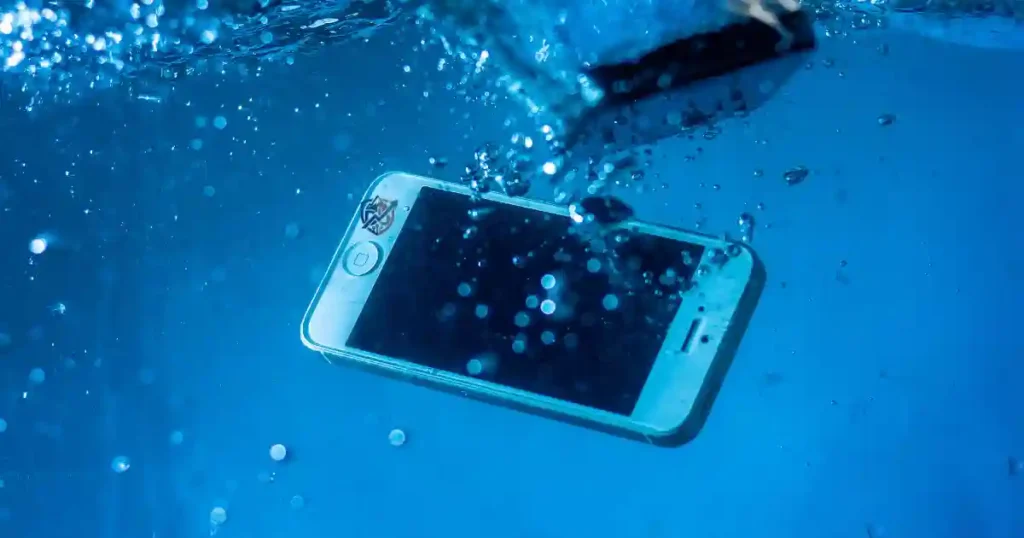
A sudden splash can ruin a brand new phone in seconds. Last year in New York, I watched a friend drop his device into a small puddle. The screen stayed on, but two days later the speaker died. You do not need luck to protect a smartphone from water damage. You need simple habits and the right steps. As a tech repair expert, I have saved hundreds of wet devices over the years. Here is my honest guide to keep your phone safe in any wet situation.
Can You Really Protect a Smartphone From Water Damage?
You can shield your device from liquid harm if you know its limits. Protection starts with realistic expectations. No device is totally immune to liquid penetration.
Waterproof vs water-resistant
Many people use the word waterproof loosely. Modern phones are actually water-resistant. This means they can resist liquid entry for a short time under specific conditions. Water resistance decreases as your device gets older and sees daily use.
Why water resistance is not permanent
Everyday use wears down the internal seals of your phone. Drops, bumps, and frame flex create small gaps.
- Age degrades the rubber gaskets.
- General wear and tear weakens seal strength.
- Cracked glass lets liquid enter quickly.
- Frame damage breaks the tight seal.
- Previous repairs can disrupt factory glue.
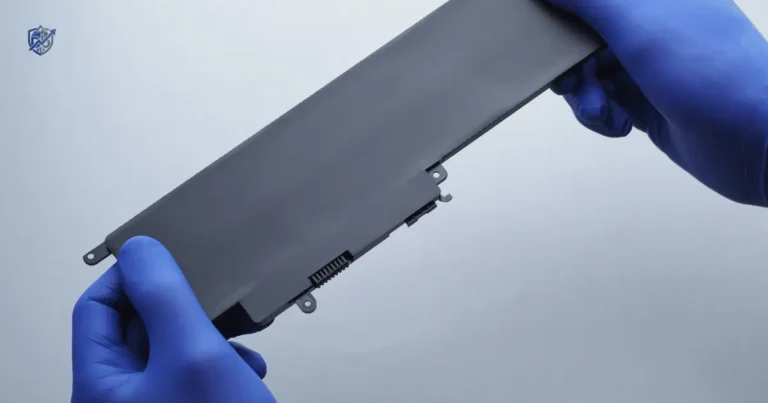
- Battery replacement often breaks original seals.
- Impact damage creates hidden micro cracks.
Why manufacturers warn against liquid exposure
Phone makers test devices in clean lab water. Real life brings dirty water, soap, and pressure. Most warranties do not cover liquid damage because real life differs from lab tests.
The safest rule
Treat your phone’s water resistance as a safety net, not a feature for underwater fun.
Check Your Smartphone’s IP Water Resistance Rating
An Ingress Protection rating tells you how well a phone resists solids and liquids. Reading this number correctly helps you avoid costly accidents.
What does an IP rating mean?
The letters IP stand for Ingress Protection. This code has two numbers after the letters. The first number shows protection against solid dust particles. The second number shows protection against liquid ingress.
Common smartphone IP ratings
Different phones carry different ratings based on test standards.
- IP53 offers basic dust shield and light sprays.
- IP54 protects against dust and light water splashes.
- IP67 handles dust and temporary immersion up to one meter.
- IP68 offers protection for deeper immersion as defined by the maker.
What the water-resistance number tells you
The second number reveals how much water contact a phone can handle.
- Water depth limits set by factory tests.
- Strict test conditions with stationary liquid.
- Duration limits, often capped at thirty minutes.
- Freshwater testing only, not salt or pool water.
Why an IP68 rating does not mean “safe underwater forever”
Lab tests use calm, room temperature freshwater. Real water has motion and pressure. Salt water corrodes metal parts fast. Pool water contains harsh chemicals. Hot water expands seals and lets vapor inside.
Smartphone Water Resistance Ratings Explained Simply
I have evaluated hundreds of water-damaged phones on my repair bench. This simple table breaks down common IP ratings so you can protect a smartphone from water damage without getting lost in technical jargon.
| Rating | General Protection | What It Usually Means |
| IP53 | Limited | Protection from some dust and light water spray |
| IP54 | Limited | Protection from splashes |
| IP67 | Strong | Tested against temporary freshwater immersion |
| IP68 | Very strong | Tested against deeper or longer immersion under specified conditions |
| No IP rating | Unknown | Do not assume water resistance |
Always check the exact manufacturer specifications for your model. An IP rating is based on controlled tests, and the exact depth and time limits can vary by device.
What IP ratings do not protect against
Factory ratings apply only to fresh, still water.
- Salt water causes rapid rust.
- Pool chemicals attack rubber seals.
- Soap breaks liquid surface tension.
- Alcohol degrades glue lines.
- Coffee leaves sticky residues.
- Soft drinks corrode electronic traces.
- Hot water expands internal air spaces.
- Steam penetrates tight gaps easily.
Why “water-resistant” does not mean “liquid-proof”
Designed protection covers accidental, brief contact. Accidental exposure differs from intentional submersion. Repeated exposure slowly degrades protective seals over time.
Keep Your Smartphone Away From Common Water Hazards
Preventing exposure is far cheaper than paying for a repair. Most liquid damage happens during routine daily activities.
The bathroom
Bathrooms present high risks for electronics.
- Sink splashes occur when washing hands.
- Toilet drops happen in an instant.
- Shower steam enters small openings.
- Wet hands slip easily on glass.
The kitchen
Kitchen counters are full of spill hazards.
- Spilled drinks flow across flat surfaces.
- Cooking steam rises from boiling pots.
- Wet countertops hide thin puddles.
- Sink splashes occur while washing dishes.
The swimming pool
Pool areas combine water, chemicals, and slippery tiles.
- Chlorinated water damages internal metals.
- Accidental drops happen near pool edges.
- Wet hands make the phone slick.
- Poolside splashes land on nearby tables.
The beach
Beaches bring multiple threats together.
- Salt water speeds up metal corrosion.
- Fine sand clogs ports and grinds glass.
- High humidity pushes moisture inside.
- Unpredictable waves can soak your bag.
Rainy weather
Rain catches many phone users off guard.
- Heavy rain seeps through thin fabric.
- Wet pockets hold moisture against the phone.
- Open bags collect falling rain.
- Motorcycle rides force water in via wind pressure.
- Cycling exposes phones to road spray.
A simple habit that prevents many accidents
Keep your phone inside a sealed pocket or a dedicated waterproof pouch whenever you are near water.
Use a Waterproof Phone Case or Pouch
An external barrier gives you extra peace of mind. External cases work better than relying on built-in phone seals alone.
Waterproof case vs waterproof pouch
You have several options when picking external protection.
- Hard cases offer drop shielding and water seals for daily use.
- Sealed pouches give complete water protection for water sports.
- Dry bags protect multiple items during boat trips.
- Universal waterproof sleeves fit various phone sizes easily.
What to check before buying
Choose high quality protective gear for expensive electronics.
- A secure locking seal mechanism.
- Full touchscreen usability through the plastic.
- High camera clarity for clean photos.
- Verified IP or waterproof test certification.
- Built-in buoyancy so it floats if dropped.
- Proper size matching your exact phone model.
Test the pouch before using it
Never trust a new case without testing it first.
- Put dry tissue paper inside the empty pouch.
- Seal the pouch completely according to instructions.
- Submerge the pouch in a sink for ten minutes.
- Check the tissue inside for any dampness.
- Dry the outside fully before opening.
- Repeat the test if you suspect any leak.
Never test an unproven case with your phone inside
A quick five-minute tissue test costs nothing and saves your phone from accidental drowning.
Protect Your Phone at the Beach and Pool
Beach and pool outings carry severe risks for electronics. Water, salt, sand, and heat work together to damage devices.
Keep your phone away from pool edges
Keep your phone at least six feet away from the water edge. A simple bump can send it swimming.
Do not place it on wet towels
Towels absorb water and hold it against your phone. Moisture seeps into open ports while the phone sits idle.
Use a waterproof pouch
Place your device inside a certified pouch before reaching the sand or pool deck. This keeps splashes away.
Avoid salt water whenever possible
Salt water is violent on electronics. Keep your device tucked away when near ocean waves.
Keep sand away from ports
Sand grains clog charging ports and scratch glass. Never lay your phone directly on beach sand.
Do not charge the phone while it is wet
Plugging a charger into a wet phone causes instant electrical shorts. Let the port dry completely first.
Why salt water is especially risky
Salt water causes fast corrosion on metal parts. It conducts electricity better than fresh water. It leaves harmful salt crystals behind when it dries. This creates long-term internal hardware failure.
Why pool water is not harmless
Chlorine strips away protective coatings. Chemical additives degrade rubber gaskets. Chemical residues stay inside ports long after drying.
Keep Water Away From Your Charging Port
The charging port is a large entry point for liquid. Even water-resistant phones stop charging when moisture is inside the port.
Never plug in a wet charging port
Plugging a cable into a wet port destroys circuit paths. Wait until every drop of water evaporates.
Wait until the port is fully dry
Allow at least two to five hours for natural drying. Air circulation helps speed up this process safely.
Keep your phone upright when appropriate
Rest the phone vertically with the port facing down. This allows gravity to pull liquid out naturally.
Avoid blowing moisture deeper into the port
Do not blow into the port with your mouth. Your breath pushes liquid deeper into the device body.
Do not use metal objects to clean the port
Pins and paperclips scrape sensitive electrical pins. Metal tools break internal connectors easily.
Why charging a wet phone is dangerous
Electricity flowing through liquid creates rapid electrolysis. This burns the charging pins. It short-circuits internal boards and ruins the port.
What to do if the phone displays a moisture warning
Follow these steps right away when a warning appears:
- Disconnect the charging cable immediately.
- Turn off the phone to cut power flow.
- Place the device in a dry, well-ventilated space.
- Allow natural airflow to clear the moisture.
- Wait at least two hours before trying to charge again.
What to Do If Your Phone Gets Wet
When an accident happens, speed and calm steps save the day. Follow these immediate steps to minimize internal damage.
Step 1 – Remove the phone from the water
Grab the phone out of the liquid immediately. Every second in liquid increases internal penetration.
Step 2 – Disconnect all cables
Unplug power leads, headphones, or adapters right away. Cutting connections reduces short-circuit risks.
Step 3 – Remove the case
Take off any protective case. Outer cases trap liquid against the phone frame.
Step 4 – Wipe the outside
Clean off all surface liquid using a soft cloth.
- Use a clean cloth.
- Choose a completely dry towel.
- Pick a lint-free microfiber fabric.
Step 5 – Remove removable accessories
Take out the SIM tray and memory card. Opening the tray helps trapped air escape and clears water.
Step 6 – Let the phone dry naturally
Place the device on a flat surface in an open space.
- Set it in a dry room with low humidity.
- Ensure good natural airflow around the device.
- Keep it far away from direct heat sources.
Do not shake the phone aggressively
Shaking forces trapped water drops deeper inside the circuit board.
Do not use a hair dryer
Blow dryers push liquid deeper with air force. High heat melts rubber seals and distorts plastic parts.
Do not place it on a radiator
Extreme heat damages internal lithium batteries and ruins delicate screen layers.
Do not use direct sunlight as a drying method
Direct sun overheats the device quickly and causes display discoloration.
Do not immediately plug it in
Connecting power to a damp device causes instant electrical shorts and board damage.
What to Do After Different Types of Liquid Damage
Different liquids affect electronic parts in unique ways. Clean rainwater poses a different threat than ocean water or sugary soda. Drawing from years of hands-on device repair, I created this liquid damage reference table to guide your recovery actions.
| Liquid | Risk Level | Main Concern | Recommended Action |
| Fresh water | Moderate | Internal moisture | Dry promptly |
| Rainwater | Moderate | Moisture exposure | Dry promptly |
| Pool water | High | Chlorine and residue | Professional assessment if exposure is significant |
| Salt water | Very high | Corrosion | Seek professional help quickly |
| Coffee | High | Liquid plus residue | Professional assessment |
| Soft drink | High | Sugar and sticky residue | Professional cleaning |
| Juice | High | Acids and residue | Professional assessment |
| Alcohol | Variable | Component damage | Stop use and seek advice |
The longer a phone sits wet, the more time moisture has to reach internal components. Liquids with salt, sugar, or chemicals can also leave residue behind, so “it dried out” does not always mean “the problem is gone.”
Fresh water exposure
Wipe the exterior completely and let the phone air-dry in a breezy room for a full day.
Salt water exposure
Rinse the outside gently with a tiny bit of fresh water to clear salt. Turn it off and take it to a professional.
Pool water exposure
Rinse away chlorine residue from the exterior using fresh water. Dry thoroughly and monitor port behavior.
Sugary drinks
Sticky soda leaves sugar behind that corrodes traces. Have the phone opened and cleaned by a technician.
Coffee and tea
Warm liquids penetrate quickly and leave dark residues. Power down the device and seek repair assistance.
Why liquid residue can cause delayed failure
Water evaporates, but minerals, sugars, and acids stay behind. These deposits cause slow corrosion. Oxidation grows across circuit paths over time. Sticky residue creates short circuits days after the initial drop.
Should You Put a Wet Phone in Rice?
Uncooked rice is a famous internet remedy for wet phones. However, modern repair testing proves rice is ineffective and harmful.
Why rice is not a reliable fix
Rice does not draw moisture out from inside tiny phone openings.
- It absorbs water very slowly compared to open air.
- Small starch dust and grains jam into charging ports.
- It creates false hope while internal corrosion continues to grow.
What to do instead
Use safer, proven methods to dry out your phone.
- Remove all external liquid using a soft microfiber cloth.
- Keep the phone in a cool, dry room with moving air.
- Place a small desk fan near the phone to increase air speed.
- Keep the device powered off and avoid charging.
- Seek professional repair help for heavy liquid contact.
The better rule
Dry the outside thoroughly, stop using the phone immediately, and let moisture leave through natural airflow.
Avoid Heat When Drying a Wet Smartphone
Using heat to speed up drying feels logical when you are stressed. Heat actually causes severe hardware damage.
Why hair dryers can be risky
Hair dryers do more harm than good.
- Excess heat warps internal plastic and melts screen adhesives.
- High air pressure pushes water deeper inside the motherboard.
- Moving water spreads liquid across previously dry components.
- Heat weakens internal battery safety structures.
Why ovens and radiators are a terrible idea
Ovens and radiators create uncontrolled high temperatures. They ruin display panels, swell batteries, and melt structural frame seals within minutes.
Why direct sunlight is not ideal
Sunlight causes internal heat buildup while offering poor airflow. Overheating triggers thermal shutoffs and degrades battery health.
Safe drying conditions
Keep conditions simple, stable, and safe.
- Maintain room temperature around seventy degrees Fahrenheit.
- Choose a dry room with low relative humidity.
- Set up good airflow using an open window or fan.
- Practice patience for twenty-four to forty-eight hours.
Protect Your Phone From Rain and Humidity
Rain and humidity cause frequent water damage incidents. Daily commuters and outdoor enthusiasts need smart routines to protect a smartphone from water damage.
Use a sealed pocket
Store your phone inside a zipped, waterproof jacket pocket when walking in heavy rain.
Carry a waterproof pouch
Keep a lightweight waterproof pouch inside your backpack or purse for sudden downpours.
Keep your phone away from wet clothing
Soaked denim and jacket pockets hold water against phone ports. Move your device to a dry inner bag.
Avoid leaving the phone in a damp bag
Wet umbrellas inside backpacks make bags damp. Take your phone out of wet bags as soon as you arrive indoors.
Be careful with condensation
Temperature shifts cause invisible moisture inside device housings.
Moving between hot and cold environments
Step indoors from hot, humid air into extreme air conditioning carefully. Rapid cooling causes airborne water vapor to condense inside the phone frame.
Protect Your Smartphone From Bathroom Steam
Steam is an invisible threat because users do not see liquid drops. Warm vapor glides past rubber seals easily.
Avoid using your phone in the shower
Using phones near shower stalls exposes them to high humidity and water sprays.
Keep it away from bathtubs
Never hold your phone over a full tub. A single slip drops it into deep water.
Avoid placing it beside a sink
Spills and splashes happen quickly near bathroom faucets. Keep your device on a dry shelf instead.
Dry wet hands before handling the phone
Water on your fingers glides straight into home buttons, speakers, and port seams.
Steam is not the same as a splash
Vapor particles are much smaller than water droplets. Small steam particles penetrate tight seals that stop regular water splashes.
Be Careful With Wet Phone Cases and Accessories
Phone cases trap water against the device body. The phone may seem dry while liquid sits under the cover.
Remove the case after water exposure
Take off the phone case right after any water exposure. Trapped liquid corrodes back glass and side buttons.
Dry the case separately
Wipe down the inner corners of your case before snapping it back onto your phone.
Check around buttons and seams
Inspect volume keys and mute switches. Moisture collects in tiny gaps around physical buttons.
Clean the case before putting it back
Wash away any sand or dirt from the case interior so it does not scratch your device.
Inspect the charging port cover
If your case features rubber port plugs, check that they seat flush. Damaged covers trap water inside ports instead of keeping it out.
Water Damage Prevention Habits for Everyday Life
Small daily habits offer better protection than expensive gear. Build simple routines to protect your phone everywhere.
At home
Keep your device safe in living areas.
- Keep phones away from kitchen and bathroom sinks.
- Place your phone on stable, flat tables.
- Avoid charging your phone right next to water glasses.
At work
Maintain a safe workstation layout.
- Keep coffee cups and water bottles far from your phone.
- Use a phone desk stand to keep it elevated.
- Avoid placing phones on shared, wet kitchen surfaces.
While travelling
Protect electronics during trips.
- Pack a dedicated waterproof pouch in your luggage.
- Keep cloud backups of essential travel photos and data.
- Carry a dry microfiber cloth in your daypack.
Outdoors
Prepare for changing weather.
- Stow your phone in a sealed jacket pocket during hikes.
- Check local rain forecasts before heading out.
- Protect your phone inside a pouch before rain starts falling.
The five-second habit
Before walking near pools, beaches, or sinks, pause and ask yourself: “Where is my phone right now?”
Smartphone Water Protection Accessories Compared
Selecting the right accessory depends on your specific lifestyle needs. As someone who tests mobile accessories rigorously, I created this table to match protection levels with real-world activities.
| Protection Method | Best For | Protection Level | Main Limitation |
| Basic phone case | Daily use | Low | Not waterproof |
| Water-resistant case | Rain and splashes | Medium | Quality varies |
| Waterproof pouch | Beach and pool | High | Less convenient |
| Dry bag | Boating and outdoor trips | Very high | Bulky |
| Waterproof hard case | High-risk activities | Very high | Expensive and bulky |
Best option for everyday users
A standard slim case paired with mindful habits handles everyday drops and light accidental splashes.
Best option for beach trips
A clear waterproof pouch with a lanyard offers great splash protection and keeps sand away.
Best option for boating
A heavy-duty floating dry bag keeps your phone dry and buoyant if dropped overboard.
Best option for heavy rain
A water-resistant case or a sealed inner coat pocket keeps rain away during wet commutes.
Match protection to your actual risk
Assess your daily environment honestly. Match your protective gear to your actual exposure risks rather than buying bulky gear you will not use.
Can A Phone Case Prevent Water Damage?
Standard phone cases prevent screen cracks, not liquid entry. Understanding case design prevents false confidence.
Standard phone cases
Basic plastic or leather covers offer zero water protection. They trap water against phone ports.
Water-resistant cases
These cases use snap-fit designs and port plugs to resist light rain and splashes.
Fully waterproof cases
These heavy cases seal the phone completely behind clear membranes and rubber gaskets. They pass strict submersibility tests.
Check the case’s actual rating
Do not assume a case is waterproof because it looks thick. Look for verified IP68 ratings on product packaging before trusting it in water.
How to Protect an Older Smartphone From Water Damage
Older phones lose factory seal strength as glues dry out. Treat aging devices with extra care.
Check for cracks
Examine display glass and rear panels. Even tiny hairline cracks destroy water resistance.
Inspect previous repairs
Past screen or battery swaps remove factory water seals. Most repair shops do not recreate factory glue seals perfectly.
Avoid relying heavily on old IP ratings
Do not trust an IP68 rating on a three-year-old phone. Age degrades rubber gaskets significantly.
Use an external waterproof pouch
Rely on an external waterproof pouch whenever you take an older phone near pools or open water.
Why drops can change water resistance
Physical impacts shift metal frames out of alignment. Drops break internal glue bonds and create invisible entry paths for liquid.
How to Protect a Smartphone After a Drop
Physical damage and water entry go hand in hand. A single hard fall compromises liquid resistance.
Inspect the screen
Check all four screen corners for tiny glass cracks or lifting edges.
Check the frame
Look for dents or bends along metal side rails. Bends pull seals away from glass.
Look for gaps
Inspect the seam where the display meets the frame. Visible gaps mean liquid can enter freely.
Check the charging port
Ensure the charging port port opening is not bent or cracked from impact force.
Consider professional inspection after severe damage
Have a technician check internal seals if your phone takes a hard fall onto concrete.
A cracked phone should not be treated like a new phone
Once glass cracks, water resistance drops to zero. Keep cracked devices away from all liquids.
USA Expert Advice on Smartphone Water Protection
Industry experts agree that prevention beats repair every time. Learning from top repair authorities helps you make smart choices.
Expert reference: iFixit repair perspective
iFixit founder Kyle Wiens emphasizes that liquid damage is unpredictable. Internal corrosion starts instantly when liquid meets live electrical traces. Repair experts agree that keeping devices dry works far better than trying to fix corroded motherboards later.
Follow manufacturer guidance
Refer to official care documentation provided by device makers.
- Read Apple Support notes on liquid contact.
- Check Google Pixel Help regarding moisture safety.
- Follow Samsung Support advice for port drying times.
Expert advice to emphasize
Keep key care principles in mind daily.
- Check your exact phone model specifications online.
- Read your IP rating limits carefully.
- Do not assume water resistance stays permanent.
- Keep charging ports dry before plugging in cables.
- Avoid intentional water exposure for photos.
- Back up important data to cloud storage regularly.
Suggested expert-style editorial point
Water resistance functions as a helpful safety net, but it should never replace sensible everyday care.
A Real-Life Smartphone Water Damage Scenario
Real stories highlight how simple choices prevent total hardware loss. Here is an example of smart liquid response in action.
A rainy afternoon in Dhaka
Heavy rain started suddenly while walking down a busy street. The phone sat inside a thin trouser pocket. By the time the user reached home, the phone was damp and cold.
What went right
The user took correct action immediately upon getting indoors.
- The phone was not plugged into a wall charger.
- The protective outer case was removed right away.
- Surface moisture was wiped clean using a soft towel.
- The device was placed near an open window to dry naturally.
What could have gone wrong
Common mistakes were avoided completely.
- Plugging the device into power immediately.
- Using a hot hair dryer on the charging port.
- Continuing to play games while the port was damp.
- Burying the phone inside a bowl of dry rice.
- Ignoring built-in port moisture warning popups.
The lesson
The best smartphone repair is always the one you never need to perform.
What Not to Do After Your Phone Gets Wet
Avoiding key mistakes saves devices from permanent destruction. Keep this list of bad habits in mind.
Do not
Avoid these critical errors when handling a wet device:
- Plug it in immediately to check if it works.
- Use a hair dryer on high heat settings.
- Put your phone inside a warm oven.
- Shake the device aggressively to clear water.
- Push cotton swabs or paper into the port.
- Assume it is fine just because the screen lights up.
- Ignore speaker distortion or corrosion symptoms later.
- Continue using the phone if it feels unusually hot.
The biggest mistake
Do not confuse a working screen with a safe phone. Internal corrosion takes days to show full damage.
When to Get Professional Help for Water Damage
Some situations require special bench tools and professional technicians. Know when to seek expert help.
Seek professional help if:
Take your phone to a repair shop under these conditions:
- The phone was submerged in water for more than five minutes.
- It fell into ocean salt water.
- It fell into a dirty swimming pool.
- It was covered in sticky, sugary drinks.
- The screen refuses to turn on.
- The display flickers or shows green lines.
- Speakers sound muffled or distorted after drying.
- Charging fails completely or connects intermittently.
- The phone chassis gets very hot to the touch.
- The battery drains rapidly from one hundred percent.
Signs of delayed water damage
Watch for these symptoms in the weeks following an accident:
- Random device restarts during normal use.
- Severe battery drain overnight.
- Inconsistent charging behavior.
- Moisture fogging up camera lenses.
- Distortion during phone calls.
- Unresponsive touchscreen zones.
Why delayed damage can happen
Trapped moisture reacts with copper circuits slowly. Minerals cause rust that creeps across internal components over time.
Water Damage Prevention Checklist
Use this quick guide to protect a smartphone from water damage during trips, outdoor adventures, or pool days.
Before going near water
Prepare your phone before reaching wet environments.
- Check your exact phone IP rating.
- Inspect the phone screen and frame for cracks.
- Pack a tested waterproof pouch in your bag.
- Keep a dry microfiber cloth nearby.
- Back up your photos and important files.
During water exposure
Stay alert while near water sources.
- Keep the phone sealed inside its pouch.
- Avoid taking photos over salt water.
- Keep charging ports dry at all times.
- Do not leave the phone in direct sunlight.
After exposure
Take care of your device after leaving wet areas.
- Remove the outer case and inspect for moisture.
- Wipe the phone frame with a dry cloth.
- Keep all charging cables disconnected.
- Let the port dry naturally in open air.
- Watch for unusual battery or speaker behavior.
FAQs About Protecting a Smartphone From Water Damage
Is my smartphone completely waterproof?
No smartphone is completely waterproof. Modern phones are water-resistant. This protection resists liquid entry under specific depth and time limits, but seals degrade over time.
What does IP68 mean on a smartphone?
An IP68 rating means the phone resists dust ingress and handles continuous immersion in fresh water. The exact depth and time limits are defined by the phone manufacturer.
Can I use my water-resistant phone in the shower?
You should avoid using your phone in the shower. High humidity, steam, and soap degrade rubber seals and enter tiny openings easily.
Can salt water damage a water-resistant phone?
Yes, salt water damages electronics quickly. Salt causes fast metal corrosion and leaves conductive crystals behind inside ports when dry.
Should I put a wet phone in rice?
No, you should not put a wet phone in rice. Rice does not draw internal moisture out effectively, and fine starch dust clogs charging ports.
How long should I let a wet phone dry?
Allow your phone to dry naturally for at least twenty-four hours in a well-ventilated space before turning it on or plugging in a cable.
Can I charge my phone after it gets wet?
Do not charge a wet phone. Wait until the charging port is completely dry to prevent short circuits and permanent pin corrosion.
How do I dry a wet charging port?
Place the phone upright with the port facing down in a dry room with good airflow. You can use a small fan to speed up air circulation safely.
Can a phone case prevent water damage?
Standard phone cases do not prevent water damage. Only certified waterproof cases with sealed gaskets stop water from reaching your device.
Does water resistance wear out over time?
Yes, water resistance wears out over time. Daily use, drops, heat, and age break down internal rubber gaskets and adhesives.
Can a cracked phone still be water-resistant?
A cracked phone is no longer water-resistant. Cracks in the glass or frame allow water to flow straight to internal electronic components.
What should I do if my phone falls in a pool?
Remove the phone immediately, turn it off, wipe the outside dry, remove the case, and let it air-dry completely for twenty-four hours.
What should I do if my phone falls in salt water?
Turn off the phone immediately, rinse the outside gently with fresh water to clear salt, wipe it dry, and take it to a repair technician.
Final Recommendation
Protecting your smartphone from liquid harm comes down to simple daily habits rather than relying on factory claims. In my years testing and repairing devices, I have seen far too many ruined phones that users thought were completely invincible. Never treat water resistance as a feature for intentional underwater fun. Keep your charging ports dry, use a certified waterproof pouch during high-risk trips, and let natural airflow do its job if an accident happens. These straightforward steps will keep your phone working smoothly for years to come.

Ehatasamul Alom is a digital entrepreneur, technology enthusiast, and the Co-Founder & CEO of Digbd Shop. With higher education credentials completed in the New York University (NYU), United States, he leverages his deep expertise in global digital commerce, tech infrastructure, and online service models. Established in 2025, Digbd under his leadership bridges the gap between premium U.S. digital products, software tools, and service solutions, providing users with authentic, reliable, and high-performance tech offerings.