USB-C vs USB-A Charging Explained for Beginners Clearly
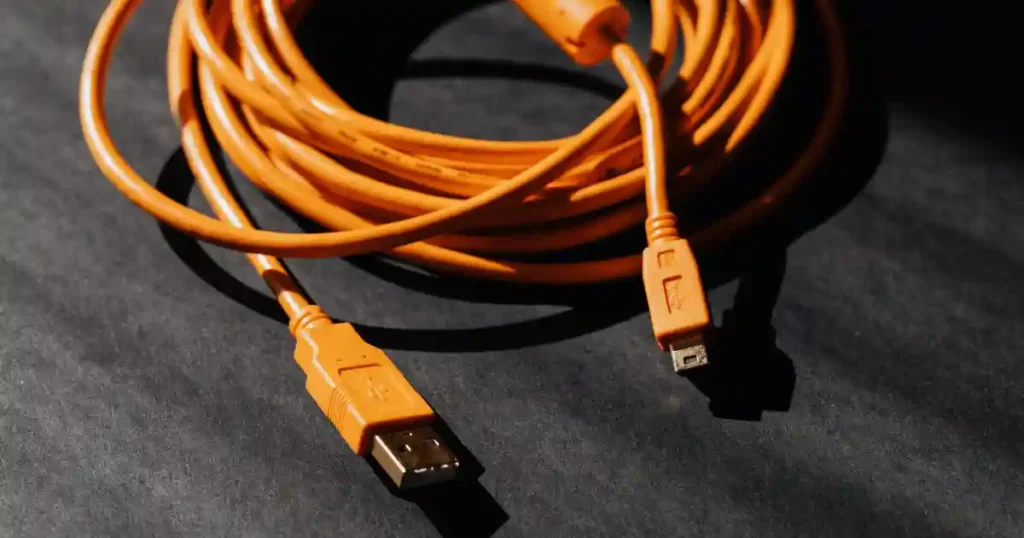
A tangle of cables sits in a kitchen drawer in New York City, and half of them do not even fit the same phone anymore. USB-A is the older rectangular connector most people grew up plugging in the wrong way twice before it finally clicked. USB-C is the newer, reversible connector showing up on nearly everything today. But connector shape alone never tells you charging speed or power, which is exactly where the USB-C vs USB-A charging confusion begins for most beginners.
This guide walks through what each connector actually does, why USB-C can charge faster in many cases, when USB-A still earns its spot in your bag, and how to pick the right charger and cable for your specific devices.
What Are USB-C and USB-A?
Understanding the physical connectors comes before any talk of watts, charging protocols, or cable ratings. Get this part right, and the rest of the comparison makes far more sense.
What Is USB-A?
USB-A describes the familiar rectangular connector most people have used for decades. You will still find it on desktop PCs, older laptops, wall chargers, power banks, keyboards, mice, and printers. Despite its age, USB-A remains genuinely useful thanks to its massive installed base and broad compatibility with older accessories still sitting in homes and offices everywhere.
What Is USB-C?
USB Type-C describes a small, oval-shaped connector built to plug in either way up, removing the old guessing game entirely. It now shows up across smartphones, tablets, laptops, power banks, monitors, docks, and external SSDs. Manufacturers keep shifting toward USB-C because a single connector shape can support far more power and data capability than USB-A ever could.
USB-C Is a Connector, Not a Charging Speed
This is where most confusion starts. USB-C describes a connector shape, and it can support different USB generations and features depending on implementation. A USB-C port alone never guarantees fast charging. The charger, cable, device, and charging protocol all need to support the required power together, which explains why two USB-C chargers can behave in completely different ways. The USB Implementers Forum, the standards body behind these specifications, distinguishes the physical connector system from USB Power Delivery capability, and that distinction matters throughout this entire guide. Our related breakdown of common charging problems covers several situations rooted in this exact confusion.
USB-C vs USB-A Charging Differences
This section moves from physical design into what users actually care about, including charging speed, power, compatibility, and everyday convenience.
USB-C vs USB-A Connector Design
| Feature | USB-A | USB-C |
|---|---|---|
| Shape | Rectangular | Small, oval |
| Reversible | No | Yes |
| Common age | Older standard | Newer standard |
| Typical use | Accessories and older devices | Phones, laptops, tablets, chargers |
| Power options | More limited | Much broader with USB PD |
USB-C Can Support Higher Charging Power
Watts measure charging power using a simple formula: watts equal volts multiplied by amps. Higher wattage generally allows faster charging when the device can actually use it. USB Power Delivery, including USB PD 3.0 and the newer USB PD 3.1, splits available power into a Standard Power Range and an Extended Power Range. The USB Implementers Forum states that USB PD 3.1 can support power levels up to 240W with appropriate USB-C implementations, a huge leap beyond anything USB-A ever offered.
USB-A Charging Power Explained
Traditional USB-A charging relies on older USB Battery Charging specifications alongside various proprietary fast-charging systems built by individual manufacturers. Performance varies widely between chargers because of this patchwork approach, which explains why an old USB-A charger can feel painfully slow next to a modern USB-C option.
Does USB-C Always Charge Faster Than USB-A?
Not always. A low-power USB-C charger can lose to a high-power USB-A charger built around a strong proprietary fast-charging system. Device limitations, cable limitations, and the specific charging technology involved all shape the real result. Picture the same phone plugged into two different chargers producing two very different charging times, simply because power negotiation and cable quality changed the outcome.
How USB-C Fast Charging Actually Works
This section answers the deeper “how” behind the comparison while keeping the technical side approachable rather than turning into an engineering manual.
What Is USB Power Delivery?
USB Power Delivery lets a device and charger communicate directly with each other. The device requests an appropriate power level, and the charger supplies whatever it can safely support. This negotiation process makes charging both safer and more flexible than simply forcing maximum power into every device regardless of its actual needs.
What Are Volts, Amps, and Watts?
Voltage
Voltage works like electrical pressure, similar to water pressure pushing through a pipe.
Current
Current, measured in amps, describes the actual amount of electrical flow moving through that pipe.
Power
Power, measured in watts, comes from multiplying voltage by current together. Watts give you the single most useful number when comparing chargers side by side.
What Happens When You Plug In a USB-C Device?
The connector makes physical contact first. The charger and device then identify each other’s capabilities, negotiate an appropriate power level where the protocol supports it, and the device receives that agreed power level. Internal charging management then controls the battery directly, and charging speed naturally changes as the battery fills up over time.
Why Charging Slows Near Full Battery
Battery protection systems, heat management, and distinct charging stages all combine to slow things down near the top of the charge cycle. This is exactly why the stretch from 80% to 100% often takes longer than the first 50% did, and why a “100W charger” label never means your phone actually receives 100W continuously throughout the entire session.
USB-C vs USB-A Charging Speed Compared
Readers often want one simple answer to which connector charges faster. Real answers depend on the specific device and scenario, so let’s walk through each one.
USB-C Charging for Smartphones
Modern USB-C phones rely heavily on USB Power Delivery and various device-specific fast-charging standards, though actual results still depend on cable quality and charger compatibility. Our guide on why smartphones overheat during charging explains a related side effect worth understanding.
USB-C Charging for Tablets
Tablets generally need more power than phones thanks to larger batteries, and USB-C’s flexibility handles this well. Tablet charging genuinely benefits from higher-power adapters rather than settling for whatever charger happens to be nearby.
USB-C Charging for Laptops
Laptop charging changed this entire comparison. USB-C PD now covers 45W, 65W, 100W, and higher power classes, though some gaming laptops still rely on larger proprietary power adapters for their higher demands. Check your laptop’s required wattage directly through the manufacturer, a step covered further in our laptop charging problems guide.
USB-A Charging for Small Devices
Earbuds, watches, older phones, small accessories, and other low-power gadgets rarely need anything beyond standard USB-A charging speeds.
Real-World Charging Comparison
| Device | USB-A May Be Enough For | USB-C Advantage |
|---|---|---|
| Phone | Basic charging | Fast charging and modern PD support |
| Tablet | Basic charging | Higher available power |
| Laptop | Rarely ideal | Much better suited to USB PD |
| Earbuds | Yes | Convenient but not always necessary |
| Power bank | Older models | Faster input/output on newer models |
USB-C vs USB-A Cable Differences Matter Too
A common mistake blames the connector when the cable itself is actually the weak link in the setup.
Why USB-C Cables Are Not All the Same
Charging capability, data speed, and cable construction can all vary between two USB-C cables that look identical. Higher-power cables often include an e-marker chip that confirms their rating. Never assume every USB-C cable supports every USB-C feature just because the connector fits.
USB-A to USB-C vs USB-C to USB-C
USB-A to USB-C Cable
This pairing connects an older charger to a newer device, offering useful compatibility while accepting some charging limitations compared with a full USB-C setup.
USB-C to USB-C Cable
Pairing a modern charger with a modern device through USB-C to USB-C works best with USB Power Delivery, and it remains the common choice for current smartphones and laptops.
How to Read a Cable’s Charging Rating
Check the printed wattage, look for the supported USB PD level, and confirm details against manufacturer specifications rather than judging a cable purely by its appearance. A cheap, unrated cable can quietly become the bottleneck in an otherwise strong charging setup, similar to the issues we cover in our guide on avoiding counterfeit chargers and batteries.
USB-C vs USB-A Charging Safety
Fast charging sounds exciting until heat enters the picture. Good equipment keeps that excitement from becoming a real problem.
Can USB-C Fast Charging Damage a Phone?
Modern charging stays device-controlled, meaning your phone manages how much power it actually accepts through proper USB PD negotiation. Genuine risk mostly comes from poor charger compatibility rather than fast charging itself, so avoid misleading claims suggesting that fast charging alone ruins battery health. Certified, quality accessories matter far more than the raw wattage number printed on the box.
Why Heat Matters During Charging
Battery temperature, charging efficiency, gaming while plugged in, hot cars, direct sunlight, thick phone cases, and poor airflow around a laptop all influence how much heat builds up during a charging session. Heat consistently deserves more concern than simply seeing a high wattage number on a charger’s label. Our guide on why electronics overheat expands on this same principle.
Signs of a Bad Charger or Cable
Watch for excessive heat, intermittent charging, a loose connector, any burning smell, damaged insulation, or genuinely unexpected charging behavior. Stop using visibly damaged cables, connectors, or chargers immediately rather than trying to squeeze another six months out of them.
When Should You Use USB-C Instead of USB-A?
A clear decision framework helps here more than a vague recommendation.
Choose USB-C When You Need
Fast smartphone charging, laptop charging, tablet charging, one charger covering multiple devices, genuine USB Power Delivery support, modern docking setups, fewer adapters cluttering your bag, and future-focused accessories all point toward USB-C.
USB-A Still Makes Sense When You Need
Older peripherals, existing USB-A chargers you already own, keyboards, mice, older USB drives, low-power accessories, and compatibility with older computers all keep USB-A relevant.
When USB-A Is Actually the Better Choice
Existing equipment already built around USB-A, no real need for high charging power, tight budget constraints, several legacy ports required at once, and a desire for broad compatibility with older accessories all favor sticking with USB-A a while longer.
How to Choose the Right USB Charger
This section turns everything covered so far into a practical buying guide without turning into a product list.
Check Your Device’s Maximum Charging Power
Review your phone, tablet, and laptop specifications alongside the manufacturer’s official charger requirement. Buying a 140W charger will never force a 30W phone to accept 140W, since the device itself always controls the final power level.
Check for USB Power Delivery
Look for a clear USB PD label, the specific PD version supported, the maximum wattage available, and PPS support where relevant to your particular device. Protocol support often matters more than chasing the single biggest wattage number on the shelf.
Match the Charger to Your Devices
| User Type | Suggested Charging Setup |
|---|---|
| Basic phone user | USB-C charger with suitable PD support |
| Phone + earbuds | Multi-port USB-C charger |
| Tablet user | Higher-output USB-C PD charger |
| Laptop user | Charger matching laptop wattage |
| Phone + laptop | Multi-port USB-C PD charger |
| Older accessories | USB-C charger with USB-A ports |
A well-rated multi-port option similar to this charger on Amazon covers several of these scenarios at once without cluttering your bag with separate bricks.
Don’t Ignore Multi-Port Power Sharing
Total charger output and per-port output are not always the same number. Once two devices charge simultaneously, available power often gets split between them, which explains why a “100W” multi-port charger may not deliver a full 100W to every single port at the same time.
Common USB-C and USB-A Charging Mistakes
These are the mistakes readers are most likely to make right after glancing at a product label.
Mistake 1, Assuming USB-C Means Fast Charging
Connector shape never equals guaranteed charging speed. Always check the actual specifications behind the label.
Mistake 2, Buying the Highest Wattage Charger
More wattage is not automatically better once it exceeds what your device can actually use. Match the charger to the device instead, and avoid paying extra for power you will never use.
Mistake 3, Using a Poor-Quality Cable
A weak cable can limit performance regardless of how strong your charger and device are, and damaged cables can create ongoing charging problems that seem to come from nowhere.
Mistake 4, Confusing Data Speed With Charging Speed
USB 2.0, USB 3.x, and USB4 all describe data transfer generations, which relate to charging capability but are never truly identical specifications.
Mistake 5, Thinking Every USB-C Port Does Everything
Some USB-C ports only handle charging. Others support data transfer, video output, or full USB PD, and rarely all four at once. Always check the specific device specification rather than assuming universal functionality.
USB-C vs USB-A for Everyday Devices
Recognizable, everyday situations help ground this comparison in real life rather than pure theory.
Charging Your Phone Overnight
An appropriate USB-C charger paired with the right wattage, sensible heat considerations, and a quality cable together make overnight charging genuinely safe and efficient.
Charging at a Coffee Shop or Airport
USB-A ports still appear frequently in public charging stations, alongside a growing number of USB-C options. Bring your own trusted charger when you can, and avoid plugging into unknown or visibly damaged charging accessories in public spaces.
Working From Home
A single USB-C charging setup can cover your laptop, monitor power delivery, and docking station together, creating a genuinely simple one-cable desk arrangement for your phone, laptop, and other accessories at once. Our guide on choosing a laptop for work pairs naturally with building out this kind of setup.
Traveling With One Charger
A USB-C multi-port charger paired with USB-A compatibility lets you carry fewer cables overall while still covering older accessories. A mixed-port charger genuinely earns its spot in a travel bag for exactly this reason.
USB-C vs USB-A Charging Comparison Table
This compact table helps you scan the full comparison quickly before deciding what to actually buy. Treat it as a fair summary rather than a claim that every USB-C implementation performs identically.
| Category | USB-A | USB-C |
|---|---|---|
| Connector shape | Rectangular | Reversible oval |
| Plug orientation | One direction | Reversible |
| Fast charging potential | More limited/varies | Broad support with USB PD |
| Laptop charging | Limited | Common |
| Modern phone charging | Possible | Common |
| Power Delivery | Limited compared with USB-C PD | Supported |
| Data capabilities | Vary by USB version | Vary by USB version |
| Future relevance | Legacy but still useful | Increasingly common |
| Best use | Older accessories | Modern charging ecosystem |
The USB Implementers Forum describes USB Power Delivery as a mechanism for flexible power delivery and device power negotiation, while USB Type-C simply defines the connector system itself. Treat “USB-C” and “USB PD” as related but genuinely separate terms, not interchangeable ones.
Which Is Better for Charging, USB-C or USB-A?
Time to answer the primary comparison question directly.
USB-C Is Usually Better for Modern Charging
Higher power potential, broad USB PD support, a reversible connector, and compatibility with modern phones and laptops all favor USB-C for most current shopping decisions. One well-chosen charger can genuinely handle several device types at once.
USB-A Is Still Useful for Older Gear
A huge installed base of existing accessories, older computers, and legacy chargers keeps USB-A relevant for plenty of households and offices for years to come.
The Best Choice Depends on Your Device
Need modern fast charging? Choose USB-C. Charging an older accessory? USB-A may already be enough. Charging a laptop? Look for USB-C PD if your laptop supports it. Want one charger for several modern devices? Pick a USB-C multi-port charger. Need legacy compatibility? Keep at least one USB-A port or adapter on hand.
Frequently Asked Questions About USB-C and USB-A Charging
Is USB-C charging faster than USB-A?
USB-C can support higher charging power, especially through USB Power Delivery, but actual speed still depends on the charger, cable, device, and supported charging protocol working together.
Can USB-A charge a USB-C phone?
Yes, using a USB-A-to-USB-C cable. Charging speed still depends on the specific charger and phone involved.
Is USB-C better than USB-A for charging?
Generally yes for modern devices, though USB-A remains genuinely useful for older and low-power equipment still in daily use.
Does USB-C automatically mean fast charging?
No. The connector shape and the charging protocol behind it are two separate things entirely.
Can a USB-C charger charge any phone?
Physical compatibility is not the same as charging compatibility. Always check supported standards and power requirements before assuming full functionality.
Can USB-C charge a laptop?
Yes, if the laptop itself supports USB-C charging. Match the required wattage and charging standard carefully before relying on it daily.
Does a higher-watt USB-C charger charge a phone faster?
Only if the phone actually supports that additional power. The phone always controls how much power it ultimately accepts.
Are all USB-C cables the same?
No. Charging capability, data speed, and video capability can all vary significantly between two cables that look nearly identical.
Final Practical Checklist Before Choosing USB-C or USB-A
Check your device’s port type, its maximum charging wattage, and whether it supports USB Power Delivery. Check the cable’s actual rating and how the charger handles multi-port power sharing. Use reputable chargers and cables rather than unknown budget accessories, and never assume USB-C automatically means fast charging just because the connector fits. Keep USB-A around if you still rely on older accessories, and choose your next charger based on your actual devices rather than the biggest number printed on the box. A dependable multi-port pick like this charger on Amazon covers most of this checklist in a single purchase.
Picture someone leaving for work with a laptop, phone, earbuds, and power bank all in tow. Instead of carrying four separate charging bricks, one suitable USB-C PD charger can handle every modern device at once, while a small USB-A adapter or port keeps an older accessory useful without buying anything new. That single swap alone is often the easiest upgrade in someone’s entire charging setup, a theme we also explore in our guide on common tech buying mistakes beginners make.
Final Recommendation
After years spent testing chargers, cables, and power banks across USB-C vs USB-A charging scenarios, my honest advice stays simple. Choose USB-C for anything modern, including your phone, tablet, and laptop, and look specifically for genuine USB Power Delivery support rather than trusting a big wattage number alone. Keep at least one USB-A port or adapter around for older accessories you already own, since replacing perfectly good gear rarely makes sense.
Pair whatever charger you choose with a properly rated cable, because a weak cable will quietly undercut even the best charger on the market. If you want one dependable charger that handles most of today’s devices without extra clutter, this option on Amazon is exactly the kind of setup I would recommend to a friend cleaning out their own tangled drawer of old cables.

Ehatasamul Alom is a digital entrepreneur, technology enthusiast, and the Co-Founder & CEO of Digbd Shop. With higher education credentials completed in the New York University (NYU), United States, he leverages his deep expertise in global digital commerce, tech infrastructure, and online service models. Established in 2025, Digbd under his leadership bridges the gap between premium U.S. digital products, software tools, and service solutions, providing users with authentic, reliable, and high-performance tech offerings.