What Laptop Specifications Matter Most for Students?
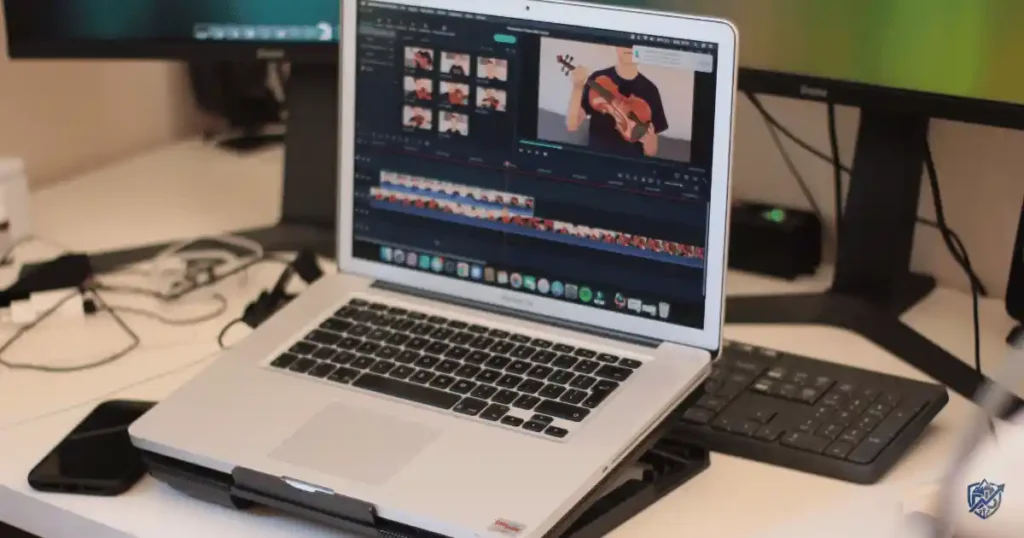
Sitting in a busy library in New York, I saw a student struggle with twelve browser tabs, a Zoom call, and a Word file. Their laptop fan spun like a tiny vacuum, blowing hot air across the desk. Finding out what laptop specifications matter most for students stops you from buying the wrong machine. You do not need to spend top dollar on shiny marketing claims. A computer science major needs very different parts than an English student.
This guide breaks down processors, RAM, storage, battery life, displays, weight, keyboards, ports, graphics, operating systems, connectivity, upgradeability, and build quality so you can avoid buying overpriced specs you will never use.
Every student handles a unique workload on campus. Focus on core parts that affect daily use before you look at benchmarks.
The Most Important Laptop Specifications for Students
Selecting a laptop means balancing speed, size, and usability. These key areas determine how well your machine holds up during long study sessions.
The Five Specifications Most Students Should Prioritise
1. Processor Performance
The processor acts as the brain of your computer. It controls how fast your apps open, how smoothly you multitask, and how well your laptop runs video calls.
- Cores and threads: Cores process tasks, while threads help each core manage multiple jobs.
- Clock speed: Higher gigahertz numbers mean faster single task handling.
- Generations: A newer processor generation often runs faster and uses less power than an older chip with high clock speeds.
Modern options include Intel Core, Intel Core Ultra, AMD Ryzen, Apple Silicon, and Qualcomm Snapdragon X chips. Never pick a chip based on brand name alone.
2. RAM
RAM acts as your laptop short-term working memory. It keeps your open browser tabs, documents, video streams, and code editors running without lag.
- 8GB: Works for basic web browsing and simple documents.
- 16GB: The ideal target for multitasking and heavy research.
- 32GB+: Built for virtual machines, 3D work, and heavy video edits.
Most students find that 16GB provides the smoothest daily workflow.
3. Storage
Solid state drives keep your system snappy and save your files securely. Fast SSD storage opens apps in seconds and boots your system quickly.
- 256GB: Tight space that fills up fast with system files.
- 512GB: A solid sweet spot for apps, projects, and media.
- 1TB: Ideal for large media projects and games.
Cloud storage helps, but local storage keeps your main tools ready offline.
4. Battery Life
Campus life keeps you moving between lecture halls, libraries, and cafes. You need a laptop that lasts through long days without needing a wall outlet.
- Screen brightness: High brightness settings drain power fast.
- Wi-Fi and video: Constant streaming uses extra battery juice.
- Real-world use: Expect less battery runtime than factory claims promise.
Look for laptops rated for long real-world test results rather than box claims.
5. Weight and Portability
Carrying a heavy computer across campus gets old fast. Pick a weight class that fits your daily commute.
- 1kg to 1.3kg: Ultraportable laptops built for easy travel.
- 1.3kg to 1.7kg: Mainstream laptops with a good mix of screen size and power.
- 1.8kg+: Heavy performance laptops built for desktop style power.
The backpack test includes your laptop, charger, water bottle, textbooks, and lunch. Keep your bag light to save your back.
How Much RAM Does a Student Laptop Need?
System memory dictates how many apps you can run at once. Picking the right amount keeps your system fast under pressure.
Is 8GB RAM Enough for Students?
8GB of RAM handles light tasks like typing papers, checking email, and watching online lectures. However, opening dozens of web tabs alongside a video call will slow your system down. Over four years of study, 8GB can start to feel cramped.
Why 16GB RAM Is the Sweet Spot for Many Students
16GB of RAM offers the best balance for most college workloads. You can keep heavy research tabs open, run statistical tools, stream music, and write papers at the same time. It offers great long-term value for a four-year degree.
When Should a Student Buy 32GB RAM?
- Engineering software like MATLAB or AutoCAD
- Data science workloads and big datasets
- Running virtual machines for programming
- 4K video editing and 3D architectural rendering
Can You Upgrade Laptop RAM Later?
Some modern laptops use soldered RAM that cannot be upgraded later. Others feature open RAM slots for easy stick swaps. Always check the service manual before buying so you do not get stuck with fixed memory.
Which Laptop Processor Is Best for Student Work?
Your processor shapes how quickly your laptop compiles code, edits video, and runs everyday software.
Intel Processors for Students
Intel chips offer wide software support across all student tools. Also, Intel Core 3 and Core 5 chips handle general classwork with ease. Core 7 and Core Ultra chips suit heavy multitasking, engineering, and creative work.
AMD Ryzen Processors for Students
AMD Ryzen 3 and Ryzen 5 processors offer strong multi-core performance for your dollar. Ryzen 7 and 9 chips handle heavy computing tasks smoothly while keeping power use efficient and battery life strong.
Apple Silicon for Students
Apple M-series chips deliver incredible speed and class-leading battery life. MacBooks run cool and quiet in quiet library study spaces. Make sure your required course software runs natively on macOS before buying.
Snapdragon and ARM-Based Windows Laptops
Snapdragon X chips bring exceptional battery life and thin designs to Windows laptops. They handle web apps and office software easily, but check for tool compatibility if you use specialized engineering software.
Do Students Need the Latest Processor Generation?
You do not always need the newest generation processor. A chip from the previous year often offers nearly identical speed for a much lower price. Save your money for extra RAM or storage instead.
How Much Laptop Storage Do Students Really Need?
Storage holds your operating system, software tools, photos, and class files. Pick enough space to avoid low disk space warnings later.
Is 256GB Enough for College?
A 256GB drive works if you rely heavily on cloud storage and keep few files locally. However, system updates and software suites eat up space fast, making 256GB fill up quickly.
Why 512GB Is a Good Student Laptop Standard
A 512GB SSD strikes a great balance for price and usability. You have plenty of room for software tools, class projects, media files, and offline backups without constant file management.
When Should Students Choose 1TB?
- Film students editing large video files
- Game design and 3D modeling majors
- Students dual-booting two operating systems
- Gamers carrying large game libraries
SSD vs HDD for Students
Solid state drives have no moving parts, run silently, use less power, and survive accidental backpack drops. Hard disk drives are too slow for main system drives today, though they make cheap external backup drives.
Which Laptop Screen Specifications Matter Most?
A clear display protects your eyes during long study sessions. Look at size, sharpness, and brightness settings.
Choosing the Right Laptop Screen Size
- 13 to 14 inches: Light, easy to carry, and fits on small lecture hall desks.
- 15 to 16 inches: Offers more workspace for split-screen research, but adds weight to your bag.
Why Display Resolution Matters
A 1080p display is the practical baseline for sharp text. 2.5K displays offer even crisper fonts for reading long PDFs. 4K screens look sharp, but they drain battery power fast and add extra cost.
Refresh Rate
Standard 60Hz panels work fine for typing essays and watching lectures. 90Hz or 120Hz screens make scrolling through long notes feel smoother. High refresh rates matter most if you play fast games after class.
Brightness
Look for a display rated at 300 nits or higher. Bright screens let you read comfortably in bright classrooms, near library windows, or outdoors on sunny campus lawns.
IPS vs OLED
IPS panels offer wide viewing angles, clear text, and reliable battery efficiency. OLED displays produce deep blacks and brilliant colors for artwork, but they can cost more and drain battery on bright pages.
How Important Is Laptop Battery Life for Students?
A dead laptop turns a productive study session into a search for open wall plugs. Reliable battery performance keeps you mobile all day.
How Many Hours of Battery Life Should Students Look For?
Aim for a laptop that offers at least eight hours of real-world use. Real battery runtime falls short of advertised box numbers, so read third-party tests before buying.
What Affects Laptop Battery Life?
- High screen brightness levels
- Background apps syncing files
- Video streaming and video calls
- Power-hungry performance CPUs
- Aging battery cells over time
Fast Charging and USB-C Charging
USB-C power delivery lets you charge your laptop with the same compact brick you use for your phone. Fast charging fills your battery up to fifty percent during a quick lunch break between lectures.
Do Students Need a Dedicated Graphics Card?
Most students do fine with integrated graphics chips built right into the main processor.
Integrated Graphics for Everyday Student Work
Integrated graphics handle web browsing, HD video streams, office suites, basic coding tools, and light photo editing. They use less power, generate minimal heat, and keep your laptop thin and quiet.
When a Dedicated GPU Is Worth Paying For
- 3D rendering in CAD or Maya
- Complex animation and 3D design work
- Training local machine learning models
- Playing modern 3D video games
NVIDIA GeForce RTX vs Integrated Graphics
Dedicated NVIDIA graphics offer powerful VRAM for complex rendering tasks. However, they add weight, produce extra fan noise, draw more power, and lower overall battery life.
Which Laptop Specifications Matter by Student Major?
Your field of study determines what hardware performance specs matter most for your coursework.
Best Specifications for General College Students
- 16GB system RAM
- 512GB fast SSD storage
- Modern mid-range CPU
- 14-inch bright display
- Eight or more hours of battery life
Specifications for Business Students
- Mid-range CPU for spreadsheets
- 16GB RAM for multitasking
- Crisp keyboard for long typing sessions
- Clear webcam for virtual presentations
Specifications for Computer Science and Programming Students
- 16GB to 32GB system RAM
- Fast 512GB or 1TB SSD
- Strong multi-core CPU for compiles
- Tactile keyboard layout
Best Specifications for Engineering Students
- Powerful multi-core processor
- 16GB to 32GB RAM
- Dedicated GPU for CAD software
- Good cooling vents
Specifications for Design and Art Students
- Color-accurate display (100% sRGB or DCI-P3)
- 16GB to 32GB system RAM
- 512GB to 1TB SSD
- Dedicated GPU for heavy graphic tools
Specifications for Video Editing Students
- High-performance processor
- 32GB RAM for preview renders
- Fast 1TB+ SSD storage
- Dedicated GPU with video encoders
Top Specifications for Medical and Science Students
- Long battery life for long days
- Lightweight design for lab travel
- 16GB RAM for research tools
- Crisp display for detailed charts
Specifications for Students Who Also Want to Game
- Mid-range or high-end dedicated GPU
- 120Hz or faster refresh rate screen
- 16GB to 32GB system RAM
- 512GB to 1TB SSD space
Student Laptop Specifications Compared at a Glance
Having tested laptops across various degree programs, I know how hard it is to pick the right build. This quick reference table matches hardware specs directly to typical student workloads.
| Specification | Basic Student | Most Students | Heavy Users |
| RAM | 8GB | 16GB | 32GB+ |
| Storage | 256GB SSD | 512GB SSD | 1TB+ SSD |
| Processor | Entry-level CPU | Mid-range CPU | High-performance CPU |
| Graphics | Integrated | Integrated | Dedicated GPU |
| Screen | 13–14″ Full HD | 14–15″ 1080p/2.5K | 15–16″ High-res |
| Battery | 6–8 hours practical | 8–12 hours practical | Varies with heavy load |
| Weight | Under 1.4kg | 1.3–1.6kg | Often 1.8kg+ |
Pick parts that serve your daily coursework rather than overpaying for unused peak horsepower.
Student Laptop Specification Recommendations by Budget
Aligning your hardware targets with your real budget keeps you from overspending.
Entry-Level Student Laptop
- Prioritise: 8GB to 16GB RAM, 256GB or 512GB SSD, entry-level CPU.
- Suitable for: Web research, typing papers, email, and streaming lectures.
Mid-Range Student Laptop
- Prioritise: 16GB RAM, 512GB SSD, mid-range CPU, bright display, all-day battery.
- Suitable for: The vast majority of college majors seeking the best long-term value.
Premium Student Laptop
- Prioritise: 16GB to 32GB RAM, 512GB to 1TB SSD, premium lightweight chassis, top screen.
- Suitable for: Students who want ultra-thin portability and premium build materials.
Performance Student Laptop
- Prioritise: 32GB RAM, 1TB SSD, high-end CPU, dedicated graphics card.
- Suitable for: Engineering, 3D design, video editing, and PC gaming.
Which Laptop Features Are Often Overrated for Students?
Flashy spec sheets love to highlight numbers that do not change your daily study experience.
Extremely High Refresh Rates
A 240Hz screen looks fluid, but it eats battery power quickly. A standard 60Hz or 90Hz screen works great for typing papers and reading notes.
4K Displays
4K resolution on a small 14-inch screen wastes battery power and adds cost. A crisp 1080p or 1440p panel offers plenty of detail while saving power.
Excessive RAM
Buying 64GB of RAM for basic coursework wastes money. Stick to 16GB unless you run local virtual machines or edit raw 4K video footage daily.
Top-End Processors
Top-tier flagship CPUs generate extra heat and shorten battery life. Mid-range processors run cooler and handle daily tasks effortlessly.
Huge SSD Capacity
A 2TB SSD adds significant cost to a laptop. A 512GB drive paired with cloud storage or a cheap external drive handles extra files easily.
Dedicated Graphics Cards for Basic Coursework
Adding a discrete GPU to a laptop meant for history or business majors adds extra weight, heat, and cost for no real benefit.
USA Expert Advice on Choosing a Student Laptop
“Students should prioritize battery life, a comfortable keyboard, and at least 16GB of system memory over raw processor speed,” notes the review team at Wirecutter. They emphasize that a well-balanced laptop built for daily transport serves students much better than a heavy machine with flashy benchmark scores.
Key Takeaways from Tech Reviewers
- Match hardware specs to your actual weekly assignments.
- Invest in RAM and SSD storage before chasing faster CPU clock speeds.
- Choose a bright screen and comfortable keyboard for long library sessions.
- Check component upgrade options to extend your laptop lifespan.
Focusing on everyday usability ensures your computer stays reliable throughout your entire college degree.
Three Student Laptop Specification Profiles
These real-world examples highlight how different academic tracks require distinct hardware choices.
The Everyday Student
- Daily routine: Morning lectures, typing papers in Google Docs, research, Zoom calls, and evening streaming.
- Recommended specs: 16GB RAM, 512GB SSD, mid-range CPU, integrated graphics, 14-inch screen, 10+ hour battery.
The Coding and Engineering Student
- Daily routine: Code IDEs, local servers, CAD models, software builds, and multi-monitor setups.
- Recommended specs: 16GB to 32GB RAM, 512GB or 1TB SSD, strong multi-core CPU, dedicated GPU if required.
The Creative Student
- Daily routine: Editing photos in Photoshop, rendering video clips, graphic design, and large asset management.
- Recommended specs: 32GB RAM, 1TB fast SSD, color-accurate screen, strong CPU, dedicated graphics.
Student Laptop Specification Comparison Table
This broad comparison grid matches academic fields directly to core hardware needs so you can shop with confidence.
| Student Type | RAM | Storage | CPU | Graphics | Display |
| General Student | 16GB | 512GB | Mid-range | Integrated | 14″ 1080p |
| Business Student | 16GB | 512GB | Mid-range | Integrated | 14″ 1080p |
| Programming Student | 16–32GB | 512GB–1TB | Multi-core | Integrated/Dedicated | 14–16″ 1200p |
| Engineering Student | 16–32GB | 512GB–1TB | High-performance | Dedicated GPU | 15–16″ 1440p |
| Design Student | 16–32GB | 512GB–1TB | Mid/High-range | Dedicated GPU | Color-accurate |
| Video Editing Student | 32GB | 1TB+ | High-performance | Dedicated GPU | High-res color |
| Gaming Student | 16–32GB | 1TB | High-performance | Dedicated GPU | 120Hz+ Refresh |
Review your course requirements to select the baseline build that fits your degree.
Other Laptop Features Students Should Not Ignore
Small usability details often dictate how much you enjoy using your laptop every day.
Keyboard Quality
A stiff or mushy keyboard makes typing ten-page essays frustrating. Look for tactile key feedback, clean key spacing, and backlighting for late-night study sessions.
Webcam and Microphone
Clear 1080p webcams and dual array microphones help you look and sound professional during remote group projects and online class presentations.
Ports and Connectivity
Carrying extra dongles gets annoying fast. Look for a healthy mix of USB-C, USB-A, HDMI, and a headphone jack to plug in flash drives and room projectors directly.
Build Quality and Durability
An aluminum or sturdy polycarbonate chassis withstands daily backpack trips, minor bumps, and frequent lid adjustments without flexing or cracking.
Repairability and Upgradeability
Laptops with accessible screws, swappable SSDs, and replaceable batteries last longer because you can service them yourself as parts age over time.
Operating System
- Windows: Offers maximum software choice and broad tool compatibility.
- macOS: Delivers top-tier efficiency, smooth software performance, and long battery life.
- ChromeOS: Fast and cheap for web-first study, but limited for specialized software tools.
Common Mistakes Students Make When Comparing Laptop Specs
Avoid these easy mistakes when shopping for a student computer.
Buying Based Only on Processor Branding
An older Intel Core i7 processor can easily perform worse than a brand-new Core i5 chip. Always check the processor generation alongside the family brand name.
Choosing Too Little RAM
Saving a few dollars on an 8GB laptop creates system lag down the road. 16GB of RAM keeps your machine fast for years to come.
Ignoring Battery Life
A high-performance laptop that dies after three hours limits where you can study on campus. Prioritize real-world battery life over raw peak power.
Buying a Gaming Laptop for Basic Study
Gaming laptops add significant weight to your bag, run loud fans, and feature poor battery life. Unless you game heavily, buy a sleek mainstream laptop instead.
Ignoring Screen Quality
You will stare at your screen for hours every single day. Do not buy a dim display with poor viewing angles just to save a tiny amount of money.
Forgetting Charger Size and Weight
A light laptop paired with a massive, heavy brick charger ruins overall portability. Look for small USB-C power delivery chargers.
Not Checking University Software Requirements
Engineering, architecture, and computer science departments publish minimum laptop specs. Check your department website before purchasing any hardware.
Buying for Today Needs Only
Buy a machine that will handle your workload three to four years down the road so you do not need an expensive mid-degree replacement.
A Simple Student Laptop Buying Checklist
Use this actionable reference guide when comparing laptop models online or in-store.
Before You Buy, Check These Specifications
- Modern multi-core processor
- 16GB RAM for smooth multitasking
- 512GB fast SSD storage
- At least 8 hours of real battery life
- 300+ nit bright display
- Tactile backlit keyboard
- USB-C charging support
- Necessary built-in ports
- Sturdy build quality
- Course software compatibility
The Five-Minute Buying Test
- Tabs test: Open ten web pages and a video stream simultaneously.
- Keyboard check: Type a short paragraph to check key bounce and comfort.
- Screen check: View the display from side angles to check glare.
- Weight test: Hold the laptop with one hand to feel its weight.
- Port check: Ensure your main accessories plug in without dongles.
Frequently Asked Questions About Student Laptop Specifications
Is 8GB RAM Enough for a Student Laptop?
8GB of RAM works for basic web browsing, word processing, and light streaming. However, 16GB is highly recommended to keep your laptop fast when multitasking across many open apps.
Is 16GB RAM Enough for College?
Yes, 16GB of RAM is the ideal sweet spot for the vast majority of college students. It easily handles research, office suites, coding tools, and general multitasking.
Is 256GB Storage Enough for Students?
256GB works if you store most files in the cloud and keep few local apps. 512GB provides a much safer cushion for software installations, local projects, and media files.
How Much SSD Storage Should a Student Laptop Have?
Most students should target a 512GB SSD. Creative, engineering, and gaming students should look for 1TB or more to store large project files locally.
Do Students Need a Dedicated Graphics Card?
Most students do not need a dedicated graphics card. Integrated graphics handle everyday coursework smoothly. Dedicated GPUs are only necessary for 3D rendering, CAD work, heavy video editing, and gaming.
What Processor Is Best for College Students?
A modern mid-range processor like an Intel Core 5, Intel Core Ultra 5, AMD Ryzen 5, or Apple M-series chip offers the best balance of speed, price, and battery efficiency for students.
Is a 14-Inch or 15-Inch Laptop Better for Students?
A 14-inch laptop offers superior portability for carrying between classes. A 15-inch laptop provides a larger screen for split-window work but adds weight to your backpack.
How Long Should a Student Laptop Last?
A well-chosen student laptop with a modern processor, 16GB of RAM, and a 512GB SSD should easily last three to five years through a full degree program.
Should Students Buy a Mac or Windows Laptop?
Choose based on your major and ecosystem preferences. Windows offers broad software compatibility across engineering and business tools, while MacBooks excel in battery life, build quality, and creative software.
What Is the Best Laptop Specification for Most Students?
The ideal specification profile for most students is a modern mid-range CPU, 16GB of RAM, a 512GB SSD, integrated graphics, a bright 14-inch 1080p display, and eight or more hours of battery life.
Final Buying Direction: Match Specs to Your Real Student Life
Understanding what laptop specifications matter most for students helps you invest money where it counts. Focus your budget on a modern multi-core processor, 16GB of system RAM, a 512GB SSD, a clear display, and solid real-world battery life. Skip overpriced 4K screens and heavy graphics cards unless your major specifically requires them. Always check your university course requirements before buying. A well-balanced, portable laptop that lasts all day will serve you far better throughout your college years than a heavy machine loaded with specs you never use.
Final Recommendation
Having spent years testing laptops and working directly alongside students in busy campus settings, I know firsthand that chasing top-tier spec sheets often leads to wasted money. What laptop specifications matter most for students comes down to everyday balance rather than pure horsepower. For the vast majority of college majors, picking a laptop with a modern mid-range processor, 16GB of RAM, a 512GB SSD, a bright 14-inch display, and all-day battery life hits the absolute sweet spot for usability and longevity.
Prioritize a comfortable keyboard, sturdy build quality, and lightweight portability over heavy graphics cards or battery-draining 4K screens. Choose a reliable laptop that fits your actual daily routine, and it will effortlessly power your entire college journey from your first lecture to graduation day.

Ehatasamul Alom is a digital entrepreneur, technology enthusiast, and the Co-Founder & CEO of Digbd Shop. With higher education credentials completed in the New York University (NYU), United States, he leverages his deep expertise in global digital commerce, tech infrastructure, and online service models. Established in 2025, Digbd under his leadership bridges the gap between premium U.S. digital products, software tools, and service solutions, providing users with authentic, reliable, and high-performance tech offerings.