How Much RAM Is Enough for a Smartphone? A Simple Guide
Shopping for a new phone in New York last month, I noticed spec sheets showing up to 16GB or even 24GB of RAM. Standing in the store, I asked myself the same question you are likely asking now: how much RAM is enough for a smartphone? You do not want to overpay for memory you will never touch, but you also do not want an annoying phone that reloads your apps every time you answer a text.
Finding the right fit comes down to how you use your device each day, how long you plan to keep it, and whether you care about mobile gaming or on-device AI. Let us break down exact numbers so you can buy with total confidence.
The Quick Answer: How Much RAM Does a Phone Need?
You do not need to sit through a deep technical speech to get a clear buying answer. Here is the direct breakdown for modern buyers.
Is 4GB RAM enough for a smartphone?
A 4GB capacity works only for basic smartphone use on modern Android software. It handles voice calls, text chats, lightweight web browsing, and simple utility apps. You will see frequent app reloads and sluggish performance when switching between tasks. Your overall experience also relies on the phone’s processor, base software optimization, and background memory management.
Is 6GB RAM enough?
A 6GB setup works fine for budget-conscious buyers with light-to-moderate daily habits. It comfortably manages social feeds, group chats, and normal background tasks like music streaming. It offers less long-term headroom than an 8GB model, but it keeps basic phones running smoothly.
Is 8GB RAM enough for most people?
An 8GB capacity serves as the practical sweet spot for most Android shoppers today. It effortlessly runs social apps, video streams, web browser tabs, navigation maps, and casual mobile games. Current guidance from tech publications like Android Authority recommends at least 8GB for smooth Android use, while manufacturer guides from Samsung highlight 6GB to 8GB as plenty for standard tasks. This reflects a healthy range for everyday stability rather than a conflict in hardware specs.
Is 12GB RAM worth it?
A 128GB or 256GB phone paired with 12GB of RAM makes strong sense for power users. It provides extra space for heavy multitasking, high-end mobile gaming, mobile video editing, and on-device AI models. It also guarantees better performance if you plan to keep your phone for four or five years.
Do you need 16GB RAM?
A 16GB memory setup is unnecessary for casual buyers. It offers extra headroom for extreme workloads, dedicated gaming hardware, and heavy background media editing. AI tasks may push memory demands over time, but 16GB remains a specialized tier for enthusiast devices.
The simple RAM recommendation
- 4GB: Basic use only (calling, texting, light apps)
- 6GB: Budget phones and moderate daily use
- 8GB: Best balance for mainstream buyers
- 12GB: Power users, gaming, and long-term use
- 16GB+: Extreme multitasking, gaming, and heavy AI workloads
What Is RAM in a Smartphone?
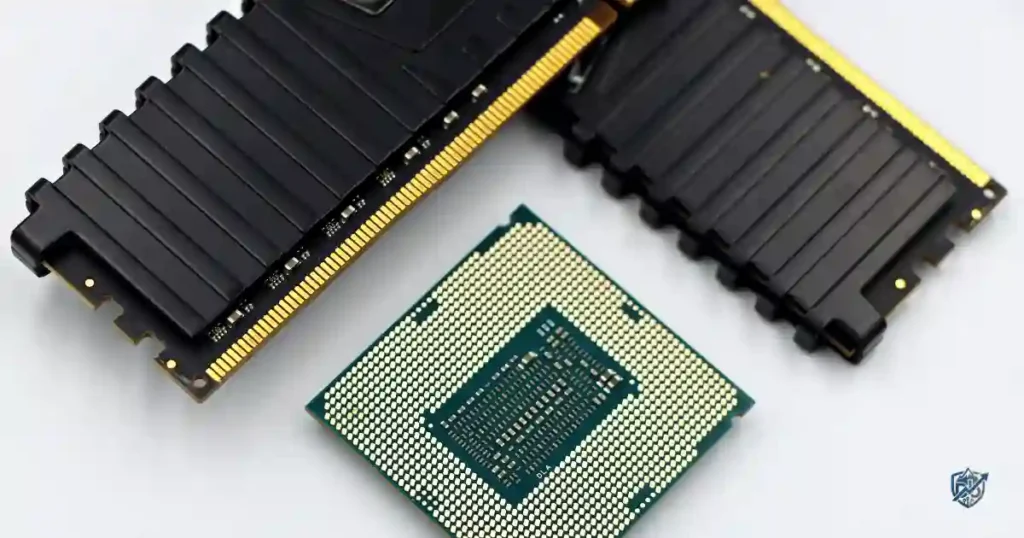
Random Access Memory (RAM) acts as your phone’s short-term workspace. It temporarily holds open apps, background services, active tasks, and core operating system processes so your processor can access them instantly.
What does RAM stand for?
RAM stands for Random Access Memory.
What does smartphone RAM actually do?
Unlike permanent storage, RAM clears its contents when a phone powers off. It keeps active data ready so your device does not need to reload files from internal drives every time you switch screens.
RAM vs phone storage
This table compares how short-term system memory differs from internal storage capacity:
| Feature | RAM | Internal Storage |
| Main role | Runs active tasks | Stores files permanently |
| Holds open apps | Yes | No |
| Stores photos permanently | No | Yes |
| Helps multitasking | Yes | Not directly |
| Typical sizes | 4GB–16GB+ | 64GB–1TB+ |
This comparison clarifies one of the most vital rules in mobile tech. RAM acts as your desk workspace, while storage is the cupboard holding your photos, videos, and app files. A phone with 512GB of storage can still lag if it lacks sufficient RAM.
Why more RAM can help multitasking
Having more short-term memory allows your phone to keep multiple apps open simultaneously. It prevents annoying app reloads, speeds up task switching, and supports demanding background tasks like location tracking or audio recording.
A simple everyday example
Imagine keeping Google Chrome open, playing a Spotify playlist, receiving WhatsApp messages, following Google Maps navigation, and snapping a quick camera photo. Generous RAM keeps all five apps active in the background without closing or restarting a single one.
How Much RAM Do You Need Based on Your Usage?
Matching your hardware choice to real daily behavior saves money while preventing daily headaches.
This usage breakdown pairs personal phone habits with matching memory requirements:
| User Type | Typical Use | Recommended RAM |
| Basic user | Calls, texts, light browsing | 4–6GB |
| Everyday user | Social media, streaming, messaging | 6–8GB |
| Multitasker | Many apps and browser tabs | 8–12GB |
| Mobile gamer | Demanding 3D games | 8–12GB |
| Heavy gamer | Large games and screen recording | 12–16GB |
| Content creator | Photo and video editing | 12–16GB+ |
| Long-term owner | 4–5 years of ownership | 8–12GB |
| AI-heavy user | On-device AI features | 12GB+ |
No single capacity suits every user. A student checking social feeds between classes needs different resources than a creator editing 4K video clips while commuting from Boston to New York.
RAM needs for everyday users
Standard users who stick to phone calls, text messages, Instagram feeds, YouTube videos, and basic web pages run smoothly on 6GB to 8GB.
RAM needs for students
Students jumping between Google Docs, video lectures, research browser tabs, and class group chats benefit from 8GB of memory.
RAM needs for business users
Professionals keeping Slack, Microsoft Teams, Outlook, work calendars, and PDF readers open all day should look for an 8GB or 12GB device.
RAM needs for parents and families
Parents taking constant photos, sending family clips on messaging apps, and running navigation tools find 8GB to be a comfortable fit.
Recommended RAM for the average smartphone user
An 8GB capacity stands out as the target choice for modern buyers. It runs daily tasks comfortably while providing a helpful cushion for software updates.
8GB vs 12GB vs 16GB RAM
Comparing memory tiers helps you evaluate device pricing when picking your next handset.
This chart highlights the trade-offs across current memory levels:
| RAM Tier | Best For | Main Advantage | Possible Drawback |
| 6GB | Light users | Lower purchase cost | Less multitasking headroom |
| 8GB | Most users | Excellent daily balance | Less future headroom for heavy AI |
| 12GB | Power users | Strong multitasking | Slightly higher price |
| 16GB | Heavy users | Maximum headroom | Unnecessary for most people |
| 24GB+ | Specialized users | Huge capacity | Poor value for casual buyers |
A phone with 24GB of memory sounds like a pocket supercomputer, but larger numbers do not guarantee a noticeably faster daily experience. The key factor is whether your daily mobile apps can actually utilize that extra space.
6GB vs 8GB RAM
Moving up to 8GB provides noticeable benefits over 6GB. Apps stay saved in memory longer, web browser tabs reload less often, and the system handles long-term software updates better.
8GB vs 12GB RAM
While 8GB satisfies daily needs, 12GB adds valuable headroom for heavy multitaskers, video editors, and mobile gamers who record gameplay.
12GB vs 16GB RAM
Upgrading from 12GB to 16GB offers diminishing returns for standard users. It mainly benefits dedicated gaming phones, complex local AI processing, and heavy media production.
Is 24GB RAM overkill?
Massive 24GB configurations serve mostly as marketing highlights on niche gaming devices. Tech analysis from Android Authority’s Gary Sims emphasizes that 8GB to 12GB represents the true sweet spot for Android users, with 16GB or 24GB yielding limited benefits for normal tasks.
The best RAM upgrade for most buyers
If upgrading your phone model is affordable, moving from 6GB to 8GB yields a far bigger jump in daily usability than moving from 12GB to 16GB.
Does More RAM Make a Smartphone Faster?
A common mobile hardware myth claims that adding RAM automatically makes a phone run faster.
RAM is not the same as processing power
RAM provides memory workspace, but it does not calculate data. Raw phone speed comes from the central processing unit (CPU) and graphics processing unit (GPU).
What actually makes a phone feel fast?
A smooth smartphone experience depends on several hardware and software parts working together:
- CPU clock speed and architecture
- GPU graphics handling
- RAM capacity and memory speed
- Internal storage generation (e.g., UFS 3.1 vs UFS 4.0)
- Operating system software optimization
- Display refresh rate (90Hz or 120Hz)
Can a phone with 8GB RAM beat one with 16GB?
Yes. An optimized phone with an 8GB setup and a top-tier processor will outperform a 16GB phone running a weak budget chipset. Fast storage chips and efficient software management matter far more than total RAM capacity alone.
Why the biggest RAM number does not always win
A well-tuned 8GB phone often feels faster and smoother than an unoptimized 16GB phone with slow memory components.
How RAM Affects Multitasking and App Reloading
The true benefit of system memory shows up when switching between background apps during a busy workday.
What happens when your phone runs low on available RAM?
When physical memory fills up, the phone’s operating system automatically closes background apps to free up space. Switching back to a closed app forces it to restart from scratch, losing your current place.
Why some apps reload more often
App reloads happen due to heavy app code, aggressive background software limits, or strict memory optimization enforced by the phone manufacturer.
Does closing apps save RAM?
Manually closing background apps is rarely necessary. Modern operating systems manage memory efficiently, and reopening closed apps from scratch actually uses more battery power than keeping them paused in RAM.
The “open 10 apps” test
You can test your phone’s multitasking memory limit with this simple exercise:
- Launch your primary web browser.
- Open a social media feed.
- Start streaming a music track.
- Launch your navigation app.
- Open your text messaging app.
- Launch a 3D mobile game.
- Cycle back through each app in reverse order.
- Check which apps stayed open and which reloaded completely.
How Much RAM Do You Need for Gaming?
Mobile games push device hardware harder than standard messaging or social apps.
Is 6GB enough for mobile gaming?
A 6GB capacity handles casual puzzle games and mainstream esports titles smoothly, but background apps like music players or chat feeds may close while playing.
Is 8GB enough for gaming?
An 8GB setup serves as a solid baseline for mobile gamers. It runs popular titles like Call of Duty Mobile or PUBG reliably without requiring high hardware spending.
Is 12GB enough for heavy gaming?
A 12GB capacity benefits dedicated gamers by supporting high graphics settings, voice chat apps like Discord, screen recording tools, and seamless app switching.
Does 16GB RAM improve gaming performance?
Upgrading to 16GB does not automatically raise frame rates per second (FPS). Peak gaming graphics rely primarily on GPU power and thermal cooling rather than extra memory.
What matters more than RAM for gaming?
- GPU performance
- Processor efficiency
- Active cooling systems
- Display touch sampling rate
- Sustained battery performance
Does AI Mean Smartphones Need More RAM?
On-device artificial intelligence features are raising minimum hardware targets across the mobile industry.
Why on-device AI can use more memory
Running AI tools directly on a phone requires keeping large language models (LLMs) and image processing algorithms loaded in active memory for instant access.
Will 8GB RAM be enough for future AI features?
An 8GB capacity handles basic on-device AI features and cloud-based AI tools reliably. Complex local AI generation, however, requires larger memory allocations to operate smoothly without closing background apps.
Should you buy 12GB RAM for future-proofing?
Buying a 12GB phone provides extra protection against rising software demands. Current technical analysis points to on-device AI as a primary reason 12GB configurations are becoming more common on flagship devices.
RAM and the next few years of smartphones
Future mobile software relies heavily on background AI processing:
- Real-time language translation
- Live photo and video editing
- On-device smart assistant responses
- Smart text summary tools
Do iPhones Need as Much RAM as Android Phones?
Comparing iPhone memory numbers directly to Android specs can lead to wrong conclusions during phone shopping.
Why iPhones and Android phones use RAM differently
iPhones run on iOS, which uses strict background task limits and native app compilation. Android uses a different execution environment that requires extra memory overhead to manage diverse device hardware.
Should you compare iPhone RAM directly with Android RAM?
No. An iPhone with 8GB of RAM handles memory management differently than an Android phone with 8GB of RAM due to underlying operating system design.
Why Apple can use less RAM in some models
Apple builds both the hardware silicon and iOS software in-house. This tight integration lets iPhones deliver smooth performance with lower physical memory amounts.
The practical rule for iPhone buyers
Modern Apple devices demonstrate these hardware requirements clearly. Apple built the iPhone 16 generation with 8GB of RAM across the lineup specifically to support Apple Intelligence features. Software demands guide memory needs on both operating systems.
RAM vs Virtual RAM on Android Phones
Many budget phone makers promote “RAM Expansion” or “Virtual RAM” as a primary feature in marketing campaigns.
What is virtual RAM?
Virtual RAM converts a portion of your phone’s internal storage into temporary memory space when physical RAM fills up.
Does virtual RAM really increase performance?
While virtual RAM helps keep extra background apps paused, flash storage operates significantly slower than physical RAM chips. It cannot match the speed of physical memory hardware.
Should you turn on RAM expansion?
Virtual RAM can help low-cost devices with 4GB of physical space, but it offers minimal benefits on phones that already feature 8GB or 12GB of physical RAM.
Physical RAM vs virtual RAM
| Feature | Physical RAM | Virtual RAM |
| Hardware type | Dedicated memory chip | Reserved internal storage |
| Transfer speed | Extremely fast | Slower |
| Multitasking gain | High | Moderate |
| Replaces real RAM | Yes | No |
A phone marketed as “8GB + 8GB Virtual RAM” does not equal a device with 16GB of actual physical memory hardware.
Does More RAM Help Your Phone Last Longer?
Investing in extra memory helps keep your handset fast and usable over four or five years of ownership.
Why RAM can matter for long-term use
App sizes grow, mobile operating systems add new features, and background web tasks become more demanding with every annual software update.
Is 8GB enough for a five-year phone?
An 8GB device remains practical for four to five years of moderate use, provided the manufacturer delivers consistent operating system and security updates.
Is 12GB better for long-term ownership?
Choosing 12GB provides a safety buffer, ensuring your device handles future app updates and system features without slowing down.
What matters more than RAM for phone longevity?
- Multi-year software update commitments
- Processor efficiency
- Battery health and charging care
- Physical build quality and water resistance
- Internal storage capacity
How to Choose the Right RAM for Your Smartphone Budget
Matching your memory selection to your price tier helps you get the best value when shopping.
Best RAM for budget phones
Target 6GB to 8GB. Avoid paying hefty price premiums for extra memory on low-end processors that cannot utilize it.
Best RAM for mid-range phones
Target 8GB. This provides the best overall balance of daily speed, app retention, and affordable pricing.
Best RAM for flagship phones
Target 8GB to 12GB. High-end processors pair naturally with 12GB configurations to handle gaming, media editing, and AI tasks effortlessly.
When extra RAM is worth paying for
- The price difference between models is small
- You plan to keep the phone for four or more years
- You regularly edit videos or play heavy 3D games
- You use split-screen multitasking constantly
When extra RAM is not worth paying for
- You use your phone mostly for calls, messages, and streaming
- You upgrade your device every year or two
- The price jump to the next memory tier is unreasonable
RAM should not be your only buying filter
Always evaluate the total phone package. A fast processor, bright screen, strong battery, long software support, and solid camera system matter far more than total RAM specs alone.
How to Check How Much RAM Your Phone Has
Checking your device settings lets you view hardware details before shopping for an upgrade.
Check RAM on Android
- Open your phone Settings menu.
- Tap About Phone or Device Care.
- Select Memory or Storage & Memory to view total capacity.
Check RAM usage
Android’s developer settings show active memory consumption, identifying which apps use the most background space throughout the day.
Can you check iPhone RAM?
Apple does not display RAM statistics in standard iOS settings menus. You can view physical memory specs using free third-party hardware diagnostic tools from the App Store.
Why checking RAM usage can be misleading
Unused RAM is wasted RAM. Modern operating systems intentionally fill available memory with cached files to speed up app loading times. Seeing high memory usage in settings is normal behavior, not a sign of system failure.
Common Smartphone RAM Buying Mistakes
Avoiding simple hardware traps keeps you from overspending on specs you will never use.
- Buying solely for the biggest number: Extra memory cannot fix a slow processor or poor software.
- Ignoring the processor: A fast CPU matters far more for daily speed than excess memory.
- Confusing RAM with storage: Remember that RAM runs open apps, while internal storage keeps your saved files.
- Treating virtual RAM as real RAM: Flash storage extension cannot replace dedicated physical memory hardware.
- Paying for 16GB without needing it: Overpaying for high memory tiers yields zero benefit for standard streaming and web tasks.
- Ignoring software update promises: A phone with high memory specs is less useful if the manufacturer stops issuing security patches after two years.
The biggest mistake: buying specs instead of experience
Focus on real-world usage rather than marketing sheets. The goal is a reliable device that keeps your daily apps ready without lag or unexpected reloads.
Does More RAM Use More Battery?
Battery drain depends heavily on active screen use, processor draw, and background app activity rather than physical RAM chips alone.
Does physical RAM drain more battery?
Physical RAM requires a constant trickle of power to hold data, but larger memory chips use negligible extra power compared to the phone’s display screen or processor.
Do more background apps drain battery?
Apps paused in memory use almost no power. Battery drain occurs when background apps actively run GPS navigation, sync data over cellular networks, or push constant notifications.
Does virtual RAM affect battery?
Using internal flash storage as virtual memory increases read and write cycles, which can slightly increase power consumption during heavy multitasking.
The real battery factors to watch
- Screen brightness and display refresh rate
- Processor efficiency under load
- Cellular signal strength
- Active GPS navigation
- Sustained mobile gaming sessions
USA Expert Advice on Choosing Smartphone RAM
When evaluating smartphone hardware in 2026, technology analysts from leading publications emphasize balancing physical memory with long-term software needs.
Expert insight on memory choices
“For most buyers today, 8GB represents the practical starting baseline for a smooth mobile experience, while 12GB offers valuable headroom for heavy multitasking and emerging on-device AI features.”
Tech reviewers consistently note that software optimization and processor efficiency dictate overall device speed far more than excess RAM hardware.
Real-Life RAM Scenarios
Seeing how memory hardware matches real-world routines makes choosing your next phone simple.
The Dhaka commuter
- Tasks: WhatsApp messaging, Facebook scrolling, YouTube streaming, Google Maps, and background Spotify audio.
- Recommendation: 6GB–8GB provides smooth daily performance for these connected tasks.
The New York student
- Tasks: Google Docs editing, multiple Chrome browser tabs, class Zoom calls, messaging, and digital note-taking.
- Recommendation: 8GB keeps coursework tools open without forcing browser tab reloads.
The Texas mobile gamer
- Tasks: Playing 3D games, running voice chat on Discord, recording gameplay clips, and checking web guides.
- Recommendation: 12GB–16GB provides the necessary memory headroom for sustained gaming performance.
The California content creator
- Tasks: Capturing 4K video clips, editing social media reels, running AI filter processing, and uploading large files.
- Recommendation: 12GB+ ensures smooth rendering and fast file processing without system slowdowns.
The “phone on the sofa” test
Picture a relaxing evening at home. You switch from Instagram to Google Maps, reply to three text messages, check an email in Chrome, and return to a mobile game you were playing earlier. If the game reloads from the title screen, extra RAM would help. If it opens instantly where you left off, your current phone has plenty of memory.
Smartphone RAM FAQ
Is 4GB RAM enough for a smartphone?
It works only for basic tasks like calling, texting, and light web browsing on budget devices.
Is 6GB RAM enough for Android?
Yes. It handles everyday social media, messaging, and streaming smoothly for budget-conscious buyers.
Is 8GB RAM enough for a smartphone?
Yes. An 8GB capacity provides the ideal balance of speed, multitasking ability, and value for most users today.
Is 12GB RAM overkill?
No. It serves power users, mobile gamers, content creators, and buyers seeking four to five years of device longevity.
Is 16GB RAM necessary for gaming?
No. A 16GB tier is not strictly necessary, as GPU performance and thermal cooling impact mobile gaming frame rates far more than memory alone.
Is 8GB RAM enough for five years?
Yes. An 8GB capacity remains practical for long-term everyday use if backed by a strong processor and regular software updates.
Does more RAM make a phone faster?
Not directly. RAM allows more apps to remain open simultaneously, but processor speed dictates overall execution performance.
Does RAM affect battery life?
Impact is minimal. Display brightness, processor workload, and cellular connectivity drive battery drain far more than RAM hardware.
Does virtual RAM actually work?
It helps keep extra background apps paused on entry-level devices, but slow flash storage speeds mean it cannot replace physical RAM hardware.
Is 8GB RAM enough for an iPhone?
Yes. iOS memory optimization allows 8GB to support heavy multitasking and Apple Intelligence features smoothly on modern models.
How much RAM do I need for gaming?
An 8GB capacity works well for mainstream gaming, while 12GB benefits heavy gamers running background chat tools or screen recording.
How much RAM do I need for multitasking?
Target 8GB for standard app switching, or choose 12GB if you run split-screen modes and heavy productivity software.
Can I upgrade my phone’s RAM?
No. Smartphone memory chips are soldered directly to the main system board and cannot be upgraded after purchase.
Is 24GB RAM overkill on a smartphone?
Yes. It provides minimal real-world performance gains for standard apps and serves mainly as a marketing feature on specialized gaming hardware.
Should I buy 8GB or 12GB RAM?
Buy 8GB for general daily use and standard phone upgrades. Choose 12GB if you play heavy games, edit media, or plan to keep your device for over four years.
Final Smartphone RAM Decision Guide
Use this simple decision framework to select your ideal memory capacity before buying your next phone.
Choose 6GB RAM if…
- Your device budget is tight
- You use your phone mainly for calls, texts, and light browsing
- You rarely run multiple apps simultaneously
- You plan to upgrade your device within two years
Choose 8GB RAM if…
- You want the best balance of speed, capability, and purchase price
- You use social media, streaming video, and navigation apps daily
- You want smooth multitasking without app reloads
- You want a reliable phone that lasts three to four years
Select / Choose 12GB RAM if…
- You are a power user who keeps dozens of apps active
- You play demanding 3D games or edit video clips on your phone
- You plan to keep your device for four or five years
- You want maximum headroom for future on-device AI features
Choose 16GB+ RAM if…
- You use specialized gaming hardware or extreme mobile workflows
- You regularly record and stream high-end gameplay
- You want top-tier hardware specs without budget constraints
The easiest rule to remember
For most smartphone buyers today, 8GB of RAM provides the ideal sweet spot, while 12GB offers a comfortable upgrade for power users.
Final Recommendation
Having tested dozens of mobile devices over the years, I have found that picking the right memory configuration comes down to balance. I always suggest choosing 8GB of physical RAM for everyday users: it provides the ideal workspace for travel apps, media streaming, and future software updates over a three-to-four-year lifespan.
If you are a heavy gamer or edit media clips on the go, upgrading to 12GB gives you complete peace of mind without overpaying for 16GB tiers you will likely never fill. Focus on pairing your memory choice with a strong processor, maintain a solid phone safety buffer, and enjoy a fast device that handles your daily routine effortlessly.
For a quick visual breakdown on how Android memory management works in real-world testing, check out this Android Authority RAM guide. This video is directly relevant because it demonstrates how background memory retention impacts daily phone speed.

Ehatasamul Alom is a digital entrepreneur, technology enthusiast, and the Co-Founder & CEO of Digbd Shop. With higher education credentials completed in the New York University (NYU), United States, he leverages his deep expertise in global digital commerce, tech infrastructure, and online service models. Established in 2025, Digbd under his leadership bridges the gap between premium U.S. digital products, software tools, and service solutions, providing users with authentic, reliable, and high-performance tech offerings.