How to Avoid Counterfeit Chargers and Batteries Safely
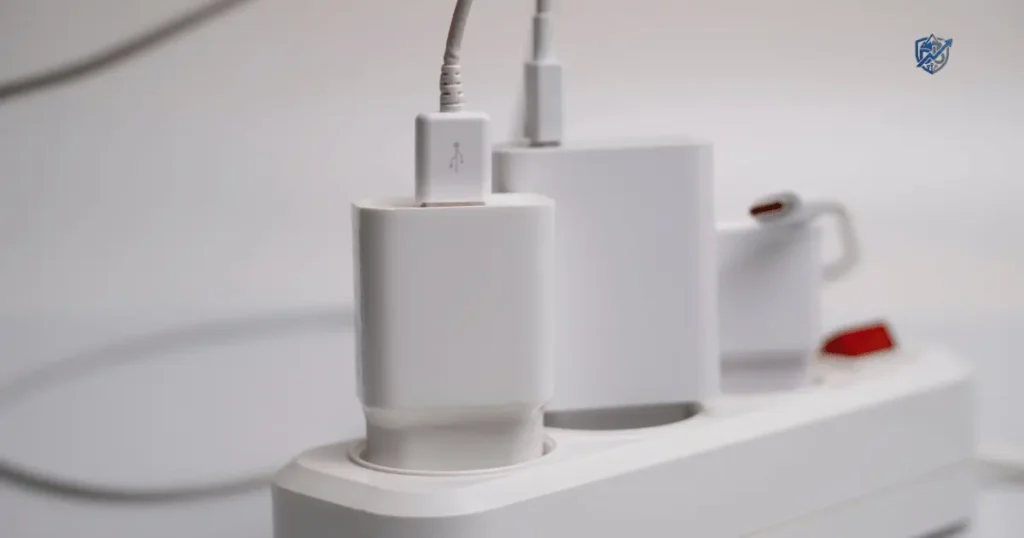
A charger can look perfect and still be poorly made inside. The same goes for a replacement battery. Last year, while working from my small apartment in New York, a cheap phone wall plug I bought online started to melt right in my wall outlet. That cheap deal may save a few dollars today, but a fake or unsafe power accessory can damage your device or create a serious fire or shock hazard. Learning how to avoid counterfeit chargers and batteries is the best way to keep your phone and home safe.
The good news is that you do not need to be an electrical engineer to spot many warning signs. A few quick checks before you click Buy Now can save you money, stress, and possibly a very hot surprise in your backpack.
Why Counterfeit Chargers and Batteries Are Dangerous
Why does this matter so much? Explain the risks in plain language before moving into buying advice. Fake power gear is not just a cheap knockoff. It is a direct risk to your home, your family, and your expensive devices.
Counterfeit does not always mean “cheap”
A fake item is made to trick you. Bad actors know that people trust high price tags, so they often charge full price for junk. A counterfeit product may:
- Copy a famous brand name and design
- Use a fake logo on the box
- Mimic official packaging and colors
- Claim safety certifications it does not have
- Misstate electrical specifications on the back
- Use lower-quality internal components that fail quickly
Common safety risks
Cheap parts skip basic safety checks. When a power plug or battery fails, the damage happens fast. Common risks include:
- Electric shock when you touch the plug
- Short circuits that trip your home breakers
- Overheating during basic phone top-ups
- Fire that can spread to nearby furniture
- Battery swelling that cracks your phone case
- Battery leakage of harmful fluid
- Permanent device damage to sensitive chips
- Premature battery failure after a few weeks
Why chargers and batteries need protection systems
Good power products rely on smart internal parts to control power flow. Safe devices rely on:
- Overcurrent protection: Stops too much power from rushing in.
- Overvoltage protection: Keeps power spikes from burning chips.
- Short-circuit protection: Cuts power if wires touch inside.
- Thermal protection: Shuts down the unit if it gets too hot.
- Battery management systems: Keeps battery cells balanced and safe.
- Charge control circuits: Stops charging when the cell is full.
What can happen when protection fails?
A simple story shows the risk clearly. A phone charger is left plugged in overnight. The adapter becomes unusually warm. Then warmer. The user ignores it because “chargers get hot.” That assumption can be risky.
Some warmth is normal when moving power into a phone. Excessive heat, bad smells, strange buzzing, or dark spots on the plastic are not normal. When internal protection fails, that warm plug can melt and start a fire in minutes.
Counterfeit vs Third-Party vs Generic Chargers
Understanding the difference between fake, generic, and name-brand gear is key. Many people think every plug made by a different company is a fake, but that is not true.
A safety expert would make an important distinction here: “not original” does not automatically mean “counterfeit.” A reputable third-party USB-C charger can be a perfectly reasonable choice. The real concern is whether the product is genuine, properly designed, correctly rated, and sold through a trustworthy channel.
| Product Type | What It Means | Automatically Unsafe? | What to Check |
| Genuine branded | Made by the original device brand | No | Authenticity and seller status |
| Licensed | Authorized by the main brand | No | Official licensing and seller trust |
| Reputable third-party | Made by another established company | No | Safety testing and power specs |
| Generic | Basic unbranded power product | Not automatically | Build quality and safety marks |
| Counterfeit | Fely presented as another brand | Potentially dangerous | Packaging, seller, and printing |
| Unknown | Origin is totally unclear | Higher concern | Avoid if claims cannot be verified |
What makes a product counterfeit?
A product is counterfeit when it pretends to be something it is not. It uses a company logo without permission. It copies brand colors to fool buyers. Also, It tricks you into thinking you bought genuine gear.
What makes a third-party product legitimate?
Legitimate third-party brands print their own real name on the box. They build solid power gear and test it in real labs. They stand by their gear with real warranties and customer help desks.
Why cheap does not always mean fake
Simple designs cost less to build. A basic plug with low power output can be cheap and safe. It lacks fast charging, but it meets basic safety rules without copying famous brands.
Why expensive does not always mean genuine
Scammers like big profits. They list fake items at high prices so buyers drop their guard. Price alone never proves that a charger is safe or real.
The safest buying mindset
Smart shopping comes down to a clear mindset. Keep your eyes on these key details every time you shop:
- Buy from a verified seller
- Check for clear manufacturer information
- Confirm accurate power specifications
- Look for relevant safety compliance
- Pick products with a good warranty
- Demand traceable product information
How to Spot a Counterfeit Charger Before Buying
Check these practical details before you check out. Spotting fake items early stops dangerous gear from ever reaching your front door.
Check the seller first
The shop selling the item matters more than the box photo. Safe places to shop include:
- Authorized brand retailers
- Established local electronics stores
- Official manufacturer web stores
- Reputable online sellers with long histories
Be very cautious with unknown marketplace sellers, stores with no contact address, new accounts with odd prices, or products shipped from unclear places.
Compare the price with normal market prices
Big price drops are red flags. Watch out for huge discounts, “too good to be true” deals, or pricey gear sold for a tiny fraction of normal cost. Price alone does not prove a fake, but a low price should make you pause.
Inspect product photos
Look at product pictures with a close eye. Watch for misspelled brand names, strange fonts, poor logo quality, uneven printing, wrong model numbers, or missing factory details.
Check the packaging
Real products come in clean boxes. Inspect the packaging for intact safety seals, clear product labels, matching model numbers, printed regulatory icons, real company addresses, and consistent brand colors.
Check the product specifications
Read the power specs on the product page. Check that input voltage, output voltage, output current, total wattage, USB standards, and fast charging rules match your device needs.
Why wattage matters
Wattage tells you how much total power a charger delivers. You calculate power with a simple formula:
$$\text{Watts} = \text{Volts} \times \text{Amps}$$
For example, a standard plug running at $5\text{ V}$ and $3\text{ A}$ gives:
$$5\text{ V} \times 3\text{ A} = 15\text{ W}$$
If the box lists $5\text{ V}$ and $2\text{ A}$ but claims $30\text{ W}$, the math is wrong. Bad math on the box means the item is fake or poorly made.
How to Check if a Charger Is Genuine
Once the box arrives at your home, inspect the physical charger. Hold it in your hand and check its build quality before you plug it into any wall outlet.
Compare it with official product images
Put your new plug next to official pictures from the brand website. Check logo placement, font style, plug shape, port layout, cable seams, and overall body color.
Check the model number
Find the model number printed on the plastic casing. Search that number on the maker’s main website, look through support pages, or check official user manuals to see if it matches.
Look for spelling mistakes
Fake factories often make silly print errors. Look closely at “Made in” text, the brand name, technical voltage labels, and safety instruction lines on the back.
Examine the build quality
High-quality plugs feel solid. Watch out for loose plastic cases, wide gaps along seams, crooked plug pins, wobbly USB ports, or cheap-feeling materials that flex under your fingers.
Look for unusual weight
Safe chargers use heavy copper coils and metal heat sinks to shed heat. A plug that feels as light as an empty plastic box often skips internal safety parts. Extreme lightness is a clear warning sign.
The “looks real” trap
Counterfeits can look remarkably convincing on the outside. A fake casing might look perfect while hiding hollow insides and poor wiring. The safest approach is to combine seller checks, model lookup, safety marks, specification checks, and physical inspections together.
How to Avoid Counterfeit USB-C Chargers
USB-C plugs offer high power delivery, but they also bring complex technical rules. Understanding connector shapes and power protocols keeps your devices safe.
[USB-C Wall Adapter]
        │
        ├── Correct Voltage & Amps? ──> Match Device Specs
        │
        ├── Real USB PD Support?    ──> Check Power Profiles
        │
        └── Certified USB-C Cable?  ──> Safe Fast Charging
USB-C does not mean every charger is the same
The USB-C oval shape is just a connector style. It does not tell you how much power flows through the wire. Do not confuse the USB-C connector shape, USB Power Delivery rules, cable quality, power adapter output, or fast charging support.
Check USB Power Delivery support
USB Power Delivery (USB PD) lets devices talk to wall plugs. They negotiate safe voltage levels before high power flows. Make sure your USB-C plug lists official USB PD support along with matching power profiles for your phone or laptop.
Check the charger’s wattage
Pick the right wattage for your device class:
- 20W phone charger: Ideal for fast-charging standard smartphones.
- 30W tablet charger: Provides quick power for tablets and small gear.
- 65W laptop charger: Needed for thin laptops and work notebooks.
- 100W+ high-power charger: Built for heavy workstation laptops and multi-device hubs.
Check cable capability too
A great wall plug cannot fix a bad wire. Cheap USB-C cables can overheat or block fast charging. Make sure your wire handles the same wattage as your power plug.
Don’t assume “100W” means “better”
Plugging a 20W phone into a 100W plug will not blow it up, but it will not charge it faster either. The phone controls how much power it draws. Buying a massive plug for a tiny device just wastes money.
How to Spot Counterfeit Batteries
Batteries store chemical energy in tight spaces. A defective or counterfeit battery carries far higher fire risks than a simple cable.
Check the manufacturer
Safe battery labels list clear details. Look for a clear brand name, exact model numbers, full factory addresses, and clear lists of compatible device models.
Compare the battery with the original
Lay the new battery next to your old factory unit. Check the outer shape, corner size, metal contact placement, label placement, rated capacity, and output voltage.
Be cautious with exaggerated capacity claims
Scammers print fake numbers on battery labels to lure buyers. Be wary of extremely high mAh ratings in small cases, suspiciously low prices, or wild claims that sound physically impossible.
Inspect the physical battery
Never use a battery that shows physical damage. Stop right away if you notice outer swelling, deep dents, torn plastic wraps, metal corrosion, liquid leaks, damaged contact pins, or strong chemical smells.
Check manufacturing information
Real battery makers track their products closely. Look for printed date codes, batch numbers, serial strings, and clear factory marks on the casing.
Why capacity claims matter
Battery power relies on three main numbers:
- Milliamp-hours (mAh): Shows total energy storage volume.
- Watt-hours (Wh): Shows total power output over time.
- Voltage (V): Shows electrical pressure level.
If a replacement phone battery claims 6,000 mAh in a space built for 3,000 mAh, the claim is fake. Unrealistic capacity claims mean the maker is hiding the battery’s true performance.
How to Avoid Fake Replacement Batteries for Phones and Laptops
When an old laptop or phone slows down, buying a new battery seems smart. Knowing how to avoid counterfeit chargers and batteries keeps your old device running safely.
Buy from the manufacturer when possible
The safest replacement battery comes straight from the company that built your laptop or phone. Official parts match internal power requirements exactly.
Use reputable replacement parts suppliers
If the original maker no longer sells your model, buy from known repair shops. Pick suppliers that specialize in tested replacement parts with clear warranties.
Check exact model compatibility
Matching the brand name is not enough. Match the exact part number, board revision, and voltage rating printed on your original battery before buying.
Avoid suspiciously cheap “high-capacity” batteries
Generic batteries that promise double the battery life for ten dollars are unsafe traps. Cheap cells lack safety separators and fail quickly under daily use.
Check return and warranty policies
Trustworthy parts sellers back their batteries. Pick sellers that offer clear return windows, money-back promises, and long warranties against defects.
Look for proper battery protection
Safe lithium batteries use tiny protection boards. These chips block overcharging, stop extreme drops in power, and cut output if temperature rises too fast.
When replacing a built-in battery
Opening modern sealed devices takes patience. If you need to replace an internal battery, consider using manufacturer service centers or qualified local repair shops. Always use proper plastic tools and follow safe battery handling steps to prevent puncturing the cell.
Never install a visibly swollen battery
A swollen battery is a serious fire hazard. Gas inside the pouch means the internal layers have failed. Never charge, puncture, or squeeze a swollen battery. Take it to a local hazardous waste center right away.
How to Check Safety Certifications and Marks
Safety markings offer great clues, but logos can be copied onto fake boxes. Knowing what these marks mean helps you double-check real safety claims.
Testing labels show that an item passed real safety trials in professional labs. Knowing who tested your gear makes buying much safer.
| Mark or Standard | What Readers Should Understand | Practical Check |
| UL Listed | Recognized U.S. safety certification organization | Verify in official UL databases online |
| ETL Listed | Certification mark associated with Intertek testing | Check Intertek directory for real listings |
| FCC | Covers electromagnetic emissions in the U.S. | Confirm it is not listed as a general safety mark |
| CE | Shows conformity with standard EU rules | Do not treat it as an independent U.S. safety mark |
| RoHS | Restricts hazardous materials in electronics | Understand it limits toxins, not fire hazards |
| USB-IF | Industry organization for USB compliance | Check USB-IF database for certified gear |
Why a certification mark can be faked
Scammers print safety logos on bad boxes because ink is cheap. A printed logo alone does not prove a device passed lab testing.
How to verify a certification claim
Check certification claims online. Look up UL numbers in the UL Product iQ tool, or search the Intertek directory for ETL marks to confirm the maker’s listing.
Why FCC and safety certification are different
An FCC mark only means a charger will not block your Wi-Fi or TV signal. It does not test if the plug will catch fire or cause electric shocks.
Why CE marking should not be treated as a universal safety stamp
The CE mark is a self-declaration for European sales. The maker prints the mark themselves without mandatory third-party lab testing, so treat it with caution.
The danger of “certified” marketing language
Watch out for clever marketing claims. Words like “Safety certified,” “CE approved,” “UL tested,” or “FCC certified” are often meaningless hype. Look for real, verifiable certification file numbers instead.
Where Should You Buy Chargers and Batteries?
Picking the right store is your first line of defense. Buying from reliable sources reduces the risk of getting bad power accessories.
Manufacturer stores
Buying straight from Apple, Samsung, Dell, or Anker web stores guarantees authentic products. You pay full retail price, but you get total peace of mind.
Authorized retailers
Major retail stores and well-known regional chains buy directly from factory lines. Their supply chains are clean, traced, and free of grey-market counterfeits.
Established electronics retailers
Specialty tech sites and regional supply stores protect their brands. They vet their sources and handle customer returns quickly if issues arise.
Reputable third-party brands
Known accessory brands make great power gear. They test their plugs in real labs, list clear specs, and offer solid warranties at fair prices.
Online marketplaces
Marketplace platforms combine thousands of independent sellers under one roof. When shopping on large sites, check who actually sells and ships the item. A listing managed directly by the platform or an official brand store is much safer than a third-party seller with an obscure business name.
Check who actually ships the product
Look closely at the “Ships from” and “Sold by” lines on the item page. If the seller name is a random string of letters, find a different store.
Be careful with “new” products at unusually low prices
Unusually low prices on new brand-name accessories are clear red flags. Scammers use low prices to offload fake stock onto unsuspecting buyers.
How to Read Charger Labels and Specifications
Spending 30 seconds reading tiny print on a plug saves major headaches later.
┌──────────────────────────────────────┐
│  MODEL: XYZ-20W                      │
│  INPUT: 100-240V ~ 50/60Hz 0.5A      │
│  OUTPUT: 5V ── 3A / 9V ── 2.22A      │
│  MAX POWER: 20W                      │
│  MADE IN VIETNAM   [UL LISTED LOGO]  │
└──────────────────────────────────────┘
Input rating
The input line shows what wall power the plug handles safely:
- Voltage: $100\text{–}240\text{ V}$ works worldwide.
- Frequency: $50/60\text{ Hz}$ matches standard grid frequencies.
- AC input: Shows alternating current from your wall outlets.
Output rating
The output line shows direct current power sent to your phone:
- Voltage: Measured in Volts ($5\text{ V}$, $9\text{ V}$, $12\text{ V}$).
- Current: Measured in Amperes ($2\text{ A}$, $3\text{ A}$).
- Wattage: Total power capability calculated from Volts $\times$ Amps.
Single-port vs multi-port output
Multi-port plugs split power between sockets. A $65\text{ W}$ plug might give $45\text{ W}$ to your laptop and $20\text{ W}$ to your phone when both ports are in use.
Fast-charging protocols
Look for clear fast-charging standards listed on the back. Safe plugs support open systems like USB Power Delivery or Quick Charge, rather than unknown proprietary systems.
Model and serial information
Legitimate products print clear model numbers and serial strings. Clear numbers let you track safety recalls or claim warranty coverage easily.
Example of a basic charger label
Read this typical label example carefully:
- Input: $100\text{–}240\text{ V AC}, 50/60\text{ Hz}, 0.5\text{ A}$
- Output: $5\text{ V DC} \times 3\text{ A} = 15\text{ W}$
- Maximum power: $15\text{ W}$
This label shows a plug that takes standard wall power anywhere in the world and safely outputs up to $15\text{ W}$ of power to your device.
Warning Signs You Should Stop Using a Charger
If you suspect you already own a bad plug, look out for these clear warning signs.
Excessive heat
If a power plug gets too hot to touch comfortably during use, unplug it immediately. Extreme heat means internal power conversion is failing.
Burning smell
A hot plastic or warm chemical smell near your wall outlet is a serious warning. Unplug the unit right away before internal parts catch fire.
Buzzing or crackling
Power plugs should run silently. High-pitched buzzing, clicking, or crackling sounds point to loose parts or electrical arcing inside the casing.
Sparks
A tiny blue flash when plugging into a wall can happen, but big bright sparks mean short circuits. Stop using any plug that sparks repeatedly.
Discoloration
Yellow, brown, or black marks on the plastic casing mean internal heat is scorching the shell. Discolored plastic means the plug is unsafe.
Melted plastic
Deformed or warped plastic shells show that internal safety circuits failed to stop extreme overheating. Warped gear belongs in the trash.
Loose plug
If the wall prongs feel loose or wobble in the plastic housing, throw the adapter away. Loose prongs create dangerous electrical arcing risks.
Frayed cable
Exposed copper wires or split outer jackets invite short circuits. Throw away damaged wires right away to keep your home safe.
Intermittent charging
If your phone keeps starting and stopping its charge cycle every few seconds, the power output is unstable. Unstable current ruins device chips over time.
Battery swelling after charging
If your phone case pops open or the screen bulges after a charge session, the battery is damaged. Stop charging the device immediately.
What to do immediately
When a power accessory acts up, take quick steps to protect your home:
- Unplug safely by grabbing the plug body, not the wire.
- Stop using the questionable charger right away.
- Do not keep testing it in different wall outlets.
- Let the unit cool down in a clear, fire-safe space.
- Replace it with a reputable power product from an authorized store.
- Dispose of damaged batteries through local hazardous waste channels.
What to Do If You Already Bought a Counterfeit Charger
Discovering you bought a fake plug can be frustrating, but taking clear steps helps protect your budget and safety.
Stop using it if safety is questionable
Put the questionable plug in a drawer right away. Risking a thousand-dollar phone or a house fire to save a cheap plug is never worth it.
Keep purchase records
Save your digital order invoices, store receipts, email notices, and payment logs. You need these records to claim full refunds.
Photograph the product and packaging
Take clear photos of the fake plug, the box print, misspelled words, and the store listing. Clear photos serve as proof during refund claims.
Contact the seller
Message the seller through the store platform. State clearly that the item is counterfeit or unsafe, and demand a full refund.
Request a refund
If the seller refuses to help, escalate your claim to the marketplace support team or submit a chargeback with your credit card company.
Report suspected counterfeit products
Help protect other buyers by reporting fake sellers through proper channels:
- Marketplace reporting systems
- Brand owner anti-counterfeit desks
- Consumer protection agencies
- Relevant local authorities
Do not resell a suspected counterfeit
Never sell or give an unsafe plug to someone else. Passing a dangerous power accessory along just puts other families at risk.
What to Do With Fake or Unsafe Chargers and Batteries
Getting rid of bad gear requires care. Toss items away without creating hazards for waste collectors or local ecosystems.
Do not donate unsafe products
Never drop unsafe plugs or swollen batteries into thrift store donation bins. Unsafe items belong in recycling centers, not second-hand homes.
Do not place lithium batteries in ordinary trash
Tossing lithium batteries into regular trash cans starts truck fires when compactors crush the cells. Keep all loose batteries out of household trash.
Follow local battery recycling rules
Drop old or fake batteries at dedicated store collection boxes, municipal drop sites, or community recycling drives.
Recycle damaged electronics appropriately
Take dead wall plugs and burnt cables to local e-waste drop centers. Specialized recyclers extract copper and plastics safely.
Handle swollen batteries with extra care
Swollen batteries carry high fire risks. Take these extra precautions:
- Do not puncture the outer foil pouch.
- Do not crush the swollen battery under heavy tools.
- Do not attempt to bend or flatten the cell.
- Avoid risky DIY repairs on damaged batteries.
- Follow local hazardous waste or battery recycling guidelines.
Real-Life Example: The $9 Charger That Looked Like a Bargain
Real shopping choices show how quick checks prevent big mistakes.
A Saturday afternoon online shopping trip
A phone owner needs a replacement fast charger for their home office. An online listing pops up for just $9, showing photos that look identical to an official $30 brand plug. The seller account is new, has limited sales history, and lists vague power specifications on the page.
The five-minute check
Instead of clicking Buy Now, the buyer takes five minutes to look closer:
- Unclear manufacturer contact details on the store page
- Odd spelling errors in the item description lines
- No clear model number listed in the details section
- A suspiciously low price compared to official retail stores
- No verifiable safety certification details in official directories
The decision
The buyer skips the $9 mystery plug and picks a $18 plug from a known third-party brand. The new choice includes clear power specs, a real manufacturer warranty, and verifiable safety marks.
Sensory detail and natural humor
You hold the new plug in your hand. You read the crisp tiny print on the charger label, smell the fresh plastic, and hear the familiar “ding” of your phone starting a safe charge. Saving $15 feels great, but saving $15 while risking a $1,000 phone or laptop is a questionable investment strategy.
USA Expert Advice on Avoiding Counterfeit Chargers and Batteries
Federal safety groups and independent labs offer clear rules for spotting safe power accessories.
U.S. Consumer Product Safety Commission
The Consumer Product Safety Commission (CPSC) tracks product recalls and issues electrical safety alerts. They urge consumers to stop using unbranded power plugs that lack third-party testing marks.
UL Solutions
UL Solutions tests electrical gear for fire, shock, and mechanical hazards. They warn that counterfeit UL marks are common, so buyers should check certification numbers online.
U.S. Department of Energy
The Department of Energy sets energy efficiency standards for power adapters. They recommend buying efficient plugs that carry real safety labels.
Federal Trade Commission
The Federal Trade Commission (FTC) protects consumers from marketplace scams. They suggest checking seller details, reading return terms, and reporting fake goods.
Expert reference: John Drengenberg
John Drengenberg, former Consumer Safety Director at UL Solutions, long emphasized that safety marks must be verified. Certification should be treated as one part of a broader buying decision, not the only thing a consumer checks.
Expert advice readers can actually use
Before buying any power accessory, run through these quick checks:
- Verify the seller profile and marketplace history
- Confirm the manufacturer identity and real contact details
- Check the exact model number on official support sites
- Match output specifications with your device limits
- Confirm safety markings in online lab databases
- Verify warranty terms and return windows
- Inspect the physical condition upon arrival
Charger and Battery Buying Checklist
Use this simple checklist whenever you shop for power gear.
[Pre-Purchase Checks]          [Post-Receipt Checks]
 ├─ Trustworthy seller?         ├─ Crisp packaging?
 ├─ Clear manufacturer?         ├─ Matching model number?
 ├─ Realistic price?            ├─ Solid build quality?
 └─ Verifiable safety marks?    └─ Cool operating temp?
Before buying
- Is the seller trustworthy and established?
- Is the manufacturer clearly identified on the page?
- Is the price realistic for this power class?
- Is the exact model number listed clearly?
- Are output specifications clearly stated?
- Is the product fully compatible with my device?
- Can safety claims be verified in online databases?
- Is there a clear manufacturer warranty included?
- Is there a clear return policy from the store?
After receiving the product
- Check packaging for clean seals and crisp printing
- Check model numbers against the box details
- Check printed voltage and current specifications
- Check physical build quality for tight seams
- Check plugs and ports for solid alignment
- Watch for unusual heat during the first charge
- Stop using the device right away if anything seems wrong
Counterfeit Charger and Battery Red Flags
When shopping for power accessories, several warning signs together show that an item is unsafe.
One warning sign alone may not prove a product is counterfeit. Several together, however, should make you pause. When your charger starts looking like it was assembled during a lunch break in someone’s garage, trust your instincts and choose a better option.
| Red Flag | Why It Matters | What to Do |
| Extremely low price | May indicate fake or poor build quality | Compare against normal market prices |
| Unknown seller | Harder to verify product origin and safety | Choose established, trusted sellers |
| Misspellings | Indicates fake packaging or poor quality | Compare against official brand images |
| Missing model number | Makes tracing safety specs impossible | Avoid unbranded power items |
| Vague specifications | Hard to confirm device compatibility | Pick clearly labeled products |
| Fake-looking safety marks | Certification claims may be falsified | Verify claim numbers online |
| Excessive heat | Points to internal circuit failure | Stop using the plug right away |
| Burning smell | Shows component failure or scorching | Unplug and replace immediately |
| Swollen battery | Signals internal gas buildup and fire risk | Stop using and seek proper disposal |
| Loose casing | Points to poor construction or damage | Do not plug into wall outlets |
How to Choose a Safe Third-Party Charger
You do not need to buy original brand plugs every time. Learning how to avoid counterfeit chargers and batteries helps you pick great third-party accessories safely.
Choose established manufacturers
Pick brands with long histories in the accessory space. Known companies invest heavily in safety engineering, lab testing, and customer service.
Look for clear specifications
Good brands list exact voltage levels, current limits, power profiles, and fast-charging standards right on the box.
Check compatibility
Make sure the plug lists official support for your device’s power rules, whether you use Apple fast charging, Samsung Super Fast Charging, or USB Power Delivery.
Look for appropriate safety certifications
Check for real UL, ETL, or USB-IF compliance marks on the casing. Verified safety testing guarantees the plug handles high loads safely.
Check warranty coverage
Reputable brands offer long warranties on their power gear. A long warranty shows the maker trusts their build quality.
Check independent reviews carefully
Read reviews on independent tech sites and user forums. Look for detailed feedback on heat levels, charging speeds, and long-term durability.
Reviews are not proof of safety
Be careful with marketplace star ratings. Fake reviews can be bought, ratings can be manipulated, and five-star reviews rarely evaluate internal electrical safety.
A good third-party charger can be a smart choice
Buying from a top third-party brand offers great perks:
- Lower cost than original brand plugs
- Multiple USB ports for charging several items at once
- Smaller shapes built with efficient GaN tech
- Full USB Power Delivery support for high speeds
- Wide compatibility across phones, tablets, and laptops
Common Mistakes Buyers Make
Avoid these common shopping mistakes when picking out power accessories.
Buying only based on price
Chasing the lowest price leads straight to cheap knockoffs. Spending a few extra dollars protects your expensive phone and home.
Assuming a familiar logo means authenticity
Scammers print famous logos on junk cases every day. Always verify the seller before trusting a logo.
Ignoring the seller
A famous website can host bad third-party sellers. Always check who handles and ships your order.
Trusting five-star reviews blindly
Unscrupulous sellers use fake reviews to hide bad products. Look at critical reviews to spot real issues with heat or build quality.
Confusing “fast charging” with safe charging
A plug can push high power quickly while skipping basic safety checks. Fast charging must always be paired with proper thermal protection.
Ignoring a damaged cable
A great plug cannot save a frayed cable. Using worn-out wires creates short circuit hazards regardless of how good your plug is.
Using the wrong replacement battery
Buying a battery with wrong voltage ratings ruins device mainboards. Always match battery numbers exactly.
Continuing to use a charger that gets extremely hot
Never ignore a hot plug. Functionality does not equal safety, and a plug that works while burning hot will eventually fail.
Frequently Asked Questions About Counterfeit Chargers and Batteries
How can I tell if a charger is counterfeit?
Check the seller, box text, model number, listed specs, build quality, and safety marks. Look for multiple red flags together before deciding if a plug is fake.
Are cheap chargers always counterfeit?
No. Simple third-party plugs can be cheap and safe. Check the maker, seller, power ratings, and safety labels to confirm quality.
Can a fake charger damage my phone?
Yes. Bad plugs deliver uneven voltage and lack power surge protection, which can fry internal phone chips and ruin battery life.
How do I know if a USB-C charger is safe?
Look for established brands, clear power ratings, USB Power Delivery support, real UL or ETL marks, and trustworthy sellers.
Are third-party chargers safe?
Yes, if made by established brands. Tested third-party plugs meet all safety rules and offer great alternatives to original gear.
Can counterfeit batteries explode?
Yes. Bad lithium cells lack safety separators. Overcharging can cause thermal runaway, leading to severe fires and explosions.
Is a UL logo enough to prove a charger is safe?
No. Fake factories copy UL logos onto unapproved boxes. Verify UL certification numbers in online directories whenever possible.
What should I do with a counterfeit charger?
Stop using it right away. Request a full refund from the seller and drop the plug off at an e-waste recycling center.
How can I avoid fake Apple or Samsung chargers?
Buy directly from official brand stores, authorized retail shops, or established third-party brands with clear warranties.
Is it safe to buy chargers from online marketplaces?
Yes, but check who sells and ships the order. Buy from official brand storefronts or trusted fulfillment channels rather than unknown sellers.
Final Decision Tree for Buying Chargers and Batteries
Use this simple guide to choose safe power gear every time you shop.
Is the seller trustworthy?
- Yes → Continue checking.
- No → Find another seller.
Is the manufacturer clearly identified?
- Yes → Continue checking.
- No → Avoid the item.
Are the specifications clear?
- Yes → Check device compatibility.
- No → Avoid the item.
Can safety claims be verified?
- Yes → Continue checking.
- No → Consider another product.
Is the price suspiciously low?
- Yes → Investigate carefully.
- No → Continue checking.
Does the product arrive damaged or behave strangely?
- Yes → Stop using it right away.
- No → Use safely and monitor performance.
Final Recommendation
Having tested dozens of power accessories and managed tech cleanups over the years, I know that taking a few quick steps prevents major safety headaches down the road. Knowing how to avoid counterfeit chargers and batteries starts with buying from trusted sellers and checking basic specifications.
I always inspect new plugs, verify safety labels online, and feel for unusual heat during the first charge session. Choosing verified power gear keeps your expensive devices running smoothly and keeps your home safe. Taking five minutes to verify your power accessories today protects your devices, your budget, and your family for years to come.

Ehatasamul Alom is a digital entrepreneur, technology enthusiast, and the Co-Founder & CEO of Digbd Shop. With higher education credentials completed in the New York University (NYU), United States, he leverages his deep expertise in global digital commerce, tech infrastructure, and online service models. Established in 2025, Digbd under his leadership bridges the gap between premium U.S. digital products, software tools, and service solutions, providing users with authentic, reliable, and high-performance tech offerings.