How Long Does a Smartphone Battery Last? A Complete Guide
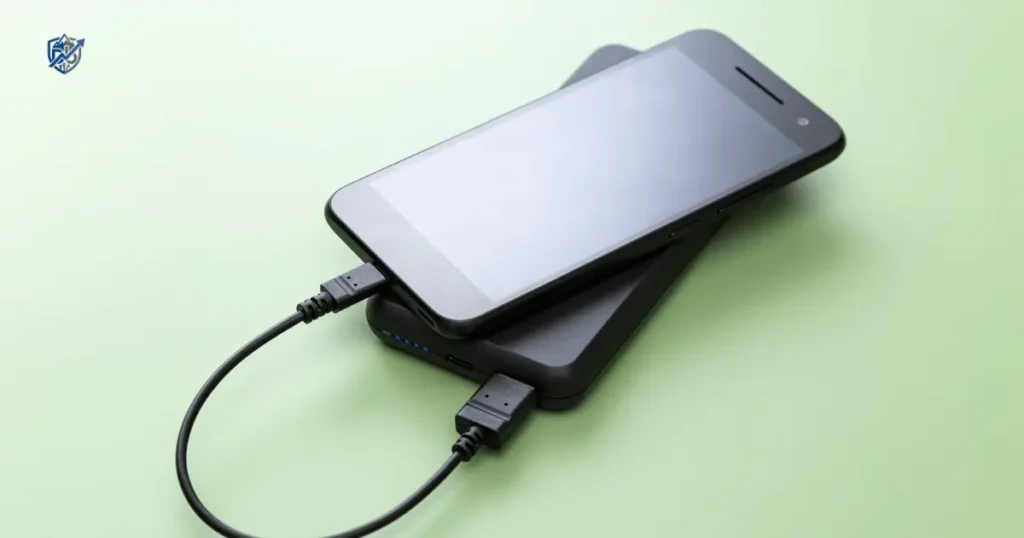
Is your phone dying before lunch, or will it run all day without a charger? Last year in New York, my phone shut down during a cold rainstorm at just thirty percent. That moment taught me how much we rely on daily power. How long does a smartphone battery last in real life? As a tech repair expert, I see thousands of worn cells every year. Here is my honest guide to daily runtime and long-term battery lifespan.
How Long Does a Smartphone Battery Last on One Charge?
Daily runtime depends on how you use your phone throughout the day. Most modern phones provide between six and ten hours of active screen time.
Average smartphone battery life
A phone battery can last anywhere from four hours to two full days. Your daily battery life changes based on screen brightness and wireless connections.
- High screen brightness drains power fast.
- High display refresh rates use extra energy.
- Mobile data consumes more power than home Wi-Fi.
- Background GPS tracks your location constantly.
- Bluetooth devices draw steady trickle power.
- Mobile gaming stresses the main chip.
- Video streaming keeps the screen lit for hours.
- Social media feeds load images non stop.
- Camera apps run intense processing chips.
- Background apps sync data while you sleep.
- Battery size sets the total power limit.
- Efficient processors save energy on simple tasks.
What “all-day battery life” really means
Phone makers often promise all-day power in ads. Light users get twenty-four hours easily on simple tasks. Moderate users reach bedtime with twenty percent left. Heavy users need a quick charge by late afternoon. Screen-on time measures active use while the display stays lit. Standby time measures hours lost while the screen stays dark.
How many hours should a phone battery last?
Most healthy phones deliver predictable daily results.
- Four to six hours of heavy screen use like gaming or video.
- Six to eight hours of moderate use like reading or messaging.
- Long standby time reaching up to two days with light use.
Why two phones with the same battery size can last differently
Battery capacity is only part of the story. Chip efficiency determines how much power each task consumes. Display panels use different amounts of light. Software optimization manages background tasks. Wireless modems vary in efficiency. Operating systems process background code differently.
How Many Years Does a Smartphone Battery Last?
Long-term battery health is different from daily runtime. Modern phones use lithium-ion or lithium-polymer cells.
Typical smartphone battery lifespan
A standard phone battery lasts two to three years under normal care.
- Normal chemical aging reduces capacity every month.
- Charge cycles wear down internal chemistry over time.
- Capacity loss happens slowly with every recharge.
- Heat exposure speeds up chemical decay inside the cell.
- Good charging habits extend total service years.
What happens as a battery ages?
Chemical changes inside the battery reduce its energy storage space.
- Reduced maximum capacity means fewer total hours.
- Shorter daily runtime forces more frequent charging.
- Faster battery drain occurs even during light use.
- Unexpected shutdowns happen when voltage drops suddenly.
- Slower peak performance occurs as software protects weak cells.
When does a smartphone battery usually need replacement?
Most batteries need service after five hundred full charge cycles. That point usually arrives after two years of daily charging.
Battery lifespan vs phone lifespan
A phone can stay fast for five years or more. Replacing a worn battery costs far less than a new phone. Software updates often continue long after the original battery wears out.
Smartphone Battery Life vs Battery Lifespan Explained
I have tested thousands of batteries over my years on the repair bench. People often confuse daily runtime with long-term battery health. This quick table breaks down key terms so you can understand your device performance clearly.
| Term | What It Means | Example |
| Battery life | How long the phone runs on one charge | 10 hours of mixed use |
| Battery lifespan | How long the battery remains useful | Several years of operation |
| Battery health | Remaining capacity compared with new | 85% of original capacity |
| Charge cycle | A full equivalent use of 100% battery capacity | Two 50% discharges equal roughly one cycle |
Why the difference matters
Understanding this difference saves you money. A phone with short daily battery life may simply need better settings. A phone with low battery health needs a fresh replacement cell.
Can a phone have good battery life but poor battery health?
Yes, a phone with low health can last a long time if you stay on Wi-Fi with low screen brightness. Good settings can hide a worn battery for a short period.
Can a phone have poor battery life even with a healthy battery?
Yes, a brand new battery can drain in five hours under heavy stress.
- Poor cellular signal forces the modem to use maximum power.
- Rogue background apps drain power while the phone sits idle.
- Maximum display brightness drains power rapidly.
- Unoptimized software bugs consume system resources constantly.
- Weak cellular reception creates continuous power spikes.
What Determines How Long a Smartphone Battery Lasts?
Battery capacity is just one component in a complex hardware system. Multiple parts work together to determine daily power consumption.
Battery capacity in mAh
Milliampere-hours measure total electrical charge stored inside the cell. Higher numbers generally mean more energy storage space. However, capacity alone does not guarantee long daily runtime.
Processor efficiency
Modern system chips use small fabrication processes to save power. Efficient CPU cores handle light tasks with minimal energy. Powerful GPU cores draw heavy current during 3D gaming. Smart chip design extends runtime significantly.
Display size and technology
Displays consume more power than almost any other component.
- OLED panels turn off black pixels to save power.
- AMOLED screens deliver vibrant colors with efficient backlighting.
- LCD panels use continuous backlights that consume steady power.
- High refresh rates look smooth but draw extra energy.
- High brightness levels drain the battery rapidly outdoors.
- Always-on displays draw a small continuous power stream.
Network connection
Wireless chips adjust power based on signal quality. 4G LTE uses less power than early 5G modems. Weak cell signals force the radio to boost transmitter power. Mobile data drains more energy than stable home Wi-Fi.
Software optimisation
Operating systems control background tasks and power limits. Smart background management stops idle apps from draining energy. Software updates patch power bugs and improve system efficiency. Adaptive battery features learn your daily routine to save energy.
The “big battery” trap
A phone with a 5,000 mAh battery can run out faster than a 4,500 mAh phone. Heavy software, an inefficient chip, and a bright screen can waste that extra power quickly.
Smartphone Battery Capacity and Daily Runtime
Connecting battery capacity to real-world runtime helps set proper expectations. Higher numbers usually help, but total efficiency controls final results.
What 4,000 mAh means
A 4,000 mAh battery offers light, efficient power. It fits thin phones and provides solid daily use when paired with an efficient processor.
What 5,000 mAh means
A 5,000 mAh battery is the current industry standard for mid-range and flagship devices. It easily delivers full-day power for most users under mixed conditions.
Is a 6,000 mAh battery better?
A 6,000 mAh battery provides massive energy reserves. It handles long travel days easily, though it adds physical weight and thickness to the device.
Why battery capacity is only one piece of the puzzle
Real runtime depends on screen efficiency, processor power, modem design, software optimization, and your personal daily usage habits.
How Long Different Smartphone Users Can Expect Batteries to Last
Every person uses their phone differently throughout the day. Based on field tests and repair shop feedback, I created this breakdown showing expected daily results for common user profiles.
| User Type | Typical Use | Expected Daily Battery Experience |
| Light user | Calls, messages, email | Often more than one day |
| Moderate user | Social media, photos, browsing | Around a full day |
| Heavy user | Streaming, navigation, gaming | May need charging before bedtime |
| Mobile gamer | Long gaming sessions | Often several hours of intensive use |
| Outdoor worker | GPS, mobile data, high brightness | Faster battery drain |
| Frequent traveller | 5G, maps, camera | Power bank may be useful |
Light smartphone users
Light users check messages, make short calls, and read email occasionally. Their phones easily last a full day and often run into a second day.
Average everyday users
Moderate users scroll social feeds, take photos, stream music, and browse the web. Their devices comfortably reach bedtime on a single charge.
Heavy smartphone users
Heavy users stream video for hours, use GPS turn-by-turn navigation, and make long video calls. They often need a quick recharge by late afternoon.
Gamers and creators
Gamers and video creators push hardware to maximum limits. High graphics rendering and video processing drain full batteries in three to five hours.
A realistic day-in-the-life example
Here is how power drops during a typical work day:
- 7:00 AM: Phone leaves the charger at 100%.
- 8:30 AM: Music streaming over mobile data drops power to 92%.
- 12:30 PM: Social browsing and camera use lower battery to 68%.
- 3:00 PM: Video calls and GPS navigation drop level to 42%.
- 7:00 PM: Evening video streaming brings power to 18%.
- 10:30 PM: Phone enters battery saver mode at 8% before bedtime charging.
How Many Charge Cycles Does a Smartphone Battery Last?
Charge cycles track cumulative battery usage over time. Understanding cycles helps you monitor chemical aging accurately.
What is a battery charge cycle?
One charge cycle equals using one hundred percent of your battery capacity. This can happen over one day or across several days.
Does charging from 50% to 100% count as one cycle?
No, charging from fifty to one hundred percent uses half a cycle. Doing that twice equals one full charge cycle.
How charge cycles affect battery health
Lithium batteries lose a tiny amount of capacity during each cycle. After five hundred cycles, most cells retain roughly eighty percent of original capacity.
Why cycle count is not the only factor
Extreme heat, cold exposure, fast charging temperatures, high voltage states, and chemical age also degrade battery health alongside cycle counts.
What Causes Smartphone Batteries to Wear Out Faster?
Certain habits accelerate chemical decay inside lithium batteries. Avoiding these factors helps your phone last much longer.
Excessive heat
Heat is the primary enemy of lithium battery health. High temperatures speed up chemical degradation and damage internal separators permanently.
Frequent deep discharges
Running your battery down to zero percent regularly stresses internal chemistry. Deep discharges shorten total lifespan faster than shallow charges.
Constant high charge levels
Holding a battery at one hundred percent for long periods increases internal strain. High voltage creates chemical stress inside the cell.
Poor-quality chargers and cables
Uncertified chargers send unstable electric currents into your phone. Cheap cables lack proper voltage protection and cause thermal buildup.
Heavy gaming and demanding apps
Extended gaming sessions generate high internal heat from the main processor and display. That heat bakes the battery while it discharges rapidly.
Poor cellular signal
Weak network signals force your phone modem to use maximum power output. This constant effort generates steady heat and drains power quickly.
The heat problem
If your phone feels like a warm heating pad while charging under a pillow, that creates extreme stress for internal battery chemistry.
Does Fast Charging Reduce Smartphone Battery Life?
Fast charging offers great convenience during busy days. Modern power management makes fast charging safe when heat stays under control.
How fast charging works
Fast chargers push high current during early charging stages when the battery is empty. As the battery fills, power slows down to protect internal circuits.
Does fast charging damage batteries?
Fast charging itself does not ruin modern batteries. Built-in protection chips regulate power flow to prevent damage.
When fast charging creates more heat
Fast charging combined with heavy use or poor ventilation causes harmful heat. Charging inside a thick case or on a soft bed traps thermal energy.
How to use fast charging wisely
Use certified power adapters. Avoid heavy gaming while fast charging. Keep your phone on a hard, flat surface to dissipate heat naturally.
Does Overnight Charging Damage a Smartphone Battery?
Many users worry about leaving phones plugged in while sleeping. Modern smartphones manage night power safely through smart software.
What happens when the battery reaches 100%?
Once a battery hits full capacity, the phone stops drawing main charging power. It runs directly on wall power while topping off small self-discharges.
How modern phones manage charging
Internal protection circuits prevent overcharging entirely. Software limits voltage exposure to keep the battery safe overnight.
Optimised charging features
Modern operating systems offer smart night tools.
- Optimized Battery Charging learns your morning alarm time.
- Adaptive Charging delays full charge past eighty percent until needed.
- Charge limits cap total power at eighty percent permanently if selected.
Is it better to charge overnight?
Overnight charging is completely safe for modern devices. Just ensure your phone rests on a hard surface rather than under blankets.
How to Make Your Smartphone Battery Last Longer Each Day
You can extend daily runtime immediately using simple software adjustments.
Reduce screen brightness
Lowering display brightness saves massive amounts of power. Keep your slider at moderate levels when indoors.
Use adaptive brightness
Adaptive brightness uses light sensors to adjust display output automatically. It lowers brightness in dark rooms to save energy.
Reduce screen refresh rate when needed
Dropping your refresh rate from 120Hz to 60Hz saves noticeable power. High rates look smooth but draw extra battery current.
Turn off unnecessary background activity
Prevent idle apps from syncing data continuously. Restricting background refresh saves power and processing capacity.
Manage location services
Set app location access to only while using the app. Continuous GPS tracking drains power fast.
Use Wi-Fi when appropriate
Wi-Fi uses far less energy than mobile data. Connect to trusted home or office networks whenever possible.
Limit unnecessary push notifications
Every push notification wakes up the screen and processor. Disable alerts for shopping and game apps.
Use battery saver mode
Battery saver mode lowers processor speeds, limits background sync, and reduces visual effects to stretch remaining power.
The fastest battery-saving wins
Lower your screen brightness immediately. Turn on battery saver mode. Check settings to stop power-hungry background apps. Connect to Wi-Fi whenever available.
How to Extend the Long-Term Life of Your Smartphone Battery
Protecting long-term battery health requires small daily care habits. These steps keep internal chemistry stable for years.
Keep the phone cool
Protect your device from direct heat sources. Never leave your phone inside a hot parked car or on sunny window sills.
Avoid unnecessary heat
Remove thick protective cases during fast charging sessions if the phone feels warm to the touch.
Use trusted chargers
Stick with original manufacturer accessories or certified brand-name power plugs with safety protection.
Avoid repeated extreme battery levels
Try to keep your daily charge level between twenty and eighty percent whenever convenient.
Use built-in charging optimisation
Enable features like Adaptive Charging or Optimized Battery Charging in your device system settings.
Keep software updated
Install operating system updates promptly. Software patches fix battery bugs and refine energy management.
A simple charging habit
Plug your phone in when convenient during the day. Avoid extreme heat, use smart charging limits, and let internal software manage the rest.
Best Charging Range for Smartphone Battery Health
Managing your daily charging range helps slow down chemical decay. You do not need absolute perfection to achieve great results.
Is charging from 20% to 80% better?
Keeping power between twenty and eighty percent reduces chemical stress on internal battery cells significantly.
Do you need to follow the 20–80 rule?
You do not need to follow this rule strictly every day. Modern phones manage power well enough for normal daily use.
Is charging to 100% sometimes okay?
Charging to one hundred percent is completely fine before long travel days when you need maximum runtime.
Practical advice for real life
Focus on long-term patterns rather than daily stress. Use smart charging limits when convenient, but charge fully whenever your day demands it.
How to Check Your Smartphone Battery Health
Checking your current battery condition helps you spot wear before performance drops dramatically.
Check battery health on iPhone
iPhones display battery health directly inside system settings. Navigate to Settings, open Battery, and tap Battery Health and Charging to view Maximum Capacity.
Check battery health on Android
Android tools vary by manufacturer. Samsung devices feature diagnostics inside the Samsung Members app. Pixel phones display health stats inside System Settings.
Check battery usage statistics
Inspect battery usage charts inside system settings to identify which apps consume the most power throughout the day.
What battery health percentage means
Battery health percentage is an estimated calculation of remaining capacity compared to when the cell was brand new.
Smartphone Battery Health Explained by Percentage
Interpreting battery health numbers helps you plan timely service. Based on technical repair standards, this guide explains what your battery health percentage actually means.
| Battery Health | General Condition | What You May Notice |
| 90–100% | Excellent | Strong everyday runtime |
| 85–89% | Good | Slightly shorter runtime |
| 80–84% | Ageing | More frequent charging |
| Below 80% | Significantly aged | Shorter runtime and possible performance concerns |
| Rapidly declining | Needs attention | Possible battery or software issue |
Why 80% is often discussed
Manufacturers view eighty percent as the threshold where chemical aging starts affecting daily operation noticeably.
Does 79% automatically mean you need a new phone?
No, a phone with seventy-nine percent battery health still works. It simply runs for fewer hours and may require mid-day charging.
Consider symptoms, not just the number
Focus on real performance. Replace the battery if your phone shuts down unexpectedly, drains rapidly, or lags during basic tasks.
Signs Your Smartphone Battery Needs Replacing
Batteries show clear physical and operational warning signs when they reach the end of their useful service life.
Battery drains much faster than before
If your phone drops from full charge to empty in just a few hours of light use, the battery has lost significant capacity.
Phone shuts down unexpectedly
Unexpected shutdowns occur when an aging battery cannot supply enough voltage during sudden processing spikes.
Battery percentage jumps suddenly
A battery level that drops instantly from forty percent to fifteen percent indicates unstable internal cell voltage.
Phone becomes unusually hot
Unusual heat during simple tasks indicates rising internal resistance inside an aging battery cell.
Battery swells
Internal gas buildup causes worn batteries to expand physically. This pushes screen panels outward and creates visible gaps.
Charging becomes unreliable
A worn battery may refuse to charge, stop at random percentages, or disconnect frequently during power delivery.
The serious warning sign: a swollen battery
Stop using your device immediately if you notice screen lifting or frame gaps. Swollen batteries pose safety hazards and require professional replacement right away.
Should You Replace the Battery or Buy a New Phone?
Replacing a battery costs far less than buying a new device. Knowing when to repair saves money.
Replace the battery if:
- The phone still operates quickly on basic tasks.
- Software security updates continue for your model.
- Camera quality and display features meet your needs.
- The battery replacement cost fits your budget.
Consider a new phone if:
- The device is four or five years old.
- Official software support has ended completely.
- Repairing screen and body damage costs too much.
- Main processor performance lags on daily apps.
- Other major hardware components are failing.
Battery replacement vs new phone comparison
Evaluating your device state helps determine the most economical option. Here is a clear decision matrix based on common repair scenarios.
| Situation | Better Option |
| Phone works well but battery is weak | Replace battery |
| Battery is swollen | Stop use and seek service |
| Phone is fast but old battery | Battery replacement |
| Battery and screen both damaged | Compare repair cost |
| No software updates | Consider upgrading |
| Multiple hardware problems | New phone may make sense |
How Much Does Smartphone Battery Replacement Cost?
Battery replacement prices vary based on device brand, repair vendor, and component quality.
Factors that affect replacement cost
- Official flagship brand models cost more to repair.
- Older models may have cheaper replacement parts.
- Component availability impacts local pricing.
- Official service centers charge higher labor rates.
- Independent repair shops offer lower prices.
- Local labor rates vary across regions.
- Existing frame or water damage complicates repair work.
Official repair vs third-party repair
Official repair centers preserve factory water resistance and use genuine original parts. Independent repair shops cost less and complete repairs faster, though component quality varies.
Ask these questions before paying for repair
Ask if the replacement battery is genuine or compatible. Verify if the shop provides a repair warranty. Inquire whether water resistance can be resealed. Confirm that your personal data remains safe during service.
USA Expert Advice on Smartphone Battery Lifespan
Following official guidance from manufacturers and repair authorities helps protect your investment.
Apple battery guidance
Apple recommends replacing iPhone batteries when Maximum Capacity drops below eighty percent. Built-in system tools throttle peak power automatically on worn cells to prevent sudden shutdowns.
Google Pixel battery guidance
Google incorporates Adaptive Charging into Pixel devices. This software uses your morning alarms to slow down overnight power delivery and preserve battery health.
Samsung battery care guidance
Samsung provides a Protect Battery setting on Galaxy devices. Enabling this tool caps maximum charge at eighty or eighty-five percent to reduce chemical stress.
Expert reference
iFixit CEO Kyle Wiens advocates strongly for consumer repairability. Replacing an aging battery cell rather than discarding a functional smartphone reduces electronic waste and saves consumers hundreds of dollars.
Expert advice to reinforce
Keep devices out of extreme heat. Use certified charging cords. Monitor battery health stats occasionally. Replace aging batteries promptly to maintain device performance.
A Real-Life Smartphone Battery Day
Real-world battery drain happens in stages throughout a busy workday. Here is how continuous use impacts power reserves.
7:00 AM – 100% battery
You unplug your phone in the morning. You check weather forecasts, read news headlines, and reply to morning text messages.
9:00 AM – Commute
You stream music over 5G data to Bluetooth earbuds during a forty-five-minute commute. Battery drops to eighty-eight percent.
12:30 PM – Lunch break
You scroll social media feeds, watch short online videos, and snap photos during lunch. Power level drops to sixty-five percent.
3:00 PM – Work
You handle work emails, take a video call, and operate in a location with weak cell reception. Battery lowers to thirty-eight percent.
7:00 PM – Evening
You use GPS turn-by-turn navigation on the drive home, then stream video clips. Power hits fifteen percent, triggering battery saver mode.
What caused the battery drain?
Screen brightness, 5G data use, Bluetooth connections, video streaming, and weak cellular signals worked together to consume full battery reserves.
Why Your Smartphone Battery May Suddenly Drain Faster
Sudden battery drain does not always mean the physical cell is dead. Software issues often cause rapid power drops.
A new app is using too much power
A newly installed app may contain code errors that keep your main processor running at full speed continuously.
A recent software update
System updates can trigger background indexing processes for a few days, causing temporary power drain.
Poor cellular signal
Your phone radio uses maximum energy to maintain contact with distant cell towers in poor coverage areas.
High screen brightness
Accidentally leaving display brightness at maximum drains full batteries within a few hours.
Background app activity
Too many apps refreshing data in the background consume continuous system power.
Battery ageing
A battery with low chemical health drains rapidly under normal everyday workloads.
A quick troubleshooting process
Check battery usage stats in settings to identify top power consumers. Restart your device. Update buggy apps. Check signal strength and evaluate overall battery health.
Does 5G Make Smartphone Batteries Drain Faster?
5G cellular technology delivers high speeds, but early network configurations can increase power draw.
5G vs 4G battery use
Connecting to 5G networks requires more modem power than 4G LTE, especially during high-speed data transfers.
Weak 5G signal
When 5G coverage is spotty, your phone searches constantly for signal, generating heat and draining battery power fast.
Automatic network switching
Modern phones use smart network switching to stay on 4G for basic tasks, activating 5G only during heavy downloads.
When switching to 4G may help
If you live or work in an area with weak 5G coverage, locking your network mode to 4G LTE saves significant daily battery power.
Does Screen Refresh Rate Affect Battery Life?
Modern displays feature smooth high refresh rates that impact daily power consumption.
60Hz vs 90Hz vs 120Hz
A 120Hz display redraws images twice as fast as a 60Hz panel. That extra motion smoothness requires extra processing and display power.
Adaptive refresh rate
Modern flagship screens use variable refresh rates. They drop down to 10Hz for static reading and jump to 120Hz during fast scrolling to save power.
Gaming and high refresh rates
Gaming at high refresh rates forces the GPU and display to run at maximum output, draining batteries rapidly.
Should you lower your refresh rate?
Lowering your display to 60Hz is a great strategy during long travel days or when running low on battery power.
How to Tell If an App Is Killing Your Battery
A single misbehaving app can drain a healthy battery in a matter of hours.
Check battery usage
Open battery settings to view percentage consumption lists. Identify any app using high power relative to screen time.
Look for unusual background activity
Watch for apps showing hours of background execution time while you barely opened them.
Restrict unnecessary background use
Toggle off background activity permissions for non-essential social, shopping, or gaming applications.
Update or uninstall problematic apps
Update misbehaving apps through the app store. Uninstall apps that continue to drain power after updates.
Warning signs
Be alert if an app runs constantly in the background, causes rapid device heating, or requests continuous background location access.
Smartphone Battery Lifespan Myths to Ignore
Common battery myths create unnecessary stress for smartphone owners. Clearing up misconceptions helps you care for your device easily.
Myth: You must always charge from 0% to 100%
Old nickel batteries suffered from memory effects, but modern lithium batteries prefer shallow charges and suffer under deep discharges.
Myth: Charging overnight always destroys batteries
Modern phones use internal protection circuits to cut power automatically when full, making overnight charging completely safe.
Myth: Fast charging instantly ruins batteries
Fast chargers regulate power flow to prevent damage. Heat is the real hazard, not fast charging power itself.
Myth: You need to keep the battery exactly between 20% and 80%
While keeping power between twenty and eighty percent reduces stress, small variations will not ruin your battery.
Myth: A bigger mAh number always means better battery life
A large battery capacity paired with an inefficient chip or heavy display can drain faster than a smaller, well-optimized device.
The better approach
Keep your device cool, use certified chargers, enable built-in battery management tools, and charge whenever convenient.
How Long Should a Smartphone Battery Last? Quick Answers
For quick reference, this summary table answers the most common battery questions directly without technical jargon.
| Question | Short Answer |
| How long on one charge? | Often a full day for moderate users |
| How many years? | Usually several years with normal use |
| When should it be replaced? | When capacity and performance become inconvenient |
| Does fast charging hurt it? | Heat and charging conditions matter more than speed alone |
| Does overnight charging ruin it? | Modern phones manage charging, but heat should be avoided |
| Is 80% battery health bad? | It indicates ageing, but replacement depends on symptoms and needs |
| Does a larger battery always last longer? | No, efficiency matters too |
10 Practical Ways to Make Your Smartphone Battery Last Longer
Follow this simple checklist to maximize daily runtime and preserve long-term battery health.
1. Keep the phone cool
Avoid leaving your phone in hot vehicles or direct sunlight to prevent thermal degradation.
2. Avoid unnecessary screen brightness
Lower display brightness or enable adaptive brightness to save screen power.
3. Manage background apps
Disable background refresh for apps that do not require instant updates.
4. Use battery saver when needed
Turn on battery saver mode when power drops low to extend remaining runtime.
5. Check battery-heavy apps
Monitor battery usage settings regularly to remove rogue apps.
6. Use Wi-Fi when practical
Connect to Wi-Fi networks instead of mobile data whenever available.
7. Manage GPS and location services
Limit app location permissions to active use only.
8. Use trusted charging accessories
Always charge with certified brand-name power adapters and cables.
9. Enable optimised charging
Turn on built-in night charging limits and adaptive power features.
10. Replace an ageing battery instead of replacing the whole phone
Install a fresh battery cell to restore full power without buying a new phone.
FAQs About How Long a Smartphone Battery Lasts
How long should a smartphone battery last in one day?
A healthy phone battery should last a full day of moderate use, delivering six to eight hours of active screen-on time.
How many years does a phone battery usually last?
A standard smartphone battery lasts two to three years before its maximum capacity drops below eighty percent.
Is two years a long time for a smartphone battery?
Two years is the normal expected service lifespan for a lithium phone battery undergoing daily charge cycles.
How do I know if my phone battery is dying?
Your battery is dying if it drains in a few hours, causes sudden shutdowns, or shows battery health below eighty percent.
Is 80% battery health still good?
Eighty percent health is acceptable, though you will notice shorter daily runtime compared to when the device was new.
How often should I replace my smartphone battery?
Replace your battery every two to three years, or whenever reduced runtime interferes with your daily activities.
Does charging overnight damage the battery?
No, modern phones feature built-in protection circuits that stop power delivery once the battery reaches full charge.
Does fast charging reduce battery lifespan?
Fast charging does not harm batteries directly, provided the phone stays cool during power delivery.
Does using a phone while charging damage the battery?
Using your phone while charging generates extra heat, which can speed up battery wear over time.
Why does my phone battery drain so fast?
Rapid drain is caused by high screen brightness, background app activity, poor cell signal, or chemical battery aging.
Can a battery last five years?
A battery can physically last five years, but its runtime will be very short and require multiple charges daily.
Is it worth replacing a smartphone battery?
Yes, replacing a worn battery costs a fraction of a new phone and restores original daily performance.
Final Recommendation
Understanding how long your phone battery lasts helps you get the best value from your technology. In my years on the repair bench, I have seen thousands of perfectly good phones discarded simply because their battery lost chemical capacity. Do not let a worn battery force you into buying an expensive new device before you need one.
Keep your phone cool, use certified chargers, and turn on built-in battery management features. When your battery health eventually drops below eighty percent, invest in a simple battery replacement. That quick fix gives your device years of fresh life while saving you hundreds of dollars.

Ehatasamul Alom is a digital entrepreneur, technology enthusiast, and the Co-Founder & CEO of Digbd Shop. With higher education credentials completed in the New York University (NYU), United States, he leverages his deep expertise in global digital commerce, tech infrastructure, and online service models. Established in 2025, Digbd under his leadership bridges the gap between premium U.S. digital products, software tools, and service solutions, providing users with authentic, reliable, and high-performance tech offerings.