How to Choose a Laptop for Programming?

Finding a great coding machine often feels confusing. Cut through the noise and drop the fancy jargon. You do not need a costly computer to write good code. Choosing the best laptop for programming comes down to balance. You want a fast chip, plenty of RAM, a snappy drive, a crisp screen, and a soft keyboard. While working with a developer in New York, I watched him waste hours on a lagging machine. Pick your gear based on what you build daily.
A good programming laptop makes coding feel smooth. You should never sit around waiting for every small task to finish. Your choice depends on your software, build tools, and budget.
What Makes a Laptop Good for Programming?
A great machine helps you write code without annoying lag. It keeps your tools fast and responsive.
The Five Things Programmers Should Prioritise
Focus on these five core hardware parts first:
- Processor performance: Drives your build speeds and keeps code compilers running fast.
- RAM capacity: Keeps your local servers, browser tabs, and editors open without slowdowns.
- SSD storage: Opens your heavy projects and tools in seconds.
- Keyboard and display: Protects your hands and eyes during long coding sessions.
- Battery life and portability: Lets you write code anywhere without searching for wall plugs.
Programming Is Not One Type of Workload
Coding tasks vary widely. A basic script needs very little power, while heavy mobile apps demand serious hardware.
Light Programming Tasks
- HTML and CSS layout design
- Simple JavaScript web pages
- Basic Python scripts
- Basic SQL queries
- Small personal projects
- Light editors like VS Code
Medium Programming Workloads
- Full-stack web development
- React and Node.js applications
- Java software development
- C# and .NET projects
- Heavy IDEs
- Local database testing
Heavy Development Workloads
- Android Studio app builds
- Native iOS development
- Heavy Docker containers
- Virtual machines
- Large corporate software projects
- Complex 3D game development
- Advanced AI and machine learning
The Biggest Mistake: Buying More Power Than You Need
Many buyers grab the most expensive gaming rig they can find. Yet, extra power often sits idle while draining your battery. Fast graphics cards do not make basic web code run faster. A comfy keyboard and a sharp screen often matter far more than top benchmark scores. Always buy gear that matches your daily coding habits.
Choose the Right Processor for Programming
The CPU acts as the brain of your computer. It handles code builds, runs local scripts, and keeps your tools snappy.
How Much CPU Power Do Programmers Need?
Pick a chip tier that matches your real development work.
Entry-Level Programming
- Modern Intel Core i3 or equivalent
- AMD Ryzen 3 or equivalent
- Entry-level Apple silicon chips
- Great for basic scripts and learning
Recommended for Most Programmers
- Intel Core i5 or equivalent
- AMD Ryzen 5 or equivalent
- Mainstream Apple M-series chips
- Ideal for web tools and daily coding
Advanced Programming
- Intel Core i7 or equivalent
- AMD Ryzen 7 or equivalent
- Apple Pro-class chips
- Built for large builds and containers
High-End Development
- Core i9 or Ryzen 9 processors
- Apple Max-class chips
- For heavy local rendering and massive stacks
- Rarely needed for general coding tasks
CPU Cores and Threads Explained Simply
Cores are like individual workers inside your processor. Threads let each worker handle two jobs at once. More cores mean your laptop can compile code while running a database and streaming video. High clock speeds help single tasks finish fast, but multi-core chips handle big multitasking workloads much better.
Intel vs AMD vs Apple Silicon for Programming
Intel chips offer broad tool support and strong single-core speeds. AMD Ryzen processors provide great multi-core value and run cool. Apple silicon delivers incredible power efficiency and class-leading battery life. Choose Intel or AMD for custom Linux setups, or Apple silicon for iOS builds and quiet fan-free work.
Do Programmers Need the Latest Processor?
You do not need this year’s newest chip. A high-end CPU from a year or two ago still handles daily coding tasks with ease. Older chips save you money while offering plenty of speed. Software support lasts for years, so focus on value rather than pure marketing hype.
How Much RAM Does a Programming Laptop Need?
System memory holds your open tools, code files, and web tabs. Shorting yourself on RAM leads to system lag.
Is 8GB RAM Enough for Programming?
8GB of RAM works for beginners, basic HTML, light Python scripts, and simple web pages. However, opening a heavy browser alongside an IDE quickly fills that space. The system then slows down, making 8GB feel tight very fast.
Why 16GB RAM Is the Sweet Spot for Most Programmers
16GB of RAM gives you plenty of headroom. You can run VS Code, keep dozens of browser tabs open, run a local database, and test code in Docker without hitting system limits. It offers the best mix of speed, price, and daily comfort for most coders.
When Should You Buy 32GB RAM?
Upgrade to 32GB if you run heavy Android Studio builds, run multiple virtual machines, manage large Docker stacks, or work with big datasets. It also helps if you record video or edit media while coding.
Who Needs 64GB RAM or More?
Heavy software engineers, data scientists training local AI models, and developers running complex multi-OS virtual labs need 64GB. Most web and mobile app developers will never push a machine that far.
Check Whether RAM Is Upgradeable
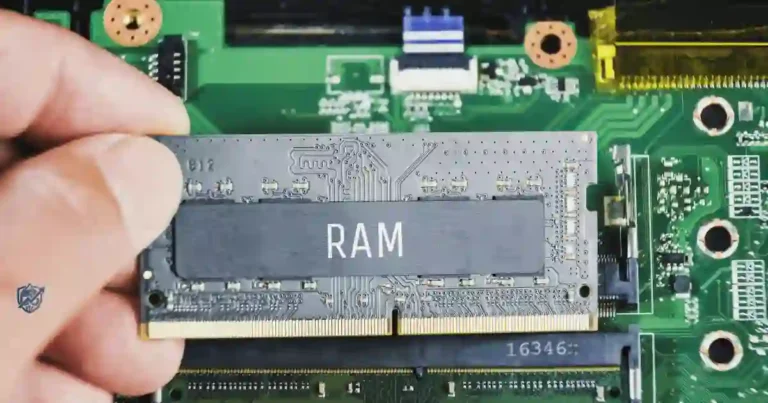
Some laptops solder memory directly to the main board. Others offer open SO-DIMM slots for easy stick upgrades. If memory is soldered, buy enough RAM upfront to keep your laptop fast for years to come.
Choose SSD Storage Based on Your Development Work
Fast storage moves your project files quickly. An SSD keeps your computer responsive from bootup to shutdown.
Why Programmers Should Choose an SSD
SSDs read and write data much faster than old spinning drives. Your system boots in seconds, heavy IDEs open right away, and code projects load instantly. Going with an SSD is the easiest way to keep your workflow fast and smooth.
Is 256GB Enough for Programming?
A 256GB drive gets tight quickly. The operating system, build tools, and system updates take up a lot of space. Add in project files and a few assets, and you will find yourself deleting files constantly just to free up room.
Why 512GB Is a Strong Choice for Most Programmers
512GB gives you a healthy safety net. You can install big IDEs, keep local database backups, store Git code repos, and save Docker images without low-storage warnings popping up during your workday.
When Should You Choose 1TB or More?
Pick a 1TB or larger SSD if you build games, store large datasets, run virtual machines, or dual-boot two operating systems. Game assets and local AI models eat up hundreds of gigabytes in no time.
NVMe vs SATA SSD
NVMe drives connect straight to your motherboard for extreme transfer speeds. SATA SSDs are slower but still beat old hard drives. For daily coding, any solid SSD works well, though NVMe speeds make loading huge code bases much faster.
Pick the Right Operating System for Programming
Your operating system shapes your daily dev workflow. Pick the platform that runs your chosen software tools best.
Windows for Programming
Best For
- .NET framework development
- C# and C++ tools
- General software tasks
- Dual-use gaming and coding setups
- Wide laptop choice
Potential Drawbacks
- Linux build tools may need extra setup
- Terminal setup takes extra steps
macOS for Programming
Best For
- Native iOS and iPadOS apps
- Mac software creation
- Web development tools
- Unix terminal commands
- Great battery life
Potential Drawbacks
- Higher initial purchase price
- No memory or drive upgrades later
Linux for Programming
Best For
- Pure software engineering
- Direct web backend work
- DevOps and cloud management
- Cybersecurity research
- Open-source tools
Potential Drawbacks
- Some laptop parts need custom drivers
- Popular commercial apps may be missing
Windows vs macOS vs Linux for Programmers
Choosing an operating system comes down to your core dev stack. Pick the system that supports your main programming tools natively.
| Operating System | Best For | Main Strength | Possible Drawback |
| Windows | General development | Broad hardware compatibility | Linux tools need setup |
| macOS | Apple ecosystem development | Unix base and strong hardware | Higher purchase cost |
| Linux | Backend dev and DevOps | Deep system flexibility | Driver issues on some laptops |
| Windows + WSL | Web and software development | Native Linux tools inside Windows | Uses extra memory |
A programming expert will usually tell you to choose your OS based on your toolchain first. The operating system should fit your work, not force your work to fit the laptop.
Choose a Comfortable Screen for Long Coding Sessions
You will look at your laptop display for hours each day. A clear screen keeps text sharp and reduces eye strain.
What Screen Size Is Best for Programming?
13–14 Inch Laptops
- Light and easy to carry around
- Fits easily in any backpack
- Great for students and frequent commuters
- Can feel tight during long multi-window work
15–16 Inch Laptops
- Gives you plenty of screen real estate
- Great for split-screen coding
- Ideal for home desks and office setups
- Heavier to carry around all day
Why Screen Resolution Matters
A 1080p display is the practical baseline for sharp text. Moving to 1440p makes small code fonts look crisp and clean. 4K screens look great, but they drain your battery quickly and often require display scaling adjustments.
Should Programmers Buy a High Refresh Rate Display?
A standard 60Hz panel handles code editor windows just fine. 90Hz or 120Hz screens make scrolling through long files feel buttery smooth. They look nice, but you should never drop memory or CPU power just to get a faster screen refresh rate.
Matte vs Glossy Displays
Matte screens diffuse room reflections, making them great for bright offices or outdoor tables. Glossy screens deliver punchy colors and deep blacks, but they bounce overhead lights right back into your eyes while you type.
Why External Monitors Can Change the Equation
Plugging into a desktop screen changes how you use your machine. With a simple USB-C cable or HDMI plug, a small 13-inch laptop turns into a full workstation. If you work at a desk most of the day, laptop screen size matters much less.
Never Underestimate the Keyboard and Trackpad
You type millions of characters every year while coding. A stiff or cramped keyboard makes long days painful fast.
What Makes a Good Programming Keyboard?
- Comfortable key travel: Gives clean feedback so you know every key press registered.
- Clear key legends: Keeps symbols visible under dim room lights.
- Good spacing: Prevents accidental typos when typing fast.
- Full-size arrow keys: Makes navigating code files simple.
- Dedicated function keys: Helps you hit shortcuts quickly.
- Backlighting: Lets you type easily in dark rooms.
Why Keyboard Layout Matters
Keyboard layouts vary by region. Check the placement of brackets, backslashes, and quotes before buying. A strange enter key shape or displaced symbol key will mess up your typing muscle memory and slow down your output.
Trackpad Quality Matters Too
A smooth glass trackpad with precision drivers makes moving across your code editor painless. Good palm rejection stops your cursor from jumping across the screen when your wrists rest on the laptop base.
Should You Buy an External Keyboard?
Using an external mechanical or ergonomic keyboard at your desk improves posture. It keeps your wrists relaxed during long sessions while protecting your laptop keys from daily wear and tear.
Check Battery Life and Charging Before You Buy
A laptop that dies after two hours keeps you tethered to wall outlets. Look for gear that lasts a full workday.
What Battery Life Should Programmers Expect?
Light text editing uses very little power. However, running code builds, spinning up Docker containers, keeping screen brightness high, and jumping on video calls drains batteries fast. Plan on real-world battery life being lower than what manufacturers claim on the box.
Why Manufacturer Battery Claims Can Be Misleading
Brands test battery life with low brightness and basic video playback. They do not test while compiling code or running local servers. Always look for real user reviews to see how long a machine lasts under actual development workloads.
USB-C Charging and Fast Charging
Laptops that charge over USB-C simplify your travel gear. You can use a single power brick to charge your phone, laptop, and power bank. Fast charging tops up your battery quickly during short coffee breaks.
Battery Health and Long-Term Use
Keeping your laptop plugged in on a hot desk degrades battery health over time. Use built-in battery management software to limit max charging to 80% if your machine stays docked at a desk all day.
Do Programmers Need a Dedicated Graphics Card?
Most developers do not need a discrete GPU. Built-in processor graphics handle basic dual screens and code tools easily.
Integrated Graphics Are Enough for Most Coding
Integrated graphics run web apps, text editors, database tools, and media players without issue. They draw less power, generate very little heat, keep your laptop quiet, and save you money upfront.
When a Dedicated GPU Is Useful
Game Development
- Rendering 3D assets in Unreal Engine
- Testing Unity game builds
- Real-time lighting preview work
Machine Learning and AI
- Training local deep learning models
- Running CUDA-accelerated libraries
- Fast data processing setups
Video and Graphics Work
- Editing high-res video tutorials
- 3D modeling and animation rendering
Why a Dedicated GPU Can Hurt Battery Life
Dedicated graphics chips draw a lot of power. They generate extra heat, forcing cooling fans to spin loud. That extra battery drain and heat make thin laptops heavier and louder than they need to be for standard web coding.
Think About Ports, Connectivity, and Accessories
A thin laptop with no ports forces you to carry a pouch full of dongles. Pick a machine that connects to your tools easily.
Essential Ports for Programmers
- USB-A: Connects older flash drives, mice, and keyboards.
- USB-C: Handles fast data, charging, and external displays.
- Thunderbolt: Delivers extreme speeds for docks and fast external drives.
- HDMI: Plugs straight into monitors and room projectors.
- Headphone jack: Connects wired headsets for clear call audio.
Why USB-C Matters
USB-C ports do it all. One cable can charge your laptop, push video to an external display, and connect to a desk hub loaded with storage drives. It simplifies your desk layout and cuts cable clutter completely.
Wi-Fi and Bluetooth
Fast Wi-Fi 6 or Wi-Fi 6E keeps your package downloads and Git pushes speedy. Reliable Bluetooth lets you connect wireless headphones, keyboards, and mice without dropouts.
How Much Should You Spend on a Programming Laptop?
Set your budget around the code you actually plan to write. Spending extra money on power you never use makes little sense.
Budget Programming Laptop
Suggested Target
- Modern Core i3 / Ryzen 3 or equivalent
- 8GB RAM minimum
- 256GB SSD storage
- 1080p display
Best For
- Coding students
- Beginners
- Simple web tasks
- Basic Python scripts
Mid-Range Programming Laptop
Suggested Target
- Core i5 / Ryzen 5 or Apple silicon
- 16GB RAM
- 512GB SSD
- Quality 1080p or 2.5K display
Best For
- Full-stack web developers
- Computer science students
- Daily software coding
Premium Programming Laptop
Suggested Target
- Core i7 / Ryzen 7 or Apple Pro chip
- 16GB to 32GB RAM
- 1TB SSD storage
- Top-tier screen and long battery
Best For
- Senior software engineers
- Heavy multitaskers
- Mobile app developers
Balancing specs against your actual workload keeps you from overspending on power you do not need.
| User Type | RAM | Storage | CPU Class | Best Use |
| Beginner | 8GB | 256GB SSD | Entry-level | Learning basics and small scripts |
| Student | 16GB | 512GB SSD | Mid-range | Computer science coursework |
| General Developer | 16GB | 512GB–1TB | Core i5 / Ryzen 5 | Full-stack web development |
| Heavy Developer | 32GB | 1TB+ | Core i7 / Ryzen 7 | Containers and virtual machines |
| Advanced User | 32–64GB | 1TB+ | High-end / Max class | AI, game dev, and massive builds |
In my experience, the mid-range tier is where most programmers get the best value. You avoid the pain of a weak machine without paying for power that sits idle most days.
Match Your Laptop to Your Type of Programming
Different development paths place different demands on your hardware. Match your laptop build to your daily dev tools.
Best Laptop Specs for Web Development
- 16GB RAM for browser and server tools
- 512GB fast SSD
- Mid-range multi-core CPU
- Comfortable keyboard
- Sharp 14 to 16-inch display
Best Laptop Specs for Python Programming
- 8GB RAM minimum (16GB recommended)
- 512GB SSD
- Solid single-core CPU
- Discrete GPU only if doing local AI work
Top Laptop Specs for Android Development
- 16GB to 32GB RAM for Android Studio
- 512GB or 1TB SSD
- Strong multi-core CPU
- Solid thermal cooling
Best Laptop Specs for iOS Development
- macOS machine required for native Xcode
- Apple silicon chip recommended
- 16GB RAM minimum
- 512GB or 1TB SSD
Top Laptop Specs for Game Development
- Strong multi-core CPU
- 16GB to 32GB RAM
- Dedicated graphics card (NVIDIA or AMD)
- 1TB SSD for game assets
Top Laptop Specs for Computer Science Students
- 16GB RAM for multi-subject work
- 512GB SSD
- Long battery life
- Lightweight build for campus walks
Selecting your hardware based on your development stack prevents performance bottlenecks later on.
| Programming Type | RAM | Storage | GPU | Priority |
| Web Development | 16GB | 512GB | Integrated | Portability and screen space |
| Python | 8–16GB | 512GB | Integrated | CPU speed and keyboard comfort |
| Android | 16–32GB | 512GB–1TB | Integrated / Dedicated | RAM and multi-core CPU |
| iOS | 16GB+ | 512GB+ | Integrated | macOS and Apple silicon |
| Game Development | 16–32GB | 1TB | Dedicated | GPU power and cooling |
| AI / Machine Learning | 32GB+ | 1TB+ | Dedicated | GPU VRAM and system RAM |
This is where hands-on experience matters. A web developer who buys a gaming laptop may carry around extra weight and pay for GPU power they rarely use. A game developer who buys a thin office laptop may regret that decision before the first big project.
Windows Laptop or MacBook for Programming?
This decision confuses many buyers. Pick the system that natively runs the code and tools you plan to build.
Choose Windows If You Need
- Native .NET and C# support
- Maximum hardware choices across all price points
- Dual-use setups for PC gaming and work
- Budget flexibility and easy drive upgrades
Choose MacBook If You Need
- Native iOS and macOS app development
- Built-in Unix command line tools
- Class-leading battery life while unplugged
- Near-silent fans and top build quality
Select/ Choose Linux If You Value
- Complete control over system software
- Open-source developer tools
- Direct alignment with Linux server environments
- Custom terminal workflows and light OS overhead
The Best Choice for Students
Check your university computer science requirements first. Most schools recommend Windows or macOS. If you want to build iPhone apps, buy a MacBook. If you focus on .NET tools or prefer PC gaming, pick a Windows machine.
USA Expert Advice: What Developers Should Prioritize
“The best dev laptop is one that stays out of your way and lets you focus on building,” notes Scott Hanselman, longtime Microsoft developer and tech educator. He emphasizes that choosing tools that fit your actual daily dev stack matters far more than obsessing over raw hardware benchmark numbers.
Expert Insights to Keep in Mind
- Pick hardware based on your true daily workflow rather than marketing claims.
- Your operating system and tool compatibility matter far more than small CPU speed jumps.
- Leave a little headroom for future projects so you do not outgrow your machine next year.
Focusing on functional tools rather than specs keeps your dev workflow smooth and stress-free.
Common Laptop Buying Mistakes Programmers Make
Avoid these common traps when shopping for a coding machine.
Buying Based Only on Processor Speed
Raw clock speed numbers do not tell the whole story. Core counts, chip architecture, generation, and cooling design dictate how well your CPU holds speed during long project builds.
Buying Only 8GB RAM to Save Money
Saving a few dollars upfront on an 8GB laptop creates massive friction later. As your tools grow, limited RAM causes lag and system slowdowns that ruin your coding rhythm.
Ignoring Keyboard Quality
You interact with your keyboard every single minute you write code. Buying a laptop with shallow, mushy keys leads to wrist fatigue and constant typing errors.
Buying a Gaming Laptop for Normal Programming
Gaming rigs are heavy, run hot, fan noise gets loud, and battery life suffers. Unless you build 3D games or train local AI models, skip the heavy gaming rig.
Choosing Too Little Storage
Software environments expand fast. Add a few SDKs, local databases, and Docker images, and a small 256GB drive fills up before you know it.
Ignoring Repairability and Upgrade Options
Check if you can swap out the SSD or add RAM later. Buying a sealed machine with non-upgradeable parts means you must buy a new laptop when your needs grow.
Forgetting Linux or Software Compatibility
If you plan to run Linux, verify that your laptop’s Wi-Fi card, audio chip, and trackpad work smoothly with open-source drivers before buying.
Buying the Cheapest Laptop Available
Bottom-tier laptops sacrifice screen quality, keyboard comfort, build materials, and CPU power. A painfully slow laptop hinders your learning speed and wastes your time.
A Simple Laptop Buying Checklist for Programmers
Use this quick checklist to review any laptop before checking out.
Performance Checklist
- Modern multi-core CPU
- 16GB RAM for general coding (32GB for heavy builds)
- 512GB+ fast SSD
- Solid thermal cooling
- Dedicated GPU included only if needed
Comfort Checklist
- Tactile keyboard with good key travel
- Clear, high-res display with wide viewing angles
- Smooth precision trackpad
- Comfortable screen size for your eyes
- Manageable overall laptop weight
Practical Checklist
- All-day real-world battery life
- USB-C charging support
- Essential ports built right in
- Fast Wi-Fi 6 connectivity
- Solid warranty and support options
Future-Proofing Checklist
- Enough RAM to handle your needs for 3 to 5 years
- Storage room for project growth
- Fully supported operating system
- Upgradeable RAM and drive slots where possible
How to Choose the Right Laptop Based on Your Budget
Match your spending directly to your current experience level and work demands.
If You Are a Beginner
- Focus on 8GB to 16GB RAM
- Get a snappy 256GB or 512GB SSD
- Pick a modern entry-level processor
- Ensure the keyboard feels comfortable
If You Are a College Student
- Prioritize 16GB RAM for class projects
- Get a 512GB SSD for software tools
- Look for strong real-world battery life
- Keep the laptop light for campus travel
You Are a Professional Developer
- Invest in 16GB to 32GB RAM
- Pick a 512GB to 1TB fast SSD
- Choose a high-performance multi-core CPU
- Get a top-quality keyboard and display
If You Develop Games or AI
- Get 32GB or more RAM
- Pick a 1TB+ high-speed SSD
- Choose a top-tier multi-core processor
- Buy a laptop with a powerful dedicated GPU
Final Laptop Buying Decision: What Should You Get?
When you step back, picking a coding laptop comes down to balancing comfort and power.
The Best All-Round Programming Laptop Profile
- 16GB system RAM
- 512GB fast NVMe SSD
- Modern Core i5 / Ryzen 5 or Apple silicon chip
- Sharp 14 to 16-inch display
- Comfortable backlit keyboard
- All-day battery life with USB-C charging
- Reliable manufacturer warranty
The Simple Rule to Remember
Choose your laptop based on the code you write today and the projects you plan to build tomorrow. Avoid paying extra for heavy gaming graphics or extreme specs you will never use. At the same time, do not cheap out on memory or storage space only to feel cramped six months down the road.
Frequently Asked Questions About Choosing a Programming Laptop
How Much RAM Is Enough for Programming?
16GB of RAM is the ideal amount for most software developers. It lets you run code editors, local databases, web browsers, and light Docker containers without lag. Beginners can manage with 8GB, while heavy developers, game creators, and AI engineers benefit from 32GB or more.
Is 8GB RAM Enough for Coding?
8GB of RAM works for learning basic syntax, writing HTML/CSS, running simple Python scripts, and building light web pages. However, as soon as you open complex IDEs, multiple browser tabs, or local databases, 8GB can feel tight and cause system lag.
Is 16GB RAM Enough for Software Development?
Yes, 16GB of RAM is plenty for most software development tasks. It comfortably handles full-stack web development, React builds, Java applications, light Docker containers, and daily multitasking across multiple developer tools.
Do Programmers Need a Powerful Graphics Card?
Most programmers do not need a powerful dedicated graphics card. Integrated processor graphics easily handle web coding, text editors, database management, and multi-monitor setups. You only need a discrete GPU if you build 3D games, work with machine learning, or render heavy 3D assets.
Is a MacBook Good for Programming?
Yes, MacBooks powered by Apple silicon are excellent for programming. They offer outstanding build quality, Unix-based terminal tools, top-tier battery life, quiet cooling, and the ability to build native iOS and macOS software.
Is Windows or Linux Better for Programming?
The choice depends on your dev stack. Windows is better for .NET development, C#, and broad software choice. Linux is preferred by backend developers, DevOps engineers, and open-source coders who want complete control over their operating system environment.
Is 256GB SSD Enough for Programming?
A 256GB SSD works if you store your code in the cloud and keep software tools minimal. However, system files, IDE installations, local databases, and build caches fill up a 256GB drive quickly. A 512GB SSD provides a much safer cushion.
What Processor Is Best for Programming?
A modern mid-range processor such as an Intel Core i5, AMD Ryzen 5, or base Apple M-series chip is the best choice for most developers. These chips provide excellent multi-core speed for compiling code without the high cost and extra heat of top-tier processors.
How Long Should a Programming Laptop Last?
A well-chosen mid-range programming laptop should last three to five years. Selecting a laptop with 16GB of RAM, a modern CPU, and decent SSD space ensures it keeps up as software tools and development requirements evolve.
Should I Buy a Gaming Laptop for Programming?
Buy a gaming laptop only if you plan to develop 3D games, train local AI models, or play modern PC games on the same machine. For general coding, gaming laptops add unnecessary weight, run loud cooling fans, and suffer from poor battery life.
Final Recommendation
Having spent years writing code, building software tools, and testing developer gear, I always tell programmers that the best laptop is the one that gets out of your way. Skip the flashy gaming gimmicks and focus on real everyday comfort.
For most developers, a laptop with a modern multi-core processor, 16GB of RAM, a 512GB SSD, a crisp display, and a tactile keyboard delivers the ultimate balance of power and value. Pick an operating system that runs your specific dev toolchain natively, keep your laptop cool, and invest in a machine that makes sitting down to write code a smooth, effortless experience every single day.

Ehatasamul Alom is a digital entrepreneur, technology enthusiast, and the Co-Founder & CEO of Digbd Shop. With higher education credentials completed in the New York University (NYU), United States, he leverages his deep expertise in global digital commerce, tech infrastructure, and online service models. Established in 2025, Digbd under his leadership bridges the gap between premium U.S. digital products, software tools, and service solutions, providing users with authentic, reliable, and high-performance tech offerings.