Does Heat Really Damage Your Electronics? What to Know
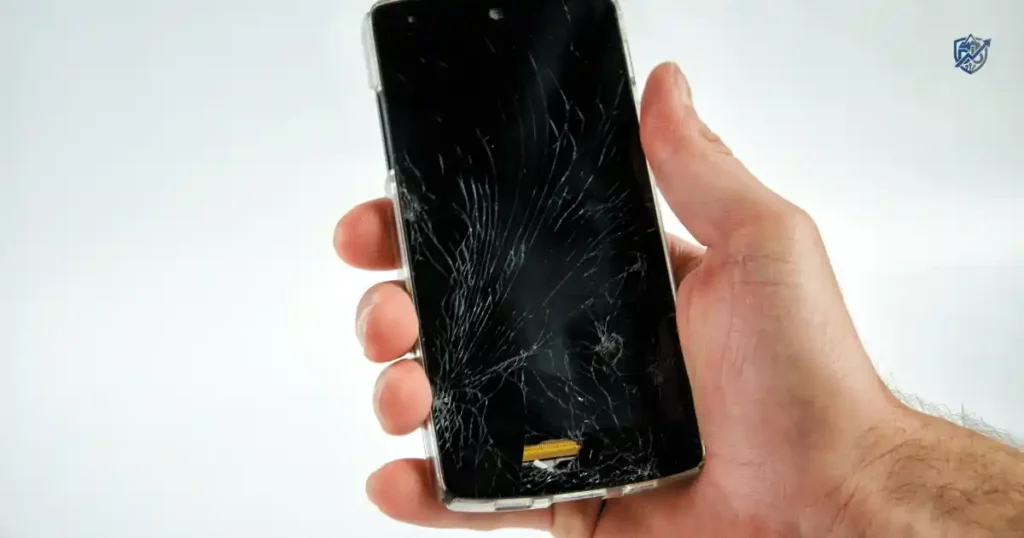
Last summer in New York, my phone shut down right on a hot sidewalk. The sun was bright, the air was heavy, and my screen went black without a warning. You might wonder, does Heat Really Damage Your Electronics or is it just a brief glitch? Yes, extreme heat can hurt your gear, but the full story is more nuanced than warm device equals dead device. Most modern gadgets handle normal warmth well and use built-in thermal guards to protect themselves when temperatures rise.
Does Heat Really Damage Electronics?
Directly speaking, high thermal levels can shorten component life and cause sudden performance issues. Warmth from light daily use is totally normal, yet sustained heat creates lasting trouble for your devices.
The short answer
Normal warmth is usually not a problem.
Excessive heat can damage electronics over time.
Long exposure is often worse than a brief temperature spike.
Heat can shorten battery life significantly.
Heat can affect performance by slowing down your processors.
Extreme heat can cause permanent damage to delicate circuits.
Warm vs hot vs dangerously hot
A device feels warm during basic app use, which is normal.
A device feels unusually hot when running high-load tasks for too long.
It becomes uncomfortable to touch when internal cooling starts to fail.
The screen displays a temperature warning when heat reaches unsafe levels.
The system shuts itself down to prevent permanent hardware destruction.
Why electronics generate heat naturally
- Processor activity
- Graphics processing
- Battery charging
- Wireless charging
- Cellular radios
- Wi-Fi
- Bluetooth
- Gaming
- Video recording
- Fast charging
Why a little heat is normal
Your phone warming during gaming shows the chip is working hard.
A laptop getting warm during video editing is a normal physical result.
Consoles heat up during a long gaming session as power moves through circuits.
TVs produce steady heat from internal power components while running.
When heat becomes a real concern
- Device remains hot for long periods
- Heat occurs during light use
- Battery drains unusually fast
- Charging slows or stops
- Device becomes unstable
- Screen dims automatically
- Device shuts down unexpectedly
Apple notes that iPhones and iPads can become warm during charging, gaming, camera use, and high-quality video streaming. That alone does not mean the device has suffered harm.
How Heat Damages Electronics Over Time
Heat does not always kill a device in one dramatic moment. More often, repeated high temperatures slowly increase wear on the parts inside.
Heat speeds up chemical ageing
- Battery chemistry degrades faster under high temperatures
- Component degradation occurs slowly over months of exposure
- Material breakdown affects internal insulation and protective layers
Heat causes electrical stress
- Increased resistance makes circuits work harder to pass energy
- Component instability leads to system crashes and unexpected bugs
- Power regulation issues can ruin sensitive voltage control chips
Can affect physical materials
- Plastics can soften or warp
- Adhesives lose their sticky grip
- Seals degrade and let in moisture
- Solder joints weaken and crack
- Display materials lose color quality
Repeated heating and cooling can also matter
- Expansion occurs when internal parts get hot
- Contraction happens as the system cools down
- Thermal cycling puts constant motion on small connections
- Mechanical stress leads to tiny cracks in the circuit boards
Why one hot afternoon usually isn’t the whole story
One short exposure creates temporary thermal stress.
Daily heat exposure speeds up component wear.
Months of poor ventilation degrade power delivery parts.
Years of repeated overheating bring early hardware failure.
The “heat kills electronics instantly” myth
Modern devices have thermal safeguards built into their chips.
Temperature sensors can detect overheating before you feel it.
Performance may be reduced automatically to drop temperatures.
Charging may pause until the battery reaches a safe state.
Devices may shut down entirely to save hardware from ruin.
Google explains that Pixel devices can reduce CPU performance, slow charging, limit connectivity, enter low-power mode, and eventually shut down when temperatures become too high.
Which Parts of Electronics Are Most Affected by Heat?
Not every component responds to heat in the same way. Batteries are often the first concern, but displays, processors, storage, and power components can also suffer.
Batteries
- Lithium-ion batteries
- Lithium-polymer batteries
- Rechargeable batteries
Why batteries dislike excessive heat
- Faster chemical ageing breaks down active internal materials
- Reduced battery capacity means fewer hours of use per charge
- Shorter useful lifespan forces early battery replacement
- Potential safety risks occur in severe or unmanaged cases
Processors and chips
- CPU speeds slow down under high heat
- GPU output drops to reduce total wattage
- System-on-chip units shift workloads to cooler cores
- Thermal throttling lowers performance to prevent hardware destruction
Displays
- OLED panels can show temporary image retention
- LCD layers can darken under intense direct heat
- Mini-LED backlights generate concentrated local warmth
Brightness changes happen when protective software dims the screen.
Temporary performance effects resolve once the display cools down.
Long-term heat exposure damages color accuracy and layer adhesives.
OLED burn-in considerations increase when panels run hot at maximum brightness.
Google advises Pixel users to avoid leaving phones in the sun and notes that high temperatures can affect screen behaviour and device performance.
Storage drives
- SSD performance drops to protect flash memory cells
- HDD mechanical parts expand and risk read errors
- Flash storage loses data retention endurance under high heat
Heat and drive longevity are linked directly through cell wear over time.
Laptop cooling keeps thin storage drives from reaching critical thermal limits.
External drive storage conditions require clear airflow around metal cases.
Power components
- Voltage regulators work harder and lose electrical efficiency
- Power supply units build up heat in tight spaces
- Charging circuits cut current to shield internal connections
- Power adapters get warm while converting high wall voltage
Cables and connectors
- Heat damage weakens plastic ends
- Melting can happen with cheap uncertified gear
- Brittle insulation splits and exposes bare wire
- Loose connections cause electrical arcs and extra heat
How Heat Affects Lithium-Ion Batteries
This is a critical section because lithium-ion batteries power almost all our daily gear.
Why lithium-ion batteries are sensitive to heat
- Battery chemistry relies on delicate liquid electrolytes
- Faster degradation cuts total energy capacity over time
- Capacity loss remains permanent once chemical structure breaks down
Heat during charging
- Fast charging sends high current that creates quick warmth
- Wireless charging releases extra heat through induction coils
- Gaming while charging doubles the thermal load on the battery
- Charging in direct sunlight traps heat with no way to escape
Why hot cars are dangerous for electronics
- Closed vehicle temperatures rise quickly within minutes
- Direct sunlight adds radiant heat through glass windows
- Dashboard surfaces can become extremely hot to the touch
Apple specifically warns against leaving iPhones or iPads in parked cars because temperatures can exceed their recommended storage range of -20°C to 45°C (-4°F to 113°F).
Signs a battery may be heat-damaged
- Rapid battery drain during basic daily tasks
- Unexpected shutdowns at medium battery levels
- Swelling that pushes against the device case
- Unusual heat while the device stays idle
- Charging problems or total refusal to take power
What to do with a swollen battery
- Stop using the device if appropriate
- Do not puncture the battery under any circumstances
- Do not squeeze it or press down on the glass
- Do not attempt a casual DIY repair at home
- Seek professional service from an authorized center
Does Heat Damage Your Smartphone?
Phones are small, powerful computers with almost nowhere for heat to escape. That is why a hot summer day, heavy gaming session, and charging cable can create a very warm little sandwich in your pocket.
Why smartphones get hot
- Gaming forces the graphics chip to run at maximum power
- Video recording uses continuous sensor power and memory writes
- Navigation runs GPS, screen brightness, and cellular data at once
- 5G connectivity draws high current in weak signal areas
- Hotspot use broadcasts Wi-Fi while processing mobile data
- Video calls process camera input and live audio stream continuous data
- Fast charging pumps high wattage into a compact battery
- Wireless charging loses energy as heat through magnetic transfer
- Software updates write heavy files to flash memory continuously
Is a warm phone normal?
Yes. Warmth is expected when you run high-demand tasks, charge the battery quickly, or use features like GPS navigation under bright daylight.
Is a hot phone dangerous?
- Temperature warnings alert you before physical damage happens
- Automatic performance reduction slows down processor tasks
- Charging pauses to safeguard battery chemical layers
- Shutdown protection turns off the device to save internal circuits
What happens when an iPhone overheats?
- Screen may dim automatically to reduce panel heat
- Charging may pause until internal temperatures drop
- Some features may become unavailable like camera flash
- Temperature warning may appear across the screen
- Device may temporarily shut down to protect components
What happens when a Pixel overheats?
- Performance may be reduced across major apps
- Charging may slow down to a trickle
- Camera functions may be limited or turned off
- Connectivity may be reduced to conserve power
- Device may enter low-power mode automatically
- Device may shut down completely if heat stays extreme
When should you worry?
- Phone gets hot while idle on a cool table
- Phone repeatedly shuts down during basic tasks
- Battery drains rapidly without any active apps
- Heat occurs during normal light text messaging
- Device is too hot to comfortably handle with bare hands
Does Heat Damage Laptops and Computers?
Laptops have fans and cooling systems, but that does not make them immune to heat. A blocked vent or dusty fan can turn a normal work session into a miniature oven.
Why laptops generate heat
- CPU processes millions of instructions every second
- GPU draws power to draw complex visuals
- SSD reads and writes high-speed data files
- Battery releases energy and warms up during discharge
- Power adapter converts high current into computer power
Common causes of laptop overheating
- Blocked vents keep warm air trapped inside
- Dust buildup coats fans and cooling fins
- Poor airflow prevents fresh air from entering
- Old thermal paste dries out and loses heat transfer capability
- Heavy workloads push hardware to maximum limit
- Gaming forces high power use across chips
- Video editing strains processors for hours at a time
What thermal throttling means
- Processor reduces speed to drop heat generation
- Performance drops, causing video lag or system stutters
- Fan noise increases as internal fans spin at maximum RPM
- Device tries to control temperature before hitting critical limits
Can heat permanently damage a laptop?
- Long-term thermal stress weakens solder joints over time
- Battery ageing speeds up when exposed to high system heat
- Component degradation affects delicate motherboard chips
- Motherboard issues can cause total board failures
Laptop warning signs
- Fans constantly running at full speed on desktop idle
- Sudden slowdowns during simple browsing tasks
- Random shutdowns while working on documents
- Very hot keyboard area that hurts your fingers
- Hot air from vents feels like a hair dryer
- Battery swelling lifts the touchpad or trackpad area
How to improve laptop cooling
- Clean vents using compressed air on a regular schedule
- Use a hard, flat surface to keep air pathways clear
- Avoid soft beds and blankets that choke intake grilles
- Keep air intakes clear of paper, cloth, or desk clutter
- Use a cooling pad when appropriate during heavy workloads
Does Heat Damage TVs, Game Consoles, and Monitors?
Large electronics often produce heat by design, but poor ventilation can make that heat build up. The problem is whether the device can release that heat effectively.
TVs
- Internal power components transform high wall voltage into usable power
- Display panel generates heat across its entire surface area
- Ventilation grilles allow rising warm air to exit safely
- Direct sunlight through windows raises surface temperatures fast
OLED TVs
- Panel temperature affects light output and diode efficiency
- Brightness drops automatically when panels run too hot
- Burn-in discussion links directly with static high-heat scenes
- Long-term heat exposure degrades organic sub-pixel layers
Game consoles
- CPU runs demanding physics and game code continuously
- GPU renders complex graphics that draw maximum power
- Cooling fans pull cold air through tight internal heatsinks
- Dust blocks dense fins and reduces total cooling power
- Enclosed entertainment cabinets trap hot exhaust air inside
Monitors
- Display electronics drive high refresh rates and pixel colors
- Power supply units build up heat inside slim cases
- Backlight runs bright and releases heat behind the panel
- Ventilation slots need open space to release warm air
Why enclosed cabinets can be a problem
- Restricted airflow prevents cool air from entering the space
- Heat accumulation raises ambient temperature inside the cabinet
- Higher internal temperatures force cooling fans to run harder
Best ventilation practices
- Leave clearance around vents on all sides of the device
- Avoid blocking exhaust paths with cables or books
- Clean dust from exterior grilles with a soft brush
- Do not stack heat-producing devices directly on top of each other
How Much Heat Is Too Much for Electronics?
Avoid using one universal temperature number for every gadget. Different devices have unique operating limits, so manufacturer specifications should always take priority.
Why there is no universal “safe temperature”
- Smartphone designs focus on passive cooling through the body
- Laptop builds use active fans and large metal heatsinks
- TV chassis feature large open vents for natural airflow
- Camera bodies trap heat inside weather-sealed frames
- Battery packs require strict temperature limits for safety
- Computer component parts handle higher internal heat than batteries
Operating temperature vs storage temperature
Operating temperature is the ambient range where a device works safely while powered on. Storage temperature is the safe range for a device that is completely powered down.
Example: Apple device temperature ranges
- Operating ambient range: 0°C–35°C (32°F–95°F)
- Storage range: -20°C–45°C (-4°F–113°F)
These figures apply directly to iPhone and iPad models, not every electronic device.
Why ambient temperature is not the same as internal temperature
- Room temperature measures the surrounding air around your desk
- Surface temperature measures the outer shell of your gadget
- Internal component temperature reads the actual silicon chip junction
Why manufacturer specifications matter
- Check user manual documentation for exact thermal ratings
- Check support page articles for seasonal advice
- Check technical specifications for maximum environmental limits
- Look for operating and storage limits before travelling
Electronics and Heat: Temperature Guide
This table provides a simple way to evaluate what your device is experiencing. Understanding thermal states helps you act before permanent hardware wear occurs.
| Heat situation | What it usually means | What to do |
| Slightly warm | Often normal during basic daily use | Continue using if functioning normally |
| Warm during charging | Common with fast or wireless power | Improve airflow around the device |
| Hot during gaming | High workload on processor and GPU | Take breaks and improve cooling |
| Hot while idle | May indicate a background software bug | Check apps and battery usage |
| Temperature warning | Device has reached unsafe thermal levels | Stop use immediately and cool it down |
| Too hot to touch | Potential hardware overheating event | Disconnect power and stop using |
| Swollen battery | Serious safety hazard and chemical failure | Stop using and seek expert help |
Why “warm” is not the same as “damaged”
Warmth indicates that your device is moving energy and conducting heat away from internal chips to the exterior shell, exactly as designed.
Why temperature warnings should never be ignored
Software warnings trigger when internal chips near maximum thermal limits. Ignoring them risks permanent silicon degradation or sudden battery failure.
Why touch is not a precise thermometer
- Human skin feels temperatures differently based on room air
- Device surfaces like aluminum conduct heat faster than plastic
- Internal temperature can be much higher than the outer shell
- Software diagnostics give a true reading of silicon temperatures
The Biggest Heat Traps for Electronics
Most heat damage happens in ordinary places. The danger is often a device sitting somewhere that feels harmless.
Hot cars
- Dashboard surfaces act like solar ovens under direct glass
- Centre console storage traps heat with zero airflow
- Glove compartment spaces retain engine and cabin warmth
Direct sunlight
- Window sills gather direct radiation through clear glass
- Outdoor tables heat up fast under clear summer skies
- Beach bags trap solar heat inside heavy fabric
- Car seats absorb sunlight and pass heat into devices
Beds and blankets
- Blocked laptop vents prevent fans from pulling cool air
- Poor airflow turns soft blankets into thermal insulation
Closed cabinets
- TV cabinets concentrate heat from multiple home electronics
- Gaming consoles blow hot exhaust into sealed wooden shelves
- Routers run constantly without fresh air circulation
Hot kitchens
- Steam raises local humidity around counter electronics
- Cooking heat radiates directly from stove tops
- Grease builds up on vent grilles and blocks air
- Appliances nearby vent warm air into small spaces
Near heaters
- Radiators push direct hot air against side vents
- Heat vents blow warm air across desk setups
- Fireplaces project high radiant heat across living rooms
Outdoor storage
- Garages experience extreme seasonal temperature swings
- Sheds lack insulation and turn extremely hot in summer
- Attics trap rising heat from the entire house below
What Happens to Electronics on a Very Hot Day?
Environmental conditions can push devices past their limits quickly. On a scorching afternoon, even an idle device absorbs heat fast.
Scenario: A phone left in a parked car
The cabin temperature rises past 120°F in under thirty minutes. The phone absorbs this intense surrounding heat through its glass and metal body. Soon, the battery temperature increases beyond safe chemical limits.
The device limits background functions to reduce internal load. Charging pauses completely if plugged in. If the ambient heat stays high, extreme internal warmth triggers a protective system shutdown.
Scenario: A laptop on a bed
The soft mattress presses against the bottom case, and the air intake becomes blocked completely. As you work, internal temperature rises within seconds. The internal fan suddenly sounds like a tiny hair dryer, spinning at full speed.
The CPU throttles to prevent damage, causing your video call to freeze. Performance falls as the laptop struggles to shed heat through soft fabric.
Scenario: A game console in a closed cabinet
You turn on a graphics-heavy game inside a closed wooden media console. Heat accumulates inside the small space as exhaust air cannot escape. The surrounding air grows hotter, driving internal temperatures even higher.
Fan speed increases to maximum volume, making a loud whining sound. Thermal protection eventually activates, turning the console off mid-game to save the graphics chip.
Sensory details of overheating
The fan suddenly sounds like a tiny hair dryer when pushed to its limit.
The phone feels warm against your palm during a simple phone call.
The laptop keyboard feels strangely hot beneath your fingertips while typing.
Heat Damage vs Temporary Overheating
Readers often worry that one overheating event has permanently ruined their device. Usually, the reality is more nuanced.
| Situation | Likely effect | Long-term concern |
| Brief warmth during normal use | Usually harmless thermal dissipation | Low risk to internal parts |
| Heavy gaming session | Temporary heat creation | Low risk if cooling system works |
| Hot phone in direct sunlight | Performance limits applied automatically | Moderate risk if repeated daily |
| Frequent overheating | Thermal stress on internal connections | Higher risk of board failure |
| Long-term high temperatures | Accelerated component ageing | High risk to overall lifespan |
| Swollen battery | Potential safety issue and chemical breakdown | Serious risk requiring service |
Temporary thermal protection
- Performance reduction slows down system clock speed
- Charging pause stops power delivery to hot battery cells
- Screen dimming cuts display backlight power draw
- Automatic shutdown cuts system power to protect silicon
Permanent heat damage
- Battery capacity loss reduces maximum charge retention
- Component degradation weakens internal voltage regulators
- Physical damage warps thin circuit boards and plastics
- Reduced reliability causes sudden crashes and random reboots
Why repeated overheating matters
One event is handled easily by modern thermal safeguards. A daily pattern of extreme heat wears down internal materials continuously. Fixing cooling problems early protects your investment over time.
How to Prevent Heat Damage to Your Electronics
Prevention is usually easier and cheaper than repair. Most effective thermal habits are simple practices that fit into daily routines.
Keep devices out of direct sunlight
Move your gear into shaded areas when outdoors. Avoid leaving glass screens facing up on sunny tables or window ledges.
Improve airflow
- Clear vents of any paper, dust, or desk clutter
- Leave space around devices inside media centers
- Avoid enclosed cabinets without open back panels
Avoid using demanding apps while charging
- Gaming taxes both battery and graphics chips
- 4K video recording creates high internal power draw
- Video editing pushes all processor cores to max speed
- Hotspot use keeps wireless radios running constantly
Keep laptops on hard surfaces
Always set laptops on a solid desk, wooden table, or dedicated laptop stand. Hard surfaces keep intake feet elevated, allowing cooling fans to pull fresh air freely.
Clean dust regularly
Inspect cooling vents every few months. Also, Use compressed air cans to clear dust from fan blades and heatsink fins before buildup blocks airflow completely.
Use the right charger
Use original manufacturer chargers or certified compatible accessories. Correct power ratings ensure clean voltage delivery without creating unnecessary heat during charging.
Keep software updated
System updates often include improved power management profiles. Software patches refine thermal algorithms to keep devices running cooler under heavy tasks.
Remove thick cases when appropriate
Thick rubber or heavy plastic cases can trap heat against phone bodies during fast charging or long navigation sessions. Remove heavy cases if your device gets unusually hot.
Google recommends keeping Pixel phones away from excessive heat, avoiding poorly ventilated areas, reducing resource-heavy activity when devices become hot, and moving an overheated device to a cooler location.
What to Do If Your Electronics Get Too Hot
When a device overheats, the priority is simple: stop generating heat and give it time to cool down safely.
   +-------------------------------------------------------+
   |             DEVICE OVERHEATING DETECTED               |
   +-------------------------------------------------------+
                               |
                               v
   +-------------------------------------------------------+
   |  STEP 1: Stop Intensive Activity                      |
   |  (Close games, 4K video, navigation, and heavy apps)  |
   +-------------------------------------------------------+
                               |
                               v
   +-------------------------------------------------------+
   |  STEP 2: Disconnect Power Immediately                 |
   |  (Unplug charging cables and external accessories)    |
   +-------------------------------------------------------+
                               |
                               v
   +-------------------------------------------------------+
   |  STEP 3: Move to Cool, Shaded Area                    |
   |  (Remove heavy protective cases; keep out of sun)     |
   +-------------------------------------------------------+
                               |
                               v
   +-------------------------------------------------------+
   |  STEP 4: Allow Natural Air Cooling                    |
   |  (DO NOT place in fridge or freezer; avoid shock)     |
   +-------------------------------------------------------+
Step 1: Stop intensive activity
Exit games immediately, stop video recording, and close demanding background apps. Reducing processor load stops internal heat generation at the source.
Step 2: Disconnect the charger
If your device gets hot while plugged in, disconnect the charging cable right away. Move the unit away from warm surfaces to prevent thermal stacking.
Step 3: Move it away from sunlight
Shift your phone or laptop into a cool, shaded spot. Direct shade combined with light ambient breeze speeds up natural cooling.
Step 4: Let it cool naturally
Leave the device powered down or idle for twenty minutes. Never place an overheated phone inside a cold space to force quick cooling.
Step 5: Check for warning signs
- Swelling along the back panel or display edge
- Burning smell coming from ports or cooling vents
- Smoke or visible thermal distortion on plastic cases
- Melted plastic near charging ports or power connectors
- Repeated shutdowns right after powering back on
Step 6: Get professional help if overheating continues
Seek expert repair service if your device overheats while completely idle. Persistent heat usually points to a failing battery or damaged voltage component.
Apple recommends moving an overheated iPhone or iPad to a cooler environment away from direct sunlight and allowing it to cool. Google offers similar advice for Pixel devices, suggesting you disconnect power if the phone feels too hot.
Should You Put an Overheated Phone in the Refrigerator?
This is a common myth. Giving an overheated phone a quick treatment next to cold food seems clever, but it creates serious risk for electronic parts.
Why sudden cooling is not ideal
- Condensation risk creates liquid moisture inside sealed cases
- Rapid temperature changes cause internal metal parts to warp
- Moisture inside ports triggers liquid damage sensors
- Thermal shock concerns can crack delicate glass panels
What to do instead
Disconnect power right away. Remove the device from direct sunlight. Place it on a hard, cool surface in a well-ventilated room, and let it return to normal room temperature naturally.
What not to do
- Do not put it in a freezer under any circumstances
- Do not put it in a refrigerator next to cold items
- Do not use ice packs directly against the glass screen
- Do not blast it with extreme cold air from AC vents
The safer rule
Cool naturally, never freeze.
Heat and Electronics: Which Devices Are Most Vulnerable?
Portable battery-powered gear faces the highest heat stress because these devices go outdoors, charge frequently, and pack components into small cases without fans.
| Device | Heat sensitivity | Main concern |
| Smartphone | High | Battery ageing and screen dimming |
| Laptop | High | CPU throttling and battery degradation |
| Tablet | High | Battery chemistry and thermal trap cases |
| Camera | Moderate–High | Image sensor noise and video shutoff |
| Power bank | High | High-density battery safety hazards |
| Wireless earbuds | High | Tiny battery degradation in small cases |
| Game console | Moderate–High | Dust buildup and cabinet airflow loss |
| TV | Moderate | Power board warmth and panel wear |
| Desktop PC | Moderate | Heatsink dust accumulation |
| Router | Moderate | Continuous operation without airflow |
Why battery-powered devices need extra care
Lithium batteries lose capacity rapidly when stored or operated above safe thermal limits. Small phone cases trap heat near battery cells.
Why high-performance computers produce more heat
Powerful chips draw high electrical wattage during heavy rendering or gaming. That electrical energy converts into continuous heat that active fans must remove.
Why always-on devices need airflow
Routers and modems process data non-stop for months. Without clear surrounding space, passive heatsinks heat up, leading to dropped connections.
Why small devices can struggle to dissipate heat
Tiny gadgets like wireless earbuds lack fans or metal bodies to spread thermal energy. Their small batteries bear high internal thermal stress.
USA Expert Advice on Heat and Electronics
Understanding thermal limits requires looking at practical engineering concepts rather than online myths.
Recommended expert reference: Dr. Chris Gammell
Electronics engineer and educator Dr. Chris Gammell emphasizes practical circuit design, thermal limits, and real-world troubleshooting.
Expert angle to include
Heat acts as a fundamental design constraint across all modern hardware. Every electronic component carries specific maximum operating limits defined by engineers.
Good thermal management improves long-term product reliability over years of daily use. Internal heatsinks, thermal paste, and structured airflow paths exist to move heat away from delicate silicon junctions.
Manufacturer guidance as the strongest practical source
For model-specific operating limits, refer to official documentation provided by major manufacturers:
- Apple
- Dell
- Lenovo
- HP
- ASUS
- Samsung
- Sony
- Microsoft
Check your exact device manual for exact operating and storage specifications.
Does Heat Damage Electronics More Than Cold?
Both extreme heat and severe cold disrupt electronic performance, but they affect internal chemical and physical layers differently.
Heat problems
- Accelerated battery ageing cuts overall lifespan
- Thermal throttling reduces daily performance speed
- Component stress strains voltage regulation chips
- Fire risks can occur during severe battery failures
Cold problems
- Reduced battery performance causes fast voltage drops
- Temporary shutdowns happen even with charge remaining
- Charging restrictions prevent power intake below freezing
The hidden problem: condensation
Bringing a cold device into a warm, humid room causes moisture to condense on internal circuits. That internal condensation can short out live connections.
Which is worse?
It depends on exposure duration. Extreme heat causes permanent physical and chemical damage. Cold mainly causes temporary performance drops, though rapid transitions carry condensation risks.
Apple notes that both hot and cold conditions alter device behavior, warning that extreme heat can permanently shorten battery life.
Heat and Electronics: Quick Troubleshooting Guide
Use this quick troubleshooting table to identify common thermal symptoms and take correct preventative action.
| Symptom | Possible cause | First action |
| Phone warm during charging | Normal energy transfer warmth | Improve airflow around phone |
| Phone hot while idle | Background app or software fault | Check battery usage in settings |
| Laptop fan always loud | Heavy workload or dust buildup | Clean vents with compressed air |
| Console overheating | Poor cabinet ventilation | Move console to open shelf |
| Battery swelling | Internal chemical failure | Stop using and seek service |
| Device shuts down | Thermal protection activated | Let device cool naturally |
| Charging pauses | Battery temperature protection | Move device to a cooler area |
| Device hot after sunlight | Environmental heat absorption | Move device into deep shade |
When heat is probably normal
Mild warmth during fast charging, high-definition video playback, or initial software setup is expected.
When heat deserves investigation
Devices getting hot while sitting idle or during simple text messaging indicate background app loops or early battery wear.
When heat requires immediate action
A device that feels too hot to touch, shows screen warnings, or exhibits case swelling requires immediate shutdown and power disconnection.
Common Myths About Heat and Electronics
Clearing up common thermal myths helps prevent accidental damage to everyday devices.
“If my phone feels warm, it is damaged”
False. Outer shell warmth proves that internal heatsinks are successfully transferring heat away from inner chips.
“A phone case always causes overheating”
False. Case material and design matter most. Thin, well-ventilated cases allow heat to pass through during normal daily tasks.
“Cooling a device as fast as possible is best”
False. Rapid cooling creates thermal shock and condensation risks. Gradual natural cooling inside room-temperature air is always safer.
“Heat only damages batteries”
False. High heat degrades processors, storage cells, display layers, power regulators, and internal solder joints over time.
“One overheating event permanently kills electronics”
False. Modern devices feature built-in protective safeguards that throttle performance or shut down power long before hardware destruction occurs.
“More fans always solve overheating”
False. Fan count matters less than proper airflow paths, clean intake grilles, fresh thermal paste, and open space around exhaust vents.
How to Make Your Electronics Last Longer in Hot Weather
Simple summer routines help keep your devices safe through hot months or sunny travels.
Smartphone summer checklist
- Keep phones out of direct sunlight on outdoor tables
- Avoid leaving devices inside hot parked cars
- Reduce heavy gaming or camera recording while charging
- Remove phones from tight pockets during hot walks
- Let a warm phone cool down before plugging in power
Laptop summer checklist
- Work on hard desks or solid lap desks
- Clear dust from cooling vents every month
- Keep laptops away from direct outdoor sunlight
- Verify fan intakes remain unblocked by papers or cables
TV and console checklist
- Verify top and side ventilation paths remain clear
- Avoid placing consoles inside closed cabinet spaces
- Brush dust from rear intake grilles regularly
- Leave several inches of clear air space around vents
Travel checklist
- Never leave electronics in parked vehicles unattended
- Use padded bags that protect gear without trapping heat
- Avoid bright direct sun exposure during outdoor use
- Allow cold gadgets to warm up gradually upon entering room temperature
The Heat-Proof Electronics Routine
A straightforward routine maintains your devices across changing seasonal temperatures.
Every day
Keep devices out of direct sunlight. Watch for unusual warmth during simple tasks. Verify cooling vents stay free of desk clutter.
Every month
Check battery health settings on phones and laptops. Review background apps if idle battery drain increases. Clean visible intake grilles.
Every few months
Inspect charging cables for insulation wear. Blow dust from fan vents using compressed air. Check chargers for excessive heat during use.
During hot weather
Avoid leaving gear inside cars. Improve room ventilation around workstations. Reduce heavy gaming while fast charging, and act on temperature warnings.
When Should You Replace an Overheating Electronic Device?
Not every thermal problem requires buying new gear. Often a simple fix resolves the issue completely.
Repair may make sense when
- Dust is blocking cooling vents and fans
- The battery can be replaced easily by a tech
- An internal fan needs cleaning or replacement
- A damaged charging cable creates extra heat
- A background software bug causes high processor load
Replacement may make sense when
- The main motherboard has suffered physical thermal wear
- The battery is swollen and unsafe to service
- Repair costs exceed the market value of the device
- The device repeatedly overheats after clean software resets
- Multiple internal hardware components fail at once
The repair vs replacement test
Ask yourself these core questions:
- Why is the device overheating?
- Can the primary cause be fixed easily?
- Is the device model still receiving security updates?
- How much will professional repair cost compared to new gear?
- How many years of useful life remain after repair?
Frequently Asked Questions About Heat and Electronics
Does heat really damage electronics?
Yes. Excessive or prolonged heat shortens battery life, stresses silicon components, reduces performance speeds, and can cause permanent hardware damage over time.
Can leaving a phone in a hot car damage it?
Yes. Interior cabin temperatures in parked vehicles exceed safe operating limits quickly, damaging battery chemistry and triggering automatic shutdowns.
Is it normal for my phone to get warm while charging?
Some warmth is normal during fast or wireless charging. Excessive heat, repeated software warnings, or a hot shell on idle require checking your cable and power adapter.
Can heat permanently damage a laptop?
Yes. Repeated overheating accelerates battery wear, stresses motherboard components, and degrades solder connections over months of use.
How hot is too hot for a phone?
There is no single universal temperature number for every model. Check your manufacturer’s operating guide and take system warnings or automatic shutdowns seriously.
Does heat reduce battery life?
Yes. High heat accelerates internal chemical breakdown, lowering maximum charge capacity permanently over time.
Should I put my hot phone in the fridge?
No. Placing a hot device into a cold space risks internal condensation, thermal shock, and liquid damage to internal circuits.
Why does my laptop get hot when gaming?
Gaming pushes the CPU and GPU to process complex graphics, drawing maximum electrical power that converts into internal heat.
Can sunlight damage electronics?
Yes. Direct sunlight heats dark device shells rapidly and degrades display panel layers over time.
What should I do if my electronic device overheats?
Stop intensive tasks, unplug charging cables, move the device away from direct heat or sunlight, and let it cool down naturally in a shaded space.
Heat Damage Prevention Checklist
- Keep electronics out of direct sunlight
- Never leave phones or laptops in hot parked cars
- Keep laptop vents clear of papers and desk clutter
- Do not use laptops on soft beds or blankets
- Keep TVs and gaming consoles properly ventilated
- Avoid heavy gaming while fast charging
- Use original or certified power chargers
- Keep batteries away from high heat sources
- Inspect devices regularly for battery swelling
- Take system temperature warnings seriously
- Let overheated devices cool down naturally at room temperature
- Avoid refrigerators, freezers, or cold ice packs
- Clean dust from vents using compressed air
- Check manufacturer temperature guidance for safe ranges
- Investigate devices that feel hot while lying idle
Final Recommendation
I have spent years testing, repairing, and using tech in all kinds of hot weather, and I know how frustrating a heat-disabled device can be. The key takeaway from my hands-on experience is that while modern gadgets are built to handle normal warmth, long-term heat exposure remains the silent killer of batteries and chips.
Treat your gear with simple care: keep it out of direct summer sun, give it room to breathe, and never ignore a software heat warning. Taking basic preventative steps will protect your investment and keep your electronics running smoothly for years to come.

Ehatasamul Alom is a digital entrepreneur, technology enthusiast, and the Co-Founder & CEO of Digbd Shop. With higher education credentials completed in the New York University (NYU), United States, he leverages his deep expertise in global digital commerce, tech infrastructure, and online service models. Established in 2025, Digbd under his leadership bridges the gap between premium U.S. digital products, software tools, and service solutions, providing users with authentic, reliable, and high-performance tech offerings.