How Much RAM Does a Laptop Need? A Simple Guide
Sitting in a busy cafe in New York, I watched a student try to fix a slow laptop. Her screen froze with fifteen Chrome tabs open. How much RAM does a laptop need to avoid this mess? The simple answer is that 8GB works for light tasks. 16GB is the sweet spot for most people. 32GB or more fits heavy work. The right choice depends on your daily tasks, not the price tag. Modern apps, video calls, games, and browser tabs quickly eat up memory.
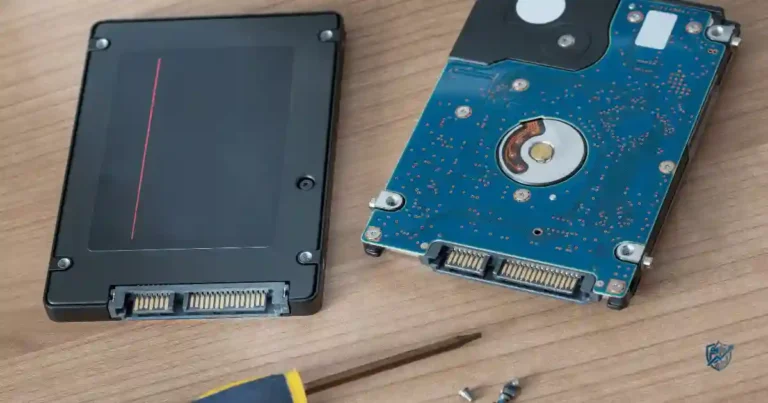
Remote workers and gamers face the same issue when switching between heavy apps. It is also important to know that RAM is quick short-term memory, which is different from your SSD storage space. This guide helps you pick the right memory before you buy your next device.
How Much RAM Does a Laptop Need?
The answer is not the same for everyone. A web user and a video editor can use the same laptop very differently. Your memory needs should match your real daily work.
Quick Answer: 8GB, 16GB, 32GB, or 64GB?
Here is a quick look at memory amounts for different user types:
- 8GB RAM: Good for basic users and light everyday tasks.
- 16GB RAM: The best overall choice for most people today.
- 32GB RAM: Great for gaming, coding, creative work, and heavy multitasking.
- 64GB RAM: Best for pro video editing, 3D scenes, and big data sets.
- 96GB–128GB+: Built for specialized high-end work.
Why 16GB Is the Sweet Spot for Most Users
- Offers plenty of room for smooth daily multitasking.
- Gives you great flexibility for future app updates.
- Runs modern software with ease and speed.
- Stops you from needing to close apps or tabs.
- Helps your laptop stay useful for many years.
When 8GB RAM Is Still Enough
- Checking daily email and news.
- Simple web browsing and search.
- Working in Google Docs and Word.
- Handling basic school tasks.
- Streaming HD videos on YouTube.
- Light photo edits for social media.
- Simple tools for daily organization.
When You Should Buy 32GB or More
- High-resolution video editing.
- Complex 3D rendering and design.
- Detailed CAD engineering work.
- Large photo files with many layers.
- Running virtual test machines.
- Software and app development.
- AI and machine learning tasks.
- High-end gaming while streaming.
- Professional music track recording.
The Simple Rule
Buy for your current workload, but add a little extra room for tomorrow.
What Does RAM Actually Do in a Laptop?
RAM sounds technical, but the core idea is simple. Think of it as a clean desk space where your laptop holds active files for quick access.
RAM Explained in Simple Terms
RAM is short-term memory. When you open an app, your laptop loads it into memory so it opens instantly. If you close the app, that space opens up again. It holds only what you are using right now.
RAM vs Storage: What Is the Difference?
Many people confuse system memory with long-term drive space. Here is how they compare in daily use:
| Feature | RAM | SSD Storage |
| Main purpose | Runs active apps | Stores files and apps |
| Speed | Very fast | Slower than RAM |
| Data kept after shutdown | No | Yes |
| Common sizes | 8GB to 64GB+ | 256GB to 2TB+ |
| Affects multitasking | Strongly | Indirectly |
What Happens When Your Laptop Runs Out of RAM?
- The operating system uses virtual memory on your drive.
- Data swaps back and forth between memory and storage.
- Your laptop starts to lag and freeze up.
- Apps may close or reload suddenly.
- Open browser tabs will refresh on their own.
- Switching between tools becomes slow and painful.
Does More RAM Always Make a Laptop Faster?
Extra unused memory does not speed up your processor. If your tasks only use 10GB, having 32GB will not make web pages load faster. Your CPU speed, GPU power, and SSD drive speed also set your overall system performance. Extra memory only helps when you were running out of space before.
How Much RAM Do You Need for Everyday Laptop Use?
For most people, a laptop handles a mix of work, fun, browsing, and chats. Your memory should handle that mix without lagging.
RAM for Web Browsing
Modern web browsers like Chrome, Edge, Safari, and Firefox use a lot of memory. Each open tab acts like a small app. Web applications, HD video streams, and browser add-ons eat up system memory fast. This is why an 8GB laptop can feel slow when you open twenty tabs at once.
RAM for Microsoft Office and Productivity
Standard tools like Word, Excel, and PowerPoint are light on memory for small files. But large spreadsheets with thousands of rows need more space. Running Outlook, Slack, and Teams in the background increases the load. 16GB keeps all these office tools running side by side without a hitch.
RAM for Remote Work and Video Calls
Video calls need steady system resources. Running Zoom, Teams, or Google Meet takes real power, especially during screen shares. When you keep your browser tabs and cloud tools open at the same time, memory use spikes. Having 16GB makes video calls stay smooth and clear.
RAM for Students
- Searching online sources for class papers.
- Joining video classes from home.
- Writing essays in cloud docs.
- Reading large textbook PDFs.
- Keeping multiple tabs open for research.
- Running basic code scripts for class.
- Recommended range: 8GB minimum, 16GB preferred.
RAM for General Home Use
- Streaming 4K movies and shows.
- Sending personal emails to friends.
- Scrolling social media feeds.
- Shopping on multiple retail sites.
- Organizing family photos in folders.
- Light home budget tracking.
Best RAM Choice for Most Everyday Users
16GB is the best pick for a new laptop if your budget allows it.
How Much RAM Does a Laptop Need for Gaming?
Gaming memory needs have grown over the last few years. Games need memory for detailed maps, textures, and sound files. You also need space for background apps like Discord, game launchers, and web pages.
Is 8GB RAM Enough for Gaming?
8GB can run older titles and light indie games fine. But newer AAA games will stutter with only 8GB. Background apps will push your system memory over the edge, causing frame drops during active gameplay.
Why 16GB Is the Gaming Sweet Spot
16GB is the standard recommendation for modern PC gaming. It gives games plenty of room to load high-quality graphics. It also lets you run Discord and a browser in the background without losing game speed.
When Gamers Should Choose 32GB RAM
You should pick 32GB if you play heavy strategy titles or modded games like Flight Simulator. It is also essential if you stream your gameplay to Twitch or record high-definition game clips while playing.
Does RAM Affect FPS?
System memory impacts your frames per second in key ways. Capacity keeps games from stuttering when new areas load. Fast memory and dual-channel setups boost your minimum frame rates. However, your graphics card and CPU still set your maximum peak frame rate.
Gaming RAM Recommendation Table
Here is a simple layout of memory choices for different types of gaming setups:
| Gaming Use | Recommended RAM |
| Casual or older games | 8GB |
| Modern AAA gaming | 16GB |
| Gaming and live streaming | 32GB |
| Heavy mods and multitasking | 32GB+ |
How Much RAM Do You Need for Work and School?
Work laptops spend all day balancing many small tasks at once. Having enough memory keeps your daily routine smooth and stress-free.
RAM for Office Workers
8GB works for light tasks, like answering emails and writing basic documents. But 16GB is far better for heavy multitasking. It handles dual monitors, live chat apps, and huge data files without slowing down your day.
RAM for Business and Professional Users
Business tools use more memory than ever before. Cloud apps, customer databases, big spreadsheets, and data analytics tools require steady performance. 16GB helps business users jump between tasks with zero delay.
RAM for College Students
8GB is the entry line for general study and essay writing. 16GB is the smart choice if you plan to keep the laptop for four years. Engineering, computer science, and design students should look at 32GB for their special tools.
RAM for Programmers and Developers
- Running code editors and IDEs.
- Setting up Docker containers.
- Testing code inside virtual machines.
- Building mobile apps in Android Studio.
- Managing local testing databases.
- Compiling large code projects.
- Keeping multiple test environments open.
Why Developers Often Need More RAM
Coding tools run many background tasks at once. Local servers, code checks, and virtual environments all share your system memory. That is why 16GB is a bare starting point for developers, while 32GB provides a much smoother experience.
How Much RAM Do Creators and Professionals Need?
Creative software can turn any laptop into a memory-hungry system. High-resolution photos, 4K video clips, 3D scenes, and audio plugins need massive amounts of memory to render smoothly.
RAM for Photo Editing
Editing basic photos in Lightroom works well on 16GB. But large Photoshop projects with hundreds of layers need more room. 32GB is the best choice if you work with high-megapixel RAW files from professional cameras.
RAM for Video Editing
Video editors need lots of memory to preview raw video footage without dropping frames.
- 1080p editing: 16GB works fine for basic projects.
- 4K video: 32GB is recommended for smooth playback.
- 6K or 8K workflows: 64GB is needed for heavy multi-camera edits in Premiere Pro or DaVinci Resolve.
RAM for 3D Rendering and CAD
3D apps like Blender and Maya store complex visual models directly in memory. CAD software also needs ample space to handle large architectural files. 32GB to 64GB keeps these complex scenes moving smoothly.
RAM for Music Production
Digital Audio Workstations load sound samples straight into system memory. If you use many virtual instruments and heavy audio plugins, your memory fills up fast. 32GB lets you build large music tracks without audio pops or dropouts.
Professional RAM Recommendation Table
This guide shows recommended memory levels for creative work:
| Workload | Suggested RAM |
| Basic photo editing | 16GB |
| Serious photo editing | 32GB |
| 1080p video editing | 16GB to 32GB |
| 4K video editing | 32GB+ |
| 3D design and CAD | 32GB to 64GB+ |
| Large pro projects | 64GB+ |
How Much RAM Do You Need Based on Your Budget?
System memory is just one part of your laptop. Buying a budget laptop with tons of memory will still feel slow if the processor is weak.
Best RAM Choice for Budget Laptops
If your budget is tight, 8GB is fine for basic tasks. Pick 16GB if the extra cost is small. Just make sure you do not sacrifice processor speed just to get more memory capacity.
Best RAM Choice for Mid-Range Laptops
16GB should be your main goal for mid-range systems. It offers the best mix of price and daily performance. Power users shopping in this range can look for 32GB if they plan to keep the device for years.
Best RAM Choice for Premium Laptops
Premium laptops should start at 16GB. High-end buyers who edit video or play new games should jump straight to 32GB. Specialty workstations can step up to 64GB or higher.
The “Don’t Overspend on RAM” Rule
Always balance your total laptop specs. Do not spend all your money on extra memory while ignoring your CPU, GPU, SSD space, and screen quality. Balanced laptops perform much better over time.
Does Your Laptop’s RAM Type and Speed Matter?
Memory capacity gets most of the attention, but memory speed and generation matter too. Still, do not let technical specs distract you from getting enough total memory first.
DDR4 vs DDR5 RAM
DDR stands for Double Data Rate. DDR5 is the newer standard that replaces DDR4. It delivers higher bandwidth and better power efficiency. While DDR5 is faster, upgrading just for memory generation is not necessary for general tasks.
LPDDR RAM Explained
LPDDR memory is built for thin and light laptops. It uses very little battery power to save energy. However, this memory is usually soldered straight to the system board, which means you cannot upgrade it later.
RAM Speed vs RAM Capacity
Having 16GB of standard-speed memory is almost always better than having 8GB of ultra-fast memory. Total capacity matters first for smooth multitasking. Speed only adds small performance gains after your capacity needs are fully met.
Dual-Channel and Memory Bandwidth
Running two matching memory sticks in dual-channel mode doubles your memory bandwidth. This helps integrated graphics run much faster. Buying a laptop with two 8GB sticks often outperforms a single 16GB stick.
What Should Buyers Focus On First?
- Get enough total memory capacity for your daily work.
- Check if the laptop allows future memory upgrades.
- Ensure your processor matches your performance goals.
- Pick a dedicated GPU if you game or edit video.
- Look at memory generation and speed last.
How Much RAM Is Enough for Windows and macOS?
Your laptop’s operating system uses memory before you open a single app. Your system needs enough extra space to handle your real daily tasks.
RAM Requirements for Windows Laptops
Windows 11 uses about 3GB to 4GB of memory just to run background system tasks. That leaves very little free space on an 8GB laptop. This is why 16GB feels much smoother on Windows machines today.
RAM Requirements for MacBooks
Apple MacBooks manage system memory very well. macOS uses smart memory compression to fit more data into available space. Still, picking the right amount at purchase time is critical because Mac memory cannot be upgraded later.
What Is Unified Memory?
Apple Silicon chips use a unified memory architecture. The CPU and GPU share the exact same pool of ultra-fast memory. This allows graphics tasks to access data instantly without copying it between separate pools.
Should You Buy More RAM for Future-Proofing?
Buying extra memory for future use makes sense within reason. Software gets heavier every year through updates. Getting 16GB instead of 8GB today keeps your machine running well for years to come.
Can You Upgrade Your Laptop’s RAM Later?
This is a key question to ask before buying any laptop. Some laptops let you add more memory in minutes, while others are permanently sealed shut.
Upgradeable RAM vs Soldered RAM
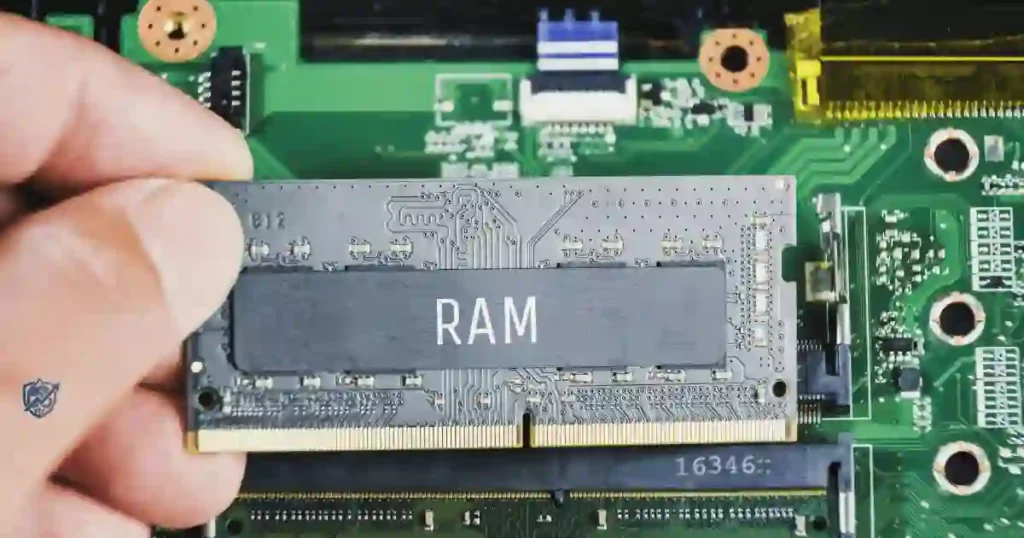
Standard laptops use removable SO-DIMM slots that let you swap or add memory sticks later. Thin laptops often use soldered memory attached to the motherboard to save space. Soldered memory can never be upgraded after you buy it.
How to Check If Your Laptop RAM Is Upgradeable
- Read the laptop’s technical spec sheet carefully.
- Check online service manuals for slot details.
- Look for open SO-DIMM memory slots.
- Check the maximum memory size supported by the system.
- Use free diagnostic tools like CPU-Z to check current slots.
Why Upgradeability Changes the Buying Decision
An 8GB laptop with open upgrade slots gives you room to grow later. But if a laptop has soldered memory, you must buy all the capacity you will ever need on day one.
Important Warning Before Buying
Never assume a laptop is upgradeable just because it looks thick or easy to open. Always check official manual specs before making your purchase.
How to Tell If Your Laptop Needs More RAM
You do not have to guess if your system needs an upgrade. Your laptop shows clear warning signs when system memory becomes a bottleneck.
Common Signs You Need More RAM
- Windows and apps freeze when switching between tasks.
- Browser tabs constantly reload when you click on them.
- Typing text shows a lag on the screen.
- Apps take a long time to open or stop responding.
- System memory usage sits near 90% or higher.
- Your laptop drive stays active as it uses virtual memory.
How to Check RAM Usage in Windows
- Press
Ctrl + Shift + Escto open Task Manager. - Click on the Performance tab on the left.
- Select Memory to see your active usage percentage.
- Check how much memory is available for new apps.
How to Check Memory Usage on macOS
- Open Activity Monitor from your Applications folder.
- Click on the Memory tab at the top.
- Look at the Memory Pressure chart at the bottom.
- Green means good, yellow means tight, and red means you need more memory.
Why RAM Usage Percentage Alone Can Mislead You
Modern operating systems try to fill available memory to speed things up. Unused memory is wasted memory. High usage numbers are fine as long as your laptop stays fast and responsive.
Common RAM Buying Mistakes to Avoid
Memory specs are easy to misunderstand when retail pages highlight big numbers. Avoiding a few common mistakes saves you from making an expensive error.
Buying Too Little RAM
Choosing 4GB or 8GB on a sealed laptop limits what you can do. As web apps grow heavier, low-memory laptops quickly feel slow and outdated.
Buying More RAM Than You Need
Paying for 64GB of memory when you only browse the web wastes money. That extra money is better spent on a faster CPU or a larger SSD drive.
Confusing RAM With Storage
16GB of system memory is not your storage space. RAM runs your active apps, while a 512GB SSD holds your permanent files, pictures, and games.
Ignoring Upgradeability
Buying a soldered 8GB laptop to save a few dollars can backfire quickly. If your needs grow next year, you will have to buy a whole new laptop.
Focusing Only on RAM
A laptop needs a good CPU, GPU, SSD, and display to feel fast. Do not pick a poor system just because it boasts high memory numbers.
The “Big Number” Trap
Be careful with cheap laptops shouting “32GB RAM” while secretly hiding an old, slow processor inside.
RAM Recommendations at a Glance
This table offers a clear memory summary for different needs:
| User Type | Minimum | Recommended | Ideal for Heavy Use |
| Basic user | 8GB | 8GB to 16GB | 16GB |
| Student | 8GB | 16GB | 32GB |
| Office worker | 8GB | 16GB | 32GB |
| Remote worker | 8GB | 16GB | 32GB |
| Programmer | 16GB | 16GB to 32GB | 64GB |
| Gamer | 16GB | 16GB to 32GB | 32GB+ |
| Photo editor | 16GB | 32GB | 64GB |
| Video editor | 16GB | 32GB | 64GB+ |
| 3D professional | 32GB | 64GB | 128GB+ |
USA Expert Advice on Choosing Laptop RAM
Good technical advice is not about buying the biggest specs. It is about matching your hardware to your budget and real daily work.
Expert Perspective: Jason Cipriani on Laptop Buying
Technology journalist Jason Cipriani often points out that buyers should focus on daily usability over raw specs. His core advice centers on picking hardware that matches your real routine rather than chasing top benchmark scores. Buy for what you actually do every day, not for impressive spec sheets.
Add a Practical Expert Buying Rule
- 16GB is the safest starting choice for new buyers today.
- 32GB or more fits heavy gaming and creative work.
- 8GB works for strict budgets if the laptop allows future memory upgrades.
Hands-On Expert Angle to Include
I often test laptops by opening a dozen Chrome tabs while running a live video call and editing a spreadsheet. The jump from 8GB to 16GB is where the magic happens. The system stops stuttering, app switching becomes smooth, and your laptop stops feeling like it needs a coffee break.
A Real-Life Example: Choosing RAM for a Typical Day
Hardware specs make more sense when we look at a normal daily routine.
The Student’s Day
- Keeping 12 browser research tabs open.
- Typing an essay in Word.
- Reading a PDF textbook.
- Joining a live Zoom class.
- Playing background music on Spotify.
- Recommended: 16GB for a smooth day.
The Remote Worker’s Day
- Running Microsoft Teams calls.
- Editing large Excel sheets.
- Browsing cloud tools in Chrome.
- Answering daily work emails.
- Chatting on Slack.
- Recommended: 16GB keeps everything stable.
The Gamer’s Evening
- Playing a modern AAA action game.
- Talking with friends on Discord.
- Checking game guides in a browser.
- Recording gameplay clips in the background.
- Recommended: 16GB to 32GB for best frame rates.
The Creator’s Workday
- Editing 4K video clips.
- Working in Premiere Pro or DaVinci Resolve.
- Creating graphics in Photoshop.
- Handling massive project file folders.
- Recommended: 32GB to 64GB+ for fast exports.
Local Touch
Setting up your workspace at home should be a piece of cake. But working with too little memory is where things get messy fast.
How to Choose the Right RAM for Your Laptop
Follow these simple steps to find your ideal memory size before shopping.
Step 1: List Your Main Tasks
Identify your main daily uses: general browsing, schoolwork, modern gaming, coding, or video editing.
Step 2: Check Your Current RAM Usage
Use Windows Task Manager or macOS Activity Monitor to see how much memory your current laptop uses during a busy work session.
Step 3: Think About How Long You Will Keep the Laptop
If you plan to keep your device for three to five years, buy extra memory today to handle future software updates.
Step 4: Check Whether RAM Can Be Upgraded
Read the spec manual to see if the laptop uses open slots or soldered memory.
Step 5: Balance RAM Against Other Specs
Ensure your budget covers a strong CPU, fast SSD storage, and a bright screen alongside your memory.
The Simple Buying Formula
- Light use: 8GB
- Most users: 16GB
- Power users: 32GB
- Pro workloads: 64GB+
Frequently Asked Questions About Laptop RAM
Is 8GB RAM Enough for a Laptop?
8GB is enough for basic web browsing, streaming, and simple office tasks. However, 16GB is a much better choice for modern multitasking and long-term use.
Is 16GB RAM Enough for a Laptop?
Yes, 16GB is the sweet spot for most users today. It handles heavy web browsing, office work, video calls, and modern gaming with ease.
Is 32GB RAM Overkill for a Laptop?
32GB is unnecessary for basic web users, but it is great for 4K video editing, 3D design, software coding, and heavy gaming.
Is 64GB RAM Too Much for Most People?
Yes, 64GB is excessive for general tasks. It is designed for professionals working with massive datasets, virtual machines, and 8K video footage.
How Much RAM Do I Need for Windows 11?
While Windows 11 can run on 4GB, 8GB is the practical minimum. 16GB is highly recommended for a fast and smooth experience.
How Much RAM Do I Need for Gaming?
16GB is the standard recommendation for modern PC gaming. Gamers who stream or play heavily modded titles should consider 32GB.
Can I Upgrade My Laptop RAM Later?
It depends on your model. Laptops with SO-DIMM slots allow memory upgrades, while models with soldered memory cannot be upgraded.
Does More RAM Make a Laptop Faster?
Adding memory helps if your system was running out of space before. However, extra unused memory will not boost CPU speed or web loading times.
Should I Buy 16GB or 32GB RAM?
Buy 16GB if you do everyday work, study, or standard gaming. Choose 32GB if you edit 4K video, code software, or multitask heavily with complex tools.
Final Buying Checklist: How Much RAM Does Your Laptop Need?
Run through this quick checklist before buying your next laptop:
Choose 8GB If
- Your daily workload is light.
- You mainly browse the web and stream videos.
- Your budget is strictly limited.
- The laptop allows memory upgrades later.
Choose 16GB If
- You want the best choice for everyday use.
- You keep many apps and browser tabs open.
- You work or study on your device daily.
- You want a laptop that stays fast for years.
Try/ Choose 32GB If
- You play demanding AAA games.
- You edit high-resolution photos or 4K video.
- You compile code or run virtual machines.
- You require heavy daily multitasking.
Choose 64GB+ If
- You handle high-end professional workflows.
- You work with massive data sets or 3D renders.
- You use advanced media tools that need raw memory capacity.
Final Decision Rule
For most people buying a new laptop, 16GB is the practical sweet spot.
Final Recommendation
I have spent years testing hardware setups, and my experience shows that memory capacity directly shapes your daily laptop satisfaction. For most people today, 16GB of system memory is the smartest investment you can make. It keeps your workflow smooth, prevents annoying app reloads, and protects your device against heavy software updates for years to come.
If you do basic tasks on a tight budget, 8GB can work just make sure the system allows future memory upgrades. If you create high-end content, edit 4K video, or run virtual environments, stepping up to 32GB gives you total peace of mind. Choose the memory level that fits your real workload today so your laptop stays fast and helpful every step of the way.

Ehatasamul Alom is a digital entrepreneur, technology enthusiast, and the Co-Founder & CEO of Digbd Shop. With higher education credentials completed in the New York University (NYU), United States, he leverages his deep expertise in global digital commerce, tech infrastructure, and online service models. Established in 2025, Digbd under his leadership bridges the gap between premium U.S. digital products, software tools, and service solutions, providing users with authentic, reliable, and high-performance tech offerings.