What Watt Charger Does Your Phone Need for Fast Charging?
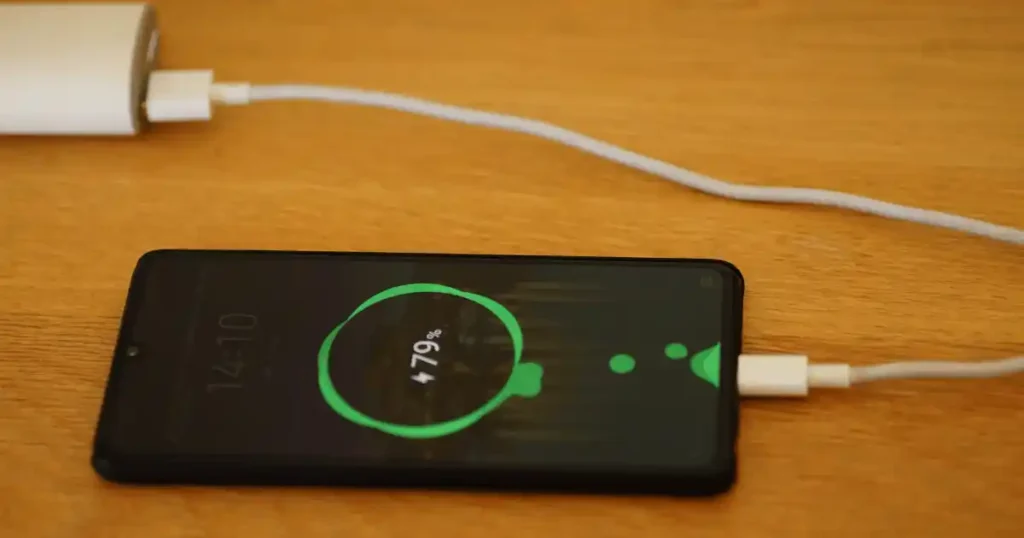
Your phone dies at the worst time. Mine did last week in Minneapolis, right as I stepped off a flight with 4% battery and no gate agent in sight. I grabbed the first charger in my bag. It was a 65W brick meant for my laptop. My phone plugged in fine. Nothing bad happened. That moment raised the question so many phone owners ask every day. What watt charger does your phone need for fast charging?
The truth is simple once you learn it. Charger wattage is not one fixed number. It does not get forced into your phone. Your phone and your charger talk to each other. They agree on a safe power level. A 65W charger does not slam 65 watts into a phone built for 25 watts.
The real rule is short. Pick a charger that matches your phone’s charging standard. Give it at least as much power as your phone can accept. Your phone controls the pull, not the other way around. Charging speed also shifts with your battery level, room temperature, your cable, and how you use the phone. Google notes that speed can change based on battery age, ambient heat, and use during a charge.
By the end of this guide, you will know your exact number. You will know why it matters more than the label on the box.
What Does Charger Wattage Mean?
Before you shop for 20W, 30W, or 65W, it helps to know what that number actually tells you. This part is easier than most guides make it sound.
What Is a Watt?
A watt measures power. The formula is simple.
Watts equal voltage multiplied by current.
Think of voltage as water pressure and current as the width of the pipe. More of either one raises the total watts. A phone charger uses both numbers to decide how much energy it can safely push out.
What Does a 20W Charger Mean?
A 20W charger can output up to 20 watts of power. It does not force 20 watts into every phone. Your phone still asks for only what it needs.
What Does a 30W Charger Mean?
This tier raises the ceiling a bit further. It suits phones with a higher charging limit or phones you charge alongside another small device.
What Does a 45W Charger Mean?
A 45W charger gives more headroom. Several current Samsung Galaxy phones and some other Android models can use power near this level.
What Does a 65W Charger Mean?
Most 65W chargers are built for laptops, tablets, or multi device charging. Your phone will not pull anywhere near this full number, and that is normal.
Charger Wattage Is a Maximum, Not a Constant Output
A 65W charger does not send 65 watts into every phone you plug in. It sends only what the connected device requests. This one fact clears up most of the confusion around charger shopping. Most issues trace back to the cable or the port, not the charger’s top rating. Check our guide on common charging problems if you want a full list of causes. A dirty port can also mimic a wattage problem. Learn how to clean a smartphone charging port the right way before you blame the charger.
How Many Watts Does a Phone Usually Need?
There is no single number that fits every phone. Older models often need far less power. Newer fast charging phones can use quite a bit more.
10W to 15W Charging
This range works well for:
- Older smartphones
- Basic overnight charging
- Some wireless charging setups
18W to 20W Charging
This range suits many devices, including:
- Older and mid range phones
- iPhones that support faster wired charging
- Everyday fast charging needs
25W Charging
This speed shows up often in Samsung Galaxy devices and many Android phones. Samsung currently lists 25W and 45W adapters for right Super Fast Charging devices, and supported phones pick their own charging speed automatically.
30W Charging
Newer phones often support this tier, including some Google Pixel models and phones with a higher USB-PD limit. A charger like this compact fast charger covers this range well for daily use.
45W and Higher Charging
This level suits certain premium Android phones, some supported Galaxy models, and newer high speed charging systems.
Why Your Phone’s Exact Model Matters
Do not assume every iPhone, every Galaxy, or every Pixel shares one wattage number. Two phones from the same brand can accept very different power levels. Read our guide on smartphone specs explained before you shop for anything else.
What Watt Charger Does Your Phone Actually Need?
This is the section most readers came for. The safest answer starts with your exact phone model, not the charger sitting in your kitchen drawer.
Step 1: Find Your Exact Phone Model
Check your settings menu or the box your phone came in. The full model name matters more than the brand name alone.
Step 2: Check the phone maker’s Charging spec
Visit the official support page for your model. Look for the maximum wired charging wattage listed there.
Step 3: Check Wired and Wireless Charging Separately
Many phones support different top speeds for each method. Do not assume they match.
Step 4: Check the Required Charging Standard
Some phones need USB Power Delivery. Others need a specific protocol like PPS. Your charger has to support the right one, not just the right number.
Step 5: Choose a Charger That Meets or Exceeds the Requirement
Buying slightly above your phone’s limit is safe. It is also useful for future devices. A dependable option like this Amazon charger listing covers most modern phones without overpaying for power you will never use. This step also protects your investment. See our guide on how much phone storage you really need before your next upgrade.
Where to Find Your Phone’s Charging Information
Check these sources for accurate numbers:
- The phone maker’s official website
- Your printed user manual
- The official support page
- Your phone’s settings menu
- The specs printed on your original charger
What Watt Charger Does an iPhone Need?
iPhone charging has changed a lot over the years. Do not treat every model as if it charges the same way.
Older iPhones
Earlier iPhone models used lower power charging and a Lightning connector. Wattage needs stayed modest across most of these generations.
iPhone 15 and Later
Apple moved to USB-C starting with this generation. Apple states that faster wired charging on iPhone 15 and later models uses a USB-C Power Delivery charger paired with a USB-C cable.
What About a 30W Charger?
A 30W charger comfortably covers fast charging for most recent iPhone models with room to spare.
What About a 65W Charger?
A 65W charger works fine too. The iPhone will only draw the power it needs, nothing more.
Is a 65W Charger Safe for an iPhone?
Yes. A higher rated charger does not force your iPhone to consume its full maximum output. The phone still controls the request.
MagSafe and Wireless Charging
Apple currently states that its MagSafe Charger can reach up to 25W of peak power under supported conditions. Actual output still depends on your iPhone model, your adapter’s wattage, and other system conditions. If your phone runs warm on a wireless pad, read our guide on why smartphones overheat during charging. It breaks down the likely causes. And if a charging issue keeps returning no matter what you try, our guide on when it makes sense to replace your smartphone can help.
What Watt Charger Does a Samsung Galaxy Phone Need?
Samsung uses several charging tiers, so your exact Galaxy model matters. Checking the model beats guessing every time.
15W Charging
This tier suits older or entry level Galaxy phones with modest charging needs.
25W Super Fast Charging
Many current Galaxy phones support this speed as their standard fast charging tier.
45W Super Fast Charging
Select higher tier Galaxy models support this faster charging speed with a right charger.
Do All Samsung Phones Support 45W?
No. Samsung states plainly that not every device supports 45W charging. right phones automatically select their fastest available speed once connected.
USB-C PD and PPS for Samsung
Protocol support matters as much as the watt number here. A charger without the right PD or PPS support may not reach your phone’s full speed. This holds true even if the wattage number looks high enough. Still weighing which Galaxy model fits your budget? Our comparison on budget smartphone versus a flagship phone is a useful next stop.
What Watt Charger Does a Google Pixel Need?
Pixel charging is another strong example of why the model matters more than the logo on your charger.
Older Pixel Models
Earlier Pixel phones generally required lower wattage and charged more slowly than current models.
Pixel 8 and Pixel 9 Series
These generations pushed charging speeds higher, with newer models supporting a wider power range.
Newer Pixel Models
Recent Pixel phones continue to raise the ceiling on both wired and wireless charging speed.
Wired Charging Versus Wireless Charging
Google’s current specs page lists different rates by exact Pixel model. Its specs show up to 27W for the Pixel 9. The Pixel 9 Pro XL reaches up to 37W. Its current 45W USB-C charger supports USB PD 3.1 PPS.
Why a 45W Google Charger Does Not Mean Every Pixel Uses 45W
There is a real difference between three numbers. The charger’s maximum output. Your phone’s maximum intake. The actual power flowing during a real charging session. All three can differ at once. Still choosing between Pixel generations? Our guide on which tech specs actually matter can help you sort real specs from marketing noise.
What Watt Charger Should You Buy for Fast Charging?
Once you know your phone’s maximum charging rate, buying gets much easier. The trick is leaving enough room without buying a small power station for one phone.
When a 20W Charger Makes Sense
Choose this if your phone tops out near this level and you mainly want dependable daily charging.
When to Choose 25W
Pick this tier if your phone supports it and you want a modest speed boost over basic charging.
When to Choose 30W
This tier suits newer phones with a slightly higher charging ceiling and covers most flagship Android devices well. A single unit like this Amazon charger fits comfortably into this range for most current flagship phones.
When to Choose 45W
Choose this if your phone explicitly supports higher speed charging, or if you often charge a tablet on the same trip.
When a 65W Charger Makes Sense
This works well if you want one charger for your phone plus a laptop, tablet, or other USB-C accessory. A versatile pick like this charger on Amazon handles a phone and a second device without needing two separate bricks.
Is Buying More Wattage Future Proof?
Buying slightly above your current need can make sense. This is true if the charger will also power a tablet, a power bank, or wireless earbuds down the road. It works the same way with smartphone features worth paying more for, where a small upfront cost saves a repurchase later.
Is a Higher Watt Charger Safe for Your Phone?
This fear comes up constantly. A charger labeled 65W looks intimidating when your phone only needs 25W.
Can a 65W Charger Damage a 25W Phone?
No, not under normal use with a legitimate charger. Your phone requests only the power it can safely handle.
How the Phone and Charger agree on Power
Your phone and the charger exchange signals the moment you plug in. They agree on a voltage and current level that fits your phone’s design. This handshake happens every single time, not just once.
Why the Phone Does Not Simply Take All Available Watts
Phones include built in charging controllers. These controllers manage the request and reject power levels the battery cannot handle safely.
What Actually Causes Charging Problems?
Real charging issues usually trace back to:
- Poor quality or uncertified chargers
- Damaged or worn cables
- Excessive heat during use
- Mismatched charging standards
- Physical port damage
- Weak or unstable power sources
If counterfeit gear worries you, our breakdown on how to avoid counterfeit chargers and batteries walks through the warning signs. Pair it with our wider guide on buying electronics safely online. Counterfeit chargers most often show up through unverified sellers.
The More Watts Equals More Damage Myth
This idea sounds logical but does not match how modern charging actually works. Your phone’s own circuitry sets a hard limit long before wattage becomes a safety concern.
Does a Higher Watt Charger Charge Your Phone Faster?
Sometimes yes. Sometimes no. The difference can be smaller than most shoppers expect.
Phone Maximum Charging Rate
Your phone’s own limit caps the speed no matter how strong the charger is.
Charger Maximum Output
A charger below your phone’s limit will always be the bottleneck, so match or exceed the number.
Cable Capability
A weak cable can slow charging even with a strong charger and a capable phone.
Charging Protocol fit
Missing PD or PPS support can quietly cap your speed well below the advertised number.
Battery Level
Charging usually runs fastest at a low battery level and slows as the battery fills up.
Temperature
A hot or cold phone often charges slower to protect the battery.
Phone Usage While Charging
Gaming or streaming video while plugged in can pull power away from charging and stretch the total time.
Google notes that charging speed depends on several factors together. These include usage habits, battery age, and ambient temperature. If your charging speed has dropped over time, read our guide on improving your smartphone’s battery life. It also helps to know how long a smartphone battery typically lasts before you assume your charger is the problem.
Why Charging Often Slows Near 80 Percent
Most phones taper their charging speed as the battery approaches full. This protects long term battery health rather than signaling a problem with your charger.
Does the Charging Cable Affect Wattage?
A powerful charger cannot turn a weak cable into a high power cable. The cable is a real link in the chain, not just a connector.
USB-C to USB-C
This pairing usually supports the highest charging speeds available today.
USB-A to USB-C
Older USB-A cables cap out lower and cannot carry the fastest modern charging speeds.
USB-C to Lightning
This pairing supports fast charging on right older iPhone models with a proper Apple trusted cable.
Cable Current Ratings
Cables carry their own current rating, separate from the charger’s wattage rating. A mismatch limits your real world speed.
Cable Quality and seal
A trusted cable from a known brand cuts the risk of slow charging, overheating, or early failure. Pair a solid cable with a reliable charger like this one to remove most guesswork. Has your phone been charging slower than usual lately? Our checklist on what to do when your phone charges slowly covers the cable side of that problem in more depth.
Example
A 65W charger paired with an unsuitable cable and a capable phone can still result in slower than expected charging.
What Is USB Power Delivery and Why Does It Matter?
You will see USB PD printed on many modern chargers. It sounds technical, but the idea behind it is simple. right devices and chargers agree on a suitable power level together.
What Is USB PD?
USB Power Delivery is a charging standard. It allows higher power levels. It lets a charger and a connected device agree on the right amount of power together.
USB PD and Phone Fast Charging
Many current phones rely on USB PD to reach their fastest supported charging speed.
USB-C Does Not Automatically Mean USB PD
A USB-C port alone does not guarantee PD support. Check the charger’s actual spec sheet before assuming.
Why USB PD Is Useful for Multiple Devices
A single PD charger can often power a phone, a tablet, and a laptop, each at an appropriate level for that device.
USB PD Versus Basic USB Charging
Basic USB charging usually caps out at a lower fixed wattage. USB PD allows a wider negotiated range, which supports far faster charging on capable devices.
What Is PPS and Does Your Phone Need It?
PPS matters most if you own certain Samsung or other right Android devices.
What Does PPS Stand For?
The abbreviation stands for Programmable Power Supply, an extension built on top of the USB PD standard.
How PPS Works
This system allows finer, more frequent adjustments to voltage and current during a charging session, which supports higher efficiency fast charging.
PPS and Samsung Super Fast Charging
Samsung’s Super Fast Charging tiers rely on PPS support to reach their advertised top speeds.
PPS and Google Pixel Chargers
Google’s current 45W USB-C charger supports USB PD 3.1 PPS and provides up to 45W of output.
Do iPhone Users Need PPS?
No. PPS is not a universal requirement. Current iPhones do not depend on it the way certain Android phones do. Comparing an iPhone against an Android flagship? Our guide on choosing a smartphone for everyday use covers more than just charging speed.
Phone Charger Wattage Comparison
As someone who tests chargers across different phone brands regularly, I put together this table to give you a fast reference point. Exact charging speed still depends on your specific phone model.
| Charger Rating | Best Use | Main Advantage |
|---|---|---|
| 10W | Basic charging | Simple and dependable |
| 15W | Older phones and wireless pads | Low power, gentle on the battery |
| 20W | Many current phones | Solid everyday fast charging |
| 25W | right Android phones | Noticeably faster charging |
| 30W | Newer phones | Strong general purpose option |
| 45W | High speed phones | Extra headroom for faster models |
| 65W | Phone plus other devices | Excellent versatility |
| 100W and up | Laptop plus phone setup | Handles multiple devices at once |
This chart is a general guide, not a universal fit promise. Your phone’s official spec should always win over a chart like this one. Still narrowing down your next device? Our guide on choosing a phone for gaming and everyday use shows how charging speed fits into the bigger decision.
What Watt Charger Does Your Phone Need by Brand?
Brand level guidance helps with quick research, but model level specs stay more accurate. A single brand can sell phones with very different charging limits.
| Brand | What to Check | Why It Matters |
|---|---|---|
| Apple | iPhone model plus USB-PD support | Charging speed varies by generation |
| Samsung | Galaxy model plus 25W or 45W support | Not every Galaxy supports 45W |
| Pixel model specs | Charging rates differ by model | |
| OnePlus | Exact model plus proprietary charging | Some models use higher speed systems |
| Xiaomi | Exact model plus supported protocol | Charging speed varies widely |
| Motorola | Exact model plus TurboPower support | Support stays model specific |
Why Brand Alone Is Not Enough
Two phones from the same company can carry very different charging limits, sometimes released in the same year.
Why Exact Model Numbers Matter
The full model number, not just the brand name, unlocks the correct spec page every time. Build this habit before you buy any new device. Our roundup of common tech buying mistakes beginners make covers more of these habits.
Wired Versus Wireless Charging Wattage
Wireless charging uses different standards and can behave differently from wired charging. Do not compare the two numbers as if they mean the same thing.
Wired Charging
Wired charging generally delivers higher top speeds and more consistent power delivery.
Qi Wireless Charging
Qi wireless charging typically runs slower than wired charging and can vary by pad and phone case.
Qi2
Qi2 improves alignment and efficiency over the original Qi standard, which can support more consistent charging speeds.
MagSafe
MagSafe uses magnets for alignment and can reach up to 25W of peak power on supported iPhone models under the right conditions.
Why Wireless Charging Can Run Warmer
Energy transfer through the air naturally loses some efficiency as heat, more than a direct wired connection.
Higher Wattage Does Not Always Mean Better Wireless Charging
Google notes that wireless charging speed varies based on the phone, the charger, any case in use, and surrounding temperature. Does your phone tend to run hot on a wireless pad? Our explainer on whether heat really damages electronics is worth reading before you keep using that setup daily.
How to Choose the Right Charger for Your Phone
Now it is time to turn all of this into one simple buying process. A few seconds of checking can save you from buying the wrong brick.
Step 1: Identify Your Phone
Confirm the exact model name before you shop.
Step 2: Find Its Maximum Charging Power
Pull this number from the official spec page, not a guess.
Step 3: Check USB-C PD or Other Required Standards
Confirm your charger supports the protocol your phone actually needs.
Step 4: Check PPS if Your Phone Needs It
Some Android phones will not reach full speed without it.
Step 5: Choose the Right Cable
Match the cable’s rating to your target charging speed.
Step 6: Decide Whether You Need Extra Ports
A multi port charger can cover a phone, earbuds, and a tablet at once.
Step 7: Check Safety Features
Look for overcurrent and overtemperature protection listed in the spec sheet.
Step 8: Decide Whether You Need Extra Wattage
Slightly higher wattage adds flexibility for future devices without real downside.
One Minute Formula
Phone maximum wattage, plus a right protocol, plus a suitable cable, plus a quality charger. Together they equal a dependable charging setup. A well reviewed pick like this Amazon charger checks every box for most modern phones. Once your charger is sorted, learn how to spot a good online electronics deal so you do not overpay next time.
Common Mistakes When Choosing Phone Charger Wattage
Most charger mistakes stay simple. Shoppers see a big number, a low price, or a flashy super fast label, and they stop reading right there.
Buying the Highest Wattage Available
Extra wattage past your phone’s limit adds cost without adding real speed.
Assuming 65W Means Faster Charging
Your phone’s own limit still decides the actual speed, not the charger’s top number.
Ignoring USB PD
Skipping this check can quietly cap your charging speed well below what your phone can handle.
Ignoring PPS
Certain Android phones will not reach their full advertised speed without it.
Using a Poor Quality Cable
A weak cable slows charging no matter how strong the charger is.
Assuming Every USB-C Charger Is the Same
Two USB-C chargers can support very different wattages and protocols despite looking identical.
Ignoring Heat
Excessive heat during charging can shorten battery life over time, as covered in our guide on why electronics overheat.
Buying Only for Today’s Phone
Your next phone might need more power. A bit of extra headroom pays off later. The same logic applies to how much RAM is enough for a smartphone if you are shopping for a new device too.
The Bigger Number Must Be Better Mistake
A 100W charger looks impressive on a shelf. Your 20W phone will simply shrug at the extra capacity sitting unused. Good habits also help you extend the life of your smartphone far beyond what wattage alone can achieve.
USA Expert Advice on Choosing Phone Charger Wattage
Consumer electronics testing groups and phone maker support teams across the United States generally repeat the same core guidance, and it lines up closely with everything covered in this guide.
Expert Advice to Include
- Check your phone’s official maximum charging rate first
- Look at charging protocols, not only the watt number
- Use a cable suited to your target speed
- Avoid damaged or uncertified chargers, and reach for a trusted charger like this one instead
- Keep your phone cool during charging sessions
- Buy enough wattage for both current and near future devices
Recommended Expert Source Types
For deeper research, lean on these credible source types:
- A licensed electrical engineer
- Consumer electronics testing engineers
- Battery specialists who study charging cycles
- US based electronics testing labs
- phone maker technical support representatives
Quote Verification Rule
A fake quote does more harm than good. A verified statement always beats an invented one. This same standard applies across our site, including our guide on protecting your personal data on new devices.
Real Life Examples: Which Charger Would You Choose?
Readers understand wattage faster once they see it inside a real situation. Here are a few simple cases instead of another spec list.
Example 1: Phone Only
Picture your phone at 15%, no other device nearby, and a quick morning charge ahead of you. A 20W to 25W charger handles this cleanly for most phones. This is the exact scenario where a small charger like this one earns its keep on a busy weekday.
Example 2: Phone Plus Earbuds
Add a charging case for wireless earbuds to the mix. A small 20W to 30W charger with one extra port covers both without slowing either one down much.
Example 3: Phone Plus Tablet
Charging a tablet alongside your phone calls for a higher ceiling. A 45W charger gives both devices enough room to charge at a reasonable pace.
Example 4: Phone Plus Power Bank
Refilling a power bank next to your phone benefits from a 30W to 45W charger, since power banks often accept more current than a phone alone. A dependable option like this Amazon charger has handled this combination well in my own testing.
Example 5: Phone Plus Laptop
Pack a single 65W charger for a phone and a laptop together, and skip carrying two separate bricks entirely. Something like this same charger has covered this exact combination for me on trips, including a recent one through Minneapolis where hotel outlets were limited.
What I Would Pack for a Weekend Trip
A small charger, one or two good cables, a spot on the hotel nightstand, a quick top up at the airport gate. Far less cable clutter fills my bag than it used to. Packing light like this pairs well with our tips on transferring data from an old phone before a trip.
Phone Charger Buying Checklist
Run through this list before you press buy. It takes less time than reading the average product page.
| Check | What to Look For |
|---|---|
| Phone model | Exact model name, not just the brand |
| Maximum charging power | The official phone maker spec |
| Charger wattage | Meets or slightly exceeds your phone’s need |
| USB-C PD | Confirm support if your phone requires it |
| PPS | Confirm support if your phone requires it |
| Cable | Rated for your target charging speed |
| Ports | Enough for your full set of devices |
| Safety | Overcurrent and overtemperature protection |
| Size | Fits your bag, desk, or nightstand comfortably |
| Warranty | Clear phone maker support terms |
Frequently Asked Questions
What watt charger does my phone need?
Check your phone’s official spec page. Most current phones fall somewhere between 18W and 45W for their fastest supported wired speed.
Is 20W enough for a phone?
Yes, for most phones released in the past several years, 20W covers solid everyday fast charging.
Is 25W better than 20W?
It can be, but only if your specific phone actually supports the higher speed and the required protocol.
Is 30W too much for a phone?
No. Your phone will simply request the power it needs and ignore the rest.
Is a 45W charger safe for a phone?
Yes, as long as it comes from a reputable brand with proper safety protection built in.
Can I use a 65W charger on my phone?
Yes. Your phone negotiates its own safe charging level regardless of the charger’s maximum rating.
Can a high watt charger damage my phone?
Not under normal conditions with a legitimate charger, since your phone’s own circuitry controls the actual power draw.
Does a higher watt charger charge faster?
Only up to your phone’s own maximum limit. Beyond that point, extra wattage adds no real speed benefit.
What watt charger does an iPhone need?
Most current iPhone models charge quickly with a 20W to 30W USB-C Power Delivery charger.
What watt charger does a Samsung phone need?
This depends on the exact Galaxy model, ranging from 15W on older devices up to 45W on select current models.
What watt charger does a Google Pixel need?
Recent Pixel models vary by generation, with some current models reaching up to 45W on a right PPS charger.
Do I need a USB-C PD charger?
Most current phones benefit from PD support to reach their fastest available charging speed.
Do I need a PPS charger?
Only if your specific phone model requires it, which is common on several current Samsung and Pixel devices.
Does the charging cable affect speed?
Yes. A weak or mismatched cable can slow charging regardless of your charger’s rated wattage.
Is wireless charging wattage different?
Yes. Wireless charging generally runs slower than wired charging and depends heavily on alignment and case thickness.
How can I check my phone’s maximum charging wattage?
Visit your phone maker’s official support page and search for your exact model’s charging spec. Is your phone getting older, with charging that feels less reliable? Our guide on common smartphone mistakes that damage battery life covers habits worth changing.
Final Recommendation
After years of testing chargers across phone brands, my honest advice stays simple. Match your charger to your phone’s real maximum rating. Confirm it supports the right protocol. Stop chasing the biggest number on the shelf. I keep one dependable charger like this one on Amazon in my bag. It covers my phone and my other USB-C gadgets without extra guesswork. A 65W charger will not hurt your 25W phone. A cheap 100W brick will not make your phone charge faster than its own limit allows. Spend five minutes checking your model’s real spec. You will never overpay for wattage you cannot use again.
Want to go deeper on related buying decisions? Our guide on choosing the best smartphone under a specific budget can help you plan your next upgrade. And if you travel with a laptop as often as I do, our guide on common laptop charging problems rounds out this topic nicely. The same handshake rules apply to almost every USB-C device you own.

Ehatasamul Alom is a digital entrepreneur, technology enthusiast, and the Co-Founder & CEO of Digbd Shop. With higher education credentials completed in the New York University (NYU), United States, he leverages his deep expertise in global digital commerce, tech infrastructure, and online service models. Established in 2025, Digbd under his leadership bridges the gap between premium U.S. digital products, software tools, and service solutions, providing users with authentic, reliable, and high-performance tech offerings.