Best Budget Smartwatch for Beginners in 2026
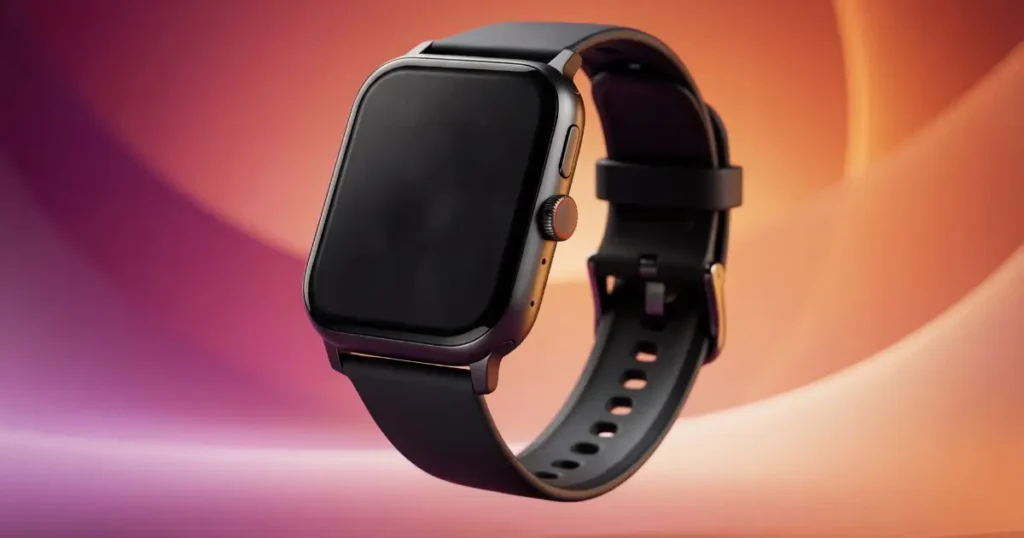
A budget smartwatch for beginners is any model under $150 that reliably tracks notifications, steps, sleep, and workouts without a steep learning curve. The real test isn’t price, it’s whether the watch fully supports your phone’s operating system.
After testing dozens of budget watches myself, that operating system gap is exactly where most beginners get burned first.
Even the best budget picks trade app polish and long term software support for that lower price.
Best Budget Smartwatch for Beginners: Quick Answer
Get the Amazfit Bip 6. It’s the first watch under $80 that doesn’t feel like a compromise: built in GPS, a 14 day battery, a 2000 nit AMOLED screen, and 140+ workout modes. It pairs in minutes with no confusing menus.
The Best Overall Beginner Pick
The Amazfit Bip 6 is my top beginner pick. At $70 to $80, it works with iPhone and Android, and its GPS finds your location without your phone nearby. Battery life is a real 14 days, no nightly charging like an Apple Watch. Its app ecosystem is smaller than Apple or Samsung’s, but for a first watch that barely matters.
Best Picks by What You Need
Your phone narrows the choice fast. iPhone owners want the Apple Watch SE 3, since it unlocks the full Apple Watch experience, including offline maps, without flagship pricing. Android owners get strong value from the Samsung Galaxy Fit 3, a $60 watch with long battery life and a crisp AMOLED display, and it pairs neatly with other Samsung Galaxy phone accessories you may already use. For fitness tracking, the Amazfit Active 2 uses BioTracker for accurate heart rate and sleep data across up to 10 days per charge. The CMF Watch 3 Pro and Fitbit Versa 4 are solid too, without leading any single category.
Quick Comparison of the Top Picks
| Watch | Price | Works With | Battery | GPS | Display |
| Amazfit Bip 6 | ~$80 | iPhone & Android | 14 days | Built in | 2000 nit AMOLED |
| Apple Watch SE 3 | ~$249 | iPhone only | Up to 18 hours | Built in | Always-On Retina OLED |
| Samsung Galaxy Fit 3 | ~$60 | Android only | Up to 13 days | Connected | AMOLED |
| Amazfit Active 2 | ~$80 | iPhone & Android | Up to 10 days | Built in | AMOLED |
Weaknesses: Bip 6 has a smaller app store. SE 3 needs daily charging and works fully only with iPhone. Galaxy Fit 3 does not work with iPhone. Active 2 costs about the same as the Bip 6 but suits fitness focused buyers.
What Makes a Smartwatch Beginner-Friendly?
The Features That Actually Matter for a First Watch
Beginners need notifications, step and sleep tracking, trustworthy GPS, and a battery that doesn’t demand daily charging. New users often abandon watches within a week because the app confused them on day one. A good beginner watch pairs in under five minutes and shows useful data without digging through menus. Everyday usability beats spec sheet features every time.
Features Beginners Usually Do Not Need
Skip training load scores, VO2 max estimates, recovery tracking, stress tracking, training plans, an ECG sensor, and multi band GPS built for marathon runners. Cellular connectivity, which lets a watch call without your phone nearby, adds cost most beginners never use. Turn by turn hiking navigation is skippable too, unless you’re already an outdoor athlete. NFC payments, offline music storage, and a voice assistant are nice but rarely essential, and most budget models skip at least one. The same goes for fall detection and SOS alerts, found on the Apple Watch SE 3 but still rare below $100. Skipping these means a lower price and a simpler watch.
What a Budget Watch Should Still Do Well
Even a cheap watch must nail the basics: consistent heart rate readings, a screen readable in direct sunlight, and at least five days of battery under normal use. Comfort matters since you’ll likely sleep in it. Software support matters too. A watch that stops updating after a year is a bad deal, so it helps to think about how long your electronics should really last before you buy.
How Much Should a Beginner Spend on a Smartwatch?
What You Can Expect at Different Price Levels
In 2026, “budget” means anything under $250, with the best beginner picks between $50 and $150. Under $50 gets notifications, step counting, and basic sleep tracking, like the Galaxy Fit 3. Between $70 and $100, watches like the Bip 6 and Active 2 add real built in GPS and better displays. Past $150, you’re mostly paying for brand ecosystem and build materials, not better sensors. The jump from $50 to $80 buys real improvement. The jump from $150 to $300 mostly buys polish. Watch for hidden costs: replacement bands and the occasional subscription can add $20 or more. Sale prices swing fast too, an $80 watch can drop to $60 in a seasonal sale. Learning to spot a genuinely good online electronics deal helps here, since not every discount is real.
Is a Sub-$100 Smartwatch Enough?
For most beginners, yes. A sub $100 watch in 2026 tracks steps, sleep, heart rate, and workouts with accuracy that cost $300 just two years back. Trade offs show up in app selection and build materials, not core health tracking. Staying under $100 protects new users from paying for unused features. Upgrade later once you know what you actually use.
When Spending $150–$250 Makes Sense
Spending more pays off with tighter phone integration or an existing Apple ecosystem. The Apple Watch SE 3, at roughly $249, adds offline maps, a mature app store, and fall detection that budget watches skip. A discounted older Samsung Galaxy Watch can also land in this range and beat a new budget model. This range suits people who already know they’ll use a watch daily and want fewer compromises.
Check Phone Compatibility Before You Buy
Best Choices for iPhone Users
If you have an iPhone, start with the Apple Watch SE 3. It runs watchOS and delivers the full Apple ecosystem at a lower price than the flagship Series line. Cross platform watches like the Amazfit Bip 6 work fine on iPhone too, but lose deeper integrations like Apple Pay and full Siri access, and cannot reply to texts the way an Apple Watch can. Choose the SE 3 if smooth iPhone integration matters more than price.
Best Choices for Android Users
Android users have more freedom. The Samsung Galaxy Fit 3 works with any Android phone through the Galaxy Wearable app, though it does not support iPhone at all. An Amazfit, a Xiaomi smartwatch, or a Huawei smartwatch works broadly across Android too. Google’s Wear OS, through devices like the Google Pixel Watch, adds smart features at a higher price than picks like the Bip 6. Check whether a watch needs a specific phone brand, since some Samsung features are Samsung phone only.
Can One Smartwatch Work With Both iPhone and Android?
Yes, this is where budget watches shine. The Bip 6, Active 2, and similar cross platform watches work with both operating systems through the same app. You lose some deeper iPhone features, like full notification replies, but core tracking stays the same. Most budget watches need a reasonably current phone, so check the listed iOS or Android version before pairing an older phone. A software update can occasionally break pairing for a few days until the brand fixes its app. Always confirm cross platform support before buying.
The 8 Features Beginners Should Compare
Battery Life and Charging
Manufacturer battery claims run optimistic, expect real world numbers 20 to 30 percent lower. Built in GPS and always on displays drain batteries fastest, a 14 day watch might give 10 with daily GPS workouts. Charging takes 30 minutes to over an hour depending on the watch. The right charger for your phone can also speed things up if the watch supports fast charging. Battery matters most for sleep tracking, since a dead watch gives zero overnight data.
GPS and Location Tracking
Built in GPS tracks your route with no phone and no cell signal needed, since GPS uses satellites, not your carrier. Connected GPS borrows your phone’s location and needs it nearby. For a run without your phone, built in GPS is the difference between a real route map and nothing. Wi-Fi is separate and mostly optional, useful for faster updates but not required for GPS or tracking. Prioritize built in GPS, like on the Bip 6 and Active 2, if you work out phone free.
Health and Fitness Tracking
Budget watches in 2026 track heart rate, steps, calories, sleep stages, workouts, and blood oxygen with surprising consistency. Heart rate and sleep tracking matter most day to day; SpO2 is a nice to have. Calorie counts are rough estimates, useful for trends, not diet planning. Most budget models auto detect workouts like brisk walks or cycling. These are wellness estimates, not medical measurements, treat them as trends over weeks. The Active 2’s BioTracker sensor is one area where paying more genuinely improves accuracy.
Display and Controls
AMOLED screens look sharper than the older LCD panels on some budget watches, especially outdoors in direct sunlight. Touchscreens feel modern, but a physical button still helps during sweaty workouts. Always on display keeps the screen visible but drains battery faster, so most people leave it off.
Notifications, Calls, and Messages
Notification mirroring works well on nearly every budget watch now. Actual calls need Bluetooth calling support, which not every model includes. Message replies are usually preset responses, not full typing, and that’s more limited on iPhone with non Apple watches. Check whether calling is built in or an upsell before buying.
Water Resistance and Durability
A 5 ATM rating handles rain, sweat, and hand washing, not automatically swimming, since manufacturers set separate swim guidance. Daily bumps and gym use hold up fine on most budget watches now. Water resistant and waterproof are not the same claim, mixing them up is the fastest way to damage a watch, the same confusion that trips people up when trying to protect a smartphone from water damage.
Companion App and Software Support
Nearly every smartwatch needs a companion app for setup, even if you rarely open it again. A clunky app can ruin a good watch fast, and some smaller brands stop supporting a model within a year or two. Most budget watches skip subscriptions entirely, unlike premium fitness apps that charge monthly. Health data usually syncs to the brand’s own servers, so check the app’s privacy policy, since smart home and app privacy risks apply to wearables too. Bad software is one of the top reasons people give up on a smartwatch.
Comfort and Size
Case size affects both looks and comfort after ten hours on your wrist. Smaller wrists do better with 40mm or smaller cases. Cheap plastic straps can irritate skin during long wear or sleep. Check that replacement bands are easy to find, since some brands use a nonstandard lug size. Comfort matters as much as any sensor if you plan to sleep with the watch on.
Smartwatch vs. Fitness Tracker for Beginners
When a Smartwatch Is the Better Choice
Choose a smartwatch for notifications, apps, and a screen you interact with all day. Smartwatches handle texts, calendar alerts, and music control that a basic tracker cannot. If your phone often stays in another room, a smartwatch fills that gap.
When a Fitness Tracker Is the Better Choice
Fitness trackers like the Fitbit Inspire 3, part of the Google Fitbit lineup, win on simplicity and battery, often lasting over a week per charge. If your goal is just steps and sleep, a tracker skips the notification clutter. People overwhelmed by smartwatches often do better starting with a tracker.
Smartwatch vs. Fitness Tracker at the Same Price
At the same $50 to $80 price, you’re choosing depth versus simplicity. A smartwatch like the Bip 6 adds GPS, apps, and notifications but demands more attention and charging. A tracker offers longer battery and a lighter feel but skips smart features. If you check your phone constantly, a smartwatch fits better.
Budget Smartwatch vs. Premium Smartwatch
What You Give Up by Choosing Budget
Budget watches trade away software polish, premium materials like titanium or sapphire glass, and the widest app selection, true whether comparing a Samsung smartwatch, a Fitbit smartwatch, or a Garmin smartwatch to its pricier sibling. It’s the same trade-off buyers face with budget smartphone vs flagship phone decisions. Sensors are close to premium now, but response speed still favors pricier watches. Update support often runs two years versus four or five on flagships. A budget smartwatch stops making sense if you need medical grade data, heavy app support, or years of guaranteed updates.
When a Discounted Older Premium Watch Is Better
A discounted last generation flagship can beat a new budget watch if the price gap closes enough. Confirm its software support window hasn’t ended, and check battery health if used. Weighing a refurbished vs new purchase matters here too, since a refurbished unit with no warranty carries more risk than a new budget watch at a similar price.
Why the Cheapest Watch Is Not Always the Best Value
The cheapest option often has a buggy companion app and unreliable sensors, sometimes giving clearly wrong heart rate spikes. Limited software support means some stop working properly within a year. This is the same cheap versus expensive electronics trade-off that shows up across gadgets, not just watches. A bad cheap watch you stop wearing after a month costs more than a slightly pricier, well supported model.
Real-World Beginner Scenarios: Which Watch Fits?
You Mainly Want Notifications and Steps
If notifications and steps are all you need, skip GPS and advanced training tools. The Samsung Galaxy Fit 3 at $60 covers this with strong battery life and a light, comfortable design. It’s the easiest, cheapest entry point into smartwatches.
You Want to Start Running
New runners should prioritize built in GPS so routes track without a phone strapped to your arm. The Bip 6 or Active 2 both work well, with real GPS and dozens of running specific modes. Battery drains faster during GPS use, so check the continuous GPS hours claimed, not just the everyday battery number. A dedicated running watch, like the Garmin Forerunner 165, becomes worth it once you train seriously. Garmin has since discontinued the more basic Forerunner 55, now findable only through clearance or secondhand listings.
You Want Better Sleep Tracking
For sleep tracking, comfort and overnight battery matter most. A watch that dies at 2am gives half a night of data. Charge it during your shower or morning routine instead of overnight. Don’t treat one bad sleep score as a health crisis, treat readings as trends over weeks.
You Want Calls and Messages on Your Wrist
Confirm actual Bluetooth calling before assuming you can answer calls from your wrist, not every model includes it. Check phone compatibility too, since call features vary between iPhone and Android. Cellular models work independently of your phone but cost more and often add a monthly fee. For most beginners, Bluetooth calling with your phone nearby covers the need.
You Want a Watch That Works With Different Phones
If you switch between iPhone and Android, or share a watch at home, cross platform support should be your top filter. Watches like the Bip 6 keep core features consistent across both, unlike some Samsung or Google models. Full message replies still work better on Android than iPhone regardless of brand. Check the brand’s app listing before switching phones with an existing watch.
Common Smartwatch Myths and Misconceptions
“More Features Means a Better Smartwatch”
A longer feature list doesn’t make a watch better for you. What matters is whether you’ll actually use those features daily. Beginners often buy feature loaded watches and use maybe three functions. A simpler watch that nails notifications, sleep, and steps usually serves a new user better. It’s one of the more common tech buying mistakes beginners make, chasing specs instead of actual use.
“A Cheap Smartwatch Is Automatically Low Quality”
True five years ago, not now. Watches like the Amazfit Bip 6 include sensors and displays that would have cost triple just a couple years back. Premium models still win on materials and software polish, not raw tracking accuracy. Price alone doesn’t tell you if a watch will work well for you.
“Every Smartwatch Has Built-In GPS”
Many budget watches use connected GPS instead, borrowing your phone’s location rather than tracking it directly. Without your phone nearby, connected GPS can’t map your route at all. This matters most for runners and hikers who leave their phone home. Check the spec sheet closely, since built in and connected GPS sound similar in marketing.
“Water Resistant Means Safe for Every Water Activity”
That 5 ATM rating protects against splashes, sweat, and a quick hand wash, but swimming and diving usually need separate manufacturer approval. Pushing buttons underwater can even break the seal on some watches. Always check your model’s specific swim guidance.
“Smartwatch Health Readings Are Medical Diagnoses”
A smartwatch is a wellness tool, not a medical device. Consumer sensors estimate heart rate and blood oxygen using light and algorithms, different from clinical equipment. One unusual reading is more likely a sensor hiccup than a real health event. A genuinely concerning pattern over time is a reason to see a doctor, not trust the watch’s own diagnosis.
How We Would Choose a Budget Smartwatch in 2026
The Buying Criteria That Matter Most
Compatibility comes first, a watch that fights your phone frustrates you daily. Usability comes next, setup should take minutes. Battery life and core tracking accuracy matter more than flashy extras. Software quality and long term update support round out the list.
What to Test Beyond the Specification Sheet
Spec sheets don’t show how a watch feels after eight hours on your wrist. Notification reliability is another blind spot some watches miss in practice. Check GPS and heart rate accuracy against a phone or known route. Battery behavior under real daily use tells a more honest story than the manufacturer’s best case number. If you want a deeper look at which tech specifications actually matter, that principle applies well beyond smartwatches.
How to Compare Two Finalists
Narrow the comparison to features you’ll actually use and ignore the rest. If both nail your must haves, let daily use differences, like comfort or app reliability, be the tiebreaker, not brand name. Factor in expected software support years, not just today’s price. Choose based on your habits, not the longer feature list.
Which Budget Smartwatch Should You Buy?
Choose This If You Want the Best Overall Value
Go with the Amazfit Bip 6. It covers nearly every beginner need, built in GPS, a 14 day battery, under $80, and works with both iPhone and Android. Its biggest limit is a smaller app ecosystem than Apple or Samsung.
Choose This If You Use an iPhone
Go with the Apple Watch SE 3 for the full Apple Watch experience, offline maps, and deep iPhone integration without flagship pricing. Cross platform watches work on iPhone too, but lose features like full message replies and Apple Pay.
Choose This If You Use Android
Go with the Samsung Galaxy Fit 3 for best value, or the Bip 6 for more features. The Fit 3 works with any Android phone and delivers excellent battery life at $60, but never pairs with an iPhone. Choose based on whether you want deeper Samsung integration or an open, cross brand Android experience.
Choose This If Fitness Is Your Priority
Go with the Amazfit Active 2. Its BioTracker sensor delivers some of the most accurate heart rate and sleep data in the budget category, with up to 10 days of battery. It costs about the same as the Bip 6, and its accuracy makes it the stronger fitness pick.
Frequently Asked Questions About Budget Smartwatches
What is the best budget smartwatch for a beginner?
The Amazfit Bip 6. It combines built in GPS, a 14 day battery, and broad phone compatibility under $80. Its main limit is a smaller app selection than Apple or Samsung.
Is a cheap smartwatch worth buying in 2026?
Yes. Budget watches now track heart rate, sleep, and workouts with accuracy close to premium models from a few years ago. Buying cheap makes sense while you’re still deciding if you’ll wear a smartwatch daily.
Which smartwatch is easiest for beginners to use?
Watches with simple setup and clean apps, like the Amazfit Bip 6 and Samsung Galaxy Fit 3, are easiest. Both pair in minutes with no confusing menus.
Should I buy an Apple Watch or an Android smartwatch?
Check your phone first, an Apple Watch needs an iPhone to work fully. Android users have more brand choice: Samsung, Google, and cross platform options like Amazfit. Cross platform models are safest if you want either phone type.
How much should a beginner spend on a smartwatch?
Most beginners get everything they need between $50 and $100. Spending $150 to $250 mainly buys deeper ecosystem integration and premium materials.
Do budget smartwatches have GPS?
Many do. The Amazfit Bip 6 and Active 2 include built in GPS that works without your phone. Others use connected GPS, which needs your phone present. Runners and hikers leaving their phone home should prioritize built in GPS.
How long should a budget smartwatch battery last?
Expect five to fourteen days, depending on the model and GPS or always on display use. Real world battery life usually runs lower than the manufacturer’s claim, the same pattern covered in our guide on how long a smartphone battery lasts.
Can a smartwatch track sleep accurately?
It can estimate sleep stages and duration reasonably well, but it’s not a clinical sleep study. Treat sleep scores as trends over weeks, not a verdict on one night.
Can I use a smartwatch without my phone?
To a point. Built in GPS tracks a workout with no phone nearby, and offline maps on watches like the Apple Watch SE 3 extend that. Notifications still need your phone within Bluetooth range unless you have a cellular model.
Are budget smartwatch health features accurate?
Accurate enough for everyday wellness tracking, not medical grade. Heart rate and step counts are generally reliable; blood oxygen readings vary more. Treat a concerning pattern as a reason to see a doctor, not a diagnosis.
Final Beginner Buying Checklist
Check These Before You Buy
- Confirm the watch fully works with your phone.
- List the two or three features you truly need.
- Check real world battery life, not the marketing number.
- Check warranty length, years of promised software updates, and the return window.
- Learn how to buy electronics safely online before you check out.
The 30-Second Decision Rule
- Start with your phone.
- Set a spending limit, most beginners land between $50 and $100.
- Pick your three most important features.
- Choose the watch with the fewest compromises against that list.
For more budget friendly tech buying guides, browse the blog at digbd.shop.

Ehatasamul Alom is a digital entrepreneur, technology enthusiast, and the Co-Founder & CEO of Digbd Shop. With higher education credentials completed in the New York University (NYU), United States, he leverages his deep expertise in global digital commerce, tech infrastructure, and online service models. Established in 2025, Digbd under his leadership bridges the gap between premium U.S. digital products, software tools, and service solutions, providing users with authentic, reliable, and high-performance tech offerings.