Refurbished vs New: Which Is Better for You to Buy Today?
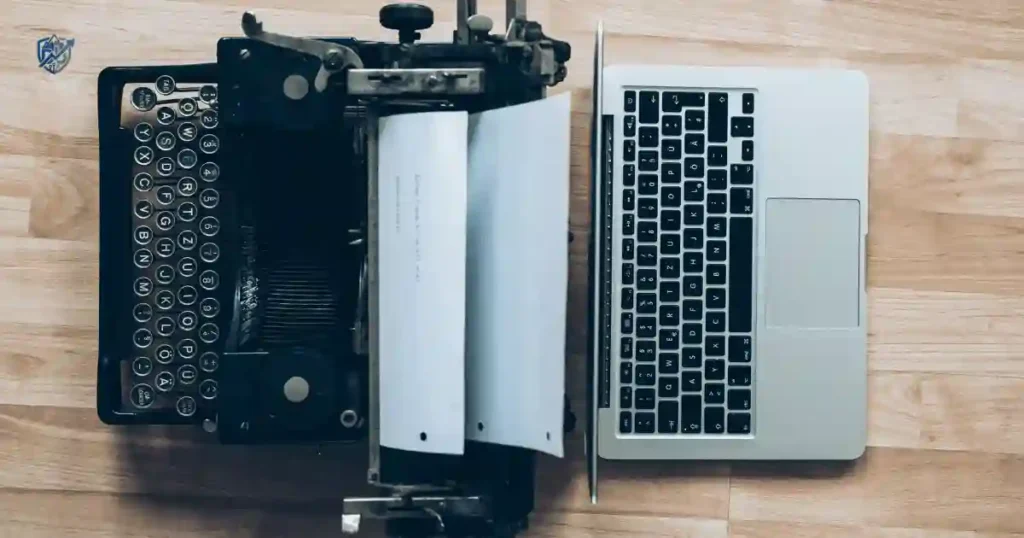
Shopping for electronics in New York can feel like a test of patience. You spot a high-end laptop for twelve hundred dollars, but right beside it sits a factory certified model for eight hundred dollars. Both have the same screen, fast storage, and clean metallic body. You hesitate, wondering if there is a hidden trick.
Over my years fixing and testing gear, I have guided thousands of buyers through this exact dilemma. Evaluating refurbished vs new devices comes down to understanding warranties, battery health, and real testing standards. This complete guide will help you spot true bargains, avoid bad sellers, and spend your money wisely.
What Does “Refurbished” Actually Mean?
Many shoppers confuse refurbished devices with used electronics. They’re not the same thing, and understanding the difference can save you money and disappointment.
Definition of refurbished electronics
Customer returns
Buyers return opened gear within thirty days simply because they changed their minds. These returned items cannot be sold as brand new again, even if unused.
Cosmetic defects
Minor outer scratches happen during initial transit or factory packing. Manufacturers fix or repackage these units, marking them down for quick sale.
Warranty replacements
When a buyer claims a minor fault, the maker replaces the device instantly. Technicians then fix the original item, test it thoroughly, and resell it.
Display models
Store demo units sit on retail shelves for prospective buyers to test. Once a new line launches, stores inspect, sanitize, and sell these floor models.
Cancelled orders
Large corporate buyers sometimes cancel bulk computer orders mid-delivery. These pristine boxes return to factory centers and re-enter the market as refurbished.
What happens during refurbishment?
Inspection
Certified technicians examine the physical shell for cracks, dents, or loose parts. They make sure all outer ports and buttons align properly.
Hardware testing
Engineers run diagnostic software to load-test logic boards, memory chips, and processors. Every internal chip must meet original factory standards.
Component replacement
Any part showing wear or failing stress tests gets swapped immediately. Technicians install genuine replacement screens, ports, or keyboards.
Battery testing
Staff measure total charge capacity and voltage output under load. If a battery holds less than eighty percent health, techs install a new cell.
Software reset
Techs wipe all stored user data completely using secure data-clearing tools. They install a clean factory operating system build with standard drivers.
Quality assurance
A final tester checks wireless signals, cameras, speakers, and charge ports. Once approved, the device gets bagged, boxed, and labeled for sale.
Refurbished vs Renewed vs Used vs Open-Box
Manufacturer refurbished
Original makers restore the device themselves using original factory parts. These items offer the highest reliability and include full official warranties.
Seller refurbished
Third-party repair shops inspect and fix the hardware independently. Quality varies based on shop skill, so always check vendor reviews first.
Certified refurbished
Devices undergo strict multi-point checks by certified technicians before sale. They meet high functional standards and usually come with clear warranty coverage.
Renewed
Online marketplaces use this label for professionally tested pre-owned items. Products look like new and come backed by ninety-day return guarantees.
Open-box
Customers return these items shortly after opening the outer seal. The device itself remains virtually new, complete with original box accessories.
Used
Private sellers list items as-is without professional testing or cleaning. You get no warranty protection, making used purchases riskier for buyers.
Understanding Device Conditions
After evaluating hundreds of consumer electronics, one thing stands out: many returns happen because buyers misunderstand product condition labels. This table makes those differences clear before you spend your money.
| Condition | Tested | Warranty | Cosmetic Condition | Best For |
| New | Yes | Full | Perfect | Latest technology |
| Certified Refurbished | Yes | Usually included | Excellent | Best value |
| Manufacturer Refurbished | Yes | Often included | Very good | Reliability |
| Open-Box | Sometimes | Usually included | Like new | Discounts |
| Used | Varies | Rare | Varies | Lowest budget |
Refurbished vs New: What’s the Real Difference?
While both options may look similar, the ownership experience can differ in price, warranty, battery health, software support, and resale value.
Price
Refurbished devices offer massive markdowns, often cutting costs by fifteen to forty percent. Paying less upfront frees up cash for useful accessories or software.
Warranty coverage
New electronics include full one-year manufacturer warranties backed by official service centers. Refurbished warranties range from ninety days to a full year depending on the seller.
Battery condition
New devices ship with pristine, zero-cycle battery packs straight from assembly lines. Refurbished units feature tested cells that hold at least eighty percent original capacity.
Cosmetic appearance
Brand-new hardware arrives without a single scratch, smudge, or dust particle anywhere. Refurbished items may show minor outer scuffs that do not affect performance.
Accessories included
New products pack original chargers, branded cables, and user manuals inside sealed boxes. Refurbished options may ship in plain boxes with certified generic chargers.
Software support
Both options support identical operating system versions and app downloads at purchase. However, older refurbished models may hit end-of-support dates a year or two sooner.
Performance
A certified refurbished laptop runs just as fast as a brand-new equivalent model. Processing speeds, app load times, and display responsiveness remain identical under load.
Reliability
Properly tested refurbished gear suffers lower return rates than brand-new stock. Individual human testing catches minor assembly flaws that automated lines miss.
Long-term value
Buying refurbished lets you avoid steep initial depreciation drops. If you resell the device two years later, you recover a larger percentage of your purchase cost.
Refurbished vs New Comparison
Consumer testing consistently shows that the biggest differences aren’t always performance-related. Warranty coverage, battery condition, and long-term support often matter more than buyers expect.
| Feature | Refurbished | New |
| Purchase price | Lower | Higher |
| Performance | Nearly identical | Full performance |
| Battery | Tested or replaced | Brand new |
| Warranty | Limited to full | Full manufacturer |
| Cosmetic condition | Minor wear possible | Perfect |
| Latest model | Sometimes unavailable | Yes |
| Value | Excellent | Premium |
Pros of Buying Refurbished Electronics
Refurbished devices appeal to buyers who want premium technology without paying premium prices.
Significant savings
You save hundreds of dollars compared to retail prices on flagship phones and laptops. These extra savings let you buy higher storage tiers or extra gear.
Better value for money
Instead of buying a weak budget phone new, you can get a refurbished previous-generation flagship. You enjoy better cameras, faster chips, and premium glass builds.
Access to premium models
Higher price points often put top-tier workstations out of reach for everyday buyers. Refurbishing brings high-performance professional gear into normal price ranges.
Lower environmental impact
Choosing pre-owned hardware keeps functioning circuit boards out of toxic landfills. Reusing silicon reduces the heavy mining needed to produce brand-new devices.
Quality testing
Assembly lines test new devices in fast automated batches before packing them. Refurbished gear gets hands-on inspection from human technicians who catch subtle faults.
Warranty protection
Reputable refurbishers back their work with real multi-month replacement warranties. You get peace of mind knowing the seller covers hardware failures.
Sustainable shopping
Buying tested electronics reduces overall demand for factory energy and raw materials. It is an easy way to lower your tech footprint while saving cash.
Pros of Buying New Electronics
A brand-new device offers peace of mind, the latest technology, and the longest possible support period.
Full warranty
Brand-new purchases carry full one-year factory protection and easy local repair options. You can take your gear directly to official brand stores for service.
Brand-new battery
Zero-cycle batteries give you maximum daily runtimes right out of the box. Fresh chemical cells ensure your phone or laptop lasts through busy workdays.
Latest features
New models introduce updated camera sensors, faster Wi-Fi chips, and brighter screens. Buying new guarantees access to cutting-edge technological upgrades.
Longer software updates
New releases stay eligible for operating system updates for six or seven years. Long software lifespans keep your device secure and compatible with new apps.
No cosmetic wear
Unboxing a flawless device with immaculate glass and metal surfaces feels great. You know no previous owner has ever handled or dropped your hardware.
Better resale potential
Starting with a brand-new current model keeps resale value higher over time. When you upgrade a few years later, buyers pay top dollar for well-kept gear.
Manufacturer promotions
Brands often bundle new launches with free earbuds, gift cards, or trade-in bonuses. These launch deals offset high initial prices, adding extra value.
Potential Risks of Buying Refurbished Devices
Not every refurbished product is equal. Knowing the common risks helps you shop smarter and avoid unpleasant surprises.
Unknown repair history
It is hard to tell how previous owners treated the hardware before return. You rely entirely on the seller’s testing quality to catch hidden circuit wear.
Shorter warranty
Some budget sellers offer brief thirty-day warranties that expire before problems surface. If internal parts fail later, you bear the full repair cost yourself.
Cosmetic imperfections
Lower cosmetic grades may feature visible scratches on outer aluminum covers or bezels. While performance remains fine, outer blemishes disappoint some buyers.
Older hardware
Refurbished stores mostly stock models from previous release years rather than new launches. You might miss out on modern features like faster charging ports.
Limited inventory
Stock levels depend on what returns arrive at processing centers each week. Popular configurations like high-RAM laptops sell out within minutes.
Seller quality differences
Unknown online sellers may skip deep hardware diagnostics or thorough cleaning steps. Buying from uncertified vendors increases your risk of getting faulty gear.
Non-genuine replacement parts
Cheap repair centers sometimes fix returned items using low-quality knockoff screens or batteries. Third-party parts lower display brightness and degrade battery life.
Common Risks and How to Avoid Them
Experienced technicians recommend checking the seller just as carefully as the device itself. A reputable refurbisher often makes a much bigger difference than the discount.
| Risk | Why It Happens | How to Reduce It |
| Weak battery | Heavy prior use | Check battery health |
| Short warranty | Seller policy | Buy certified refurbished |
| Cosmetic scratches | Previous ownership | Review grading system |
| Missing accessories | Packaging differences | Read product description |
| Fake parts | Poor repairs | Buy from trusted sellers |
When Refurbished Is the Better Choice
For many buyers, refurbished electronics provide the ideal balance of performance, reliability, and affordability.
Students
Students need reliable laptops for writing papers, running research tools, and attending lectures. Refurbished models deliver high performance while fitting tight college budgets.
Small businesses
Equipping an entire office with new computers strains company cash flow fast. Buying certified refurbished desktops cuts hardware expenses in half cleanly.
Families
Kids need tablets for schoolwork and entertainment, but drops happen often during play. Refurbished tablets deliver high screen quality without creation of financial stress.
Budget-conscious buyers
Smart shoppers use refurbished deals to stretch every dollar when upgrading personal tech. You get flagship features without paying retail markup prices.
Backup devices
Keeping a spare phone in a drawer brings peace of mind during emergency situations. Refurbished budget phones make affordable backup options for families.
Office computers
Simple administrative tasks like managing spreadsheets and answering emails need moderate power. Refurbished desktop towers run office software smoothly for years.
Travel electronics
Compact e-readers and noise-canceling headphones make frequent travel enjoyable. Using refurbished travel gear lowers worry about loss or theft in busy airports.
When Buying New Makes More Sense
Sometimes paying full price is the smartest long-term investment, especially when reliability and longevity are your top priorities.
Professional creators
Video editors and 3D animators need maximum processing power and pristine color accuracy. Brand-new flagship workstations handle heavy rendering loads without thermal bottlenecks.
Engineers
Running complex CAD simulations demands peak performance and complete system stability. New laptops backed by full manufacturer warranties protect vital project deadlines.
Gamers
Demanding esports titles require modern graphics chips, fast displays, and high refresh rates. Buying new GPUs ensures full compatibility with modern games.
Long-term ownership
If you plan to use a phone or laptop for six years, buy new. Fresh batteries and long software update windows justify higher initial retail costs.
High-performance laptops
Ultra-thin laptops pack dense logic boards that generate intense heat during heavy daily use. Buying new guarantees fresh thermal paste and pristine cooling fans.
Flagship smartphones
Modern phone cameras rely heavily on custom neural processing engines inside new chips. Buying the latest new flagship gives you access to top camera quality.
Business-critical devices
Primary work laptops cannot afford random hardware crashes during client presentations. New computers backed by overnight business support keep workflows safe.
How to Inspect a Refurbished Device Before Buying
A few careful checks can reveal whether a refurbished product is truly a bargain or a potential headache.
Verify serial numbers
Check that the serial number printed on the case matches the system settings menu. Matching numbers confirm the outer shell belongs to original internal hardware.
Check battery health
Open system settings to review total battery cycle counts and maximum capacity percentages. Ensure the battery health reads eighty percent or higher before keeping it.
Examine ports
Shine a bright light inside USB ports and headphone jacks to look for dust or bent pins. Plug in cables to confirm tight, snap-fit electrical connections.
Test speakers
Play a sound file at maximum volume to check for buzzing, crackling, or muffled audio. Clear speaker output shows the internal audio drivers remain undamaged.
Inspect display
Set the screen background to solid white and solid black to spot dead pixels. Look for yellow discoloration spots or uneven backlight bleeding along edges.
Test cameras
Open camera apps to test front and rear lenses in dim and bright rooms. Check that autofocus locks quickly and photos render crisp, noise-free details.
Verify storage
Run drive diagnostic software to test read and write speeds across flash storage chips. Confirm that available storage matches the seller’s listing description accurately.
Review warranty
Read the included warranty document to confirm start dates and coverage limits clearly. Ensure the policy covers both mechanical parts and labor costs fully.
Check return policy
Verify that the seller allows at least thirty days for hassle-free returns with no restocking fees. Generous return windows give you time to stress-test gear.
Refurbished Buying Checklist
Repair professionals rarely judge a refurbished device by appearance alone. A quick inspection checklist helps uncover issues that photos and listings often miss.
| Inspection Item | Check | Pass/Fail |
| Battery health | 80%+ capacity | □ |
| Screen | Dead pixels | □ |
| Camera | Clear images | □ |
| Speakers | Distortion | □ |
| USB ports | Stable connection | □ |
| Wi-Fi & Bluetooth | Reliable signal | □ |
| Warranty | Included | □ |
Where Should You Buy Refurbished Electronics?
Choosing the right seller matters just as much as choosing the right device. Trusted retailers often provide better testing, warranties, and customer support.
Manufacturer-certified stores
Official outlets run by major brands sell directly to public buyers. They use genuine factory parts, offer full one-year warranties, and repackage items like new.
Authorized retailers
Major national electronics chains operate dedicated outlet sections online. They apply strict grading systems and honor easy in-store returns for local buyers.
Certified online marketplaces
Large web platforms feature special refurbished programs with vetted third-party sellers. Look for listings backed by site-wide money-back guarantees for safety.
Local electronics stores
Local repair shops often sell tested pre-owned laptops and smartphones on display. Buying locally lets you inspect hardware in person before spending money.
What sellers to avoid
Avoid individual sellers on classified boards who refuse to offer return policies. Never buy gear from shops that hide warranty details or offer vague descriptions.
Expert Advice From a USA Consumer Electronics Specialist
Years of testing refurbished and new electronics reveal that smart shopping is less about price and more about matching the device to your real needs.
Common buying mistakes
Buyers often choose uncertified sellers just to save an extra twenty dollars on price. Skipping verified refurbishers increases the risk of getting worn batteries or fake parts.
Questions to ask before purchasing
Ask if the device includes a new battery and what warranty time frame applies. Confirm whether the package ships with official chargers or third-party cables.
Long-term ownership tips
Run full system diagnostic tests immediately after unboxing your refurbished device. Testing hardware early lets you return faulty items within free trial windows.
Expert Quote
“A certified refurbished device can perform almost identically to a new one if it has been professionally tested and includes a solid warranty. Always buy from trusted sellers not simply the lowest bidder.” — Justin Ashford, Consumer Electronics Consultant (USA)
Frequently Asked Questions
Is refurbished better than new?
Refurbished is better for your wallet and offers incredible overall value for money. However, new is better if you demand pristine aesthetics, full warranties, and modern features.
Are refurbished electronics reliable?
Yes, certified refurbished items from trusted makers undergo strict multi-point testing steps. Individual testing catches faults, making them as reliable as new stock.
How much money can I save buying refurbished?
Shoppers routinely save between fifteen and forty percent off original retail prices. Savings climb even higher when buying flagship models from previous years.
Is a refurbished battery replaced?
Refurbishers replace batteries if original health drops below eighty percent capacity. Many official factory programs automatically install fresh outer shells and new batteries.
Do refurbished devices include warranties?
Yes, reputable sellers back refurbished gear with warranties ranging from ninety days to a full year. Always confirm warranty terms before completing your order.
Is certified refurbished worth it?
Yes, certified refurbished devices deliver high peace of mind at fair prices. Thorough testing and warranty backings eliminate the risk of buying pre-owned gear.
What’s the difference between refurbished and used?
Refurbished items undergo professional repairs, deep cleaning, and multi-point hardware testing before sale. Used items are sold as-is by previous owners without testing.
Can refurbished devices receive software updates?
Yes, refurbished hardware runs identical operating systems as brand-new store units. They download official security patches and software updates normally over Wi-Fi.
Which electronics are safest to buy refurbished?
Laptops, desktop computers, tablets, and enterprise monitors are very safe to buy refurbished. Their sturdy builds handle refurbishment and testing processes well.
When should I always buy new?
Buy new when purchasing complex devices with custom chips or sealed water-resistant builds. Earbuds and specialized professional gear are also better bought new.
Final Recommendation
Deciding between refurbished vs new electronics comes down to your personal budget and tolerance for minor cosmetic wear. In my years testing and repairing consumer gear, certified refurbished devices offer the absolute best value for most daily users. You get near-flagship performance, reliable testing, and solid warranty coverage while saving hundreds of dollars.
However, if you require peak hardware speed for professional work, zero-cycle battery life, or the longest software update window, buying new remains a smart investment. Match your choice to your actual workload, buy from certified sellers, and enjoy your gear with confidence.

Ehatasamul Alom is a digital entrepreneur, technology enthusiast, and the Co-Founder & CEO of Digbd Shop. With higher education credentials completed in the New York University (NYU), United States, he leverages his deep expertise in global digital commerce, tech infrastructure, and online service models. Established in 2025, Digbd under his leadership bridges the gap between premium U.S. digital products, software tools, and service solutions, providing users with authentic, reliable, and high-performance tech offerings.