How to Store a Power Bank Safely and Extend Battery Life
You bought a 20,000mAh power bank for a trip, used it once, then tossed it into a drawer. Six months later, you finally need it again. Is it still safe to use? That exact scenario played out in my own kitchen drawer in Seattle last winter, and it’s why I started digging into what actually keeps these batteries healthy. Learning to store a power bank safely is not just about tossing it somewhere and forgetting it exists. The spot you choose, the charge level you leave it at, and how often you check on it all decide whether that battery is still trustworthy months from now.
This guide walks through every part of that process, from picking the right shelf to spotting the warning signs of a battery that has gone bad. It also builds on what we’ve shared about how to extend the life of your smartphone, since portable battery care follows the same basic logic across devices.
A few core rules will come up again and again in this article. Keep the unit cool and dry. Keep it away from direct sunlight. Avoid extreme heat. Don’t stack heavy objects on top of it. Keep loose metal away from the ports. Never store a swollen or damaged unit. Follow the maker’s recommended charge level for long breaks. And check on it now and then instead of forgetting it for years. The U.S. Fire Administration advises keeping lithium-ion batteries at room temperature where possible, away from direct sunlight and hot cars, while watching for odor, excessive heat, shape changes, leaks, or strange noises. These same principles connect to how long your gadgets last overall, which we cover in how long electronics really should last.
How Do You Store a Power Bank Safely?
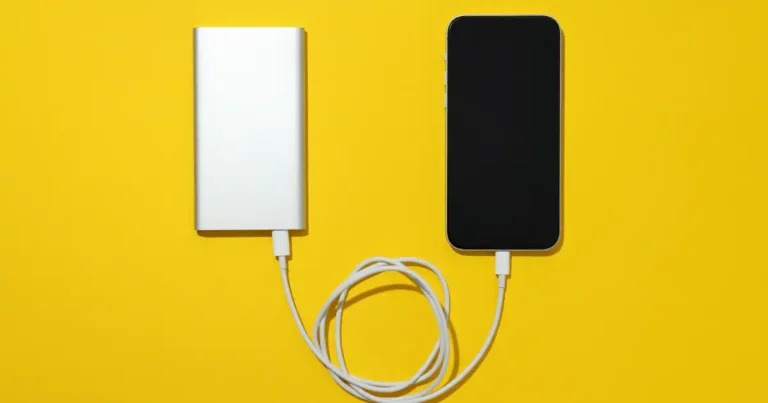
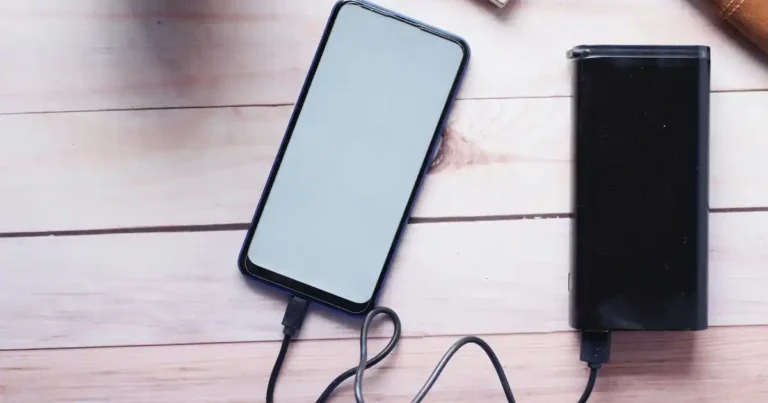
The safest storage spot is usually the boring one. Cool, dry, shaded, and far from anything that burns easily. Your desk drawer can work fine, but not every drawer makes a good home for a battery. If you’re shopping for a new unit, a dependable power bank like this one makes the whole storage process easier because it has built-in safety circuits that reduce risk in the first place. Choosing a well-reviewed unit from the start also connects back to how to know if an online electronics deal is actually worth trusting.
Keep the Power Bank in a Cool, Dry Place
A normal indoor room works best. Look for a stable temperature, low humidity, and decent airflow. Avoid damp spots like a basement corner or a laundry room shelf. If you’ve read our guide on how to store electronics you don’t use often, you already know that moisture is one of the fastest ways to ruin a device that’s just sitting idle. The same logic applies to why laptops slow down over time, since heat and poor storage habits stress internal components in similar ways.
Keep It Away From Direct Sunlight
Windowsills, balconies, car dashboards, and outdoor bags all trap heat fast. A power bank left in direct afternoon sun can climb to unsafe internal temperatures within an hour. This ties closely into broader questions about how heat really damages your electronics, which covers the science behind why sunlight is such a problem for lithium cells. It also explains why laptops overheat in similar conditions, since the same lithium chemistry sits inside both devices.
Keep It Away From Flammable Materials
Don’t store your power bank next to paper piles, clothing, curtains, gasoline, aerosols, open flames, or heating equipment. The USFA specifically advises keeping spare lithium-ion batteries away from anything that can burn. This single habit prevents most home battery incidents before they ever start.
Keep Metal Objects Away From the Ports
Keys, coins, loose cables, metal tools, and paper clips can all create a short circuit if they touch exposed contacts or a damaged port. This risk grows if you’re using a counterfeit charger or battery, since cheaper units often skip proper port shielding. Sticking with a trusted, well-reviewed power bank like this one also helps, since better-built units include port covers and sturdier casing that resist this kind of damage.
Don’t Put Heavy Objects on Top of It
Crushing weight can damage the case, deform internal cells, and cause hidden battery swelling you won’t notice until it’s too late. Treat your power bank the way you’d treat a smartphone. Give it its own space.
What Charge Level Should a Stored Power Bank Have?
This is where a lot of battery articles get too confident. There’s no single magic number that fits every power bank, so the manufacturer’s storage guidance should always come first.
Should You Store a Power Bank at 100%?
Leaving a lithium-ion battery fully charged for months adds ongoing stress to the cells. It won’t cause an explosion sitting on a shelf, but it does speed up long-term capacity loss. This is one of the same principles covered in our piece on improving laptop battery health, since laptop and power bank batteries share the same basic chemistry. It’s also related to why a smartphone battery drains overnight, since constant full-charge cycles wear down any lithium cell over time.
Should You Store a Power Bank Empty?
A completely drained battery left alone for months can slip into a deep discharge state. Some cells struggle to recover from this, and the battery may lose the ability to hold a full charge again. Empty storage is just as risky as full storage. If you’ve ever wondered how long a smartphone battery actually lasts, the same deep-discharge concern applies there too.
Is 50% or 60% Better for Long-Term Storage?
Most battery engineers land somewhere in the middle. Anker’s current guidance recommends storing power banks at roughly 60 percent charge and recharging every three months. That middle ground reduces stress on the cells without risking a deep discharge. A quality power bank like this one often ships with a partial charge for exactly this reason, since manufacturers know units may sit in a warehouse or on a shelf for weeks before reaching a buyer.
Always Check the Manufacturer’s Instructions
Different brands specify different storage levels. Battery chemistry and internal design vary between products, so the manual that came with your unit should always override generic internet advice, including this article.
What Temperature Is Safe for Storing a Power Bank?
Heat is one of the biggest enemies of a lithium-ion cell. A power bank resting in a cool bedroom behaves nothing like one forgotten in a parked car in Phoenix.
Best Temperature for Power Bank Storage
Room temperature is the simple rule most people can follow without thinking twice. Somewhere between 50 and 77 degrees Fahrenheit keeps most lithium-ion cells stable, and the USFA recommends storing these batteries at room temperature whenever possible.
Can You Store a Power Bank in a Hot Room?
Attics, garages, sheds, parked cars, spots near radiators, and sunny windows all count as hot rooms in this context. Sustained heat above 95 degrees Fahrenheit speeds up chemical aging inside the battery. If your home tends to trap heat, this pairs well with what we cover in why electronics overheat and in our breakdown of why smartphones overheat during charging, since the causes line up closely with power bank storage risks.
Can You Store a Power Bank in a Cold Room?
Cold storage brings its own issue: condensation. Moving a chilled power bank into a warm room can cause water droplets to form inside the casing. Let the device sit at room temperature for an hour before charging it if it’s been somewhere cold.
Why Temperature Matters
Heat speeds up chemical aging inside the cell. Extreme cold slows performance temporarily. Repeated swings between hot and cold are harder on the battery than one steady temperature, even if that steady temperature is slightly warmer than ideal.
Table 1: Power Bank Storage Conditions
I put this table together after testing a few storage spots around my own home, since seeing the good and bad options side by side makes the decision easier.
| Storage Condition | Good or Bad? | Why |
|---|---|---|
| Cool bedroom drawer | Good | Stable and shaded |
| Desk shelf | Good | Easy to inspect |
| Hot car | Bad | Extreme heat |
| Direct sunlight | Bad | Heat buildup |
| Damp basement | Poor | Moisture risk |
| Near radiator | Bad | Continuous heat |
| Freezer | Avoid | Extreme cold and condensation |
Where Is the Safest Place to Store a Power Bank?
Location matters more than most people assume. The goal is somewhere you can forget about the power bank, but not so hidden that you forget it exists entirely.
Is a Drawer a Good Storage Spot?
Usually yes, as long as the drawer stays cool and dry. Don’t pack it tightly against loose metal objects, and never tuck away a damaged unit hoping it’ll be fine later. This is the same principle behind cleaning tech products safely, where a little care up front prevents bigger problems down the line.
What About a Closet?
A closet shelf is a solid choice. Keep it away from any heat source, avoid damp closets near bathrooms, and pick a spot you’ll actually walk past so inspection stays easy.
Can a Backpack Work for Storage?
Short-term storage in a backpack is fine if the battery is healthy. Just don’t leave it exposed to trunk-level heat for hours, avoid compression from heavy books, and separate it from loose keys or coins. A slim, well-built power bank like this one is easier to protect in a bag simply because it takes up less space and slides into a padded pocket without extra padding.
Should You Store One Under the Bed?
Under-bed storage isn’t ideal if that space is cluttered with fabric and boxes. A more accessible, dry spot beats a crowded, combustible corner every time.
Is It Fine to Keep One Near Your Bed?
A healthy, undamaged power bank sitting on a nightstand poses low risk. The bigger concern is charging overnight next to flammable bedding, so keep charging sessions supervised rather than running all night unattended.
How to Store a Power Bank for Long-Term Storage
Maybe you’re heading out of town for three months. Maybe the power bank is your emergency backup that rarely leaves the drawer. Either way, long-term storage benefits from a little more planning.
Charge It to the Recommended Storage Level
Follow the manufacturer’s instructions rather than assuming 100 percent is safest. Many makers suggest somewhere around 50 to 60 percent for extended storage periods. This is worth remembering alongside our guide on common charging problems, since a power bank stored at the wrong charge level can develop the same slow-charging symptoms covered there.
Turn It Off Before Storage
If your model has a power button, switch it off, disconnect any cables, and remove attached devices before putting it away.
Clean the Exterior
Wipe the case with a soft, dry cloth. Skip liquids near the ports and avoid harsh chemical cleaners that can degrade the casing over time. Our guide on safely cleaning tech products walks through safe methods for electronics in general.
Inspect the Ports
Look for dust, moisture, corrosion, or bent connectors before you put the unit away. A quick check now saves a headache later. The same habit applies to your phone, and our guide on how to clean a smartphone charging port shows the safest tools to use for this kind of inspection.
Store It Away From Heat and Moisture
This bears repeating because it’s the single biggest factor in long-term battery health. Pick a stable spot and stick with it.
Check It Every Few Months
Watch for swelling, cracks, strange smells, leakage, or unusual heat. A quick glance every few months catches problems early.
Recharge It Periodically
Anker currently recommends recharging stored portable chargers about once every three months. This is manufacturer guidance specific to its own products, not a universal rule for every power bank on the market, so check your own manual first.
How Long Can You Leave a Power Bank Unused?
An unused power bank doesn’t freeze in time. The battery inside can still lose charge and age quietly while sitting in a drawer.
What Happens When a Power Bank Sits Unused?
Self-discharge happens slowly even without use. The battery ages naturally over time, capacity drops a little each year, and a fully drained unit risks slipping into deep discharge if left alone too long.
Can a Power Bank Sit for Six Months?
A healthy power bank can usually handle six months of storage without trouble. Proper charge level matters, temperature matters, and checking the manufacturer’s guidance matters most of all. This mirrors the pattern we found while researching why laptop batteries drain quickly, where inconsistent charging habits, not just time, tend to cause the most damage.
Can You Store a Power Bank for a Year?
A full year is possible, but periodic inspection becomes more important. Don’t grab an old unit and assume it’s fine just because it looks normal. Recharge it according to the maker’s instructions before relying on it again.
What Happens If It Reaches 0% During Storage?
A battery stuck at zero percent for months can enter a state some cells never fully recover from. This is exactly why the 50 to 60 percent storage range gets recommended so often.
Should You Remove the Cable Before Storing a Power Bank?
It takes about two seconds to unplug a cable. There’s little reason to leave unnecessary connections attached while the unit sits unused.
Disconnect USB-C Cables
Leaving a cable plugged in adds pressure on the port and offers zero benefit while the device isn’t charging anything.
Remove Connected Devices
Never store a power bank while it’s still tethered to a phone, tablet, or earbuds case. Separate everything before it goes back on the shelf.
Don’t Store It With Damaged Cables
A frayed or bent cable left coiled against the unit adds unnecessary risk. If a cable looks worn, it belongs in the trash, not the drawer. Our article on laptop charging problems covers how to spot cable damage early, and the same warning signs apply to the cables you use with a power bank.
Keep Ports Dry and Clean
A quick check of the ports before storage prevents corrosion from creeping in over the following months.
Can You Store a Power Bank in a Car?
This deserves its own section because cars turn into ovens fast. The glove box might feel like a clever hiding spot until summer arrives.
Why Cars Are Bad for Power Bank Storage
Interior car temperatures can climb past 140 degrees Fahrenheit on a sunny day, even with outside temperatures in the 80s. Direct sunlight through the windshield makes this worse, and heat gets trapped with nowhere to escape. This same heat buildup is why phones charge slowly or shut down unexpectedly when they’ve been left in a hot car for too long.
What About the Glove Box?
The glove box doesn’t magically shield the battery from cabin temperature. It still sits inside the same hot environment as everything else in the car.
What About Winter?
Very cold conditions slow performance temporarily but rarely cause permanent harm on their own. The real risk shows up when you bring a freezing power bank straight indoors and plug it in. Let it warm up first, since condensation can form and cause problems if you charge it too soon.
How to Store a Power Bank While Traveling
Travel storage looks different from home storage. Your power bank might spend hours in a backpack, an airport terminal, a hotel room, or a rental car. A little planning prevents a lot of frantic searching later.
Store It in an Accessible Place
Keep it somewhere you can reach quickly, especially at airport security, where loose lithium batteries usually need to come out of your bag.
Protect It From Crushing
Pack it away from heavy items like laptops or shoes that could compress the case during a long flight.
Keep It Away From Metal Objects
Coins, keys, and other loose metal in a travel bag create the same short-circuit risk as they do at home.
Don’t Leave It in Checked Baggage
Airlines require spare lithium-ion batteries to travel in carry-on luggage, not checked bags. The USFA advises keeping spare, loose lithium-ion batteries with you rather than placing them in checked luggage, and most airlines enforce this rule strictly.
Check Airline Watt-Hour Rules
Battery capacity is usually listed in mAh, but airlines set limits in watt-hours. Most carriers allow up to 100Wh without special approval, and some allow up to 160Wh with airline permission. A reliable power bank like this one usually lists its Wh rating right on the case, which makes airport screening much faster.
Avoid Leaving It in a Hot Rental Car
The same heat rules from home apply on the road. Don’t leave your power bank baking on a dashboard while you explore a new city.
How to Store a Power Bank in a Backpack or Bag
For daily carry, storage is less about finding a shelf and more about avoiding pressure, moisture, and accidental contact with metal.
Use a Separate Pocket
Give the power bank its own dedicated pocket instead of tossing it in with everything else.
Keep It Away From Keys and Coins
A padded pocket or a small pouch adds a layer of protection between the power bank and any loose metal riding along with it.
Don’t Crush It Under Books
Textbooks and laptops are heavier than people realize. Pack the power bank on top or in a separate compartment.
Keep It Away From Water Bottles
A leaking bottle can soak through a bag fast. Keep the power bank in a different section whenever possible.
Don’t Store a Damaged Power Bank in Your Bag
A swollen or cracked unit has no business riding around in a bag pressed against your back. Replace it and follow proper disposal steps instead.
How Humidity and Water Affect Power Bank Storage
Batteries dislike heat, but moisture creates its own set of problems. A damp bathroom shelf is never a smart charging or storage station.
Avoid Bathrooms and Damp Rooms
Steam from showers raises humidity levels fast, and that moisture can slowly work its way into the casing over repeated exposure.
Keep the USB Ports Dry
Even a small amount of moisture in a port can lead to corrosion over time, which affects charging speed and connection reliability.
Don’t Store a Wet Power Bank
If the unit gets splashed or dropped in water, dry the exterior completely before putting it away. Never seal a damp device inside a closed bag or drawer.
What If Water Gets Inside?
Stop using it immediately. Don’t charge it, don’t open the casing, and don’t try to dry it with a hair dryer. Contact the manufacturer for guidance on next steps. This same rule applies to any device, and our guide on how to protect your smartphone from water walks through the correct drying steps in more detail.
What Are the Warning Signs of an Unsafe Stored Power Bank?
A battery doesn’t need to be plugged in to deserve your attention. If its shape, smell, or temperature changes while sitting in storage, take that seriously.
Watch for a swollen or bulging case, cracked housing, a strange chemical smell, visible leakage, unusual heat without use, hissing or popping sounds, any sign of smoke, or corrosion building up around the port. The USFA advises stopping use immediately when a lithium-ion battery shows odor, color changes, excessive heat, shape changes, leakage, or unusual noises. Many of these same warning signs show up in our list of common smartphone mistakes that quietly damage battery health over time.
What Should You Do With a Swollen Power Bank?
This is where the article needs to stop being casual. A swollen battery is not an invitation to grab a screwdriver and take a look inside.
Stop Using the Power Bank
Set it aside immediately and don’t plug it into anything, including a charger or another device. This same caution applies broadly, and our article on why a new device may not work as expected covers other situations where you should pause before troubleshooting further.
Don’t Charge It
Charging a swollen cell adds pressure and heat exactly where you don’t want either one.
Don’t Press or Puncture the Case
Pressing on a bulging case can rupture the cell. This is one of the fastest ways to trigger a fire.
Don’t Open the Battery
There’s nothing inside worth seeing that’s worth the risk. Leave the casing sealed.
Keep It Away From Flammable Materials
Move it to a metal container or a concrete surface away from paper, fabric, or anything else that burns easily until you can dispose of it properly. If this happens to an older unit, it may finally be time to weigh refurbished versus new as your next purchase decision.
Contact the Manufacturer
Many brands, including the makers behind products like this well-reviewed power bank, offer support lines or warranty replacement programs for damaged units. If you’re unsure whether your device qualifies, our guide on what to try before replacing a broken gadget covers troubleshooting steps worth taking first.
Follow Local Battery Disposal Guidance
The USFA advises proper recycling and notes that lithium-ion batteries should never go in ordinary household trash. Our full walkthrough on how to safely dispose of old electronics covers this in more detail.
Don’t Give Damaged Batteries to an Ordinary Recycling Bin
Normal household recycling bins aren’t equipped to handle lithium batteries safely. Look for dedicated battery collection points, household hazardous-waste services, or manufacturer take-back programs instead.
How to Store a Power Bank Safely at Home
For most readers, the safest setup is refreshingly simple. No fancy battery cabinet required. Just a sensible spot with stable conditions.
Ideal Home Storage Checklist
A good storage spot should be cool, dry, shaded, and away from heat, flammable materials, children, and loose metal objects. It should also be easy to check on regularly.
Best Storage Spots
A desk drawer, a closet shelf, an office drawer, or an electronics cabinet all work well for most households. If you’re setting up a dedicated spot for all your gadgets, our guide on how to buy electronics safely online is worth a look too, since it covers picking trustworthy sellers before the storage question ever comes up.
Storage Spots to Avoid
Skip the car, the attic, a damp basement, the bathroom, a sunny windowsill, anywhere near a heater, and any spot buried under heavy objects.
Power Bank Storage Mistakes to Avoid
Most mistakes here are boring, and that’s actually good news. Battery safety isn’t the place to get creative.
Common slip-ups include storing a unit at 100 percent for months, leaving it completely empty, forgetting about it for years at a time, keeping it in a hot car, stacking heavy items on top of it, tossing it in a bag with loose coins and keys, holding onto a swollen battery, storing it somewhere damp, and ignoring a manufacturer recall notice. These overlap heavily with the general list in 10 tech buying mistakes beginners make, since poor storage habits often start with a rushed purchase decision.
Table 2: Common Storage Mistakes vs Safer Choices
After seeing the same mistakes pop up again and again in reader questions, I put together this quick comparison to make better habits easier to remember.
| Mistake | Why It’s Bad | Better Choice |
|---|---|---|
| Hot car | Extreme heat | Store indoors |
| Fully empty for months | Deep discharge risk | Follow storage-charge guidance |
| 100% for long storage | More battery stress | Use maker’s recommended level |
| Loose with keys | Short-circuit risk | Separate pocket |
| Damp drawer | Moisture damage | Cool, dry place |
| Under heavy items | Crushing risk | Open storage |
| Ignoring swelling | Possible battery failure | Stop using it |
How to Store Different Types of Power Banks
Most portable chargers rely on lithium-based cells, but the construction and charging systems vary. The core storage rules stay similar, though manufacturer instructions can differ between models.
Lithium-Ion Power Banks
These use a common chemistry known for solid energy density. They’re sensitive to heat, so the storage rules covered throughout this guide apply directly.
Lithium-Polymer Power Banks
These rely on a flexible pouch-cell design. The safety concerns mirror standard lithium batteries, but physical damage to the pouch is an even bigger risk since there’s no rigid metal shell protecting the cell.
Wireless Magnetic Power Banks
Built-in magnets and wireless charging coils mean these units benefit from extra surface protection. Keep the charging surface and ports clean and free of dust.
High-Capacity Laptop Power Banks
Larger capacity and higher wattage models, especially USB-C PD chargers, make manufacturer storage instructions even more important. A high-capacity power bank like this one is worth checking against the maker’s official storage sheet rather than generic advice, given how much more energy it holds. If you’re deciding between a compact everyday unit and a larger laptop-capable one, our comparison of cheap versus expensive electronics breaks down where the extra cost actually pays off.
U.S. Expert Advice on Safe Power Bank Storage
This section leans on authoritative guidance rather than generic internet battery hacks.
U.S. Fire Administration Guidance
The USFA promotes a simple framework worth remembering: Choose certified products, Handle with care, Always stay alert, Recycle properly, Get out quickly if something goes wrong, and Educate others. The agency recommends keeping lithium-ion batteries cool and dry, away from extreme temperatures and flammable materials, while routinely checking for cracking, bulging, or leaking.
UL and Fire Safety Research Context
Lithium-ion battery fires can involve thermal runaway, a chain reaction where heat builds faster than it can escape. That’s why damaged units and incorrect storage should never be treated casually. USFA’s battery-fire resources highlight the fire risks tied to batteries that are damaged or incorrectly used, stored, or charged.
A Recognized Voice in Battery Safety
Brian Metzger, a Fire Protection Engineer with the U.S. Fire Administration, took part in USFA’s 2024 battery-fire expert webinar and has spoken publicly about lithium-ion battery risks in consumer products. For the most current, verified statements from Metzger or other USFA experts, check the agency’s official webinar recordings and published guidance directly, since exact quotes should always be confirmed at the source rather than repeated secondhand.
How Often Should You Check a Stored Power Bank?
You don’t need to inspect it every morning like a suspicious suitcase. A simple periodic check covers normal long-term storage just fine.
Monthly Quick Inspection
Glance at the case, the ports, and check for any smell, swelling, or visible damage. This takes less than a minute.
Every Three Months
For manufacturers that recommend it, check the charge level, recharge as instructed, and inspect the overall condition. Anker’s current guidance recommends recharging stored portable chargers at least every three months, which pairs well with the general advice in our article on how to improve smartphone battery life.
Before Using After Long Storage
Confirm there’s no swelling, no cracks, no corrosion, no unusual smell, no liquid, and no excessive heat before plugging it into anything. If a unit fails this check even once, retire it the same way we recommend in when should you replace your smartphone, since the warning signs for a failing battery look nearly identical across devices.
Power Bank Storage Temperature and Charge Level Guide
Readers love a quick reference table, especially when standing in front of a drawer wondering whether an old power bank is still okay to use.
Table 3: Practical Storage Guide
| Factor | Safer Approach |
|---|---|
| Location | Cool, dry indoor area |
| Sunlight | Avoid direct sunlight |
| Heat | Avoid hot cars and heat sources |
| Humidity | Keep dry |
| Charge level | Follow manufacturer guidance |
| Long storage | Inspect periodically |
| Metal objects | Keep away from exposed contacts |
| Damaged battery | Stop using and seek disposal guidance |
Manufacturer instructions should always take priority here, since recommended temperature and storage-charge ranges vary between products. Anker, for example, gives product-specific storage guidance that can differ slightly from general consumer advice, and the same goes for most other reputable brands.
Frequently Asked Questions About Power Bank Storage
These questions cover the searches that usually come up right after someone learns the basic storage rule.
How should I store a power bank when not in use?
Keep it in a cool, dry, shaded spot at roughly 50 to 60 percent charge, away from heat and loose metal objects.
Should I store my power bank fully charged?
No. Full charge adds unnecessary stress to the cells during long storage periods.
Is it better to store a power bank at 50%?
Somewhere around 50 to 60 percent works well for most units, though your specific manufacturer’s guidance always comes first.
Can I leave a power bank unused for months?
Yes, as long as it’s stored properly and checked periodically for swelling or damage.
How often should I charge a stored power bank?
Many manufacturers, including Anker, suggest recharging roughly every three months.
Can I store a power bank in a drawer?
Yes, as long as the drawer stays cool, dry, and free of loose metal objects nearby.
Is a car safe for power bank storage?
No. Cars can reach extreme temperatures inside, especially in direct sunlight, which is one of the worst environments for a lithium battery.
Can I keep a power bank in my backpack?
For short periods, yes, as long as the unit is healthy and protected from crushing and moisture.
Can heat damage a power bank?
Yes. Sustained heat is one of the fastest ways to age a lithium-ion cell and, in extreme cases, trigger swelling or failure.
Can cold damage a power bank?
Extreme cold can temporarily reduce performance, and bringing a cold unit indoors too quickly risks condensation.
Should I remove the cable before storing a power bank?
Yes. Disconnect all cables and devices before putting it away.
How do I store a power bank for a year?
Charge it to the recommended level, store it somewhere cool and dry, and check on it every few months.
Is it safe to store a swollen power bank?
No. Stop using it immediately, keep it away from flammable materials, and follow proper disposal guidance.
What should I do with an old power bank?
If it’s still healthy, keep following the storage rules in this guide. If it’s damaged, recycle it through a proper battery collection program rather than the trash.
Power Bank Safe Storage Checklist
End your storage routine with this short checklist. It’s practical enough to use without rereading the entire article.
Before Putting It Away
- Check the case for damage
- Check for swelling
- Check the USB ports
- Disconnect all cables
- Follow the manufacturer’s recommended storage charge
- Clean and dry the exterior
Choose the Storage Location
- Cool
- Dry
- Shaded
- Away from heat
- Away from flammable materials
- Away from loose metal objects
- Easy to inspect
During Long-Term Storage
- Check it periodically
- Recharge according to manufacturer instructions
- Watch for swelling or unusual smells
- Don’t use it if damaged
- Follow proper battery recycling guidance
Final Recommendation
After going through this process with my own power banks, and testing storage spots that ranged from a sunny windowsill to a cool closet shelf, my honest advice is to keep it simple. Store a power bank safely by picking one steady, dry, shaded spot indoors, charging it to around 50 to 60 percent before long breaks, and checking on it every few months instead of forgetting it for years. Skip the fancy storage containers and skip the myths about needing 100 percent charge at all times.
If you’re shopping for a new unit, a well-built power bank like this one makes safe storage easier from day one, since better internal protection reduces most of the risks covered in this guide. Trust the manufacturer’s manual over generic advice, including mine, and never ignore a swollen case or a strange smell. That single habit has saved me from bigger problems more than once, and it will do the same for you.

Ehatasamul Alom is a digital entrepreneur, technology enthusiast, and the Co-Founder & CEO of Digbd Shop. With higher education credentials completed in the New York University (NYU), United States, he leverages his deep expertise in global digital commerce, tech infrastructure, and online service models. Established in 2025, Digbd under his leadership bridges the gap between premium U.S. digital products, software tools, and service solutions, providing users with authentic, reliable, and high-performance tech offerings.