How to Safely Dispose of Old Electronics Without Risk
Cleaning out my small apartment in New York showed me how fast old gear builds up. That old phone in your desk drawer still has your photos. The laptop in the closet may still have your passwords. Even the dead tablet you stopped using years ago can hold more personal data than you think. Before you toss an old gadget, take a few minutes to clear your files.
Remove batteries when you can, and find a good recycling spot. Learning how to safely dispose of old electronics protects your privacy, your home, and the planet.
Why You Should Not Just Throw Old Electronics Away
Throwing gadgets in the regular trash hurts your privacy and the land. Old gear is more than simple clutter. It holds private details, rich metals, and parts that need careful handling.
Electronics can contain personal information
Unused tech holds private data that identity thieves love to find. Even a dead phone sitting in a landfill can be picked up and read if the storage chip stays whole. Your old devices can hold:
- Personal photos and family videos
- Private emails and chat logs
- Address books and contact lists
- Saved browser passwords and auto-fill data
- Banking apps and financial records
- Web history and search logs
- Private work files and tax records
- GPS location data and home maps
- Saved social media sign-ins
- Home Wi-Fi network passwords
Electronics contain valuable recoverable materials
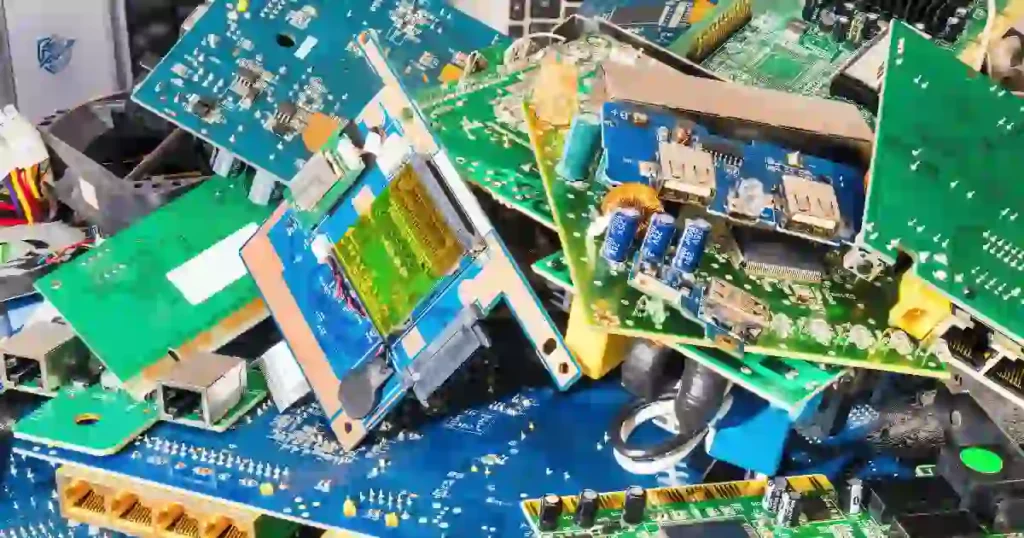
Old circuit boards are like tiny urban mines. They hold rich elements that take huge energy to pull from the earth. Recycling pulls these clean materials back into the supply chain:
- Copper wiring and board traces
- Lightweight aluminum cases
- Pure gold on connector pins
- Silver soldering on circuit paths
- Sturdy steel frames and screws
- Rare earth elements in speakers
- Recyclable heavy plastics
Some electronics contain hazardous materials
Tossing electronics into landfills lets toxins seep into ground water. Specialized drop-off sites keep these harmful elements out of local soil and streams:
- Power cells with raw lithium
- Mercury tubes in old screens
- Lead solder on vintage boards
- Heavy glass from CRT monitors
- Fluorescent lamps in scanners
- Regulated chemical parts
Old electronics can create fire risks
Trash trucks and waste hubs crush items with heavy force. When a hidden power cell gets crushed, it can spark hot fires in a flash:
- Cracked lithium-ion power packs
- Swollen or bloated phone cells
- Broken cases with squeezed parts
- Poor storage near hot spots
- Sharp metals that pierce batteries
The old-phone-in-a-drawer problem
You know that drawer. The one full of tangled chargers, one mystery cable, and three phones you swear you might need someday. Leaving devices in drawers keeps good metals locked away. Over time, forgotten batteries can swell, leak, or turn into fire hazards right inside your house.
What Counts as Old Electronics?
Many people think e-waste only means desktop PCs and big TVs. In truth, almost any item with a plug, a circuit board, or a battery counts as electronic waste.
Common household electronics
These are the main screens and tools we use every single day. They hold high amounts of personal data and need a full factory wipe before you hand them over:
- Cell phones and smartphones
- Reading tablets and pads
- Work laptops and netbooks
- Desktop tower computers
- Computer monitors and displays
- Living room televisions
- Home desktop printers
- Document scanners
- Video game consoles
- Digital cameras and lenses
- Smartwatches and wrist bands
- E-readers and digital books
Small electronics
Small accessories seem harmless, but they hold copper, plastic, and small chips. They belong in dedicated recycling bins, not your kitchen trash:
- Keyboards and keypads
- Computer mice and trackpads
- Wi-Fi routers and bridges
- Internet modems
- Audio speakers
- Wired and wireless headphones
- TV streaming sticks
- Phone wall chargers
- Power brick adapters
Electronics with batteries
Tools with built-in power packs carry the highest fire risk. Always handle them with extra care when sorting your home clutter:
- Smart devices and phones
- Tablets and e-pads
- Portable laptops
- Bluetooth headphones
- Digital camera bodies
- Portable power banks
- Fitness smartwatches
- Cordless electric tools
Large electronics
Large appliances carry heavy metal frames and cooling fluids. Most towns offer special curbside pickup days or recycling drop-off spots for these big units:
- Kitchen refrigerators
- Clothes washing machines
- Countertop microwaves
- Window air conditioners
Why the device type matters
The right drop-off path depends on your item. A big fridge needs a town truck, while a thin phone needs a software wipe and a battery check. Knowing what you have helps you pick the safest choice.
[Old Device]
   │
   ├── Big Appliance? ──> Call Town Bulk Pickup
   │
   ├── Has Personal Data? ──> Backup ──> Sign Out ──> Factory Reset
   │                                                         │
   └── Has Battery? ────> Remove/Tape Terminals ─────────────┤
                                                             ▼
                                                    [Certified Recycler]
The Safest Way to Dispose of Old Electronics
Follow this simple checklist to clear your old gear without stress. Taking these eight steps protects your data and keeps waste workers safe.
Step 1: Decide whether the device still has value
Check if your item still turns on and runs smoothly. If it works, handing it to a student, selling it online, or giving it to a charity keeps it out of the waste stream longer.
Step 2: Back up important data
Save your old files before running a wipe. Copy your family photos, tax records, and contact lists to a secure cloud drive or an external USB hard drive.
Step 3: Sign out of accounts
Remove your main user profiles from the hardware. Sign out of your Apple ID, Google Account, Microsoft profile, and Samsung account so activation locks unlock fully.
Step 4: Remove personal data
Run a full factory reset through the main settings menu. This step wipes your saved passwords, web history, and personal files from the internal drive.
Step 5: Remove external storage
Pop open the card slots on your phone, tablet, or camera. Pull out all SIM cards and removable microSD cards before you hand the unit to a recycler.
Step 6: Remove or safely handle batteries
If your gadget has a removable battery, take it out and place it in a safe battery bin. If the battery is sealed inside, leave the case whole so you do not puncture the cell.
Step 7: Find the right reuse or recycling route
Pick the best destination for your cleared device. Check local retail store drop boxes, mail-in brand trade programs, or town e-waste events.
Step 8: Keep proof when needed
When clearing office gear or high-risk files, ask for a written receipt. A data destruction paper proves your storage drive was wiped or shredded safely.
Should You Sell, Donate, Reuse, or Recycle Old Electronics?
Recycling is great, but reusing gear is even better for the earth. Extending a working item’s life prevents the manufacturing of a brand-new device.
| Option | Best For | Main Benefit | What to Check |
| Reuse | Working devices | Extends useful life | Battery and condition |
| Sell | Valuable devices | Recovers money | Data removal |
| Trade-in | Recent electronics | Convenient upgrade | Program terms |
| Donate | Usable older devices | Helps others | Donation requirements |
| Repair | Devices with minor faults | Avoids replacement | Repair cost |
| Recycle | Broken or unusable items | Recovers materials | Approved recycler |
Keeping working tech in use lowers carbon output and saves natural resources. As an electronics expert, I always suggest repair or donation before sending working gear to a shredder.
When selling makes sense
Sell your gear if it is a recent model with good market value. Online sales or local buyer apps let you turn unwanted phones and laptops into extra cash.
When donating makes sense
Donate older working laptops, tablets, and phones to local schools, shelters, or senior centers. Many community groups refresh these units for families who need web access.
When repairing is smarter
Fixing a cracked screen or swapping an old battery is often cheap. If a quick repair gives your laptop two more years of use, fixing it saves you money and cuts waste.
When recycling is the only practical option
Send items to a certified recycler if they are broken, water-damaged, or too old to run current apps safely. Recycling reclaims raw metals from dead circuit boards.
A simple decision rule
- Working → Reuse or sell
- Repairable → Repair
- Usable but unwanted → Donate
- Broken or unsafe → Recycle properly
How to Safely Erase Personal Data Before Disposal
Wiping your storage drive keeps your bank details and personal files safe. Never hand over a device without clearing its memory first.
Back up your files first
Copy your files to a secure cloud platform or an external hard drive. Once you reset your device, those local files are gone for good.
Sign out of all accounts
Deleting an app from your home screen leaves your main profile active. Open your account settings and sign out completely so the device unlinks from your cloud profile.
Remove device activation locks
Turn off tracking features like “Find My” on Apple gear or Google Factory Reset Protection on Androids. Active locks prevent recyclers or new owners from using a working device.
Perform a factory reset
Go to system settings and select a full factory wipe. This overwrites your local storage, clearing out your apps, text messages, photos, and saved settings.
Remove SIM and memory cards
Check every side slot on your phones and tablets. Pull out the cellular SIM card and any microSD storage cards so you do not give away personal files by mistake.
Encrypt before resetting when appropriate
Turn on device encryption in your settings before running a reset. Encrypting scrambles your files so nobody can read them, even if they use recovery tools later.
When a factory reset may not be enough
A standard reset might leave traces on old hard drives or damaged units that do not boot. Highly sensitive files need deeper sanitization steps.
For sensitive data, consider professional data destruction
If a device held tax forms or medical data, take it to a certified shredding service. They run strong magnetic passes or physically punch holes through the storage drive.
Do not forget old external drives
Thumb drives, portable hard drives, and old SD cards carry high privacy risks. Clear these small drives with disk-wiping software or destroy them before throwing them away.
How to Dispose of Old Phones and Tablets Safely
Smartphones carry our whole lives in our pockets. Clearing them properly keeps your chats, contacts, and photos safe.
Back up photos and contacts
Sync your photo library and contact list to your cloud storage. This step makes setting up your next phone fast and simple.
Sign out of Apple or Google accounts
Open your main settings menu and log out of your profile. Unlinking your account turns off anti-theft locks so the phone can be safely reused or processed.
Turn off device tracking
Disable location-sharing tools like “Find My iPhone” or “Find My Device.” Disabling tracking releases the device hardware from your personal account map.
Remove SIM cards
Use a small paperclip to open the SIM tray on the side of your phone. Pull out the SIM card to keep your phone number and account keys safe.
Remove microSD cards
Check for a hidden storage slot near the SIM tray. Remove any memory cards so you do not leave private photos inside the frame.
Factory reset the device
Select the erase option in settings to clear your personal profiles, text logs, photos, and app records from the internal memory chips.
Check the battery condition
Look at the back casing of your phone. If the glass is bowing or the frame looks swollen, handle the phone gently and do not plug it into a charger.
Choose reuse, trade-in, donation, or recycling
Take a working phone to a retail trade-in desk or donate it to a community drive. If the screen is dead, drop it in a certified store drop box.
What to do with a phone that will not turn on
- Do not assume your files are gone just because the screen stays black.
- Never toss a dead phone into your household trash can.
- Hand the unit to a certified recycler who promises secure media destruction.
- Request physical drive shredding if the phone held sensitive work data.
What about old flip phones?
Old button phones lack smart cloud features, but they still store contact lists, call histories, and text messages on internal chips. Wipe their memory and pull the SIM card before recycling.
How to Dispose of Old Laptops and Computers
Computers hold years of tax forms, work files, and personal records. Clearing their drives takes a bit more care than clearing a phone.
Back up important files
Plug in an external drive or use a secure cloud folder to save your documents, photos, and browser bookmarks before you touch the reset tools.
Sign out of accounts
Log out of your web browser, cloud tools, work suites, and media stores. Unlinking your user profile stops automatic logins on that machine.
Deauthorize software where needed
Some paid programs only allow installation on a few machines. Deauthorize your computer inside those app settings so you can use your licenses on a new PC.
Remove personal storage
If your desktop or laptop lets you open the case easily, consider pulling the hard drive out. You can keep the old drive or destroy it separately.
Securely erase the drive
Run disk-wiping software that overwrites the drive with random zeros. This process scrambles old files so recovery programs cannot piece them back together.
Consider professional data destruction
For business laptops, use a certified service that gives you a destruction certificate. Physical shredding crushes the metal drive plates into tiny pieces.
Remove batteries only when designed for user removal
If your laptop has a snap-out battery pack, take it out and tape its contacts. If the battery is sealed inside, keep the laptop case closed.
Find an appropriate recycling program
Drop your cleared computer at a certified e-waste site or a brand mail-in center. They pull out the metals, plastics, and glass safely.
HDD vs SSD data destruction
Old hard disk drives (HDDs) hold data on spinning magnetic platters. You can clear them using standard overwrite software or strong magnets. Modern solid-state drives (SSDs) use flash memory chips, which need manufacturer-specific “Secure Erase” commands to clear data safely.
[Storage Type]
      │
      ├── Magnetic HDD ──> Overwrite with Software or Physical Shredding
      │
      └── Flash SSD ────> Run Built-in "Secure Erase" or Physical Shredding
Business computers need extra care
Company PCs often hold customer logs, employee files, and financial records. Disposal must follow strict data privacy laws and maintain a verified chain of custody.
How to Dispose of Old TVs, Monitors, and Screens
Large screens take up space and hold parts that require special handling. Dropping them off at the right site keeps glass and heavy metals out of landfills.
Flat-screen TVs
Modern flat screens use LED or LCD panels. Their thin glass breaks easily, so wrap them in a blanket during transport to prevent sharp messes in your car.
LCD and LED monitors
Computer monitors contain clean circuit boards and plastic frames. Many office supply stores accept desktop monitors in their recycling bins for free.
Plasma TVs
Plasma screens are heavy and use complex glass panels. Handle them with two people to avoid drops and bring them to a town bulk e-waste event.
Older CRT televisions
Old box TVs contain heavy cathode-ray tubes. They carry lead inside the glass to block radiation, so they need special handling at municipal drop sites.
Why CRT displays need special handling
The heavy glass funnel inside a CRT TV holds up to eight pounds of lead. If the glass shatters in a landfill, that lead can wash into local soil and streams.
Never smash an old TV or monitor
Smashing old TV glass creates flying hazards and releases toxic dust into your garage. Always leave display cases whole when taking them to a recycler.
How to Dispose of Old Batteries Safely
Batteries are the top source of fires at recycling hubs. Taking a few moments to isolate power cells keeps workers safe.
Lithium-ion batteries
These rechargeable cells power modern life. You can find them inside:
- Smartphones and cell units
- Laptops and netbooks
- Reading tablets and pads
- Digital camera bodies
- Portable power banks
- Wireless audio headphones
- Cordless power tools
Alkaline batteries
Standard AA, AAA, and 9V household batteries are common in toys and remotes. Many towns let you toss dead alkaline cells in regular trash, but recycling them reclaims zinc and steel.
Rechargeable batteries
Nickel-cadmium (NiCd) and nickel-metal hydride (NiMH) cells hold heavy metals. Never toss rechargeable batteries in household trash; drop them in retail battery collection boxes.
Button and coin batteries
Small shiny coin cells power watches, car keys, and greeting cards. They pose severe swallowing risks for kids and pets, so store dead ones in a high container before recycling.
Damaged or swollen batteries
- Never puncture or bend a swollen battery cell.
- Avoid crushing bloated packs inside heavy machines.
- Keep damaged power cells out of household trash bins.
- Do not mix swollen lithium packs with regular recyclables.
- Place damaged cells in sand or cat litter and follow local hazardous waste rules.
Battery terminals and short-circuit prevention
Place clear tape over the metal ends of lithium and 9V batteries before dropping them in a bin. Taping stops metal ends from touching, preventing accidental sparks and fires.
Why lithium-ion batteries deserve extra caution
Lithium batteries pack a huge amount of energy into a tiny space. If the thin inner wall breaks, the battery can enter “thermal runaway,” heating up rapidly and causing fires that are hard to put out.
Can You Throw Old Electronics in the Trash?
Tossing electronics into household trash bins is usually unsafe and often breaks local laws. Knowing your local rules helps you dispose of gear the right way.
Why electronics should generally be kept out of regular recycling bins
Curbside recycling trucks use heavy compactors to squash paper and plastic. Crushing electronics inside these trucks can break glass, burst batteries, and spark fires.
Why rules vary by state and city
Many states have strict laws that ban electronics from landfills. Local rules depend on available recycling funds and regional waste facilities.
Check local disposal rules
Check the web pages of your local organizations before cleaning out your garage:
- Your city sanitation department
- Your county waste authority
- Your state environmental agency
- Local certified recycling centers
USA-specific guidance
U.S. EPA Guidance: The Environmental Protection Agency states that electronics contain valuable materials like copper, gold, and aluminum that should be recovered. The EPA recommends using certified recyclers to handle e-waste safely.
Where Can You Recycle Old Electronics?
Finding a safe recycling spot is easy once you know where to look. Here are five trusted places to drop off your old tech.
Manufacturer take-back programs
Major tech brands run easy mail-in or store drop programs. They accept their old gear and clear the parts safely:
- Apple Trade In program
- Dell Reconnect initiative
- HP Planet Partners
- Lenovo Recycling program
- Samsung Take-Back centers
Retailer recycling programs
Big office and electronics retail stores offer free recycling drop boxes near their front doors. They accept old cords, phones, ink cartridges, and small laptops.
Local government recycling centers
Most counties run permanent waste sites or seasonal collection days. They accept large appliances, old CRT box TVs, and household electronics for free.
Certified electronics recyclers
Look for specialized facilities that hold recognized industry seals. These centers follow strict environmental rules and protect your data privacy.
Community e-waste collection events
Schools, cities, and local groups host weekend collection drives in parking lots. Drive up, open your trunk, and let volunteers unload your old gear for free.
Trade-in programs
Store trade-in desks give you gift cards or discounts on new items when you hand in working gear. It is a great way to save money while keeping tech in use.
How to find a legitimate recycler
- Look for clear lists of items they accept.
- Check if they offer a transparent processing system.
- Verify their written data destruction policy.
- Confirm they hold an R2 or e-Stewards certification seal.
- Ensure they handle scrap downstream without shipping raw waste overseas.
EPA Recycler Recommendation: The EPA recommends using certified electronics recyclers. It recognizes R2 and e-Stewards as the two accredited certification standards in the United States.
How to Choose a Certified Electronics Recycler
Not all recycling centers offer the same safety standards. Checking for proper certifications ensures your data stays private and your gear is processed safely.
Look for recognized certification
Choose facilities that hold e-Stewards or R2 (Responsible Recycling) seals. These standards require strict audits, worker safety rules, and safe handling of toxins.
Ask how data is destroyed
Find out if the recycler uses software overwriting, degaussing magnets, or physical drive shredding to clear storage chips before processing.
Ask where materials go
A good recycler keeps toxic scrap out of developing nations. They process metals and plastics locally or send them to vetted smelting plants.
Ask whether devices are reused or recycled
Top recyclers test incoming items to see if they still work. They refurbish usable machines for resale and send broken gear to the metal shredder.
Ask for documentation for sensitive equipment
Request a written data destruction certificate when dropping off business computers or sensitive hard drives for your peace of mind.
What certification does and does not mean
An R2 or e-Stewards seal means a plant follows strict safety and environmental rules. However, you should still wipe your personal devices at home before dropping them off.
How to Dispose of Electronics With Sensitive Data
Match your wiping steps to the sensitivity of your files. A thumb drive with tax forms needs more care than a smart light switch.
| Device | Possible Sensitive Data | Recommended Action |
| Smartphone | Photos, messages, accounts | Backup, sign out, reset |
| Laptop | Files, passwords, work data | Secure erase or professional destruction |
| External drive | Large data archives | Secure erase or destroy |
| USB drive | Documents | Secure erase or destroy |
| Tablet | Personal accounts | Sign out and factory reset |
| Business computer | Customer/company data | Follow IT data destruction policy |
| Old router | Wi-Fi settings | Factory reset |
| Smart camera | Video footage | Delete footage and reset |
Taking time to match your wiping steps to your risk level keeps your private life safe. An old USB drive filled with tax records poses a much bigger privacy risk than a simple kitchen appliance.
Personal devices
Run a standard factory reset and sign out of cloud profiles for personal phones and tablets. That clears your photos, messages, and saved apps.
Work devices
Hand company laptops back to your employer’s IT department. They follow internal data security policies to clear company files safely.
Business equipment
Commercial servers and office printers store sensitive customer logs. Run full drive wipes and keep destruction receipts for legal compliance.
Devices containing customer data
If a machine holds client lists or financial records, use physical shredding services to guarantee compliance with privacy laws.
When to use professional data destruction
Hire a professional shredding service if a drive holds sensitive financial data, medical records, or company files that cannot be safely wiped at home.
What to Do With Old Chargers, Cables, and Accessories
That messy cable drawer in your hall deserves attention, too. Sorting your cords keeps copper flowing into fresh manufacturing cycles.
Working chargers
- Keep one spare charger for your active daily devices.
- Sell working high-power charger bricks online.
- Donate extra USB wall bricks to community centers.
- Reuse long cords for secondary rooms or travel bags.
Damaged chargers
Never use power bricks that buzz or get hot to the touch. Drop broken wall chargers in retail e-waste bins to reclaim their copper wiring.
USB cables
Group working cables by connector type using simple twist ties. Drop frayed or broken cords into metal recycling bins to recover their copper cores.
HDMI cables
HDMI cords rarely break down. Keep two good cables for your TV or monitor setups and recycle extra lines at retail drop boxes.
Power adapters
Old power bricks from dead electronics hold heavy copper coils. Collect these black wall cubes and drop them off at local scrap yards or retail bins.
Power banks
Treat portable power banks like lithium batteries. Never toss them in the trash; tape their ports and take them to a battery collection site.
Never reuse damaged power cables
Stop using power cords right away if you spot these warning signs:
- Frayed outer cloth or split plastic jackets
- Exposed copper strands or visible wire shields
- Dark burn marks or discolored plastic near plugs
- Bent, loose, or crushed metal connector tips
- Melted plastic insulation along the wire line
What Not to Do When Disposing of Old Electronics
Avoiding common mistakes keeps waste workers safe and protects your private files. Keep these safety rules in mind when cleaning your home.
- Never throw lithium-ion batteries into household trash or recycling bins.
- Do not put electronics in curbside recycling bins unless local rules allow it.
- Avoid smashing glass display screens or cracking box TV tubes.
- Never puncture, bend, or crush battery cells with sharp tools.
- Do not leave active personal profiles on devices when giving them away.
- Avoid assuming a broken or dead device holds no recoverable files.
- Never burn old electronics or wire insulation in open yard fires.
- Do not hand business gear with sensitive data to unknown recyclers.
- Avoid storing swollen or damaged batteries in hot indoor areas.
What Happens to Electronics After Recycling?
Recycling turns old gear into raw materials for new products. Here is how your old device gets processed step by step.
Collection
Your device arrives at a collection site via retail drop boxes, community events, or mail-in boxes.
Sorting
Workers group items by category, separating displays, battery packs, plastics, and circuit boards.
Testing for reuse
Technicians test incoming items. Working devices are set aside for refurbishment and resale.
Refurbishment
Usable items get new screens or fresh batteries so they can be donated or sold for secondary use.
Component recovery
Broken machines are opened by hand to pull out power supplies, RAM sticks, and glass panels.
Material separation
Heavy mechanical shredders smash the remaining cases into tiny bits. Magnets, water baths, and air sorters separate steel, copper, and plastics.
Responsible processing
Sorted metals go to smelting plants to be melted down into clean ingots for fresh manufacturing.
Reuse vs recycling
Extending a device’s life through repair or donation saves more energy than shredding it. Recycling is the final step when an item can no longer run safely.
What happens to recovered materials?
- Copper coils are melted down to create fresh electrical wiring.
- Steel and aluminum cases are turned into automobile and building parts.
- Clean glass from displays is melted into new bottles or fiberglass insulation.
- Plastics are shredded and processed into industrial pallets and construction materials.
- Circuit board metals are refined to extract gold, silver, and palladium.
The Environmental Impact of Electronic Waste
Recycling e-waste protects ecosystems and reduces the need for heavy mining. Proper disposal helps build a cleaner environment for everyone.
What is e-waste?
E-waste means any discarded product with an electric plug, circuit board, or power cell. It is the fastest-growing waste stream on earth today.
Why e-waste is growing
Fast tech releases, shorter product lifespans, and hard-to-repair designs lead people to replace working phones and laptops every few years.
Resource recovery
Recycling one million laptops saves enough electric power to run over three thousand homes in the United States for an entire year.
Pollution risks
When electronics end up in landfills, heavy metals like lead and mercury can leach into soil, harming local wildlife and water supplies.
Why responsible recycling matters
Choosing certified recyclers keeps toxins out of landfills and protects workers from hazardous dust and chemical fumes.
USA Expert perspective: U.S. EPA
U.S. EPA Environmental Impact: The U.S. EPA emphasizes that recycling electronics prevents water and air pollution while saving energy. Reclaiming materials from old devices reduces greenhouse gas emissions linked to mining virgin ores.
A Real-Life Old Electronics Disposal Day
Cleaning out your old electronics takes less time than you think. Turning a messy closet into a clean space brings great peace of mind.
Saturday morning in an American home
- An old laptop sits gathering dust under the bed
- Three old smartphones rest forgotten in a desk drawer
- A cracked tablet sits on a closet shelf
- A tangled box of mystery chargers fills space in the hall
- An old box TV takes up floor space in the garage
The 30-minute cleanup
- Gather all your old electronics onto a single clean table.
- Sort items by condition: working gear vs broken electronics.
- Separate loose batteries and cover their metal ends with tape.
- Back up useful family photos and documents to a cloud drive.
- Log out of accounts and run factory resets on working units.
- Set aside working tablets and phones for donation or sale.
- Find a local retail drop box or certified municipal e-waste center.
- Load your cleared electronics into your car for drop-off.
Add natural sensory details
You open a dusty cardboard box in the quiet garage. You hold an old phone that suddenly buzzes to life as it hits the charger cable. Tangled black cords spill across the table. You tap the reset button and hear the satisfying chime of a freshly wiped system before opening the garage door on a bright, warm afternoon.
Natural humor
Somehow, you find five chargers for devices you no longer own, but not a single cord that fits the phone you use every day.
USA Expert Advice on Safely Disposing of Electronics
Federal agencies give clear guidance on how to clear personal data and handle old gadgets safely.
U.S. EPA guidance
The Environmental Protection Agency urges consumers to donate working devices and recycle dead items through certified e-Stewards or R2 facilities.
FTC guidance on personal data
FTC Data Security Advice: The Federal Trade Commission advises clearing all personal files, logging out of cloud profiles, and removing SIM cards before selling, donating, or recycling any connected device.
NIST guidance for sensitive data
The National Institute of Standards and Technology provides guidelines for clearing storage drives in publication NIST SP 800-88 Rev. 1.
[NIST SP 800-88 Methods]
       │
       ├── Clear ────> Logical overwrite using standard software tools
       │
       ├── Purge ────> Deep degaussing or specialized controller commands
       │
       └── Destroy ──> Physical shredding, melting, or disintegration
Who needs this level of care?
- Small businesses and corporations
- Government offices and military units
- Healthcare clinics and hospitals
- Banks and financial institutions
- Anyone handling sensitive personal files
Important distinction
You do not need to physically shred every old personal phone or laptop. Running a standard factory reset cleared through your settings menu works great for ordinary household devices.
Electronics Disposal Checklist
- Back up important family files and photos to a secure cloud drive
- Sign out of your Apple ID, Google Account, or Microsoft profile
- Turn off “Find My” tracking and activation locks in settings
- Delete personal files and run a full factory settings reset
- Remove cellular SIM cards using a small paperclip tool
- Remove extra microSD storage cards from all side slots
- Separate loose batteries and tape their metal connector terminals
- Check city or county waste rules for local drop-off requirements
- Find a certified R2 or e-Stewards electronics recycling site
- Check local retail store drop boxes for free accessory recycling
- Consider trade-in or donation for items that still turn on
- Keep receipts if you drop off business equipment for shredding
- Confirm that all storage drives were wiped or destroyed safely
Frequently Asked Questions About Old Electronics Disposal
Can I throw old electronics in the trash?
It depends on the item and your local rules. Many electronics and batteries should be handled through dedicated recycling or collection programs. Check local regulations before disposal.
How do I safely dispose of an old phone?
Back up your data, sign out of accounts, disable device tracking, remove SIM and memory cards, perform a factory reset, and use a trade-in, donation, or recycling program.
How do I dispose of an old laptop?
Back up your files, securely erase personal data, remove accounts, and take the laptop to a reputable recycling or take-back program. For sensitive business data, follow professional data destruction procedures.
What should I do with old lithium-ion batteries?
Do not place loose lithium-ion batteries in ordinary household trash or recycling bins. Use a battery collection or recycling program that accepts them and follow local instructions.
Can I recycle old chargers and cables?
Many recycling programs accept electronic accessories, but acceptance rules vary. Check with your local program or electronics recycler.
Should I donate old electronics?
If a device still works and can be safely used, donation may extend its useful life. Always remove your personal data first.
Is it better to recycle or sell old electronics?
If the device still has useful value, selling, trading in, donating, or reusing it may extend its life. Recycling is a better option when the device is broken or no longer practical to use.
How do I destroy data on an old hard drive?
For ordinary personal devices, use an appropriate secure erase method. For highly sensitive or business data, consider professional media sanitization or destruction.
Can I recycle electronics at a store?
Some retailers offer electronics take-back or recycling programs, but what they accept varies. Check the retailer’s current policy before making the trip.
What happens to electronics after recycling?
Devices may be tested for reuse, refurbished, dismantled, or processed to recover materials such as metals, plastics, and glass.
Where can I recycle electronics near me?
Start with your local city or county waste authority, state environmental agency, manufacturer take-back program, retailer collection point, or certified electronics recycler.
Final Pre-Disposal Decision Tree
Follow this quick guide to choose the best path for your old electronics.
Does the device still work?
- Yes → Consider selling, trading in, donating, or reusing it.
- No → Move to the next question.
Can it be repaired?
- Yes → Compare repair costs with buying a replacement.
- No → Move to the next question.
Does it contain personal data?
- Yes → Back up your files, log out of profiles, and run a factory reset.
- No → Move to the next question.
Does it contain a battery?
- Yes → Remove the battery if possible, tape terminals, and recycle separately.
- No → Move to the next question.
Is there a manufacturer or retailer take-back program?
- Yes → Check store drop box rules or request a mail-in shipping label.
- No → Move to the next question.
Is there a certified electronics recycler nearby?
- Yes → Confirm accepted items and drop off your cleared gear.
- No → Check your local city or county waste department guidelines.
Final Recommendation
Having managed tech cleanups and recycled dozens of devices over the years, I know that taking a few simple steps prevents big privacy and environmental headaches down the road. Knowing how to safely dispose of old electronics starts with protecting your personal files and handling batteries with care.
I always back up my files, sign out of cloud profiles, and run a full factory reset before letting any device leave my home. Taping battery terminals and bringing dead gear to certified e-Stewards or R2 facilities ensures that toxic materials stay out of landfills while valuable metals return to the supply chain. Taking twenty minutes to clear your old gear today keeps your private life safe and protects the environment for tomorrow.

Ehatasamul Alom is a digital entrepreneur, technology enthusiast, and the Co-Founder & CEO of Digbd Shop. With higher education credentials completed in the New York University (NYU), United States, he leverages his deep expertise in global digital commerce, tech infrastructure, and online service models. Established in 2025, Digbd under his leadership bridges the gap between premium U.S. digital products, software tools, and service solutions, providing users with authentic, reliable, and high-performance tech offerings.