How to Clean a Charging Cable Safely and Easily at Home
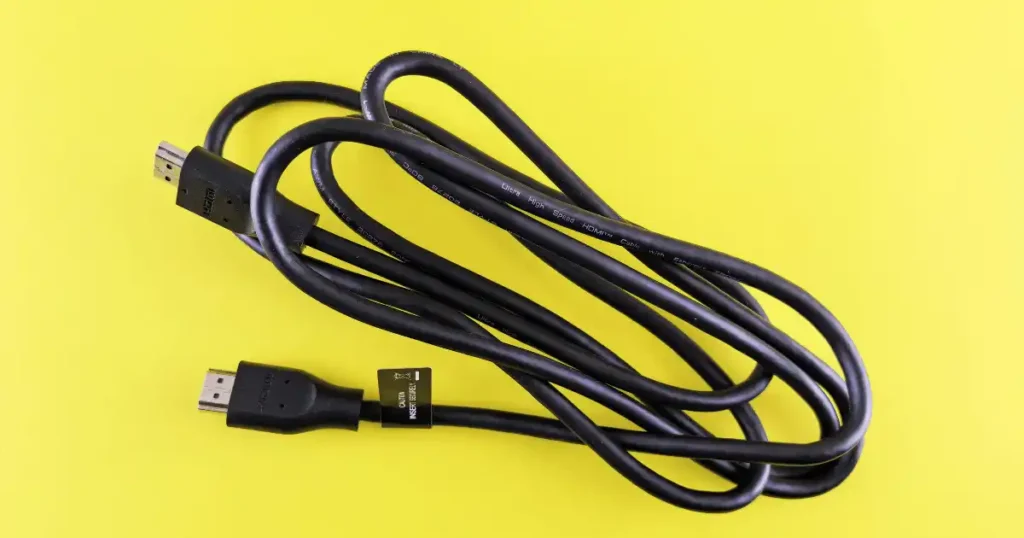
Your phone suddenly starts charging at the speed of a sleepy Monday morning. You wiggle the cable. It works. You wiggle it again. Nothing. Dust, lint, dirt on the connector, oil and grime, debris around the charging port, a damaged cable, or a bent connector can all cause this exact problem. Learning how to clean a charging cable properly, the way I do with every cable in my own bag after a trip through New York City, can fix a surprising number of slow charging complaints. Cleaning can help when dirt is the real problem, but cleaning cannot repair broken insulation, exposed wires, or a truly damaged connector.
This guide covers how to clean the cable itself, how to clean the connector safely, which tools to use, which tools to avoid, and exactly when it is time to replace the cable instead. Apple recommends disconnecting cables before cleaning and, for its USB-C and Lightning connectors, using a soft, dry, lint-free cloth rather than liquids or cleaning products.
Why Should You Clean a Charging Cable?
Charging cables spend their lives in pockets, backpacks, desks, and car cup holders. They collect more grime than most people ever notice, until charging starts acting strange.
Dust, Lint, Oil, and Moisture Build Up Over Time
Dust and lint build up gradually, especially around the connector tip. Oil from your hands transfers onto the cable every time you pick it up. Sweat and moisture can leave a thin residue after a workout or a humid commute. Dirt can collect specifically around the connector, where it hides in tiny gaps.
A Dirty Connector Can Affect Charging
A dirty connector can create a weak or unstable connection, leading to slow charging or intermittent disconnects. This is exactly the kind of everyday problem covered in our guide on common charging problems, where dirt is only one of several possible causes.
Cleaning Also Helps You Spot Damage
Cleaning is partly a maintenance task and partly an inspection task. While wiping the cable down, you naturally get a close look at fraying, cracks, or discoloration you might otherwise miss.
Can a Dirty Charging Cable Cause Slow Charging?
Sometimes, yes. But do not blame dirt for every slow charge you experience. The charger, the port, cable quality, and the device itself can all be involved at the same time.
Possible Causes Beyond Dirt
Dirt on the connector is one factor. Debris inside the device port is another, often a bigger one. Damaged cable conductors reduce power flow even without visible dirt. A poor quality charging cable may simply lack the build quality to charge quickly. An incompatible charger can also limit speed regardless of cleanliness. Battery or device problems sometimes masquerade as a cable issue entirely. Apple’s troubleshooting guidance recommends checking the cable and adapter for damage and trying another cable or charger when a device does not charge properly, which is good practice before assuming dirt is to blame.
What You Need to Clean a Charging Cable
You do not need a workshop full of gadgets for this job. In fact, using too many cleaning products can make things worse rather than better.
Basic Supplies
A soft microfiber or lint-free cloth handles most of the job. A clean, dry cotton cloth works as a backup option. A mild damp cloth can be used on the cable exterior only where the cable manufacturer’s guidance permits it. Good lighting helps you actually see what you are cleaning. An optional magnifying glass is useful for checking connector pins, dirt, corrosion, cracks, and fraying up close. A pack of microfiber cleaning cloths on Amazon is inexpensive and works well for this exact job.
What You Usually Don’t Need
Harsh chemicals, bleach, abrasive cleaners, metal tools, strong solvents, and excess water all belong on the avoid list. Google’s Pixel Watch USB-C cable guidance recommends a damp cloth with no soap and warns against solvents, abrasive materials, and chemical agents, which lines up with the same caution Apple gives for its own cables.
How to Clean a Charging Cable Step by Step
This is the main how to section. Keep the steps simple, slow, and safe. No heroic cable surgery required here, just patience and a gentle touch.
Step 1 to 3: Unplug, Inspect, and Wipe
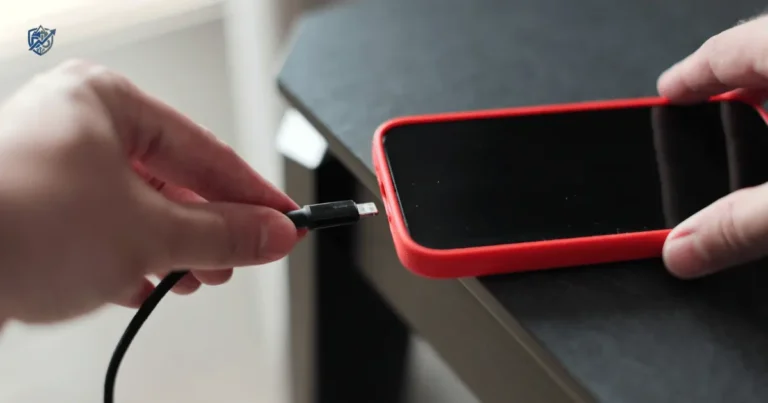
First, unplug the cable from everything, including your phone, tablet, laptop, power bank, wall adapter, and any power strip. Second, inspect the entire cable for fraying, cuts, cracks, bent sections, exposed wires, discoloration, or burn marks. Third, wipe the cable exterior using a soft cloth, gentle pressure, and long, light strokes along its full length.
Step 4 to 5: Clean and Recheck the Connector
Clean the connector using a dry, lint-free cloth with gentle wiping and no added force. Then check the connector again for dust, lint, corrosion, bent contacts, or any trace of moisture before moving forward.
Step 6 to 7: Dry Fully and Test
Let it fully dry, especially if any approved damp cleaning method touched the exterior. Only reconnect the cable once everything is clean and completely dry. Apple advises cleaning USB-C or Lightning connectors with a soft, dry, lint-free cloth and specifically says not to use liquids or cleaning products on those connectors. If your current cable is beyond saving, this replacement cable on Amazon is a reliable option worth considering.
How to Clean a USB-C Charging Cable
USB-C cables are everywhere now, from phones to laptops and power banks. Their small connector needs a genuinely gentle touch every single time.
Cleaning Steps for USB-C
Unplug the USB-C cable first. Wipe the metal connector gently with a dry cloth. Clean the cable housing along its full length. Check for lint and debris trapped near the tip. Do not scrape the contacts under any circumstances. Check for bent or damaged parts before reconnecting anything. If yours is showing wear, this USB-C cable on Amazon is a dependable replacement.
Why USB-C Connectors Need Gentle Handling
Small contacts, tight tolerances, repeated insertion, and normal mechanical wear all make USB-C connectors more delicate than they look. Apple’s current handling guidance says dirt, debris, and moisture can affect USB-C connectors and recommends disconnecting the cable and cleaning the connector with a soft, dry, lint-free cloth, a method that works well across most USB-C accessories, not just Apple’s own.
How to Clean a Lightning Charging Cable
Lightning cables are older than USB-C but still common today. The cleaning principle stays the same, disconnect first and keep liquids away from the connector.
Cleaning Steps for Lightning
Unplug the Lightning cable before doing anything else. Wipe the connector gently with a dry cloth. Remove any visible dirt around the pins. Check for discoloration on the metal contacts. Look for corrosion, which can appear as a dull or greenish tint. Inspect the cable near the connector, since this is where bending stress concentrates most.
When a Lightning Cable Should Be Replaced
Apple notes that discoloration on Lightning or USB-C connectors can occur with normal use, but also advises inspection for damage and discontinuing use if the cable is damaged. A quality replacement is worth the small cost, and this Lightning-compatible cable on Amazon is a solid pick if yours has run its course.
How to Clean the Cable Without Water
For many charging cables, dry cleaning is the safest starting point. You often need far less moisture than you might think to get a genuinely clean result.
Dry Cleaning Steps
Use a dry microfiber cloth for the entire process. Wipe the cable from end to end in one direction. Use a dry cloth around the connector specifically, since this area is most sensitive. Brush away loose surface dust gently with light pressure. Inspect again under bright light to confirm the job is done.
Why Dry Cleaning Is Often the Best First Step
Dry cleaning removes most everyday grime without any risk of moisture reaching internal contacts, which makes it the safest default choice before considering anything damp.
Can You Use Isopropyl Alcohol to Clean a Charging Cable?
This is where advice gets messy online. Some electronics allow limited alcohol cleaning on certain hard surfaces, but connector specific manufacturer guidance can be stricter than general cleaning tips suggest.
What to Know Before Reaching for Alcohol
People use isopropyl alcohol because it evaporates quickly and cuts through oil well. Still, check the cable manufacturer’s own guidance first, since rules differ between brands and connector types. There is a real difference between the connector and the cable housing, and what works on one may not be safe for the other. Never soak the cable in any liquid. Never pour alcohol directly into a connector opening. Allow any approved cleaning method to dry fully before reconnecting anything.
Apple’s general product cleaning guidance permits certain 70 percent isopropyl alcohol wipes on some hard, nonporous exterior surfaces, but its specific USB-C and Lightning cable guidance says to use a soft, dry, lint-free cloth and not use liquids or cleaning products on the connector itself. Isopropyl alcohol is not universally safe for every charging cable, so treat this as a case by case decision rather than a blanket rule.
How to Clean Dirt From a Charging Cable Connector
Connector dirt is usually tiny. That is exactly why aggressive cleaning tools can end up doing more harm than the dirt itself ever would.
Safe Connector Cleaning Steps
Start with a dry cloth before anything else. Use good lighting so you can actually see what you are removing. Wipe gently, never scrape. Avoid metal objects entirely near the contacts. Do not force debris deeper into the connector by accident. Know when the connector is genuinely damaged rather than simply dirty.
Why Toothpicks and Pins Can Be a Bad Idea
Sharp objects risk scratching contacts, bending small components, leaving fragments behind, and creating mechanical damage that a simple wipe would never cause. If a connector needs more than gentle wiping, it likely needs replacement instead, similar to the guidance in our piece on cleaning a smartphone charging port.
How to Clean a Charging Cable After It Gets Wet
Wet and charging do not belong together, ever. If a cable has been exposed to liquid, cleaning is not the first step. Disconnecting it immediately is.
What to Do After Liquid Exposure
Disconnect the cable right away. Keep it away from any power source. Let it dry naturally rather than forcing the process. Do not force a wet connector into a device. Do not use excessive heat to speed things up. Check for corrosion once everything has fully dried.
Google’s current guidance for a wet USB-C cable says to unplug it and not reconnect it until the cable and device are completely dry, which is the safest approach across nearly every brand.
What Not to Do
Do not use a hair dryer on high heat. Do not pour cleaner into the connector. Do not plug it in just to check if it still works. Do not put wet electronics in rice, since this old trick does little and can leave grains stuck inside ports. If a cable does not recover after drying, a fresh cable on Amazon is a safer bet than continuing to use one that got soaked.
How to Clean a Charging Cable Without Damaging It
The trick is less about finding a powerful cleaner and more about avoiding unnecessary force, moisture, and chemicals throughout the entire process.
Handling Rules to Follow
Do not bend the cable while cleaning it. Do not pull the cable by the wire itself. Do not scrub hard in any single spot. Do not spray cleaner directly onto the cable. Do not soak it in liquid. Do not use abrasive materials of any kind. Apple recommends a soft, lint-free cloth and warns against abrasive cloths, excessive wiping, liquids in openings, aerosol sprays, bleach, and abrasives for its products, guidance that applies broadly across most cable brands too.
Charging Cable Cleaning Mistakes to Avoid
Most cable cleaning disasters start with good intentions. Scrubbing a little harder than necessary is usually where things start to go sideways fast.
Common Mistakes
Cleaning while the cable is still connected creates unnecessary risk. Spraying cleaner directly onto the cable can push liquid into places it should never reach. Using too much water soaks parts that need to stay dry. Using bleach damages materials and poses a health risk. Using abrasive cleaners scratches surfaces permanently. Using metal tools risks bending or scraping delicate contacts. Scraping connector contacts wears away the thin plating. Bending the cable repeatedly weakens the internal wiring over time. Plugging it in before it is dry invites a short circuit. Continuing to use a frayed cable is a genuine safety hazard, not just a cosmetic issue.
Google explicitly says to unplug its charging cable before cleaning and warns against cleaning while powered, a rule worth following for every cable you own, not just Google branded ones.
Charging Cable Cleaning Methods Compared
Different parts of a cable need different treatment. The safest method for the outer jacket may not be the right method for the sensitive connector itself.
Which Cleaning Method Should You Use?
| Cable Area | Preferred Method | Avoid |
|---|---|---|
| Cable jacket | Soft cloth | Abrasive scrubbers |
| USB-C connector | Dry lint-free cloth | Liquids, metal tools |
| Lightning connector | Dry lint-free cloth | Liquids, scraping |
| USB-A connector | Gentle dry cleaning | Force or sharp tools |
| Wet cable | Disconnect and dry | Plugging in wet |
| Damaged cable | Replace | Trying to “clean” damage |
Matching the method to the material protects both your cable and your device, and keeping a spare on hand never hurts, which is why this backup charging cable on Amazon is worth having in a drawer.
How to Tell If a Charging Cable Is Dirty or Damaged
This distinction matters a great deal. Dirt can often be cleaned away safely. Broken insulation and damaged conductors, on the other hand, cannot be fixed with a cloth.
Signs of Dirt vs Signs of Damage
Signs of dirt include surface grime, dust, lint, minor residue, and mild connector discoloration. Signs of damage include frayed insulation, exposed wires, a cracked connector, bent contacts, burn marks, melted plastic, and repeated charging failures that do not improve after cleaning.
Signs of Corrosion and Heat Damage
Corrosion often looks like a dull, greenish, or crusty coating on metal contacts. Heat damage may show as discoloration, warping, or a slightly melted texture near the connector.
Cleaning Cannot Repair Physical Damage
Apple advises discontinuing use of damaged cables, including cables showing kinks, breaks, bends, or other damage, since no amount of careful cleaning restores broken internal wiring.
When Should You Replace a Charging Cable Instead?
Sometimes the smartest cleaning method is no cleaning at all. If the cable is physically damaged, replacing it is safer than trying to rescue it with any technique.
Replacement Situations
Replace a frayed cable without hesitation. Replace a cable with exposed wires immediately. Replace a melted cable, since heat damage rarely stays isolated to one small spot. Replace a cable with a loose connector that no longer holds a stable charge.
Replace a cable that gets abnormally hot during normal use. Replace a cable with repeated charging failures that persist after cleaning. Do not tape over serious damage as a workaround, since this hides the problem rather than fixing it. A sturdy option like this braided charging cable on Amazon tends to resist fraying better than thin, low cost cables.
“It Still Charges” Is Not a Safety Test
A cable can still technically charge your phone while showing real warning signs underneath. If you need a trustworthy replacement, this durable charging cable is built to handle daily wear better than many bargain options.
Why Charging Cables Get Dirty So Quickly
Your charging cable spends a lot of time touching hands, pockets, desks, and bags. Basically, it lives a rough little life compared to almost anything else you own.
Common Sources of Grime
Pocket lint collects around the connector constantly. Dust from bags settles into every crevice. Skin oil transfers with every touch. Food and drink residue sneaks on during casual use. Humidity and sweat leave behind a thin film over time. Desk dust builds up during long stretches of stationary charging. Car use adds its own mix of dust and temperature swings on top of everything else.
None of this means your cable is poorly made. It simply means cables live in messier conditions than most other electronics, similar to how a smartphone charging port collects lint from the exact same pockets and bags over time.
Real-Life Charging Cable Cleaning Examples
A few everyday situations can make this advice easier to remember than a wall of technical terms ever could.
Monday Morning Commute
Picture a cable that lives in a trouser pocket every single day. Pocket lint collects around the connector week after week. The phone starts charging intermittently, and a quick, gentle dry cleaning of the connector usually solves it within minutes.
Hot Portland Afternoon
Picture a cable sitting inside a backpack during a hot Portland afternoon. Sweat, dust, and heat build up around the connector together. The user notices unstable charging by evening, and inspecting the connector reveals the grime causing the problem.
Road Trip in the United States
Picture a cable that stays in a car for weeks at a time. Dust collects around the connector from the vents and floor mats. The cable also gets bent repeatedly near the USB-C end from being tucked into a cup holder, which eventually calls for inspection and possible replacement rather than more cleaning.
The “Just Wiggle It” Problem
If your charging cable needs a special handshake before it works, something is genuinely wrong. Repeated bending to find the right angle is not a repair, it is a warning sign that the cable is failing internally.
U.S. Expert and Manufacturer Safety Guidance
This section leans on actual manufacturer instructions instead of invented cleaning hacks pulled from social media trends.
Apple Guidance
Apple’s current guidance covers disconnecting before cleaning, using a soft lint-free cloth, keeping moisture away from connectors, avoiding liquids on USB-C and Lightning connectors specifically, and stopping use of any visibly damaged cable.
Google Guidance
Google’s Pixel Watch USB-C cable instructions say to unplug before cleaning, use a damp cloth without soap when appropriate, and avoid solvents, abrasives, and chemical agents entirely.
U.S. Electrical Safety Angle
Electricity and moisture form a genuinely bad combination, which is why damaged insulation matters so much and why cleaning should never involve a powered cable under any circumstance.
How Often Should You Clean a Charging Cable?
There is no magic every fourteen days rule here. Clean it when dirt builds up, and inspect it more often if it lives in a dusty pocket, bag, or car.
Cleaning Frequency by Situation
Light everyday use calls for inspection every few weeks, or whenever charging becomes unreliable. Heavy travel use deserves more frequent checks, since cables face more handling and more environments. Work or outdoor use may need more frequent cleaning due to extra dust and grime. After any liquid exposure, inspect immediately rather than waiting. After charging problems appear, inspect both the cable and the device port together, since one alone rarely tells the full story.
Building this into a regular habit, similar to checking your smartphone’s charging port for debris, turns cable care into a quick five minute task rather than an emergency fix once charging finally fails.
How to Keep Your Charging Cable Clean Longer
Cleaning is useful, but preventing the mess in the first place is even easier once you build a few small habits around storage.
Prevention Habits
Store the cable properly rather than tossing it loose. Avoid tight knots that stress the internal wiring. Use gentle loops instead of sharp folds. Keep it away from food and drinks whenever possible. Do not toss it into a dirty bag alongside crumbs and dust. Keep connector ends protected with a cap or pouch when not in use. Avoid repeated sharp bends near the connector, since this is the weakest point on almost every cable. A cable organizer case on Amazon makes this habit much easier to keep up daily.
Apple notes that repeatedly bending a cable in the same spot can make it weak or brittle and recommends gentle curves rather than sharp angles, a habit that extends the life of nearly any charging cable regardless of brand.
Charging Cable Cleaning Mistakes by Risk Level
Not every mistake carries equal weight. This table helps you see what is merely unhelpful and what deserves your immediate attention instead.
Cleaning Mistake Risk Guide
| Mistake | Risk | Better Choice |
|---|---|---|
| Dry cloth on cable | Low | Recommended |
| Excessive scrubbing | Medium | Use gentle pressure |
| Direct cleaner spray | Medium | Keep liquids away |
| Cleaning while powered | High | Unplug first |
| Sharp metal tool | Medium–High | Avoid |
| Wet connector | High | Let it dry fully |
| Frayed cable | High | Replace it |
| Exposed wires | High | Stop using |
| Melted connector | High | Replace immediately |
What to Do If Cleaning Does Not Fix the Charging Problem
A clean cable that still refuses to charge properly may be telling you something important. The real problem may not be dirt at all in that case.
Troubleshooting Steps
Test another cable to rule out a bad unit. Test another charger to rule out the adapter itself. Check the device charging port for hidden debris. Check for moisture inside the port or connector. Check for physical damage you might have missed on first inspection. Test with another compatible device to isolate the issue further. Check the power source, including the wall outlet itself. Consider cable replacement once you have ruled out everything else.
Apple’s troubleshooting flow recommends checking for cable or adapter damage, ensuring firm connections, removing debris from the device port, and trying another cable or charger, a sequence that resolves most stubborn charging issues without guesswork. This overlaps closely with our broader guide on what to do when your phone charges slowly.
Charging Cable Cleaning Checklist
This should be the screenshot friendly section. Short, practical, and no chemistry degree required to follow along.
Quick Cleaning Checklist
| Step | Check |
|---|---|
| 1 | Unplug the cable |
| 2 | Inspect for damage |
| 3 | Wipe the cable with a soft cloth |
| 4 | Gently clean the connector |
| 5 | Keep liquids away from connector openings |
| 6 | Check for corrosion or bent contacts |
| 7 | Let it dry completely |
| 8 | Test charging |
| 9 | Replace if damaged |
Frequently Asked Questions About Cleaning Charging Cables
How do I clean a charging cable?
Unplug it first, wipe the exterior with a soft cloth, clean the connector gently with a dry lint-free cloth, and let everything dry before testing it again.
Can I use alcohol to clean a charging cable?
Only on certain exterior surfaces, and only if the manufacturer allows it. Avoid alcohol or any liquid directly on USB-C or Lightning connectors.
Can I wash a charging cable with water?
No, avoid soaking or washing a cable with water. A slightly damp cloth on the exterior may be acceptable, but the connector should stay dry.
How do I clean a USB-C charging cable?
Unplug it, wipe the connector gently with a dry cloth, clean the housing, and check for bent or damaged parts before reconnecting.
How do I clean a Lightning cable?
Unplug it, wipe the connector gently, remove visible dirt, and check for discoloration or corrosion before using it again.
How do I remove lint from a charging cable?
Use a dry, soft brush or lint-free cloth to gently loosen and remove lint from around the connector without forcing anything deeper.
Can I use a toothbrush to clean a charging cable?
A very soft, dry brush can help with loose lint, but avoid any brush with stiff bristles near the connector contacts.
Can I use a toothpick to clean a USB-C cable?
This is risky and generally not recommended, since a toothpick can scratch contacts, bend components, or leave fragments behind inside the connector.
Can a dirty charging cable cause slow charging?
Yes, a dirty connector can create a weak connection, though slow charging can also come from the charger, port, or device itself.
Why does my charging cable keep disconnecting?
This often points to a loose connector, internal wire damage, or debris in the port rather than surface dirt alone.
How often should I clean my charging cable?
Clean it whenever you notice buildup or unreliable charging, and inspect it more often if it lives in a dusty bag, pocket, or car.
How do I clean a charging cable after it gets wet?
Disconnect it immediately, keep it away from power, let it dry naturally, and check for corrosion once it is completely dry.
Should I replace a frayed charging cable?
Yes, always replace a frayed cable rather than trying to clean or repair it, since frayed insulation is a genuine safety risk.
Why does my charging cable get hot?
Heat can come from fast charging, a damaged cable, a low quality build, or a poor connection, and any abnormal heat deserves inspection.
How can I make my charging cable last longer?
Avoid sharp bends, store it properly, keep it away from moisture and food, and clean it gently on a regular basis to prevent buildup.
Safe Charging Cable Maintenance Routine
End with a simple routine you can actually remember and use every time you sit down to clean a cable.
Before, During, and After Cleaning
Before cleaning, unplug everything, inspect the cable, and check the connector closely. During cleaning, use gentle pressure, a soft lint-free cloth, and keep liquids away from connectors while never scraping the contacts. After cleaning, let it dry fully, inspect it again, and test it with a compatible device before trusting it for daily use.
Replace Instead of Cleaning When
Replace the cable instead of cleaning it if it is frayed, if wires are exposed, if the connector is damaged, if plastic has melted, if it gets abnormally hot, or if charging remains unreliable even after a thorough cleaning.
Final Recommendation
After cleaning more charging cables than I can count, both my own and ones readers have asked me about, my honest advice is this. Reach for a dry, soft cloth first, since it solves the majority of everyday grime problems without any risk at all. Save alcohol or damp cloths for exterior surfaces only, and never let liquid near a connector opening. Treat any fraying, exposed wire, or melted plastic as a firm signal to replace the cable rather than clean it, since no cleaning method restores broken insulation.
Build a simple habit of a quick wipe down every few weeks, especially if your cable travels in a bag or car. This small routine has saved me more than one frustrating slow charging session, and it will likely do the same for you. When it is time for a fresh cable, this is the one I currently keep on hand for its build quality and consistent performance.
Related Reading on This Site
- How Long Should Your Electronics Really Last
- How to Extend the Life of Your Smartphone
- 10 Things That Shorten Your Laptop’s Lifespan
- How to Store Electronics You Don’t Use Often Safely
- Does Heat Really Damage Your Electronics
- Common Charging Problems Explained
- How to Avoid Counterfeit Chargers and Batteries
- How to Improve Laptop Battery Health
- Common Laptop Charging Problems
- Why Your Laptop Battery Drains Quickly
- How to Clean a Smartphone Charging Port
- What to Do When Your Phone Charges Slowly
- Why Phone Battery Drains Overnight
- How Long Does a Smartphone Battery Last
- How to Improve Smartphone Battery Life
- Common Smartphone Mistakes That Damage Battery Life
- Why Smartphones Overheat During Charging
- Why Electronics Overheat and What You Can Do
- How to Protect Your Smartphone From Water
- How to Safely Dispose of Old Electronics
- When Should You Replace Your Smartphone
- Cheap vs Expensive Electronics
- Refurbished vs New Electronics
- How to Buy Electronics Safely Online
- How to Know If an Online Electronics Deal Is Legit
- 10 Tech Buying Mistakes Beginners Make
- How to Safely Clean Tech Products
- How to Clean a Laptop Keyboard Safely
- Why Your New Device May Not Work as Expected
- 15 Things to Try Before Replacing a Broken Gadget

Ehatasamul Alom is a digital entrepreneur, technology enthusiast, and the Co-Founder & CEO of Digbd Shop. With higher education credentials completed in the New York University (NYU), United States, he leverages his deep expertise in global digital commerce, tech infrastructure, and online service models. Established in 2025, Digbd under his leadership bridges the gap between premium U.S. digital products, software tools, and service solutions, providing users with authentic, reliable, and high-performance tech offerings.