How to Safely Charge a Power Bank Without Fire Risks
I still remember plugging in my power bank one night in New York City, watching the little LEDs blink, and heading straight to bed without a second thought. That habit is more common than most people realize, and it is exactly why learning how to safely charge a power bank matters so much today. Charging one is usually simple, but there is a real lithium-ion battery inside that needs proper care, not blind trust. The good news is that safe charging comes down to a handful of simple habits.
Use the right charger and cable, keep the unit on a hard surface, stay away from heat, and watch for swelling or strange smells. U.S. safety agencies have logged real overheating and fire reports tied to power banks, so this is more than routine battery care. This guide walks you through every step, in plain language, without diving into heavy battery theory.
How Do You Safely Charge a Power Bank?
The safest method is surprisingly simple. Give the battery the right amount of power, keep it cool, and avoid any charging setup that traps heat. That is really the whole formula. Everything else in this guide builds on those three ideas.
1. Check the Power Bank Before Charging
Before you plug anything in, take ten seconds to look the unit over. This single habit prevents most charging accidents.
Look for these warning signs:
- Cracks in the casing
- Swelling or a puffy shape
- Bent or warped casing
- A damaged USB port
- A frayed or exposed cable
- Burn marks near the ports
- A strange chemical smell
- Unusual heat even before charging
- Any sign of liquid damage
If you spot even one of these, stop. Do not charge that unit. This is the same first step I recommend before you buy electronics safely online, because a damaged product rarely improves once it reaches your home.
2. Use the Recommended Charging Input
Every power bank has a printed input rating, usually right on the label or in the manual. Check the voltage and current before you plug in anything.
USB-C makes this a little confusing because the port shape does not tell you the power capability. Two USB-C cables can look identical and still carry very different amounts of power. Don’t assume every USB-C charger is the same. A reliable option like this USB-C charger removes the guesswork because it lists exact output specs on the box. Fast charging only works when the charger, cable, and power bank all support the same protocol, so mismatched gear simply charges slower rather than faster.
3. Connect the Cable and Charger Correctly
Once you know your power bank’s input rating, the setup itself takes seconds.
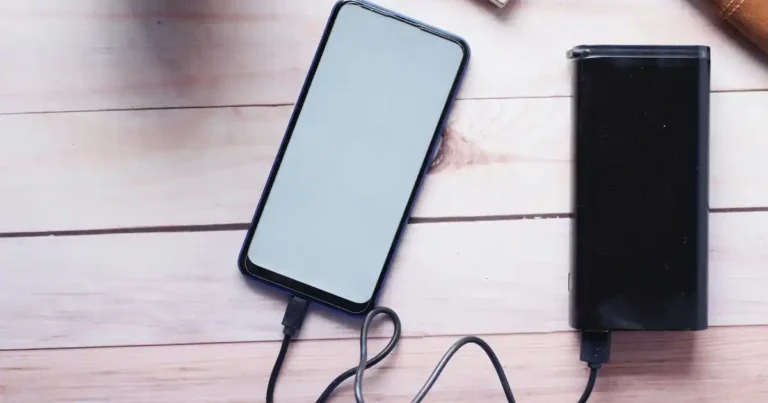
- Place the power bank on a stable, flat surface.
- Connect the cable to the power bank first.
- Plug the charger into a suitable wall outlet.
- Watch the charging indicator to confirm it behaves normally.
- Leave open space around the device for airflow.
A cheap or worn cable is one of the most common common charging problems people run into, so it is worth using one you trust. This same setup routine applies whether you are troubleshooting laptop charging problems or a simple power bank, since loose connections and worn ports cause most of the trouble in both cases. Keeping a spare, verified cable such as this one in your bag saves you from reaching for whatever cable happens to be nearby.
4. Put It on a Hard, Open Surface
Beds, sofas, blankets, and piles of clothing all trap heat. Soft fabric surrounds the power bank and blocks the airflow it needs while charging.
A power bank sitting on a desk in a cool room behaves very differently from one buried under a pillow. I learned this firsthand during a summer trip when my power bank sat on a nightstand instead of my bed, and it stayed noticeably cooler than it had the week before under a blanket. This is closely tied to how heat really damages your electronics over time, not just during a single charging session.
5. Let It Finish Charging Normally
Modern power banks are built to manage their own charging curve. Trust the process rather than fighting it.
- Watch the LED indicators for full-charge signals.
- Follow the manufacturer’s specific instructions for your model.
- Avoid unplugging and replugging the cable repeatedly.
- Remember that leaving it plugged in longer does not add extra battery capacity once it reaches full charge.
If your unit seems to take much longer than the table above suggests, the issue is often the same root cause behind what to do when your phone charges slowly, namely a worn cable, a weak charger, or a port full of lint.
What Charger Should You Use for a Power Bank?
The charger matters, but bigger wattage numbers are not automatically better. Your power bank and charger need to communicate correctly, and that depends on compatibility, not raw power.
Use the Manufacturer’s Recommended Charger
If your power bank came with a charger in the box, that is usually your safest first choice. It was tested specifically for that battery.
- Use the original charger when you have it.
- Check the manufacturer’s listed specifications before substituting another brand.
- Choose a compatible USB-C charger if you need a replacement.
- Match the input voltage and current to what the power bank actually needs.
I keep a dependable charger like this one in my bag specifically because it matches a wide range of power bank input requirements without guesswork.
Can You Use a Phone Charger to Charge a Power Bank?
Often, yes. If the charger’s output matches your power bank’s input requirements, it will work fine.
USB-C does not automatically mean every charger is interchangeable. Two chargers can share the same port shape and still deliver very different voltage and current. Before you substitute a phone charger, check its rated output against your power bank’s label. When in doubt, a versatile charger such as this one covers most phone and power bank combinations safely.
What About Fast Chargers?
Fast charging relies on a shared standard between the charger and the device.
- USB Power Delivery, known as USB-PD, is common across newer devices.
- Quick Charge is another widely used standard, mostly on older Android chargers.
- Fast charging only activates when both ends of the connection support the same protocol.
- A high-watt charger will not force extra wattage into a power bank that cannot accept it.
- Always check the manufacturer’s specifications rather than assuming more watts equals faster charging.
Phones face a similar issue, and if you have ever wondered why smartphones overheat during charging, the answer usually traces back to the same mismatched protocol problem that affects power banks.
Is a Cheap Charger Safe?
Not always. Poor-quality chargers cut corners in ways you cannot see from the outside.
- Fake safety certification marks are more common than people expect.
- Damaged or loose plugs create resistance and heat.
- Unreliable internal cables can short out under load.
- Cheap components tend to generate more heat during normal use.
If a charger feels flimsy, has a wobbly plug, or came bundled for an unusually low price, it is worth replacing. I switched to a certified charger like this one after a cheaper unit ran noticeably warm during routine charging, and the difference in temperature was obvious within a week.
What Safety Certifications Should You Look For?
Certifications are not a perfect guarantee, but they signal that a product went through independent testing. The CPSC lists standards including UL 1642 for lithium batteries and UL 2743 for portable power packs among relevant voluntary safety standards. Look for these marks printed clearly on the product or its packaging, and be cautious of logos that look slightly off or blurry, since counterfeit marks do exist. This is exactly the kind of detail covered in guides on how to avoid counterfeit chargers and batteries.
How Long Does It Take to Charge a Power Bank?
Charging time depends on the battery’s capacity, the charger’s output, the battery’s condition, and the power bank’s internal charging design. There is no single universal answer.
Typical Charging Time by Capacity
Table 1: Estimated Power Bank Charging Times
| Power Bank | Typical Input | Rough Charging Time* |
|---|---|---|
| 5,000mAh | 5W to 10W | 2 to 4 hours |
| 10,000mAh | 10W to 18W | 3 to 6 hours |
| 20,000mAh | 18W to 30W | 4 to 8 hours |
| 25,000mAh+ | 20W to 45W+ | 5 to 10+ hours |
*These numbers are broad estimates, not guarantees. Actual charging time varies by model, charging protocol, battery age, and the specific charging curve your device uses.
Why Does Charging Slow Down Near 100%?
This is completely normal, not a sign of a problem.
- The battery management system reduces current as the cells approach full charge.
- Lower current means less heat during the final stretch.
- This protects individual cells from stress.
- It explains why the last few percentage points often take longer than the first fifty percent.
How Can You Tell If a Power Bank Is Charging Normally?
Pay attention to these simple signals.
- The LED behavior stays consistent and predictable.
- The casing stays only mildly warm, never hot to the touch.
- There are no clicking, hissing, or popping sounds.
- There is no chemical smell.
- The charging time roughly matches what you expect for its capacity.
Can You Leave a Power Bank Charging Overnight?
This is one of the most common questions I get, and the honest answer is not a simple yes or no. It depends on the power bank’s condition, the charger, and where you place it.
Is Overnight Charging Usually Safe?
Most modern power banks include built-in charging control circuitry that manages voltage and current automatically. A well-designed product from a reputable brand, paired with a safety-rated charger like this one, can typically handle overnight charging without issue. That said, defective, damaged, recalled, or poorly made products can still fail even with a good charger attached.
Why You Shouldn’t Charge It Under a Pillow
Soft bedding traps heat around the device and blocks the airflow it needs. It also makes it nearly impossible to notice overheating until it becomes a real hazard. Flammable bedding sitting directly against a warm battery is simply not a safe combination.
When Should You Avoid Overnight Charging?
Skip overnight charging in these situations.
- The power bank shows any physical damage.
- It becomes unusually hot during use.
- The casing looks swollen.
- The charging cable is frayed or damaged.
- The charger behaves erratically or gets very warm.
- The specific model has been recalled.
- The unit is very old or has an unreliable charging history.
This overlaps closely with the reasons behind why your phone battery drains overnight, since a weak or aging battery tends to misbehave in both charging and discharging directions.
Where Is the Safest Place to Charge a Power Bank?
Think cool, dry, visible, and uncluttered. A boring desk is genuinely one of the best charging stations you can pick.
Best Charging Locations
- A desk
- A table
- A clean countertop
- A hard floor away from heat sources
Places to Avoid
- A bed
- A sofa
- Under blankets
- Inside a closed bag
- Inside a closed drawer
- Direct sunlight
- A hot car
- Near heaters
- Near flammable materials
What Temperature Is Safe for Charging?
According to USFA guidance, lithium-ion batteries should not be charged below 32°F (0°C) or above 105°F (40°C). Staying within that range protects the internal chemistry and reduces stress on the cells.
Table 2: Power Bank Charging Environment
| Environment | Safety Level | Why |
|---|---|---|
| Cool desk | Good | Good airflow |
| Open table | Good | Easy to monitor |
| Bed | Poor | Traps heat |
| Under pillow | Very poor | Heat plus blocked airflow |
| Hot car | Poor | High temperature |
| Direct sunlight | Poor | External heat |
How Do You Know If a Power Bank Is Dangerous?
Your power bank should never smell strange, swell, leak, or become unusually hot. Those are not normal quirks of an aging battery.
Warning Signs You Should Never Ignore
- Swollen casing
- A bulging battery pack
- Visible cracks
- Any leaking fluid
- Smoke of any amount
- A hissing sound
- Popping or crackling noises
- A strong chemical smell
- Discoloration on the casing
- Excessive heat that keeps climbing
The USFA specifically advises stopping use if a lithium-ion battery shows an odor, a color change, excessive heat, a shape change, leakage, or unusual noises. Many of these same red flags show up in lists of common smartphone mistakes that damage battery life, which tells you the underlying battery chemistry does not care what device it is inside.
What Should You Do If a Power Bank Gets Very Hot?
Follow this sequence calmly.
- Stop charging immediately if it is safe to reach the plug.
- Disconnect it from power.
- Stop using it entirely after this point.
- Move it away from flammable materials if you can do so safely.
- Never puncture or open the casing.
- Follow your local battery-disposal guidance for the unit going forward.
What If the Power Bank Is Swollen?
This deserves special attention because swelling is one of the clearest danger signs a battery can show.
- Stop using it immediately.
- Never press down on the swollen area.
- Never squeeze or compress the case.
- Never attempt a DIY battery replacement.
- Never throw a damaged lithium-ion battery into ordinary household trash.
- Contact the manufacturer or a local hazardous-waste and battery-recycling service.
The CPSC advises special handling for defective or recalled lithium-ion batteries rather than ordinary trash or standard recycling streams. If you are unsure what to do with an old or failing unit, my guide on how to safely dispose of old electronics covers the process step by step.
Can a Power Bank Catch Fire While Charging?
Yes, it can. This is uncommon with a well-made, properly used product, but lithium-ion battery failures can create serious heat and fire hazards.
Why Lithium-Ion Batteries Can Overheat
Several factors can trigger overheating.
- An internal short circuit
- Physically damaged cells
- Manufacturing defects
- Drop damage or crushing
- Excessive external heat
- Charging faults from mismatched components
- Poor-quality internal parts
Curious readers often ask why electronics overheat in general, and the same core principles apply directly to power banks.
What Is Thermal Runaway?
In simple terms, thermal runaway is a chain reaction. One part of the battery heats up, that heat causes nearby cells to heat up too, and the cycle can escalate quickly toward a fire if it is not interrupted early. You do not need to understand the chemistry behind it to stay safe. You just need to recognize the warning signs early and disconnect the device the moment something feels off.
Real U.S. Power Bank Recall Examples
Real recall history is useful evidence for why this topic matters.
The INIU BI-B41 model saw about 210,000 units recalled in December 2025 after reports of overheating and fires. Belkin has also recalled portable power banks over overheating and fire or burn hazards. More recently, Flaunt MagSafe battery chargers were recalled in July 2026 following overheating and fire reports.
These cases matter because they show why checking your specific brand, model, and recall status matters more than assuming an expensive or familiar-looking power bank is automatically safe. It is also a good reminder of the tradeoffs behind cheap vs expensive electronics, since price alone never guarantees safety, and neither does a recognizable logo.
Should You Charge a Power Bank While Using It?
This depends entirely on the product’s design. Some power banks support charging while powering another device, and some simply do not. Always follow the manufacturer’s instructions first.
What Is Pass-Through Charging?
Pass-through charging means the power bank charges itself from the wall while simultaneously sending power out to another device, like your phone.
Does Pass-Through Charging Create More Heat?
Yes, typically a bit more. Running two electrical processes at once increases activity inside the unit, and any inefficiency in that process shows up as extra heat. How much heat depends heavily on the specific model’s internal design.
When Should You Avoid It?
Skip pass-through charging in these cases.
- The power bank already feels hot.
- The manufacturer’s manual does not list pass-through as supported.
- You are charging multiple high-power devices at once.
- The battery shows any sign of age or damage.
How to Charge a Power Bank Safely in Hot Weather
Heat is easy to overlook because it often has nothing to do with the charger itself. A charger can work perfectly normally while the surrounding room, car, or sunlight pushes the battery’s temperature much higher than it should be.
Don’t Leave a Power Bank in a Hot Car
Car interiors climb far above outside temperature within minutes, even on a mild day.
Keep It Away From Direct Sunlight
A sunny windowsill can heat a battery well past its safe charging range in a short time.
Let a Hot Power Bank Cool Before Charging
If the unit already feels warm from use or travel, give it time to reach room temperature before plugging it in.
Don’t Cover It With Clothing or Bedding
Fabric traps heat exactly the same way during hot weather as it does at night, so the same rule applies here.
Summer travel through hot regions makes this especially relevant. A power bank left in a parked car during a road trip faces very different conditions than one charging quietly indoors in Portland on a mild afternoon. Laptops face a nearly identical struggle in hot weather, and the same fixes that help stop a laptop from overheating apply directly to any lithium-ion device sitting in a warm bag or car.
How to Charge a Power Bank When Traveling
Travel introduces a few extra variables: packed bags, hot cars, airports, and airline rules. Your normal charging routine needs small adjustments on the road.
Don’t Charge It Inside a Closed Bag
A backpack or suitcase traps heat just as effectively as bedding does.
Check Your Airline’s Lithium Battery Rules
Airlines generally require spare lithium-ion batteries, including power banks, to travel in carry-on luggage rather than checked bags. Most airlines also enforce watt-hour limits, and rules vary slightly by carrier, so check your specific airline before you fly.
Keep the Power Bank Accessible
Store it somewhere you can reach quickly during security screening and monitor easily while traveling.
Inspect It Before a Trip
Run through this quick checklist before you pack.
- No swelling
- No cracks
- The cable works properly
- The ports are clean and free of debris
- The battery holds a charge normally
- No active recall notice for the model
A compact, TSA-friendly option like this travel power bank has held up well on flights for me, and pairing it with a spare certified cable avoids the scramble of finding a working one at the gate.
Power Bank Charging Mistakes You Should Avoid
Most charging mistakes come from simple habits, not carelessness. The problem is that small habits become genuinely risky once heat, damage, or a faulty battery enters the picture.
Charging Under a Pillow
Using a Damaged Cable
Ignoring Excessive Heat
Charging a Swollen Battery
Using an Unknown or Poor-Quality Charger
Leaving It in a Hot Car
Buying a Power Bank Without Checking Safety Information
Ignoring Product Recalls
Table 3: Common Mistakes vs Safer Choices
| Mistake | Why It’s a Problem | Safer Choice |
|---|---|---|
| Charging under a pillow | Traps heat | Use a hard surface |
| Using damaged cable | Electrical and charging risk | Replace the cable |
| Ignoring swelling | Possible battery failure | Stop using it |
| Charging in a hot car | Excessive heat | Charge indoors |
| Ignoring recalls | Known safety hazard | Check the model and serial number |
| Covering the device | Poor airflow | Keep it exposed |
Many of these habits overlap with the same common charging problems that affect phones and laptops, so fixing them here tends to improve your whole charging routine. Cutting corners on any of these points is also a leading reason people end up considering things to try before replacing a broken gadget, when the real fix was a better charging habit all along. Keeping your accessories clean matters too, and the same steps used to safely clean tech products apply directly to a power bank’s ports and casing.
How to Maintain a Power Bank for Longer Battery Life
Safe charging and good battery life go hand in hand. You do not need to treat a power bank like a museum piece, but a little consistent care goes a long way.
Keep the Battery Cool
Heat is the single biggest factor that shortens lithium-ion battery lifespan over time. The same principle drives most advice on how to improve smartphone battery life and how to improve your laptop’s battery health, because every lithium-ion cell ages faster in heat, regardless of which device it sits inside.
Avoid Physical Damage
Drops, crushing, and bending all stress the internal cells, even when the damage is not visible from the outside. This is one of several habits I cover when I explain why your laptop battery drains quickly, since internal stress from physical damage often shows up first as unexpected drain rather than an obvious crack.
Keep Charging Ports Clean
Dust and lint buildup can interfere with a stable connection. This is the same reason it helps to routinely clean a smartphone charging port on your phone.
Use Good-Quality Cables
A worn or cheap cable adds resistance, and resistance creates heat. Pairing your power bank with a well-made cable like this one makes a noticeable difference over months of daily use.
Store It Properly
Keep it in a moderate room temperature, a dry location, away from direct sunlight, and away from flammable materials. This mirrors the same advice I give for how to store electronics you don’t use often.
Don’t Store a Damaged Power Bank
A damaged unit does not become safer by sitting untouched in a drawer. Handle it the same way you would a currently failing battery.
Should You Store It at 100%?
Storage guidance varies by manufacturer and battery design, so there is no single universal percentage that applies to every model. Check your specific product’s manual rather than following one fixed rule you saw somewhere else. If you plan to set a power bank aside for a season, the same principles in my guide on how to store electronics you don’t use often will help it come back to life in good condition, and understanding how long your electronics should really last sets realistic expectations for when it is finally time to replace it.
How to Choose a Safer Power Bank
Safety starts before the first charge. A good buying decision prevents most problems long before they ever happen.
Check the Manufacturer
Look for clear company information, published product specifications, an accessible warranty, published safety information, and easy-to-find recall information. This is one of the biggest factors I cover when I explain how to buy electronics safely online.
Check Battery and Product Certifications
Look for relevant safety standards, UL-related markings, proper product labeling, and be cautious of fake certification claims that look slightly off.
Check Input and Output Specifications
Match the power bank’s rated input and output to the devices you actually plan to charge, rather than buying based on capacity alone.
Look for Overcharge and Overheat Protection
Reputable brands list this protection directly in the product description. If you cannot find it mentioned anywhere, that is worth treating as a red flag, the same way I treat a listing that skips key details when I check if an online electronics deal is legit.
Avoid Suspiciously Cheap Products
A price that looks too good to be true, especially for a large battery capacity, usually signals corners were cut somewhere. I go into more detail on this pattern in my guide to tech buying mistakes beginners make, and the same caution applies to common laptop buying mistakes, where an unusually low price is almost always a warning sign rather than a bargain. A well-reviewed option like this power bank gives you a dependable baseline to compare against, and it has consistently avoided the overheating complaints I have seen tied to cheaper unbranded units. Skipping this research step is also a common reason a new device may not work as expected right out of the box.
Table 4: Power Bank Buying Safety Checklist
| Feature | What to Check |
|---|---|
| Battery type | Lithium-ion or lithium-polymer |
| Input | Compatible with your charger |
| Output | Matches your devices |
| Protection | Overcharge and overheat protection |
| Certification | Credible safety certification |
| Manufacturer | Traceable company |
| Warranty | Clear warranty support |
| Recall information | Easy to verify |
U.S. Expert Advice on Power Bank Safety
For a safety topic like this one, expert guidance should come from organizations that specialize in battery and fire risk, not just general gadget advice.
U.S. Fire Administration Guidance
The USFA recommends a simple framework known as C.H.A.R.G.E for battery safety.
- C for choosing certified products
- H for handling with care
- A for always staying alert to warning signs
- R for recycling properly
- G for getting out quickly if a battery fire starts
- E for educating others
The USFA recommends choosing certified products, handling lithium-ion batteries carefully, staying alert to warning signs, and recycling them properly.
CPSC Safety and Recall Advice
The CPSC’s guidance points to a few clear actions for consumers. Check for product recalls regularly. Stop using any recalled product immediately. Follow the official disposal instructions for that specific model. Report unsafe products through the proper channels so other buyers are protected too.
The CPSC’s recent power-bank warnings demonstrate why checking the exact model and serial number can matter more than trusting a brand name alone.
Expert Quote
I am not a certified battery engineer, so I want to be transparent here rather than invent a quote that sounds authoritative. If you want direct expert commentary, the USFA and CPSC both publish verified statements from fire officials and product-safety engineers on their official sites, and I encourage you to read those directly for technical depth beyond what a personal guide like this one can responsibly offer.
For readers who also travel with a laptop, the same water and heat precautions apply broadly, and it is worth reading how to protect your smartphone from water alongside this guide, since a splash near a charging power bank raises the same risk as a splash near a phone.
Frequently Asked Questions About Charging a Power Bank
Can I charge a power bank overnight?
Yes, in most cases, as long as the unit is undamaged, paired with a compatible charger, and placed on a hard surface away from bedding.
Is it safe to charge a power bank with a phone charger?
Usually yes, as long as the charger’s output matches the power bank’s rated input requirements.
Can a power bank overcharge?
Modern units include charging control circuitry that stops the flow of power once the battery is full, so overcharging in the traditional sense is rare with a well-made product.
How long should a 10,000mAh power bank charge?
Roughly three to six hours with a 10W to 18W charger, though actual time varies by model and battery condition.
Why does my power bank get hot while charging?
Mild warmth is normal. Excessive or climbing heat usually points to a damaged battery, an incompatible charger, or a covered charging surface.
Should I stop using a swollen power bank?
Yes, immediately. Swelling is one of the clearest signs of internal battery failure.
Can I charge my power bank while charging my phone?
Only if the model supports pass-through charging. Check the manufacturer’s manual before relying on this feature regularly.
Can I leave my power bank plugged in all day?
It is not ideal. Unplug it once it reaches full charge to reduce unnecessary heat exposure over time.
Is fast charging bad for a power bank?
Not inherently, as long as the charger, cable, and power bank all support the same fast-charging standard.
Can I charge a power bank in a hot car?
No. Car interiors heat up quickly and can push the battery well past a safe charging temperature.
What should I do if my power bank smells strange?
Disconnect it immediately, stop using it, and follow local hazardous-waste disposal guidance rather than ordinary trash.
How should I dispose of a damaged power bank?
Contact the manufacturer or a local battery-recycling program. Never place a damaged lithium-ion battery in regular household trash.
Final Power Bank Charging Safety Checklist
Here is a simple checklist you can screenshot and use the next time you plug in your power bank.
Before Charging
- Check for swelling or damage
- Check the cable
- Use a compatible charger
- Check for recalls
- Place it on a hard surface
During Charging
- Keep it uncovered
- Keep it away from heat
- Watch for unusual heat
- Never ignore strange smells or sounds
- Don’t charge damaged batteries
After Charging
- Disconnect when appropriate
- Store somewhere cool and dry
- Keep away from children and flammable items
- Follow local recycling rules for damaged batteries
If you want one dependable setup that checks most of these boxes automatically, this is the charger and power bank combination I personally recommend, and it has held up well through months of regular travel and daily use.
Final Recommendation
After years of testing power banks for travel, work, and everyday use, my honest advice is simple. Buy from a traceable manufacturer, match your charger to the rated input, and never ignore heat, swelling, or a strange smell. Most fire risks I have read about in CPSC recalls trace back to a defective unit, not a careless owner, which is exactly why checking your model against recall lists matters as much as good charging habits. I keep my own power bank on a bare desk, never under a pillow, and I replace any cable the moment it looks worn.
This same mindset applies to every gadget I own, and it is why I pay close attention to guides on things that shorten a laptop’s lifespan and extending the life of a smartphone, since good charging habits protect your entire device collection, not just one accessory. If you follow the steps in this guide, you can safely charge a power bank without losing sleep over it, literally or otherwise. Small habits protect you far more than any single expensive product ever will, and starting with a trustworthy unit like the one I linked throughout this guide makes those habits far easier to keep.

Ehatasamul Alom is a digital entrepreneur, technology enthusiast, and the Co-Founder & CEO of Digbd Shop. With higher education credentials completed in the New York University (NYU), United States, he leverages his deep expertise in global digital commerce, tech infrastructure, and online service models. Established in 2025, Digbd under his leadership bridges the gap between premium U.S. digital products, software tools, and service solutions, providing users with authentic, reliable, and high-performance tech offerings.