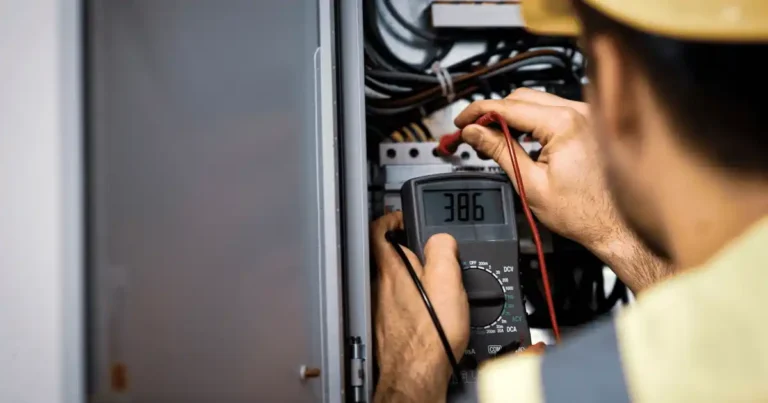
Why a Power Bank Stops Charging and How to Fix It
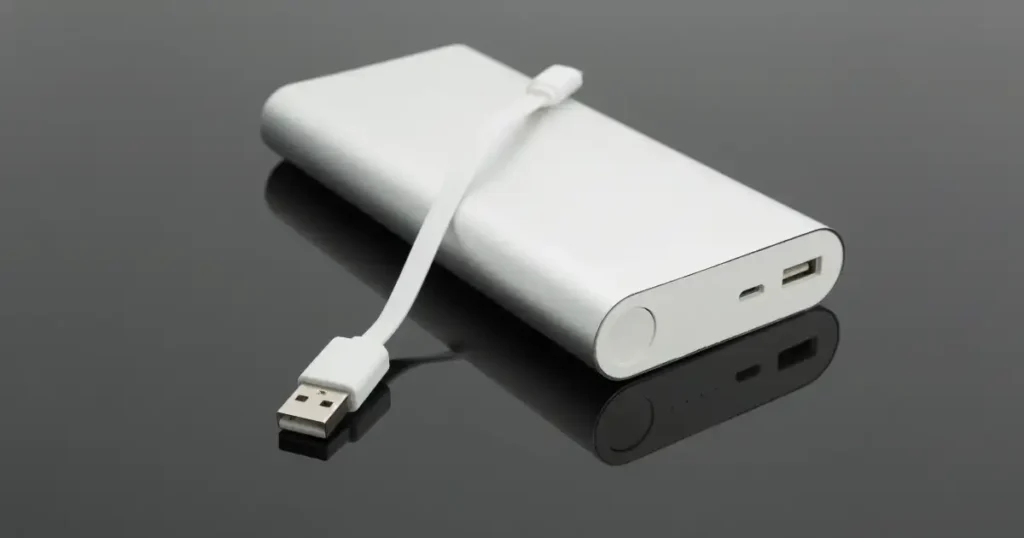
You plug in your power bank at a coffee shop in Minneapolis, watch the charging light blink on, and then it just stops. Or worse, the percentage sits frozen no matter how long you wait. A power bank stops charging for one of two distinct reasons, and mixing them up wastes a lot of troubleshooting time. Either the power bank itself stops charging, or it stops charging your phone once connected.
The cause is often simpler than it feels in the moment, including a bad cable, a weak charger, a dirty port, excess heat, a low battery, or a protection circuit doing exactly its job. An aging or damaged lithium-ion battery remains another real possibility. You can run several safe checks before deciding a replacement is necessary, and this guide walks through every one of them.
Why Does a Power Bank Stop Charging?
A power bank can stop charging for a normal safety reason, a connection problem, or a genuinely failing battery. Figuring out exactly what stopped is always the right first step.
The power bank stops charging itself
Watch for the charging indicator turning off, the battery percentage refusing to climb, charging that starts and then stops, a bank that only charges when the cable gets moved, or one that refuses to charge from certain chargers entirely.
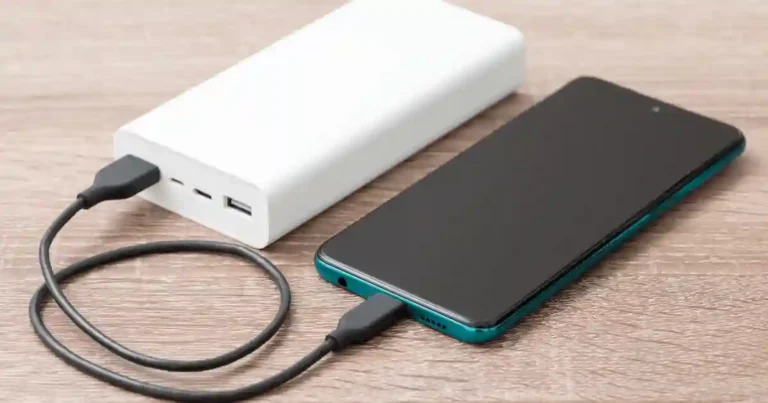
The power bank stops charging your phone
Your phone begins charging normally, then stops after a few seconds or minutes. Sometimes the power bank shuts itself off entirely, and charging only resumes once you reconnect the phone’s cable.
Why this difference matters
An input problem points you toward the charger, cable, input port, and battery condition. An output problem points toward the output port, the phone itself, the cable, and the power bank’s own power-management behavior. Treating both problems as the exact same fault wastes time and often leads you toward the wrong fix.
12 Common Reasons a Power Bank Stops Charging
Check the simple causes before assuming the battery is dead. A loose cable or dirty port can create surprisingly strange charging behavior on its own.
1. The charging cable is damaged
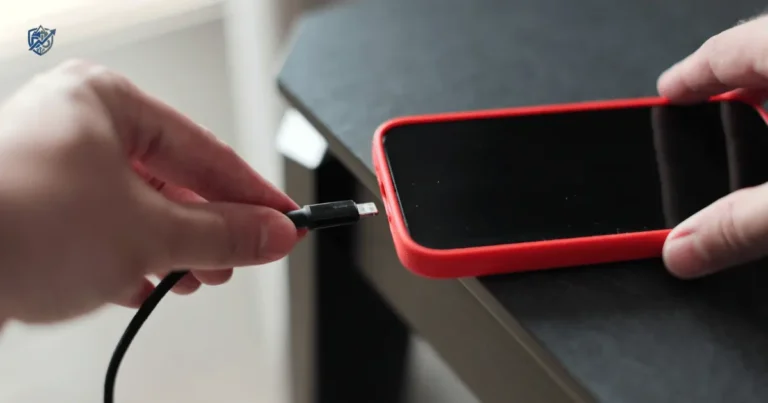
Broken internal wires, a bent connector, a loose USB-C plug, or frayed insulation can all cause charging to work only when the cable sits at a very specific angle.
2. The wall charger is not providing stable power
An old or damaged adapter, a very low-power charger, or one that is simply not compatible with your power bank can all trigger this issue. Testing with a known-good wall adapter quickly rules this cause in or out.
3. The charging port is dirty
Dust and pocket lint can block proper contact inside the port, leading to intermittent charging or a loose connection that feels random. Our guide on how to clean a smartphone charging port covers safe techniques that apply here too.
4. The cable is not fully inserted
USB-C connectors can feel connected even when the plug is not properly seated. Check both ends carefully, and never force the connector into place.
5. The power bank is too hot
Charging can be reduced or stopped entirely to protect the battery once temperatures climb. This commonly happens inside a hot car, under direct sunlight, under a pillow, inside a tightly packed bag, or near another heat source. Our guide on why electronics overheat explains this protective behavior in more depth.
6. The power bank is too cold
Lithium-ion batteries behave differently in cold conditions. Let the unit return to a normal indoor temperature naturally, and never try to heat it with a hair dryer or other direct heat source.
7. The battery is completely depleted
Some power banks need a short period before their indicator responds again. Very low battery voltage can trigger protective behavior on its own. Leave the unit connected to a suitable charger for a while before retesting it.
8. The battery protection circuit has activated
Over-current protection, over-voltage protection, over-temperature protection, and short-circuit protection can each stop charging on purpose. Stopping in these cases represents correct safety behavior rather than a genuine fault.
9. The power bank is overloaded
Multiple connected devices, or a single high-power device drawing more than expected, can trigger output protection that shuts the bank down entirely.
10. Pass-through charging is causing problems
Charging the power bank while it simultaneously charges another device is called pass-through charging, and not every model supports it well. Disconnecting everything during troubleshooting removes this variable completely.
11. The battery has aged
Aging batteries show reduced capacity, longer recharge times, sudden shutdowns, unreliable percentage readings, and noticeably shorter runtime. Our guide on why your laptop battery drains quickly covers a closely related aging pattern.
12. The power bank has an internal hardware fault
A damaged charging circuit, a failed battery cell, a broken connector, internal moisture, physical damage, or a manufacturing defect can each cause charging to stop unpredictably.
First Check Which Charging Problem You Have
This quick diagnosis saves a lot of wasted effort. Do not start buying replacement cables until you know whether the input or output side is actually failing.
| What happens | Check first |
|---|---|
| Power bank will not charge at all | Charger, cable, input port |
| It charges for a few minutes, then stops | Heat, protection circuit, cable |
| Battery stays at the same percentage | Charger, cable, battery condition |
| Phone stops charging from the bank | Output port, phone cable, power bank output |
| Charging works only when cable moves | Cable or port |
| Bank shuts off with one device | Output overload or compatibility |
| Bank is very hot | Stop charging and inspect safely |
| Bank is swollen | Stop using it immediately |
How to Fix a Power Bank That Stops Charging
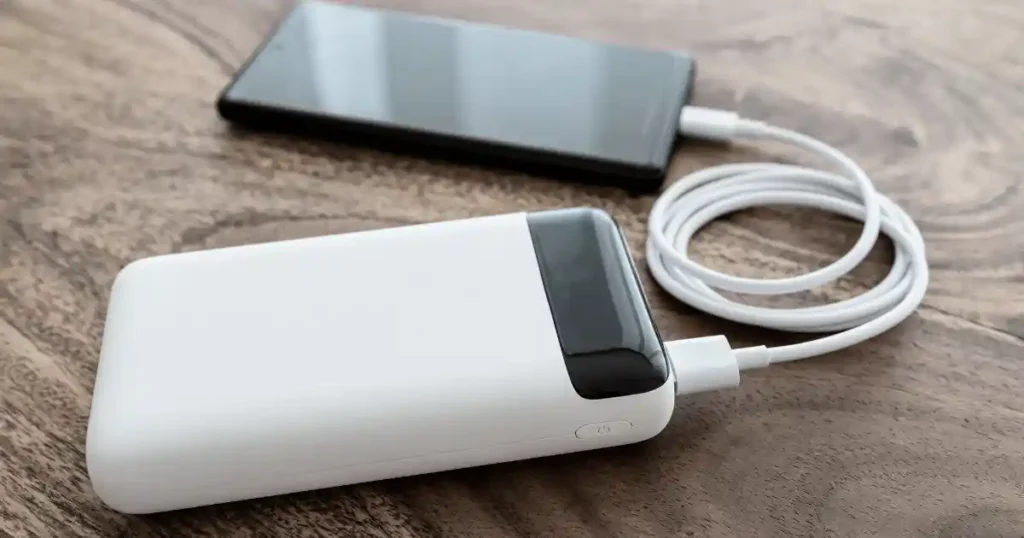
Work through these checks in order, starting with the easiest fix, and avoid opening the power bank at any point.
Step 1, disconnect every device
Remove phones, tablets, and earbuds, and unplug any cables from unused ports before testing the power bank entirely on its own.
Step 2, try a different charging cable
Use a known-good cable, preferably from a reputable manufacturer, and check it for visible physical damage. Test USB-C input if your power bank supports it.
Step 3, try a different wall charger
Use a genuinely compatible charger, check its printed output rating, and avoid very old adapters during testing. Never assume the most powerful charger will force the bank to accept more power than its input circuit allows.
Step 4, check the charging port
Look for lint or debris using good lighting, and never insert knives, pins, paper clips, or other metal objects into the port. If the port itself feels physically loose, professional service or replacement is the safer route.
Step 5, let the power bank cool
Disconnect it, place it on a hard, open surface, let it return to normal room temperature, and retest once it has fully cooled.
Step 6, give a deeply discharged bank time
Connect it to a suitable charger and leave it undisturbed for a while, checking periodically whether the indicator returns. Avoid repeatedly plugging and unplugging it every few seconds out of impatience.
Step 7, test another device
If the bank charges one phone but not another, check the phone itself, the cable, and general charging compatibility. This step helps isolate a genuine output-side problem quickly.
How to Safely Clean a Power Bank Charging Port
Pocket lint is small, but it can cause a surprisingly large headache. Cleaning needs to stay gentle, since connector pins are genuinely easy to damage.
Inspect the port first
Use a flashlight, look for visible lint, check for bent pins, and watch for any signs of corrosion or moisture inside the connector.
Use gentle cleaning methods
Power off or disconnect the device first, use suitable non-metal cleaning tools, work slowly and gently, and keep liquids completely away from the port.
What not to do
Never pour alcohol into the port, never use water, never poke hard with metal, never scrape aggressively, and never force debris deeper into the connector by accident.
Why a Power Bank Charges Then Stops
This specific symptom deserves its own section, since it often points toward protection behavior, heat, cable problems, or a genuinely aging battery.
The battery gets too warm
Charging begins normally, temperature rises during the session, and the protection system reduces or stops charging as a direct response.
The charger or cable becomes unstable
An intermittent connection, small voltage drops, or a charging circuit that repeatedly stops and retries can all produce this exact pattern.
The battery reaches a protection threshold
Battery-management systems exist specifically to stop charging once safety limits are reached, protecting the cells from damage.
The battery is deteriorating
Older cells often develop higher internal resistance over time, which can make charging noticeably less stable while also reducing overall runtime.
The power bank is detecting an abnormal load
A short circuit, excessive current draw, or unsupported device behavior can each trigger the protection circuit to shut output down entirely.
Power Bank Stops Charging at 80%, 90%, or 99%
Getting stuck near full does not always mean the power bank is defective. Lithium-ion charging naturally slows as the battery approaches full capacity.
Why charging slows near full
Charging current gets reduced automatically, and battery-management circuitry becomes more conservative near the top. The final percentage can genuinely take much longer than the middle portion of the charge did.
When this is normal
The bank consistently reaches full eventually, shows no unusual heat, no swelling, and no sudden shutdowns anywhere along the way.
When it may indicate a problem
Watch for a bank that always stops at the exact same percentage, one that used to reach 100% but no longer does, charging that takes dramatically longer than it used to, or a unit that becomes unusually hot during this final stretch.
Important distinction
Slow charging near 100% is often perfectly normal. A percentage that never progresses at all deserves real investigation. A sudden shutdown paired with noticeable heat means you should stop and inspect the unit safely.
How USB-C, USB-A, and Fast Charging Affect Power Banks
Connector shape only tells part of the story. Charging speed also depends on the power standard, the charger, the cable, and the power bank’s own internal charging circuit.
USB-C does not automatically mean fast charging
USB-C describes a connector standard, and different devices built around that same connector can support very different charging capabilities. Check the actual specifications rather than assuming based on the plug shape alone.
USB-A charging
USB-A remains common on older power banks, and its charging speed depends heavily on the specific port and whatever charging technology it supports underneath.
USB Power Delivery
USB Power Delivery lets the charger and device negotiate a supported power level together. The power bank never simply accepts unlimited power just because a strong charger is connected.
PPS and proprietary charging standards
Some devices rely on specific charging protocols like PPS, and a mismatch between protocols can lead to slower or noticeably different charging behavior. Never assume a particular fast-charge mode will work without confirming actual device compatibility first.
How Charger Wattage Can Cause Charging Problems
The charger ranks among the first things worth testing, since it is cheap to rule out and genuinely easy to overlook.
Read the charger label
Watts equal volts multiplied by amps. A 5V/1A charger delivers 5W, a 5V/2A charger delivers 10W, and a 9V/2A charger delivers 18W.
Match charger capability with power bank input
Check your power bank’s maximum input rating directly. A 100W charger does not mean every power bank will charge at 100W, since the bank’s own input circuit ultimately sets the real limit.
Why an old phone charger may cause trouble
Lower power output, older charging protocols, and general wear from years of use all make an old adapter less suitable for high-capacity power banks that need real input power to recharge properly.
Power Bank Input vs Output Explained
This ranks among the most useful distinctions in the entire troubleshooting process. A power bank can have genuinely fast output while still recharging itself quite slowly.
| Specification | Meaning | Example |
|---|---|---|
| Input | Power entering the bank | 30W |
| Output | Power leaving the bank | 65W |
| Capacity | Stored energy | 20,000mAh |
| USB PD | Charging protocol | Supported |
| PPS | Dynamic charging support | Supported or unsupported |
Why high output does not guarantee fast recharge
A power bank rated for 65W output does not automatically accept 65W input. Always check both specifications separately rather than assuming they match.
What to look for when buying
Look for a genuinely high input wattage, USB-C input support, USB PD compatibility, a suitable cable, and clear manufacturer specifications you can actually verify. A model built around these features, like this power bank on Amazon, avoids many of the input-related complaints covered in this guide.
How to Tell If the Power Bank Battery Is Bad
If the charger, cable, port, and temperature all check out fine, the battery itself becomes a much stronger suspect.
Charging takes much longer than it used to
Compare current charging performance directly against how the unit behaved in the past.
Battery percentage jumps or gets stuck
Either pattern points toward a possible battery-management issue or a genuine cell problem developing inside the unit.
Runtime has dropped sharply
A bank that still charges but provides noticeably less usable energy afterward signals real capacity loss.
It shuts down unexpectedly
This becomes especially concerning when the shutdown happens under a completely normal load.
It becomes unusually hot
Heat combined with any of the charging problems above deserves genuine caution rather than continued troubleshooting.
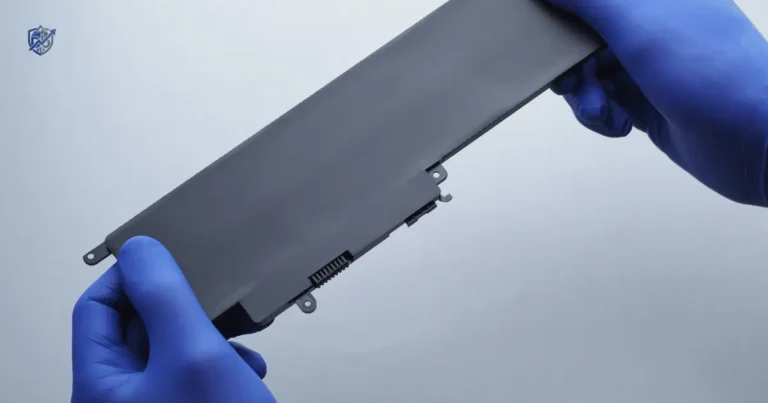
The case is swollen
Treat any swelling as a safety issue immediately. Never puncture it, never squeeze it, and never attempt a DIY cell replacement yourself.
Warning Signs You Should Stop Using a Power Bank
Troubleshooting stays useful right up until safety becomes the actual issue. Some symptoms are a clear signal to stop testing altogether.
Stop using it if you notice
A swollen or bulging case, a burning smell, visible smoke, leaking fluid, severe overheating, cracked or crushed housing, signs of water intrusion, or repeated electrical failure even after basic testing.
Do not open a lithium-ion power bank
Internal cells can genuinely be hazardous to handle. Avoid any DIY battery replacement unless it is performed by an appropriately qualified professional using the correct equipment and safety precautions.
What to do next
Disconnect it if it remains safe to do so, keep it away from flammable materials, follow your local battery and electronics recycling guidance, and check the manufacturer’s own safety instructions before deciding on next steps. Our guide on safely disposing of old electronics walks through this process in more detail.
Real-Life Troubleshooting Test You Can Do at Home
Good troubleshooting changes one variable at a time. That approach sounds boring, but it genuinely works better than guessing.
The five-minute test
Try the original cable with the original charger first, then swap in a known-good cable with the same charger, then keep that cable with a different charger, then change both the cable and charger together, and finally test the power bank completely alone with no output device connected.
Record what happens
| Test | Cable | Charger | Device Connected | Result |
|---|---|---|---|---|
| 1 | Original | Original | None | Stops |
| 2 | New | Original | None | Works |
| 3 | New | Different | None | Works |
| 4 | New | Different | Phone | Stops |
Why changing one thing matters
If changing the cable alone fixes the issue, you have found your answer immediately. If nothing changes across every test, the power bank itself deserves closer attention. Avoid changing five things at once and then guessing which change actually fixed the problem.
Real-world scenario
A commuter notices their power bank stops charging every single morning. The bank still works normally for phone charging throughout the day. Testing reveals a loose connector inside the USB-C input cable as the actual culprit. A simple replacement cable solves the entire problem, and no new power bank ends up necessary at all.
USA Expert Advice on Power Bank Troubleshooting
The hands-on testing approach
Consumer-electronics reviewers and battery specialists with genuine, published testing experience consistently emphasize isolating one variable at a time rather than replacing an entire unit on a hunch. Any direct quote used to support a claim like this should come from a verified source, interview, or publication, since inventing credentials or quotations would undermine the exact trust this guide is trying to build.
Suggested expert perspective
Experienced reviewers commonly point to a few recurring themes worth repeating here. Cables get overlooked far more often than they should during troubleshooting. Thermal protection genuinely shapes charging behavior in ways beginners rarely expect. Battery degradation becomes noticeable gradually rather than all at once. Advertised wattage never equals sustained real-world charging power. Replacement eventually becomes safer than repair once physical battery damage enters the picture.
Common Mistakes That Make a Power Bank Stop Charging
Using a damaged cable
A visibly frayed or bent cable can cause intermittent charging that looks like a much bigger problem than it actually is.
Charging under a pillow or blanket
Trapped heat and poor airflow make this habit worth avoiding completely, regardless of how convenient it feels at bedtime.
Leaving the power bank in a hot car
Extreme heat inside a parked car can trigger thermal protection or, over time, genuinely damage the battery.
Using random low-quality chargers
Inconsistent or unverified chargers introduce unnecessary variables into your charging setup, similar to the risks covered in our guide on avoiding counterfeit chargers and batteries.
Charging several devices during troubleshooting
Testing with multiple devices connected at once makes it far harder to isolate the actual source of the problem.
Ignoring a loose charging port
A port that feels physically loose rarely fixes itself and often gets worse with continued use.
Continuing to use a swollen battery
This habit turns a fixable inconvenience into a genuine safety hazard almost immediately.
Assuming every USB-C port works the same way
Different USB-C ports on the same device can support entirely different functions, including charging only, data only, or full power delivery.
Replacing the power bank before testing the cable
Many people buy an entirely new unit before ever trying a simple, inexpensive cable swap first.
Repeatedly plugging and unplugging a failing unit
This habit rarely fixes an underlying issue and can sometimes stress an already struggling connector further.
When Should You Replace a Power Bank?
Replacement makes sense once basic troubleshooting clearly points to battery wear or genuine hardware damage. There is no prize for keeping a failing battery alive forever.
Replace it if it is physically damaged
A cracked case, severe impact damage, water exposure, or visible swelling all justify retiring the unit for good.
Replace it if charging remains unreliable
Multiple chargers tested, multiple cables tested, a clean port, normal temperature, and the problem still continues together point toward genuine hardware failure.
Replace it if capacity has dropped sharply
Much shorter runtime, frequent recharging, and unexpected shutdowns together signal real capacity loss worth addressing with a new unit.
Replace it if it repeatedly overheats
This matters especially when the overheating happens under completely normal charging conditions rather than an unusual environment.
Check the warranty first
Gather your model number, purchase date, and manufacturer support details, then review your warranty terms before deciding between a replacement claim and buying outright. Our guide on common tech buying mistakes beginners make is worth a quick read before your next purchase too.
How to Prevent a Power Bank From Stopping Charging
Good charging habits reduce avoidable problems and genuinely help the battery last longer over time.
Use compatible chargers and cables consistently, keep ports clean and dry, avoid extreme heat, and steer clear of unnecessary physical impact. Skip storing the unit fully depleted for long periods, and avoid leaving it in direct sunlight whenever possible. Store it in a cool, dry place, and follow the manufacturer’s charging instructions closely rather than improvising your own routine.
Power Bank Troubleshooting Checklist
If the power bank stops charging itself
Check the cable, try another charger, check the input port, remove other connected devices, let it cool, check for physical damage, test it at room temperature, check the manufacturer’s input specification, and look for any battery warning signs mentioned earlier in this guide.
If the power bank stops charging your phone
Try another phone cable, try another device, check the output port, check the power bank’s output rating, disconnect other devices, check phone charging compatibility, and check whether the power bank automatically shuts off at low loads.
Stop troubleshooting if
The battery is swollen, it smells burnt, it leaks, it produces smoke, it becomes dangerously hot, or the case shows severe physical damage.
Frequently Asked Questions
Why does my power bank stop charging after a few minutes?
Heat, a loose cable connection, a weak charger, an activated protection circuit, or genuine battery wear can each cause this exact pattern.
Why does my power bank stop charging at 80%?
This usually reflects normal charging slowdown near full capacity, not a fault. A bank that never progresses past 80% at all, however, deserves real investigation.
Why does my power bank turn off while charging my phone?
A low-load auto shutoff feature, output protection kicking in, a phone or cable issue, or simple battery level can each explain this behavior.
Can a bad cable make a power bank stop charging?
Yes, absolutely. Intermittent connections caused by a damaged cable can make charging start and stop unpredictably.
Can heat make a power bank stop charging?
Yes. Thermal protection systems can reduce or stop charging entirely to protect the battery once temperatures climb too high.
How do I reset a power bank that stops charging?
Only follow a reset method if your specific manufacturer provides one directly. Universal “hold these buttons” advice does not apply consistently across different power bank models.
Should I leave a power bank charging overnight?
Always check your manufacturer’s specific instructions first. Modern charging systems include real protection features, but you should still avoid charging damaged batteries, exposing them to excessive heat, or leaving them in poor charging environments overnight.
How do I know if my power bank is dead?
No response with a known-good charger and cable, no output at all, no charging indicator lighting up, visible physical damage, or severe battery degradation together point toward a genuinely dead unit.
Final Recommendation
After years spent troubleshooting chargers, cables, and power banks for friends, family, and my own daily carry, my honest advice stays consistent. Before assuming your power bank stops charging because of a dead battery, work through the cable, the charger, the port, and the temperature first, since one of those four causes the problem far more often than genuine hardware failure.
Change one variable at a time, keep the unit cool and clean, and never ignore swelling, heat, or a burning smell no matter how minor it seems. If your current unit still fails after honest troubleshooting, a well-built replacement like this power bank on Amazon is exactly what I would point a friend toward once it’s genuinely time to retire the old one.

Ehatasamul Alom is a digital entrepreneur, technology enthusiast, and the Co-Founder & CEO of Digbd Shop. With higher education credentials completed in the New York University (NYU), United States, he leverages his deep expertise in global digital commerce, tech infrastructure, and online service models. Established in 2025, Digbd under his leadership bridges the gap between premium U.S. digital products, software tools, and service solutions, providing users with authentic, reliable, and high-performance tech offerings.