How Heat Affects Electronic Devices and Their Battery Life
A phone sits in direct sunlight on a hot afternoon. The screen dims. Charging slows. Then the dreaded temperature warning appears. I watched this exact sequence play out on my own phone one summer afternoon in Seattle, sitting on a patio table longer than I realized. Or maybe your laptop fan suddenly sounds like a tiny vacuum cleaner mid video call. Some warmth is completely normal, since electronics produce heat while processing data, charging batteries, and moving electrical current through their circuits. The real problem begins once heat rises beyond a device’s intended operating range.
Understanding how heat affects electronic devices matters because heat can touch performance, battery health, internal components, and in severe cases, safety itself. Most modern devices include built-in thermal protection to manage this. Apple, for example, says iPhones may slow or stop charging and reduce performance when internal temperatures climb too high.
Why Do Electronic Devices Get Hot?
Heat is not always a sign that something is broken. Electronics naturally convert some electrical energy into heat during normal operation.
Electrical Energy Creates Heat
Every electrical circuit has some resistance, and that resistance converts a portion of the electricity flowing through it into heat as a natural byproduct. This happens in every device, from a simple phone charger to a full desktop computer, and a small amount of warmth from this process is completely expected.
Processors Produce Heat
CPUs and GPUs generate heat proportional to how hard they work. Heavy apps, gaming, video editing, and AI workloads all push processors harder, which raises heat output noticeably compared to light browsing or reading email. My guide on what laptop specifications matter most touches on how processor choice affects this heat output over time, and choosing a laptop for video editing covers this exact workload in more detail.
Batteries Produce Heat During Charging
Charging pushes energy into a battery through a chemical process that naturally releases some heat, which is why a phone, laptop, or power bank often feels warm while plugged in. Apple notes that batteries warm while charging, and its devices intentionally reduce charging current as the battery approaches full charge to help manage that heat.
Wireless Charging Can Produce Extra Heat
Wireless charging loses more energy as heat than a direct cable connection does, since the process relies on transferring power through electromagnetic induction rather than a solid electrical connection.
Poor Ventilation Traps Heat
A device that cannot release heat efficiently holds onto it far longer than one with open airflow, which is why enclosed spaces and blocked vents make ordinary warmth feel far more intense.
Warm Is Not Always the Same as Overheating
A device that feels warm during normal use is behaving exactly as designed. True overheating involves a sustained temperature that triggers protective slowdowns, warnings, or shutdowns, which is a very different situation from ordinary operating warmth.
What Happens to Electronics When They Get Too Hot?
Heat can affect electronics in several ways. Some effects are temporary, while repeated or extreme heat can cause lasting damage.
Performance Can Drop
CPU throttling and GPU throttling both reduce processing speed to lower heat output, which shows up as lower frame rates, slower apps, and longer processing times during heavy tasks.
Charging Can Slow or Stop
Devices often reduce charging speed or pause charging entirely once internal temperatures rise past a safe threshold, protecting the battery from additional heat stress.
Screens May Dim
Reducing screen brightness lowers overall power draw and heat output, which is why many devices dim automatically once they detect elevated internal temperatures.
Devices May Shut Down
A full shutdown is the most aggressive protective response, reserved for situations where continued operation risks real component damage.
Wireless Signals May Be Reduced
Some devices intentionally reduce cellular or Wi-Fi signal strength during overheating events, since radio components also generate heat and reducing their output helps the overall thermal picture.
Some Features May Temporarily Disable
Apple specifically lists charging pauses, screen dimming, reduced performance, and other temporary changes as normal responses when an iPhone becomes too hot.
Why Thermal Throttling Is Actually Helpful
Slowing a device down during high heat is a protective response, not a failure. It exists specifically to prevent the kind of permanent damage that continued full-speed operation under high heat could cause.
How Heat Affects Electronic Components
Different components react to heat in different ways. A processor may slow itself down, while long-term heat can stress other parts that show no obvious warning at all.
CPU and GPU
Processors respond to heat through thermal throttling, which trades short-term performance for long-term protection. Repeated exposure to high heat over years can still contribute to gradual thermal stress even with throttling in place.
Circuit Boards
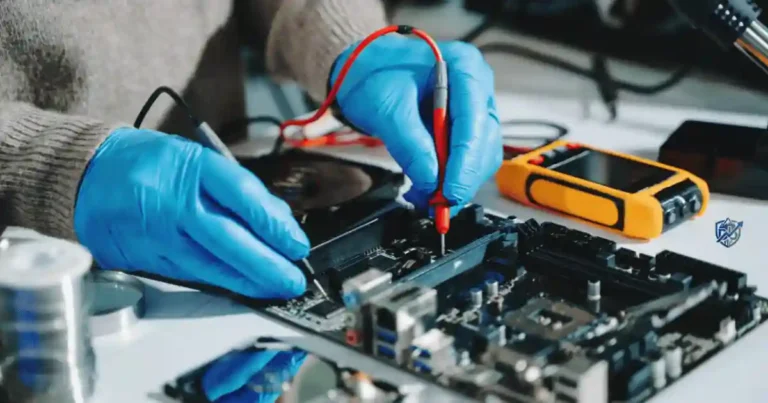
Circuit board materials, solder joints, and component connections all experience repeated heating and cooling cycles throughout a device’s life, and this cycling gradually stresses the physical connections holding everything together.
Capacitors
Capacitors are especially sensitive to heat, and elevated operating temperatures measurably shorten their expected working life compared to cooler operating conditions.
Semiconductors
Semiconductor components can experience altered electrical behavior at high temperatures, and sustained heat exposure contributes to long-term degradation.
Memory and Storage
Memory and storage components generally tolerate normal operating heat well, though extreme or sustained high temperatures can still affect reliability over time.
Cooling Fans
Fans themselves are mechanical parts that wear down faster under constant heavy use, and a failing fan compounds heat problems by reducing the airflow a device depends on.
Why Dust Makes Heat Problems Worse
Dust insulates internal components and blocks the airflow a cooling system depends on, which raises operating temperatures well beyond what a clean device would experience under the same workload. My guide on how to safely clean tech products covers the right way to remove that buildup, and how to clean a laptop keyboard safely addresses the keyboard area specifically, since dust often collects there first.
How Heat Affects Lithium-Ion Batteries
This is one of the most important parts of this topic, since lithium-ion batteries power phones, laptops, tablets, earbuds, power banks, and many other portable devices people rely on every day.
Heat Can Reduce Battery Lifespan
Apple says using or charging an iPhone above 35°C, or 95°F, ambient temperature can permanently reduce battery lifespan.
Heat Can Increase Battery Degradation
Heat accelerates the chemical reactions inside a lithium-ion battery, which speeds up capacity loss, increases internal resistance, and reduces overall runtime over time. The U.S. Department of Energy notes that rechargeable lithium-ion batteries lose capacity and energy-delivery ability as they age, and NASA research has also examined high-temperature degradation mechanisms in similar detail. My guide on how long does a smartphone battery last explains this same aging curve in more everyday terms.
Heat Can Affect Charging
A battery that is already warm accepts charge less efficiently, which is part of why devices slow charging speed once internal temperatures climb.
Heat Can Make Battery Performance Less Predictable
A heat-stressed battery can behave inconsistently, showing sudden percentage drops or unexpected shutdowns that would not occur in a battery that has stayed within its normal temperature range.
Extreme Heat Can Create a Safety Risk
Extreme heat pushes a lithium-ion battery closer to conditions that can trigger a genuine safety event, which is why manufacturers build in the protective measures covered throughout this guide.
What Is Thermal Runaway?
NASA describes thermal runaway as a condition in which stored energy is rapidly released as heat, potentially leading to very high temperatures and propagation between cells. In simple terms, one damaged or overheated cell can trigger a chain reaction in neighboring cells, which is exactly why swollen or overheated batteries deserve immediate caution rather than continued use.
What Temperature Is Too Hot for Electronic Devices?
There is no single temperature that applies to every electronic device. The safe range depends on the specific product, its battery, its components, and the manufacturer’s own testing.
Why There Is No Universal Safe Temperature
Different devices use different battery chemistries, casing materials, and internal cooling designs, so a temperature that feels perfectly safe for one product could exceed the limits of another.
Example: Smartphone Operating Temperatures
Apple specifies an ambient operating range of 0°C to 35°C, or 32°F to 95°F, for iPhone and iPad use.
Storage Temperature vs Operating Temperature
Storage temperature and operating temperature are not the same thing, since a device sitting unused tolerates a wider range than one actively processing data or charging. Apple lists an iPhone storage range of negative 20°C to 45°C, or negative 4°F to 113°F.
Check the Device Manufacturer’s Temperature Range
Always check your specific manufacturer’s stated temperature range rather than assuming a general rule applies. I put together this table as a practical guide based on common patterns across consumer electronics, not a universal standard for every device.
| Condition | Possible Effect | What to Do |
|---|---|---|
| Slightly warm | Normal operation | Continue normally |
| Warm during heavy use | Higher fan/load | Reduce workload if needed |
| Very hot | Performance may drop | Move to cooler area |
| Charging becomes very hot | Charging may slow | Stop charging and cool |
| Temperature warning | Protection activated | Follow device instructions |
| Swollen/hot battery | Potential safety issue | Stop using and seek help |
These ranges are a practical guide, not a universal rule. Always use the temperature limits supplied by the device maker, since different electronics use different components and batteries.
How Heat Affects Phones and Tablets
Phones deal with a tricky mix of small batteries, powerful processors, and very little physical space. There is not much room for heat to escape.
Direct Sunlight
Direct sunlight raises a phone’s surface and internal temperature quickly, often faster than the surrounding air temperature would suggest on its own.
Gaming and Heavy Apps
Extended gaming sessions and other demanding apps push the processor hard for long stretches, which generates noticeably more heat than everyday browsing or messaging.
Navigation in Hot Weather
Continuous GPS use combines screen brightness, active data use, and processor load all at once, which is a common recipe for a warm phone on a hot day.
Charging While Using the Phone
Charging and active use both generate heat independently, so doing both at the same time compounds the total heat output beyond either activity alone.
Wireless Charging
Wireless charging pads add their own heat on top of the battery’s normal charging warmth, which is part of why wireless charging often runs warmer than a cable connection.
Phone Cases and Heat
Thick cases can trap heat against the device, especially during charging, which is part of why some manufacturers recommend removing a case if a phone consistently runs hot while plugged in.
What Happens When a Phone Gets Too Hot?
A device that overheats can pause charging, dim its screen, slow its performance, limit camera functions, display temperature warnings, or shut down entirely depending on how severe the heat has become. My guide on why your new device may not work as expected can help rule out other causes if these symptoms show up on a brand new phone.
Real-Life Example: A Hot Afternoon in Rajshahi
On a hot afternoon in Rajshahi, a phone left on a dashboard can heat up far faster than it would indoors. The car can feel like an oven even when the outside temperature does not seem extreme, and a phone sitting in that trapped heat for even twenty minutes can reach temperatures well beyond its safe operating range. Keeping devices out of that kind of direct heat exposure is one of the simplest habits worth building. If your phone battery already seems to struggle with daily use, my guide on how to improve smartphone battery life is worth reading alongside this one, and common smartphone mistakes that damage battery life covers several related habits worth breaking.
How Heat Affects Laptops and Computers
Laptops create more heat than many small gadgets because their CPUs and GPUs can work hard for long periods, especially under heavy load.
Gaming
Gaming pushes both the CPU and GPU hard simultaneously, which generates significantly more heat than typical office or browsing tasks.
Video Editing
Video editing software processes large amounts of data continuously, keeping the processor under sustained load for extended stretches of time.
Heavy Software
Any resource-intensive software, from 3D rendering tools to large spreadsheets with complex formulas, can push a laptop’s thermal system harder than lighter everyday tasks.
Blocked Air Vents
Working on a soft surface like a bed or a couch blocks the vents a laptop depends on for airflow, trapping heat that would otherwise escape freely.
Dust Inside the Cooling System
Dust buildup inside fans and heat sinks reduces cooling efficiency over months of normal use, gradually raising baseline operating temperatures.
Old or Dried Thermal Paste
Thermal paste connects the processor to its heat sink, and this paste dries out and loses effectiveness over several years, which can raise temperatures even in an otherwise healthy laptop.
Fan Failure
A failing or slowing fan cannot move enough air to keep pace with the heat a processor generates under load, which quickly turns ordinary warmth into genuine overheating. My guide on how to speed up an old laptop touches on how a struggling cooling system contributes to the slowdowns readers often notice first.
Signs Your Laptop Is Running Too Hot
Loud fans, sudden slowdowns, unexpected shutdowns, a hot keyboard area, reduced performance, crashes, and thermal warnings are all signs worth paying attention to. My guide on how to stop a laptop from overheating covers the full fix for each of these symptoms, and why laptops get slow over time explains how heat contributes to that gradual slowdown. A quality cooling pad that improves airflow underneath your laptop is available here.
How Heat Affects Chargers, Power Banks, and Charging Cables
Heat does not come only from the device itself. Chargers, cables, and power banks can also warm up noticeably during use.
Why Chargers Get Warm
Chargers convert electricity from one voltage to another, and that conversion process naturally releases some heat as a byproduct of normal operation.
Why Fast Charging Produces Heat
Fast charging pushes more power through the same physical components in less time, which generates more heat than a slower, standard charging speed.
Why Power Banks Get Hot
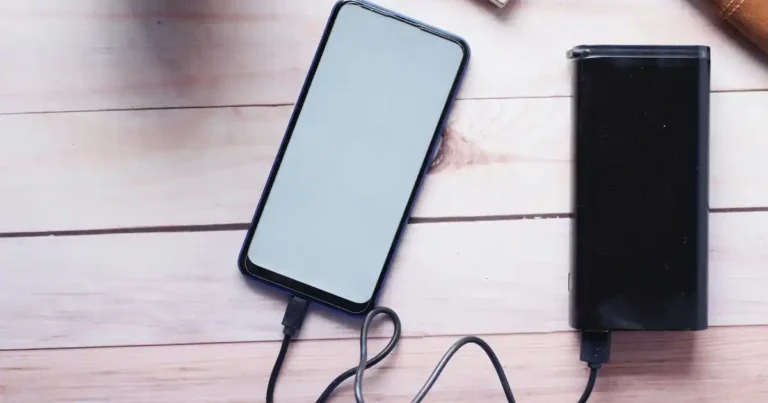
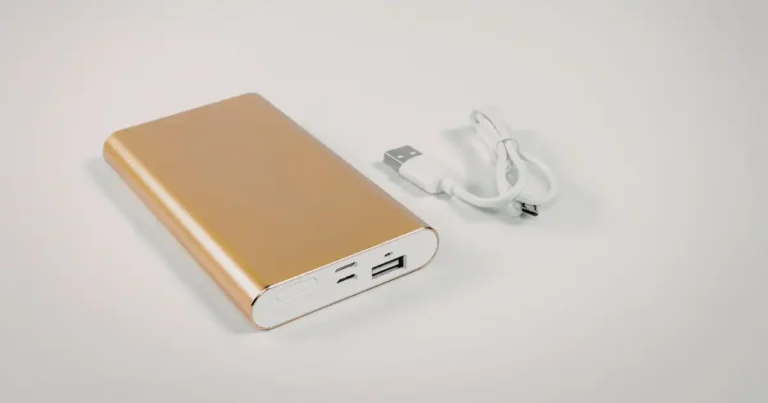
Power banks generate heat both while charging their internal battery and while delivering power to a connected device, so heavy use in either direction can leave one feeling noticeably warm.
Heat Around USB-C Ports
USB-C ports carry higher power levels than older connector standards, and that increased power flow can produce more localized heat right at the connection point.
Damaged Cables and Resistance
A damaged cable has higher internal resistance than a healthy one, which converts more of the passing electricity into heat rather than useful power delivery. My guide on laptop charging problems covers this exact pattern for laptop chargers specifically.
Charging a Device in Direct Sunlight
Charging in direct sunlight combines the heat generated by charging itself with external heat from sunlight, which raises overall temperature faster than either factor alone.
Normal Warmth vs Concerning Heat
A charger or power bank that feels warm during normal use is behaving as expected, while one that feels genuinely hot to the touch, smells unusual, or causes visible swelling deserves immediate attention. This connects closely to why power banks get hot, how to safely charge a power bank, common power bank charging mistakes, and power bank battery lifespan overall, all of which shape how much heat stress a portable battery experiences over its lifetime. A well-rated power bank built with better thermal management is available in this listing, and a durable charging cable that resists the heat-generating resistance of a worn cable is available here.
How Heat Affects Electronics Over Time
One hot afternoon may not destroy a device. Repeated exposure is the bigger concern, since heat can add stress over many cycles rather than a single event.
Repeated Heating and Cooling
Cycling between hot and cool temperatures repeatedly stresses internal materials in ways that a single heat exposure would not.
Battery Aging
Every heat exposure adds a small amount of cumulative stress to a battery’s internal chemistry, contributing to the gradual aging process every rechargeable battery experiences.
Component Stress
Circuit boards, solder joints, and other physical connections accumulate stress with every heating and cooling cycle, similar to how repeated bending eventually weakens metal.
Reduced Battery Capacity
Heat-accelerated aging directly reduces how much charge a battery can hold compared to when it was new, which shows up as shorter runtime between charges.
Increased Internal Resistance
Aging batteries develop higher internal resistance, which reduces how efficiently they deliver power and generates even more heat during use as a result.
Shorter Device Lifespan
The cumulative effect of all this heat stress is a shorter overall device lifespan than the same device would have experienced under consistently cooler conditions. My guide on how long electronics should really last explores this cumulative effect across different device categories, and things that shorten your laptop’s lifespan lists heat alongside several other habits worth avoiding.
Why It Still Works Does Not Mean No Damage Happened
A device that still works after repeated heat exposure has not necessarily escaped damage. Reduced battery capacity, shorter runtime, and quieter internal wear can all be happening well before a device shows an obvious symptom.
Heat Damage vs Temporary Heat Effects
This distinction helps readers avoid unnecessary panic. Some thermal effects disappear once the device cools, while others may point to a real hardware problem worth addressing.
I built this table to separate the effects that resolve on their own from the ones that deserve a closer look.
| Symptom | Likely Meaning | Action |
|---|---|---|
| Warm case | Normal load | Monitor |
| Fan gets louder | Cooling system working | Reduce workload if needed |
| Temporary slowdown | Thermal protection | Cool device |
| Charging pauses | Temperature protection | Let it cool |
| Repeated shutdowns | Possible thermal issue | Inspect device |
| Swollen battery | Potential battery failure | Stop using |
| Smoke or burning smell | Serious fault | Stop use immediately |
Temporary Performance Throttling
Temporary throttling resolves entirely once the device cools back down, and it leaves no lasting effect on performance or battery health.
Permanent Battery Degradation
Permanent degradation does not reverse once the device cools, since the chemical changes inside the battery have already taken place.
Physical Component Damage
Physical damage to circuit boards, capacitors, or solder joints from repeated heat stress also does not reverse on its own and may require professional repair.
When Heat Becomes a Safety Problem
Heat becomes a genuine safety problem the moment you see swelling, smell smoke, or notice a device that stays hot even without active use. At that point, the priority shifts from troubleshooting to stopping use immediately. My guide on what to try before replacing a broken gadget can help you weigh next steps once the immediate safety concern is handled.
How to Protect Electronic Devices From Heat
The easiest way to manage heat is to prevent it from building up in the first place. Small habits can make a surprisingly large difference over time.
Keep Devices Out of Direct Sunlight
A shaded bag pocket or an indoor surface keeps devices meaningfully cooler than a sunny windowsill or dashboard.
Do Not Leave Electronics in Hot Cars
Apple specifically warns against leaving iPhones in parked cars, since interior temperatures can exceed the device’s storage range within a short amount of time.
Keep Air Vents Clear
A hard, flat surface keeps a laptop’s vents open, while a soft surface like a bed or couch blocks the airflow the cooling system depends on. A laptop stand that keeps vents clear during everyday use is available here.
Clean Dust From Cooling Areas
Regular cleaning keeps fans and heat sinks working at full efficiency, preventing the gradual temperature creep that dust buildup causes over time.
Avoid Charging in Hot Environments
Charging generates its own heat, so charging in an already hot environment stacks two heat sources on top of each other unnecessarily.
Remove a Case If It Traps Excess Heat
Apple recommends removing an iPhone case if the device tends to heat up while charging, since some cases trap heat against the body rather than letting it dissipate.
Avoid Heavy Use While Charging in High Heat
Combining a demanding task with charging during hot weather adds three heat sources at once, processor load, charging current, and ambient temperature, which is worth avoiding when possible.
Give Your Device Some Breathing Room
Physical breathing room around a device, whether that means an open bag pocket or a laptop stand on a desk, consistently reduces the heat buildup that closed, tight spaces create.
How to Cool an Overheated Electronic Device Safely
When a device gets too hot, the goal is simple. Remove it from the heat source and let it cool naturally.
Stop Heavy Tasks
Pausing demanding apps or games immediately reduces the processor load generating excess heat.
Disconnect Charging If Appropriate
Disconnecting from a charger removes one active heat source, which can help a device cool faster during an overheating event.
Move It Away From Direct Sunlight
Moving to shade or indoors removes an external heat source that would otherwise keep working against your cooling efforts.
Place It in a Cooler, Dry Environment
A cooler room with normal humidity lets a device release heat naturally without introducing any new moisture risk.
Let It Cool Naturally
Apple recommends moving an overheated iPhone to a cooler environment away from direct sunlight and simply allowing it to cool on its own.
Do Not Put a Hot Device in the Refrigerator
Placing a hot device in a refrigerator or freezer creates condensation as moisture forms on and inside the device, and that trapped moisture risks real internal damage through corrosion or a short circuit.
Do Not Use Extreme Cold as a Quick Fix
Sudden temperature changes stress internal components just as much as sudden heat does, so extreme cold is never a safe shortcut for cooling an overheated device.
How Heat Affects Electronics in Different Environments
Heat risk changes with location. A device used in an air-conditioned office has a very different thermal life than one sitting in a hot car or a dusty workshop.
Hot Cars
Parked cars trap heat extremely efficiently, often reaching interior temperatures far higher than the outside air within minutes.
Direct Sunlight
Sunlight adds direct radiant heat on top of whatever ambient temperature a device already experiences, raising surface and internal temperatures quickly.
Hot Offices
Poorly cooled offices, especially during summer months, can push devices toward their upper operating limits during long workdays.
Workshops and Garages
Workshops and garages often combine heat, dust, and sometimes humidity, all of which compound the thermal stress a device experiences.
Outdoor Work
Extended outdoor work in direct sun or high heat pushes devices toward their thermal limits faster than indoor use ever would.
Humid Environments
Humidity adds moisture-related risk on top of ordinary heat stress, which can accelerate corrosion inside a device already running warm.
Heat Plus Humidity Can Be Especially Unfriendly
The combination of heat and humidity together is worse than either factor alone, since warm, moist air both stresses a battery thermally and increases the risk of internal corrosion at the same time.
USA Expert Advice on Electronics and Heat
Authoritative sources matter here far more than broad personal claims. The strongest guidance comes from manufacturers, battery researchers, and established U.S. technical institutions.
Apple’s Thermal Protection Guidance
Apple uses automatic thermal management to slow or pause charging and reduce device performance whenever temperature limits are exceeded, which reflects a deliberate engineering choice to protect long-term battery health over short-term performance.
NASA’s Battery Safety Research
NASA has studied lithium-ion battery thermal behavior in depth, including the mechanisms behind thermal runaway, as part of broader research into battery safety for demanding applications.
U.S. Department of Energy Battery Research
The U.S. Department of Energy has documented how rechargeable lithium-ion batteries lose capacity and energy-delivery ability as they age, research that applies directly to the consumer batteries inside phones, laptops, and power banks.
Common Mistakes That Make Electronics Run Hotter
Many overheating problems come from ordinary habits rather than dramatic failures. A few small changes can meaningfully help.
Using a laptop on a bed traps heat against blocked vents almost immediately. Blocking cooling vents with papers, books, or a tight enclosure has the same effect on a smaller scale. Charging a phone under a pillow or blanket combines trapped heat with an active charging current, which is a genuinely risky combination worth avoiding entirely. Leaving a phone in direct sunlight, even briefly, adds unnecessary heat stress on a hot day. Using damaged charging cables increases resistance and therefore heat output during every charging session.
Running heavy apps while charging stacks processor heat directly on top of charging heat. Ignoring dust lets cooling efficiency quietly decline over months without anyone noticing. Keeping electronics in hot cars remains one of the most damaging habits on this entire list. Continuing to use a device after a temperature warning pushes past a built-in safety signal the manufacturer specifically designed to protect you. My guide on common tech buying mistakes beginners make covers several related habits worth avoiding when buying and using new electronics.
It Feels Fine Is Not a Temperature Test
A device can already be well past a safe operating range before it feels alarmingly hot to the touch. Relying on temperature warnings and built-in protection matters more than trusting your hand alone.
How to Tell if Heat Has Damaged an Electronic Device
Heat damage is not always visible right away. Look for changes in behavior, charging, battery life, and physical condition over time.
Battery Drains Much Faster
A battery that once lasted a full day but now drains within hours often reflects heat-accelerated degradation. My guide on why phone battery drains overnight covers related battery drain patterns worth ruling out first.
Device Shuts Down Unexpectedly
Unexpected shutdowns, especially during otherwise light use, can point toward heat-related battery or component damage.
Charging Becomes Unreliable
Charging that starts and stops inconsistently, even with a known-good cable and charger, can reflect heat-related wear on internal charging circuitry. My guide on common charging problems walks through the full troubleshooting process.
Performance Drops Repeatedly
Consistent, repeated performance drops during tasks that used to run smoothly often point toward cumulative thermal stress rather than a one-time issue.
Device Becomes Hot With Light Use
A device that runs hot even during light, everyday tasks it used to handle comfortably suggests reduced cooling efficiency or component wear.
Battery Swelling
Visible swelling is one of the clearest physical signs of serious battery damage and should never be ignored.
Burning Smell or Smoke
Any burning smell or visible smoke means stop using the device immediately and unplug it safely if you can do so without touching anything hot.
When to Stop Using the Device Immediately
Stop immediately at the first sign of swelling, smoke, a burning smell, or a device that stays hot even when idle. My guide on how to safely dispose of old electronics covers what comes next once a device reaches the end of its safe usable life.
Heat and Electronics Safety Checklist
Use this as a quick reference before storing, charging, or using electronics in hot conditions.
Before charging, confirm the device is not unusually hot, the charger is in good condition, the cable is undamaged, the device is away from direct sunlight, and airflow is not blocked. My guide on how to avoid counterfeit chargers and batteries is worth checking if you are unsure whether your charger meets safety standards. A genuinely reliable charger worth adding to your setup is available here.
During use, keep vents clear, watch for unusual heat, reduce heavy workloads if needed, and avoid covering the device while it operates.
If the device gets very hot, stop heavy use, move away from sunlight, stop charging if appropriate, let it cool naturally, and check for any warning messages the device displays.
If the battery swells, stop using the device immediately, do not puncture it, do not press on the battery, and seek appropriate professional or service guidance rather than attempting a DIY fix.
Frequently Asked Questions
These questions target the most common long-tail searches around electronic devices, heat, and battery health.
How does heat affect electronic devices?
Heat can slow performance through thermal throttling, reduce battery lifespan, and in severe cases trigger safety protections like charging pauses or full shutdowns.
Can heat permanently damage electronics?
Yes, sustained or repeated heat exposure can permanently reduce battery capacity and stress internal components in ways that do not reverse once the device cools.
What temperature is too hot for electronics?
There is no universal number, but Apple specifies an operating range of 0°C to 35°C for iPhone and iPad, and exceeding a device’s specific manufacturer range risks reduced performance or lasting damage.
Does heat reduce battery life?
Yes, heat accelerates the chemical aging process inside lithium-ion batteries, which reduces both total capacity and expected lifespan over time.
Can heat damage a phone battery?
Yes, Apple specifically notes that using or charging an iPhone above 35°C ambient temperature can permanently reduce battery lifespan.
Why does my phone get hot while charging?
Charging naturally generates some heat as a byproduct of the chemical process inside the battery, and this warmth increases further if you use the phone heavily while it charges.
Why does my laptop get hot?
Laptops generate heat from CPU and GPU workloads, and that heat becomes a problem when vents are blocked, dust builds up, or thermal paste ages and loses effectiveness.
Can heat damage a power bank?
Yes, a power bank exposed to repeated high heat can experience the same kind of accelerated battery degradation that affects any other lithium-ion battery.
Does fast charging create more heat?
Yes, fast charging pushes more power through the same components in less time, which generates more heat than standard charging speeds.
Can electronics recover after overheating?
Temporary effects like throttling and dimming reverse completely once a device cools, but permanent battery degradation or physical component damage does not reverse on its own.
Should I put an overheated phone in the refrigerator?
No, this risks condensation forming inside the device, which can cause corrosion or a short circuit. Simply moving it to a cooler, dry environment is the safer approach.
How can I protect electronics from heat?
Keep devices out of direct sunlight and hot cars, keep vents and cooling areas clean, avoid charging in high heat, and respond promptly to any temperature warnings.
Can leaving electronics in a car damage them?
Yes, parked cars can reach temperatures far exceeding a device’s safe storage range within just a few minutes, even on a moderately warm day.
What are the signs of heat damage?
Faster battery drain, unexpected shutdowns, unreliable charging, repeated performance drops, unusual heat during light use, battery swelling, and any burning smell all point toward heat-related damage.
Final Practical Guide to Managing Heat in Electronics
You do not need to obsess over every degree. The goal is simply to avoid repeated extreme heat and respond promptly when a device signals that it is too warm.
Keep electronics away from direct sunlight whenever practical. Never leave them in hot cars, even for a short errand. Keep cooling vents clear during everyday use. Avoid charging in extreme heat when you have another option. Let overheated devices cool naturally rather than forcing a quick fix. Pay close attention to temperature warnings instead of dismissing them.
Treat swollen or damaged batteries as a genuine safety issue rather than a minor inconvenience. My guide on how to improve laptop battery health rounds out these seven rules with additional day-to-day habits worth building. If you want a dependable thermal-friendly accessory to pair with these habits, a well-ventilated laptop cooling stand is available in this listing.
Final Recommendation
After years of testing devices through hot summers, long flights, and demanding workloads, my honest advice on how heat affects electronic devices stays simple. Treat heat as the quiet, cumulative threat it actually is, not just an occasional inconvenience. I keep my phone out of direct sunlight, avoid leaving anything in a hot car even for a quick errand, and always let an overheated device cool naturally instead of reaching for a shortcut like the freezer.
I also take temperature warnings seriously the moment they appear, rather than pushing through them. That combination of small, consistent habits has kept every device I own running cooler and lasting longer than the ones I once treated carelessly. Respect the heat, respond early, and your electronics will pay you back with a longer, more reliable life.

Ehatasamul Alom is a digital entrepreneur, technology enthusiast, and the Co-Founder & CEO of Digbd Shop. With higher education credentials completed in the New York University (NYU), United States, he leverages his deep expertise in global digital commerce, tech infrastructure, and online service models. Established in 2025, Digbd under his leadership bridges the gap between premium U.S. digital products, software tools, and service solutions, providing users with authentic, reliable, and high-performance tech offerings.