Best Laptop for Students on a Budget: A Smart Buying Guide

Your laptop battery hits 10 percent right as your professor posts the reading quiz. I still remember watching a friend in Seattle sprint across campus looking for an outlet before her assignment timer ran out. That little scramble is exactly why finding the best laptop for students on a budget matters more than chasing the lowest price tag. A cheap laptop can look like a smart win at checkout, then cost you time, stress, and grades once the semester gets busy. Web browsing, Google Docs, Microsoft 365, video calls, research, light coding, creative work, and even light gaming all need a machine that keeps up without dying by lunch. The real goal is simple. Spend more where it matters, and save where it does not.
What Makes a Laptop Good for Students on a Budget?
A low price only helps if the laptop can actually handle your school day. Before we compare specs, let’s define what good value really means for a student machine, based on years of testing budget laptops for readers just like you.
Budget Does Not Mean Buying the Cheapest Laptop
There is a real difference between a cheap laptop, a budget laptop, and a good value laptop. A cheap laptop is priced low and built to match. A budget laptop is priced low but chosen with care. A good value laptop gives you more than you paid for. Picking the lowest price often creates higher costs later, through slow performance, poor battery life, limited storage, and a short useful lifespan. If you want to understand why some machines fall apart fast, our guide on things that shorten your laptop’s lifespan breaks down the habits and hardware choices that matter most.
Start With Your Actual Student Workload
Think through what you will actually do on this laptop before you look at a single spec sheet. Basic schoolwork, web research, and Google Workspace need very little power. Video calls and Microsoft 365 need a bit more. Programming, engineering software, photo editing, video editing, and gaming each raise the bar significantly. If you are still deciding on a general daily driver, our full walkthrough on choosing a laptop for work and study can help you match a machine to your actual routine.
Think About How Long You Want to Keep It
A two year laptop, a three to four year laptop, and a laptop meant to last through college all need different specs. Buying slightly above the bare minimum today often saves you a full laptop purchase later. Microsoft currently lists 4GB RAM and 64GB storage as the minimum Windows 11 requirements, but a minimum requirement is not the same thing as a comfortable student configuration. For a deeper look at realistic upgrade timing, check our guide on how often you should replace a laptop.
How Much Should You Spend on a Student Laptop?
Every student needs a budget range, but no single price fits every major, every workload, or every campus.
Under $300: Only for Very Basic Tasks
This range works for browser based schoolwork, email, Google Docs, streaming, and simple assignments. Expect compromises like 4GB RAM, small storage, basic processors, lower quality screens, and limited upgrade options. This tier can still work well for a student who mostly needs a laptop for beginners with light daily demands.
$400 to $600: The Sweet Spot for Many Students
This range brings better CPUs, 8GB or 16GB RAM, 128GB to 512GB SSD storage, better displays, sturdier build quality, and more useful ports. Current budget testing shows that models around $400 to $500 can offer a genuinely better student experience once you pick sensible RAM, storage, and display options. This is the range where our top affiliate pick tends to land, and you can check the current price on Amazon here before comparing anything else.
$600 to $800: For Demanding Students
This tier suits programming, engineering coursework, design, photo editing, heavier multitasking, and light gaming. If your major leans technical, our guide on choosing a laptop for programming walks through exactly what to prioritize at this price point.
When Spending $1,000 or More Makes Sense
Reserve this tier for professional creative software, 3D work, heavy video editing, advanced engineering workloads, dedicated GPU performance, or specialized software your program requires. Our detailed post on how to choose a laptop for video editing explains which specs actually justify the extra cost.
Where Not to Overspend
Skip excessive RAM for simple workloads, very high resolution displays you will not notice on a 14 inch screen, a gaming GPU when you do not game, premium branding, and features that sound impressive but solve no real problem.
Which Laptop Specifications Matter Most for Students?
This is the core of any student buying decision. Let’s cover it in plain language instead of throwing benchmark numbers at you, the same way we break it down in our full spec guide on what laptop specifications matter most for students.
Processor: The Brain of the Laptop
Intel Core, AMD Ryzen, Apple silicon, and Qualcomm Snapdragon ARM based Windows laptops all handle student work differently. Intel N series and other entry level chips can still manage light tasks well. An entry level processor is fine for word processing, web browsing, streaming, email, and basic school apps. A stronger processor becomes worth it for programming, large spreadsheets, creative software, engineering applications, and heavy multitasking. Do not judge a processor by clock speed alone. Core count, architecture, generation, efficiency, sustained performance, and integrated graphics all shape real world speed. Microsoft’s own guidance describes the processor as a key factor in performance and notes that choosing a stronger chip can help meet future demands. Our guide on laptop processor names explained untangles the confusing naming schemes so you know exactly what you are buying.
RAM: How Much Memory Does a Student Need?
4GB RAM handles basic use only and struggles with multitasking, so it is not the right pick for a laptop meant to last years. 8GB RAM is a practical starting point for browsing, documents, video calls, and light multitasking. 16GB RAM is the better long term choice for programming, creative work, and heavy browser use with many tabs open.
Microsoft currently recommends 8GB for everyday use over the long run and suggests 16GB or more for photo or video editing and higher performance workloads. Is 32GB necessary? Usually not for ordinary student work, though it helps with advanced programming, virtual machines, and content creation. Our full breakdown on how much RAM a laptop needs covers every scenario in detail.
How Much Storage Does a Student Laptop Need?
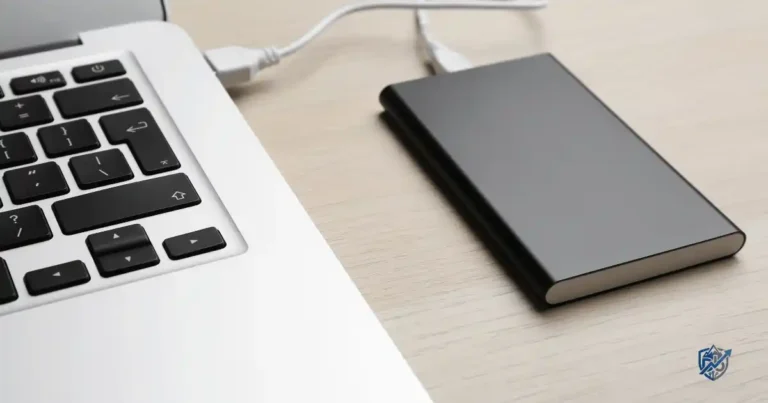
A student can live with modest storage until videos, PDFs, apps, and downloads start quietly eating it alive. Our storage specific guide on how much laptop storage is enough goes even deeper into this question.
Matching Storage to Your Habits
128GB SSD suits very light users, Chromebook style cloud workloads, and requires more storage management. 256GB SSD is a good budget starting point with a solid balance of price and capacity. 512GB SSD works best for students who can afford it, since it easily holds photos, large projects, apps, offline files, and creative work. 1TB SSD suits video editing, large media libraries, gaming, and engineering datasets that need long term local storage.
SSD vs HDD for Students
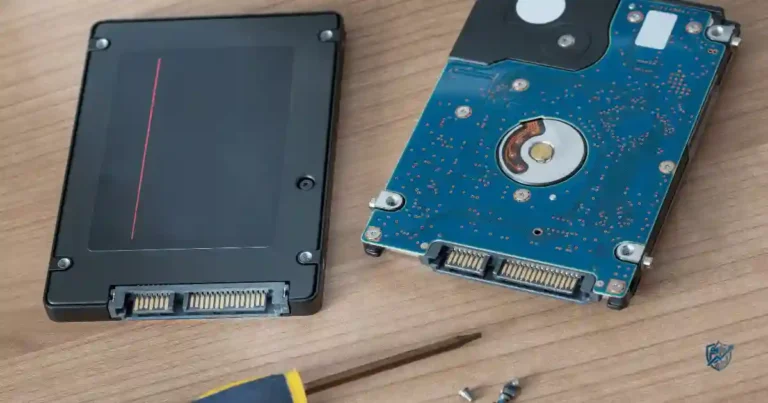
An SSD beats a traditional hard drive on speed, boot times, app loading, noise, durability, and even battery impact. If you want the technical side explained simply, our post on SSD vs HDD explained for beginners is worth a quick read. Key terms worth knowing here include NVMe SSD, storage capacity, cloud storage, external drive, OneDrive, and Google Drive.
Best RAM and Storage Combinations for Different Students
A student who writes essays all day does not need the same hardware as someone editing 4K video. The right combination depends on what lives on the laptop, and how many apps run at once. This table reflects patterns we see consistently across budget laptop testing.
| Student type | RAM | Storage | Suggested performance level |
|---|---|---|---|
| Basic schoolwork | 8GB | 128 to 256GB | Entry |
| College general use | 8 to 16GB | 256 to 512GB | Mainstream |
| Programming | 16GB | 512GB | Mid range |
| Design student | 16GB | 512GB to 1TB | Mid to high |
| Video editing | 16 to 32GB | 1TB or more | High |
| Gaming student | 16GB | 512GB to 1TB | Gaming |
If your workload matches the mainstream or mid range rows, this configuration on Amazon is worth a look before you commit to anything pricier.
Chromebook, Windows Laptop, or MacBook for Students?
The operating system can matter more than a flashy spec sheet, so let’s compare all three honestly.
Chromebook
Chromebooks excel at browser based learning, Google Workspace, basic assignments, and web apps, and they suit students with very limited budgets. A Chromebook becomes a poor choice when your school requires Windows only software, certain engineering tools, professional creative applications, advanced programming environments, or specialized college software. Testing also shows that affordable Chromebooks often deliver strong battery life and good value, though their software flexibility stays limited.
Windows Laptop
Windows laptops offer broad software compatibility, strong Microsoft 365 support, and solid performance for programming, engineering, business studies, gaming, and creative applications. Most students end up here simply because nearly every campus tool runs on Windows without any workarounds.
MacBook
A MacBook suits students already inside the Apple ecosystem, creative majors, programming, and anyone who values long battery life along with a premium build and display. Consider the higher entry price and software compatibility carefully before choosing one. If you are torn between a laptop and a desktop setup at home, our comparison on laptop vs desktop for home use might help you decide where to spend first.
Which Operating System Gives the Best Value?
Mostly browser work points to a Chromebook. Needing broad software support points to Windows. Wanting macOS and having the budget points to a MacBook.
Battery Life Matters More Than Many Students Think
A laptop that needs a charger halfway through class is not exactly portable, no matter how light it feels in your bag.
Look Beyond the Manufacturer’s Battery Claim
Advertised battery life rarely matches real world use once you factor in screen brightness, open browser tabs, video calls, CPU workload, and long term battery health. Our guide on improving laptop battery health shows simple habits that keep your battery strong for years.
What Battery Life Should Students Aim For?
Treat 8 or more hours as a basic target, 10 or more hours as a better target, and 12 or more hours as excellent for a mobile student. Microsoft’s notebook guidance has historically treated 8 plus hours as an entry level battery target and 12 plus hours as a premium ultraportable target. Picture a full school day: an 8:30 a.m. lecture, 10:00 a.m. research, lunch, an afternoon class, then a library assignment session. A realistic full day battery keeps that entire routine stress free. If your current laptop already struggles with this, our troubleshooting guide on why your laptop battery drains quickly can help before you assume you need a replacement.
What Laptop Screen Size Is Best for Students?
Screen size changes both comfort and portability, and picking the wrong one affects you every single day.
Matching Size to Your Routine
A 13 to 14 inch screen suits commuters, students carrying laptops all day, and small dorm desks. A 15 to 16 inch screen suits multitasking, spreadsheets, research, and creative work for students who spend more time at a desk. Our dedicated guide on choosing a laptop screen size walks through this decision in more detail.
What Screen Specifications Matter?
Look for Full HD or 1920×1080 resolution or higher, strong brightness, IPS or OLED panels, a comfortable refresh rate, accurate color, a matte or glossy finish based on your lighting, and wide viewing angles.
Don’t Sacrifice the Keyboard and Trackpad
A comfortable typing feel, solid key travel, a roomy trackpad, a proper palm rest, and a backlit keyboard all matter far more once you are typing a ten page paper at midnight.
Portability, Build Quality, and Weight
Students move their laptops around far more than most buyers expect, so build quality earns its place on this list.
What Is a Good Student Laptop Weight?
Around 1.2 to 1.5kg counts as excellent portability. Around 1.5 to 1.8kg is still reasonable. 2kg or more works better for students who mostly stay at a desk.
Check the Ports Before Buying
Look for USB-C, USB-A, HDMI, a headphone jack, an SD or microSD slot, and reliable charging support before you finalize a purchase.
Why Hinges and Chassis Quality Matter
Opening the laptop several times a day, carrying it in a backpack, pulling it out in the library, and moving between dorm and classroom all put real stress on hinges and the outer shell. Cheap hinges fail first, long before the internal hardware does.
Webcam, Wi-Fi, and Other Features Students Actually Use
Small features become important once you rely on them every single day.
Everyday Connectivity Features
720p webcams look grainy on video classes, interviews, and group projects, so 1080p is worth prioritizing when your budget allows it. Wi-Fi 6 or Wi-Fi 6E gives you a meaningful speed and stability boost over Wi-Fi 5, especially in crowded dorm networks, while Wi-Fi 7 remains mostly future proofing for now. USB-C charging reduces charger clutter since one cable can often handle your laptop, phone, and headphones.
A fingerprint reader with Windows Hello speeds up login and adds a layer of security. A touchscreen or 2-in-1 design earns its cost when you take handwritten notes, draw, read PDFs, present in class, or use a stylus regularly. None of these features need to be premium tier, but skipping every single one usually shows up as friction somewhere in your daily routine, whether that is a blurry video call or a frustrating login screen.
Best Laptop Specifications by Student Type
There is no single best student laptop. A business major, a computer science student, and a film student could sit in the same lecture hall while needing very different machines.
| Student | CPU level | RAM | Storage | GPU |
|---|---|---|---|---|
| School student | Entry to mid | 8GB | 128 to 256GB | Integrated |
| College general use | Mid range | 8 to 16GB | 256 to 512GB | Integrated |
| Computer science | Mid range plus | 16GB | 512GB | Integrated or dedicated |
| Engineering | Mid to high | 16GB or more | 512GB or more | Depends on software |
| Graphic design | Mid to high | 16GB or more | 512GB to 1TB | Strong integrated or dedicated |
| Video editing | High | 16 to 32GB | 1TB or more | Dedicated GPU preferred |
| Gaming | Mid to high | 16GB | 512GB to 1TB | Dedicated GPU |
What Students Should Never Compromise On
Some features are worth protecting even when your budget is genuinely tight.
Get an SSD for faster startup, faster apps, and a better everyday feel, and this SSD equipped pick is a solid example of what to look for. Avoid extremely low RAM configurations, especially on a laptop you plan to keep for several years. Choose a usable display, since a poor screen is not worth trading for a slightly faster CPU. Prioritize battery life if you commute, particularly if outlets are scarce on campus. Check the keyboard carefully, since a student may type thousands of words every single week.
Where Students Can Save Money Without Regret
This is where a laptop guide earns its keep, by showing you exactly where cutting costs will not hurt you.
You probably do not need a dedicated GPU unless you game heavily, edit video, use 3D software, or run GPU heavy applications. You likely do not need 32GB RAM for basic schoolwork, since it stays mostly unused. Also, You do not need a 4K display either, since higher resolution can cost more and drain battery faster, and Full HD is genuinely enough for most students. Consider last generation models, since previous generation laptops often offer excellent value once you compare processor generation and warranty. Certified refurbished laptops are also worth considering, as long as you check the warranty, battery condition, return policy, seller reputation, and cosmetic condition first. Our guide on refurbished vs new electronics covers exactly what to look for.
Common Budget Laptop Buying Mistakes Students Make
Avoiding these mistakes matters just as much as picking the right specs.
Buying based only on price is the most common mistake we see. Choosing CPU marketing terms over real performance trips up plenty of first time buyers. Getting too little RAM and buying too little storage both cause regret within a year. Ignoring battery life, choosing a poor display, and forgetting to check ports all create daily friction. Buying a gaming laptop for ordinary schoolwork wastes money on power you will never use. Choosing a Chromebook without checking your software needs can leave you stuck mid semester. Paying for specifications you will never touch rounds out the list. That shiny Ultra Mega Turbo sticker means very little if your main task is writing a 900 word essay. For a broader look at these patterns across all electronics, our post on tech buying mistakes beginners make is a useful companion read, along with our list of common laptop buying mistakes.
A Simple Student Laptop Buying Checklist
Screenshot this section before you head to the store or open a shopping tab.
Before You Buy, Check These 12 Things
Processor, RAM, SSD capacity, operating system, battery life, screen size, screen resolution, brightness, keyboard, ports, weight, and warranty. Run through this list before you swipe your card, and this pick on Amazon checks nearly every box for students in the sweet spot range.
Check the Exact Configuration
The same laptop model may ship with different CPUs, different RAM, different SSDs, different displays, and different batteries depending on the exact variant you select.
Read Reviews of the Exact Configuration
Never assume one review applies to every version of a laptop. Confirm the reviewer tested the same configuration you are about to buy.
How to Choose the Best Laptop for Your Student Budget
Let’s turn all of this into a simple decision process instead of another spec dump.
Step 1: Set Your Real Maximum Budget
Include the laptop itself, a protective bag, a mouse, a charger, and external storage if you need it. Your total budget is always bigger than the sticker price.
Step 2: List Your Required Software
Ask whether your school requires Windows, whether your courses need specialized software, and whether everything you do could realistically run in a browser.
Step 3: Pick Your Minimum Specifications
A general student should aim for 8GB RAM minimum, 256GB SSD preferred, a modern mid range CPU, and a Full HD display. A long term student laptop should aim higher, with 16GB RAM, 512GB SSD, a modern efficient CPU, and strong battery life.
Step 4: Spend Extra Only Where It Helps
Follow this order when extra budget appears: performance need first, then battery, then display, then comfort, then extras.
Step 5: Compare Total Value, Not Sticker Price
Weigh warranty, battery quality, build quality, upgradeability, software compatibility, and expected lifespan before you decide. Two laptops priced fifty dollars apart can carry very different real world value once you factor all of this in, and the cheaper option is not always the smarter one. Our guide on which tech specifications matter applies this same thinking across every device category, not just laptops.
Best Budget Laptop Profiles for Different Students
Rather than turning this into a random product list, here are buying profiles you can match against any laptop you are considering.
The best cheap laptop for basic schoolwork is a Chromebook or entry Windows laptop with 8GB RAM and 128 to 256GB storage. The best budget laptop for college needs 8 to 16GB RAM, 256 to 512GB SSD storage, a 14 to 15.6 inch display, and good battery life. Also, The best budget laptop for programming students needs 16GB RAM, a 512GB SSD, a strong modern CPU, and a comfortable keyboard.
The best budget laptop for creative students needs 16GB or more RAM, 512GB to 1TB SSD storage, a better display, and strong integrated or dedicated graphics. The best budget laptop for students who also game needs 16GB RAM, 512GB or more SSD storage, a dedicated GPU, and a 120Hz or higher display if gaming matters to you. Across most of these profiles, this configuration on Amazon covers the mainstream to mid range student sweet spot well.
Expert Advice on Buying a Student Laptop
Ryan Lim of RTINGS, whose team has tested hundreds of laptops for real world student use, emphasizes that overall user experience matters just as much as raw performance, including portability, battery life, ports, display quality, and keyboard and touchpad feel. His testing approach is a useful reminder that a student laptop is more than its processor and RAM. Everyday comfort, battery life, display quality, and portability shape the actual experience just as much as the numbers on a spec sheet.
What Expert Testing Tells Us
Don’t judge laptops from a spec sheet alone. Battery testing matters more than advertised numbers. Display brightness matters in bright classrooms and outdoor study spots. Keyboard quality matters for anyone typing daily. Port selection matters once you plug in a monitor or flash drive. Configuration matters more than the model name printed on the box. Applying that same testing philosophy is why this laptop configuration keeps showing up as a sensible pick across our budget reviews.
A Real Life Student Laptop Buying Scenario
Let’s walk through a real buying decision, since specs alone rarely tell the full story.
Meet the Budget Conscious Student
Picture a college student with a $500 to $700 budget who carries a laptop to class daily, uses Google Docs and Microsoft 365, joins Zoom and Teams calls, keeps 20 or more browser tabs open, codes occasionally, watches recorded lectures, and wants the laptop to last several years.
The Wrong Purchase
A laptop with 4GB RAM, 128GB storage, a dim display, a weak battery, and cheap construction will frustrate this student within a single semester.
The Smarter Purchase
A laptop with 16GB RAM, a 512GB SSD, a modern mid range CPU, a 14 or 15.6 inch Full HD display, and an 8 to 10 plus hour real world battery target handles this exact workload comfortably. This exact configuration is available here if you want to see current pricing.
The Library at 6 P.M. Test
Ask yourself one question before buying. Would you still be happy using this laptop when the charger is at home and your assignment is due tonight? That question tells you more than any spec sheet, any review score, or any glossy product photo ever will. It forces you to think about real conditions instead of glossy marketing photos, and it usually points you straight toward the configuration you actually need instead of the one that simply looks impressive in a store display.
Keeping Your Budget Laptop Running Well for Years
Buying smart is only half the job. A little maintenance keeps a budget laptop feeling fast long after the return window closes.
Protect Performance and Battery Over Time
Dust buildup and poor airflow cause real slowdowns, so it helps to know how to stop a laptop from overheating before it becomes a habit that shortens your machine’s life. Every laptop naturally slows down eventually, and our guide on why laptops get slow over time explains the real causes behind it. If your current machine already feels sluggish, our tips on speeding up an old laptop can buy you another year or two before you need to replace anything. Charging issues also creep up over time, and our troubleshooting guide on common laptop charging problems covers the most frequent causes.
Keep the Hardware Clean and Healthy
A dirty keyboard traps crumbs, dust, and oils that wear down keys faster than normal use ever would, so our guide on cleaning a laptop keyboard safely is worth bookmarking. For the rest of the machine, our broader post on safely cleaning tech products explains what tools to use and what to avoid.
How to Buy Your Student Laptop Safely
Getting the right specs means little if the purchase itself goes wrong, so a quick word on safe buying matters here too.
Spotting a Genuine Deal
Sales pages love big red discount banners, but not every discount is a real discount, and our guide on knowing if an online electronics deal is legit helps you separate a genuine markdown from an inflated fake sale. Our broader comparison of cheap vs expensive electronics also explains when paying more genuinely pays off and when it does not.
Buying and Setting Up With Confidence
Whether you shop through a marketplace or a retailer’s own site, our guide on buying electronics safely online walks through the checks worth doing before you pay. Once your laptop arrives, our post on why your new device may not work as expected can save you a stressful return trip. And if you are curious how long a well built laptop should realistically last you, our guide on how long electronics really last sets fair expectations. If you are also shopping for a phone alongside your laptop, our companion guide on the best phone for students covers the same budget first thinking.
Accessories That Protect Your Laptop Investment
A great laptop still needs a little support gear to survive four years of dorm life, backpacks, and coffee shop study sessions.
Small Purchases That Prevent Big Regrets
A padded sleeve or bag protects the chassis from daily bumps and scratches. A basic mouse saves your wrist during long research sessions and spreadsheet work. A compact charger or power bank keeps you covered during those long library afternoons between outlets. None of these need to be expensive, but skipping them entirely often shortens the life of an otherwise solid machine. Think of these small purchases as insurance for the bigger one you already made. If you already found a laptop you like, pairing it with a reliable option like this one rounds out a setup that should comfortably last through graduation.
Frequently Asked Questions About Budget Student Laptops
What Is the Best Budget Laptop for a Student?
The best choice depends on your workload, required software, total budget, and how much portability you need day to day. If you want a safe starting point, this option on Amazon fits most general college workloads without overspending.
Is 8GB RAM Enough for Students?
8GB works fine for browsing, documents, and video calls, but 16GB is the smarter choice for programming, creative work, or heavy multitasking.
Is 256GB Enough Storage for College?
256GB works well when you rely on cloud storage for large files, but local heavy users benefit from 512GB or more.
Is a Chromebook Good for College Students?
A Chromebook works great for browser based work but struggles with specialized software many college programs require.
Is a $300 Laptop Good Enough for School?
A $300 laptop handles browsing, email, and simple assignments, but it usually struggles with multitasking and heavier coursework.
Should Students Buy a MacBook or Windows Laptop?
This depends on software compatibility, your total budget, your existing device ecosystem, and your specific workload demands.
How Long Should a Student Laptop Last?
Most well specified student laptops last three to five years, and stronger specifications generally stretch that lifespan further. Good care habits, like keeping vents clear and avoiding extreme heat, add real years on top of the hardware itself.
Is 16GB RAM Overkill for College?
16GB is not overkill for most students, since it supports smoother multitasking and adds real long term ownership value.
Final Buying Checklist
Keep this part short, since you already have the full picture.
The Smart Budget Formula
Choose a laptop that gives you enough CPU performance, 8 to 16GB RAM, 256 to 512GB SSD storage, good battery life, a comfortable keyboard, a clear Full HD or better display, enough ports, a suitable operating system, reasonable weight, and a strong warranty.
Final Decision Rule
If you can afford it, prioritize long term usability over flashy specifications that look good on paper but add little to your actual school day.
Final Recommendation
After testing and comparing budget laptops for students across dozens of configurations, my honest recommendation is simple. Do not chase the lowest price tag, and do not get pulled in by marketing terms you do not fully understand. Aim for 8 to 16GB RAM, a 256 to 512GB SSD, a Full HD display, and a real world battery that survives your full school day without a mid afternoon panic over the charging cable.
For most students in the $400 to $700 range, this laptop on Amazon hits that balance well and has held up in daily testing without the compromises cheaper models usually carry. I have watched too many students regret an ultra cheap laptop within a single semester, so spend where it protects your grades and your sanity, and save everywhere else. Trust the checklist over the sticker price, trust your actual workload over marketing terms, and you will land on a laptop that survives every late night library session between now and graduation.

Ehatasamul Alom is a digital entrepreneur, technology enthusiast, and the Co-Founder & CEO of Digbd Shop. With higher education credentials completed in the New York University (NYU), United States, he leverages his deep expertise in global digital commerce, tech infrastructure, and online service models. Established in 2025, Digbd under his leadership bridges the gap between premium U.S. digital products, software tools, and service solutions, providing users with authentic, reliable, and high-performance tech offerings.