How to Choose a Laptop Screen Size Right for You
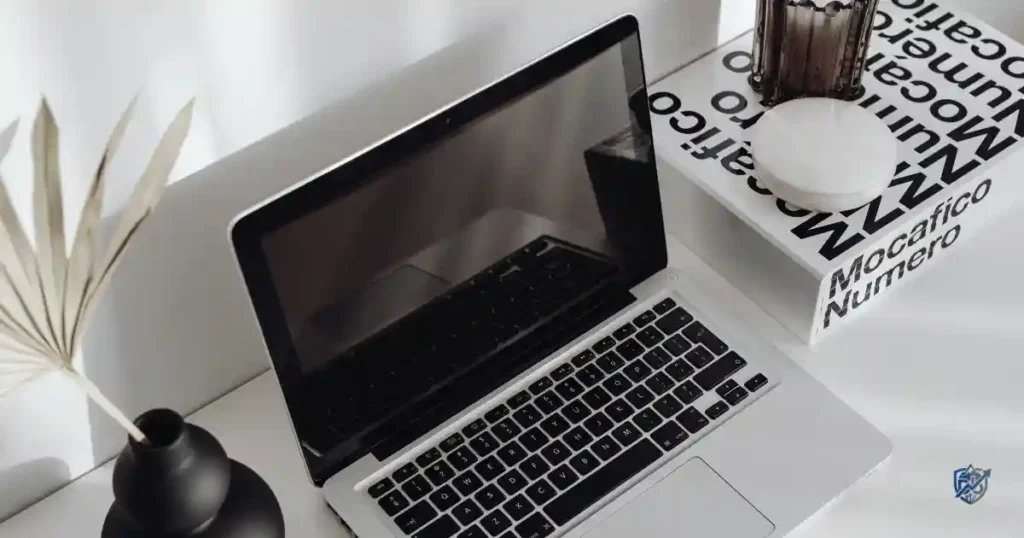
Sitting in a crowded New York coffee shop with my morning coffee, I realized my tiny laptop panel made my massive spreadsheet look like a tiny maze. You might ask yourself: what laptop screen size should I buy? The short answer is that no single panel fits every need. A 13-inch model feels light on a daily bus ride but feels cramped on a busy work desk. Meanwhile, a 17-inch display gives you plenty of space for apps, yet it feels heavy in your backpack. When you choose a laptop screen size, you need to consider 11 to 12 inches, 13 to 14 inches, 15 to 16 inches, and 17 to 18 inches.
Your decision comes down to travel habits, daily tasks, screen resolution, aspect ratio, physical weight, and battery life. It also depends on keyboard size, desk space, eye comfort, and your total budget. This practical guide helps you make the right choice without getting lost in technical jargon.
What Does Laptop Screen Size Actually Mean?
Understanding laptop dimensions is the first step toward picking the right device. Knowing how manufacturers measure displays helps you compare models accurately before buying.
How Laptop Screen Size Is Measured
Screen size is measured diagonally from one corner to the opposite corner. A 14-inch screen measures 14 inches from the top left corner down to the bottom right corner of the actual glass.
This diagonal measurement excludes several parts of the laptop:
- Outer plastic or metal bezels
- Physical laptop casing
- Lower keyboard deck
- Display hinges and borders
Why Screen Inches Do Not Tell the Whole Story
Two laptops with identical 14-inch display measurements can feel completely different in your hands. Older models featured thick plastic borders, making the overall body wide and heavy. Modern units use thin bezels to fit a larger display into a much smaller chassis.
Aspect ratios also change your viewing area. Standard 16:9 displays are wide and short, making them great for movie watching. Taller 16:10 screens give you extra vertical space for reading web pages and editing text documents. Meanwhile, 3:2 displays provide an even taller view, which helps with coding and writing.
Screen Size vs Screen Resolution
Screen size describes the physical area of the display panel. Also, Screen resolution counts the total number of pixels packed onto that glass surface. Pixel density measures how sharp images look at a normal viewing distance. High pixel density prevents blurry text and reduces eye strain.
Common Laptop Resolutions to Know
Modern laptop displays come in several standard pixel counts:
- HD (1366 × 768): Basic resolution found on low-cost entry devices.
- Full HD / 1080p (1920 × 1080): Standard clear resolution for general everyday use.
- 1920 × 1200: Taller Full HD format with extra vertical room.
- 2.5K / QHD (2560 × 1440 or 2560 × 1600): Sharp display choice for creators and office workers.
- 3K / 4K / UHD (3840 × 2160): Ultra-sharp screens for detailed photo editing and video production.
Why a Bigger Screen Is Not Always Sharper
A large screen with a low resolution looks stretched and pixelated. A 15.6-inch HD screen places fewer pixels per inch than a small 13.3-inch Full HD screen. High pixel density keeps text crisp, makes photos pop, and keeps your eyes comfortable during long work sessions.
Laptop Screen Sizes Explained at a Glance
A practical rule from years of laptop shopping is simple: the more you carry it, the more you notice its weight; the more you work on it, the more you notice its screen. This table gives readers the fast answer, but the sections below explain why the choice can change based on your daily routine.
| Screen Size | Best For | Main Benefit | Main Drawback |
| 11 to 12 inches | Basic travel and light tasks | Extremely light and easy to carry | Very small visual workspace |
| 13 to 14 inches | Students and busy professionals | Great balance of size and weight | Less room for side-by-side apps |
| 15 to 16 inches | Office work, coding, and gaming | Generous workspace for multitasking | Heavier chassis to carry daily |
| 17 to 18 inches | Full desktop replacement setups | Maximum screen real estate | Poor portability and heavy weight |
The Four Main Laptop Size Categories
Laptops generally fall into four primary physical classes:
- Compact laptops (11 to 12 inches): Ultra-small models designed for extreme portability and light browsing.
- Ultraportable laptops (13 to 14 inches): Thin, lightweight devices built for daily travel and office tasks.
- Mainstream laptops (15 to 16 inches): Popular all-around models offering big screens for work and play.
- Desktop replacements (17 to 18 inches): Large, powerful devices built for fixed desk setups.
The Sweet Spot for Most People
For most users, a 14-inch screen hits the perfect middle ground. It gives you enough visual room for two side-by-side windows while remaining light enough to slip into a backpack.
A 13-inch model works better if your day involves constant travel between meetings. Moving up to a 15 or 16-inch screen makes sense if you spend hours staring at complex spreadsheets, editing photos, or playing games. The largest 17 and 18-inch models serve a small group of users who rarely move their computers from their desks.
How to Choose the Best Laptop Screen Size for Your Needs
Picking the best physical size requires an honest look at your daily habits. Your routine dictates whether you need a portable machine or a large display.
Start With How You Use Your Laptop
Ask yourself these core questions before spending money:
- Do you carry your device in a backpack every single day?
- Does your computer stay parked on a home desk most of the week?
- Do you constantly work with two or three open windows side by side?
- Do you edit high-resolution photos, timeline video files, or 3D models?
- Do you play fast-paced video games that benefit from an immersive view?
- Are you constantly working on airplane tray tables or small coffee shop desks?
Choose 11 to 12 Inches If Portability Comes First
These compact machines prioritize minimal weight over expansive workspace. They fit onto tiny tray tables and inside small tote bags without pulling on your shoulder.
Advantages
- Exceptionally lightweight and compact for easy travel.
- Fits easily into small backpacks, bags, and purses.
- Consumes less desk space in crowded classrooms.
- Offers long battery life due to smaller display power needs.
Drawbacks
- Extremely limited visual area for split-screen multitasking.
- Compact keyboard decks can feel cramped during long typing sessions.
- Smaller internal cases limit high-end processor choices.
- Fewer physical connectivity ports along the side edges.
Choose 13 to 14 Inches for the Best Balance
This size group remains the top recommendation for college students, writers, and office workers. It balances portability with comfortable daily usability.
Why 14 Inches Is a Popular Middle Ground
A 14-inch chassis provides a spacious display without adding excessive weight to your bag. The casing accommodates a full-sized keyboard and a large trackpad for smooth navigation. You also get a wide range of hardware options, from low-power chips to fast processors for serious productivity.
Choose 15 to 16 Inches for Work and Entertainment
A 15 or 16-inch display delivers serious visual room for users who view detailed data every day. It offers a great viewing experience for work tasks and relaxing with movies.
Why More Screen Space Can Improve Productivity
Extra screen real estate lets you snap two full-sized web pages or documents side by side without zooming out. Financial analysts get extra columns on complex Excel spreadsheets. Video editors gain longer timeline views, making complex cuts much easier to manage.
Choose 17 to 18 Inches for a Desktop Replacement
These massive displays are built for performance enthusiasts who want a primary workstation without buying a desktop tower.
What You Give Up for the Larger Screen
- Excessive overall weight makes daily carrying uncomfortable.
- Large physical footprint requires a wide desk space.
- High power consumption drains internal batteries quickly.
- Oversized bodies do not fit inside standard backpack sleeves.
- Using these massive machines on your lap feels hot and clumsy.
Best Laptop Screen Size for Students
Students need a reliable machine that survives daily trips between dorm rooms, lecture halls, libraries, and coffee shops.
Best Size for College Students
College students usually prefer 13 to 14-inch laptops. Carrying a heavy laptop across campus gets exhausting quickly. A lightweight 14-inch model fits easily on narrow lecture hall desks while offering long battery life for all-day study sessions.
Best Size for School Students
K-12 students benefit from durable 11 to 14-inch laptops. Smaller frames handle accidental bumps better and fit easily inside school bags. High schoolers taking advanced computer or art classes can step up to a 15-inch model for extra screen space.
Best Size for Online Classes
Online learning requires comfortable viewing for long video calls. A 13 to 15-inch screen offers plenty of room to keep your video class open alongside your lecture notes. Look for wide viewing angles and bright display panels so you can read text clearly from any angle.
A Real-Life Student Scenario
Imagine walking two miles across campus with a 17-inch gaming laptop in your bag. By your third class, your shoulders hurt and your battery is dead because that giant display consumes power fast.
A student carrying a light 14-inch laptop glides through the day with ease. The compact machine charges via a light USB cable, sits comfortably on a tiny desk, and runs all day on a single charge.
Best Laptop Screen Size for Work and Office Use
Your office setup affects your daily comfort, neck posture, and overall work output during long workdays.
Best Screen Size for Office Work
- 14 inches: Ideal for mobile workers who move between conference rooms and home offices.
- 15 to 16 inches: Perfect for stationary desk workers who review reports and multi-task all day.
- 17 inches: Best for technical specialists who handle dense data and rarely travel.
Best Size for Spreadsheets and Excel
Reviewing massive spreadsheets on a small display involves constant horizontal and vertical scrolling. A 15 or 16-inch display with a 16:10 aspect ratio reveals more rows and columns at once. High resolution keeps small numbers sharp, reducing eye strain during long audits.
Best Size for Programming
Software developers need enough visual room to keep code editors, terminal windows, and web preview screens open together. A 15 or 16-inch display provides the ideal workspace for long coding sessions. Mobile developers can choose a 14-inch model and pair it with an external monitor at their primary desk.
Best Size for Remote Work
Remote workers can build a flexible workspace using a 14-inch laptop. It serves as a light travel machine when working from a cafe and connects smoothly to a large external monitor when working from home.
The Two-Screen Solution
Pairing a compact 14-inch laptop with a 27-inch desktop monitor offers the ultimate work setup. You enjoy a massive dual-screen workstation at your home desk, yet you retain a light, portable machine whenever you need to travel.
Best Laptop Screen Size for Gaming
Gaming laptops balance visual immersion against raw processing power and thermal cooling requirements.
Is 15 or 16 Inches Better for Gaming?
A 15 or 16-inch display remains the gold standard for portable gaming setups. It offers a large, immersive view for fast action games while fitting inside standard travel bags. Modern 16-inch laptops feature tall 16:10 panels that provide extra vertical viewable space in modern titles.
When a 17 to 18-Inch Gaming Laptop Makes Sense
Large 17 and 18-inch gaming rigs suit players who keep their systems parked on a gaming desk. The larger chassis leaves more internal volume for heavy copper heat pipes and cooling fans. This extra airflow allows internal graphics cards to run at higher power levels without overheating.
Why Screen Size Is Not the Most Important Gaming Specification
Display size alone will not deliver a smooth gaming experience. You should also check these critical screen specs:
- Refresh rate: Fast 144Hz, 240Hz, or higher panels reduce motion blur in action games.
- Response time: Low pixel response times eliminate annoying ghosting trails behind moving targets.
- Graphics power: A fast dedicated GPU keeps frame rates smooth at native display resolutions.
- Variable refresh rate: G-Sync or FreeSync technology eliminates screen tearing during frame rate dips.
Don’t Buy a Giant Gaming Laptop for the Wrong Reason
A massive 18-inch display panel cannot compensate for a weak graphics card. Always prioritize a fast GPU and high display refresh rate over pure physical glass size when shopping for a gaming rig.
Best Laptop Screen Size for Photo and Video Editing
Content creators need accurate colors, high resolutions, and sufficient visual workspace to edit media precisely.
Best Size for Photo Editing
- 14 inches: Great for field photographers editing photos on location.
- 15 to 16 inches: The standard choice for professional editing, balancing color accuracy and work space.
- 17 to 18 inches: Ideal for studio photographers who want a stationary, desktop-class viewing experience.
Best Size for Video Editing
Video editing software requires significant screen space for preview monitors, media bins, audio meters, and timeline tracks. A 15 to 17-inch display lets you scrub through video clips comfortably without hiding critical editing tools.
Why Display Quality Matters More Than Inches
A large budget screen with poor color accuracy will ruin your photo and video edits. Prioritize high color gamut coverage (100% sRGB or DCI-P3), high brightness levels (400+ nits), and OLED or Mini-LED panel technologies over pure physical size.
A 14-Inch High-Quality Display Can Beat a Cheap 17-Inch Panel
A premium 14-inch OLED display panel with sharp 2.5K resolution and true color accuracy delivers a far better editing experience than a cheap, washed-out 17-inch HD screen. Quality always trumps size for creative work.
Laptop Screen Size Comparison for Different Users
This is the kind of quick guide I would use before opening ten browser tabs and somehow ending up comparing three laptops at 2 a.m. Match the size to the user’s actual daily routine, not just the most impressive specification on the product page.
| User Type | Recommended Size | Primary Reason for Recommendation |
| Frequent traveler | 13 to 14 inches | Lightweight frame fits easily on airplane tray tables |
| College student | 13 to 14 inches | Great balance of battery life, weight, and workspace |
| Office worker | 14 to 16 inches | Depends on whether you move between meeting rooms |
| Remote worker | 14 to 16 inches | Ideal for pairing with an external desktop display |
| Software programmer | 14 to 16 inches | Generous vertical room for side-by-side code editors |
| Photographer | 14 to 16 inches | Plenty of room for high-res image editing tools |
| Video editor | 15 to 17 inches | Large canvas for long multi-track editing timelines |
| PC gamer | 15 to 18 inches | Immersive field of view and room for thermal cooling |
| Everyday home user | 15 to 16 inches | Comfortable screen size for web browsing and movies |
| Desktop replacement | 17 to 18 inches | Maximum visual real estate for stationary desk use |
How Laptop Screen Size Affects Portability
A laptop screen size shapes the physical chassis, total system weight, battery capacity, and charger size.
Screen Size and Laptop Weight
Larger screens require wider metal or plastic frames, which increases total device weight. High-performance 16 and 17-inch machines also require heavy cooling heatsinks and larger batteries, adding significant heft to your backpack.
Screen Size and Laptop Dimensions
A laptop’s overall footprint dictates where you can comfortably use it. Large 17-inch machines overhang small coffee shop tables and press uncomfortably against the seat in front of you on airplane flights. Compact 13 and 14-inch models fit comfortably into tight spaces anywhere.
Screen Size for Frequent Travelers
If you travel regularly for work or study, choose a 13 or 14-inch laptop weighing under 3.5 pounds. Smaller laptops also use compact power chargers, saving valuable space in your carry-on bag.
The “I Only Carry It Sometimes” Test
Before buying a heavy 16 or 17-inch laptop, try this simple test: place four thick books into your backpack, add the charger block, and walk around your house for ten minutes. If that weight feels uncomfortable, stick with a lighter 14-inch model.
How Screen Size Affects Comfort and Productivity
Choosing the right screen size keeps your eyes comfortable, improves posture, and boosts daily work speed.
Larger Screens and Multitasking
A 15 or 16-inch display lets you view two full-sized apps side by side. You can research on one half of the screen while taking notes on the other, eliminating constant tab switching.
Smaller Screens and Focused Work
Compact 13 and 14-inch displays encourage single-task focus. By filling your entire view with a single writing document or book, you eliminate background visual distractions and get more done.
Screen Size and Eye Comfort
Eye strain stems from low resolution, dim backlights, and poor text scaling rather than screen size alone. To keep your eyes feeling fresh during long work sessions:
- Maintain a comfortable viewing distance of roughly arm’s length.
- Adjust display scaling so text looks clear without squinting.
- Set screen brightness to match the ambient lighting in your room.
- Choose matte anti-glare display coatings if you work under bright lights.
- Take short visual breaks every 20 minutes to rest your eyes.
Don’t Sit Too Close Just Because the Screen Is Small
Hunching over a small laptop screen strains your neck, back, and shoulders. Increase your operating system text scaling percentage instead of leaning forward to read small text.
Screen Size vs Resolution: Which Matters More?
A common buyer mistake is assuming that a larger physical screen automatically gives you a better visual experience.
Why Resolution Matters
Display resolution dictates visual clarity and available desktop workspace. A high-resolution screen displays sharp text, crisp lines, and rich photo details, allowing you to fit more information onto the screen comfortably.
Why 16:10 Can Be Better for Work
The 16:10 aspect ratio adds vertical display height compared to traditional 16:9 widescreen panels. That extra vertical space displays additional lines of text, extra spreadsheet rows, and wider code views without requiring a wider laptop body.
Why 3:2 Can Suit Productivity Users
Tall 3:2 aspect ratio screens mirror the proportions of a standard sheet of paper. This format provides an outstanding reading and writing experience, making it a favorite among journalists, researchers, and office workers.
When 4K Is Worth Considering
Ultra-high-definition 4K screens make sense for professional photo editors, video producers, and graphic designers who inspect fine details. However, 4K panels consume battery power faster and cost significantly more than Full HD or 2.5K displays.
When Full HD Is Still Enough
A standard Full HD (1080p) display panel works brilliantly on 13 and 14-inch laptops for general office work, school assignments, and web browsing. It delivers sharp text quality while conserving battery life and keeping costs low.
Laptop Screen Size vs External Monitor
Sometimes the best solution is not buying a bigger laptop. Pairing a compact portable computer with a large desktop monitor gives you the best of both worlds.
When to Choose a Smaller Laptop Plus Monitor
This dual setup works brilliantly for remote workers, coders, students, and office workers. You enjoy a lightweight 13 or 14-inch machine for meetings and travel, plus a massive multi-monitor desktop setup at home.
Benefits of an External Monitor
- Provides a massive 27 to 32-inch workspace for effortless multitasking.
- Elevates the screen to eye level, improving neck and back posture.
- Delivers superior color accuracy and higher display brightness.
- Keeps your desk tidy using single-cable USB-C docking setups.
When a Larger Laptop Is Still Better
A large 16 or 17-inch standalone laptop works better if you travel frequently, lack space for a dedicated home desk, or game away from home.
Common Mistakes When Choosing Laptop Screen Size
Avoid these common shopping traps to ensure long-term satisfaction with your new machine.
Mistake 1: Buying the Biggest Screen Possible
Bigger is not always better. Heavy laptops often end up left on home desks because carrying them feels burdensome. Choose a size that matches your actual travel routine.
Mistake 2: Choosing Based Only on Inches
Do not judge a laptop display panel by diagonal length alone. Always review resolution, aspect ratio, panel brightness, color gamut, and refresh rates before buying.
Mistake 3: Forgetting the Keyboard and Trackpad
Physical screen size shapes the lower keyboard deck. Ultra-compact 11 and 12-inch laptops often feature small keycaps and tight layouts that make typing uncomfortable.
Mistake 4: Ignoring Your Daily Travel Routine
Do not buy a large 17-inch laptop because you might travel once a year. Buy for your everyday routine, not for rare edge-case scenarios.
Mistake 5: Buying a Small Laptop for Heavy Multitasking
Trying to edit multi-track video timelines or review complex spreadsheets on a tiny 13-inch display leads to constant visual frustration. Get a 15 or 16-inch screen if you view complex data daily.
Mistake 6: Assuming a Larger Screen Means Better Battery Life
While larger laptops house bigger internal batteries, their massive display panels and high-power internal components consume energy quickly. Screen resolution and panel brightness affect battery life far more than physical chassis size.
Mistake 7: Forgetting Your Desk Setup
Measure your workspace before buying a massive desktop replacement. Ensure your desk has enough depth for the laptop, an external mouse, and a comfortable typing position.
USA Expert Advice on Choosing Laptop Screen Size
Tech hardware specialists recommend looking at the complete user experience rather than focusing on a single specification.
Expert Perspective on Choosing Screen Size
“The biggest mistake buyers make is picking a screen size based on what looks impressive in a store rather than how they actually work,” notes Marques Brownlee, leading consumer technology reviewer. He consistently emphasizes that display quality, weight, and usability shape your daily experience far more than raw physical dimensions.
Hardware specialists at major tech publications agree: balance your physical mobility needs against your workspace demands. A lightweight 14-inch laptop paired with a desktop monitor offers far better versatility than a heavy 17-inch machine that is painful to carry.
Practical USA Buying Context
Consider your daily routine within American workspaces:
- Working from home: A 14 to 16-inch laptop pairs smoothly with a dedicated home office monitor.
- College campuses: A light 13 or 14-inch machine handles long walks across campus and tight lecture hall desks.
- Commuting & travel: Compact models fit easily on train tables, subway seats, and tight airplane tray tables.
- Coffee shop work: A balanced 14-inch chassis leaves plenty of room for your coffee cup and notebook on small cafe tables.
How to Choose Laptop Screen Size Based on Your Budget
Your budget shapes display quality, panel resolution, and physical build materials across screen sizes.
Budget Buyers
Stick with 13 to 15-inch models featuring Full HD (1080p) resolutions. Avoid paying extra for oversized 17-inch frames on budget models, as manufacturers often compromise on display brightness and color quality to keep prices low.
Mid-Range Buyers
Focus on 14 to 16-inch laptops offering 2.5K resolutions, 16:10 aspect ratios, and 300+ nits of brightness. This price range delivers outstanding build quality, fast processors, and sharp displays.
Premium Buyers
Explore high-end 14 to 16-inch models equipped with OLED or Mini-LED display panels. Enjoy vibrant colors, deep black levels, high refresh rates, and sleek metal frames.
Where to Spend Your Extra Budget
If you have extra money to spend on your laptop purchase, prioritize:
- Higher display panel quality (OLED or Mini-LED).
- Increased RAM (16GB or 32GB) for smooth multitasking.
- A faster, larger solid-state drive (1TB SSD).
- Longer battery life and lighter chassis materials.
Laptop Screen Size Decision Table
If you’re still stuck between two sizes, don’t overthink it. Look at your most common day, not your most exciting day. If you carry the laptop five days a week and game twice a month, portability probably matters more than having the biggest screen in the shop.
| If You… | Choose This Size | Primary Benefit |
| Travel or commute every single day | 13 to 14 inches | Lightweight frame slides easily into any travel bag |
| Study on campus and walk between classes | 13 to 14 inches | Fits narrow lecture hall desks and saves shoulder strain |
| Work primarily from a home office desk | 14 to 16 inches | Generous display space for multitasking and apps |
| Spend hours working in complex Excel files | 15 to 16 inches | Taller aspect ratios reveal extra spreadsheet rows |
| Edit high-resolution photos on location | 14 to 16 inches | Great balance of color accuracy and physical mobility |
| Cut multi-track 4K video timelines | 15 to 17 inches | Wide canvas leaves room for preview screens and bins |
| Play fast-paced PC video games | 15 to 18 inches | Immersive view with high refresh rates and cooling space |
| Rarely move your laptop off your home desk | 16 to 18 inches | Maximum visual area without needing an external monitor |
| Need a single balanced device for everything | 14 to 16 inches | The ultimate sweet spot for portability and screen area |
| Plan to connect to a large desktop monitor | 13 to 14 inches | Compact portability on the go, big screen at home |
A Simple Five-Step Laptop Screen Size Checklist
Follow these five steps to find your ideal screen size before buying.
Step 1: Decide How Often You Carry It
- Daily: Focus on 13 to 14-inch models under 3.5 pounds.
- Weekly: Choose a balanced 14 to 16-inch laptop.
- Rarely: Feel free to pick a large 16 to 18-inch desktop replacement.
Step 2: List Your Main Tasks
Identify whether your routine involves basic writing, heavy coding, complex spreadsheet editing, photo work, or immersive gaming.
Step 3: Choose Your Preferred Size Range
Narrow your target choice down to either 13-14 inches (portability first) or 15-16 inches (workspace first).
Step 4: Check the Display Specifications
Verify display resolution (aim for Full HD or 2.5K), aspect ratio (16:10 preferred), panel brightness (300+ nits), and panel type (IPS or OLED).
Step 5: Check the Whole Laptop
Confirm that total device weight, physical body dimensions, battery capacity, keyboard layout, trackpad feel, and power charger size fit your lifestyle.
How to Test a Laptop Screen Size Before Buying
Testing a computer in person provides insights that online spec sheets cannot match.
Visit a Local Electronics Store
Head to a local retailer and try these hands-on steps:
- Open two web browser windows side by side to test multitasking comfort.
- Type a paragraph on the keyboard to check wrist placement and deck spacing.
- Adjust screen brightness and test viewing angles from the sides.
- Pick up the laptop to evaluate its real-world weight and balance.
Check the Laptop at Your Normal Viewing Distance
Stand or sit at your natural typing distance. Ensure you can read small menu text and article body fonts comfortably without leaning forward or straining your eyes.
Test the Keyboard and Trackpad
Ensure the lower casing offers comfortable palm rests. Smaller 13-inch laptops can feel cramped during long typing sessions, whereas 15 and 16-inch models give your wrists room to rest.
Try Carrying It
Lift the open floor model with one hand to feel how weight distributes across the chassis. Imagine carrying that physical weight inside your bag all day.
A Simple Real-World Test: The 10-Minute Rule
Spend ten full minutes interacting with a display model in the store. Type notes, browse websites, watch a video clip, and carry the machine around. Ask yourself: “Would I enjoy using this exact screen size every day for the next four years?”
Frequently Asked Questions About Laptop Screen Size
What Is the Best Laptop Screen Size for Most People?
A 14-inch screen is the best overall choice for most users. It strikes the ideal balance between physical portability, keyboard comfort, battery performance, and screen space.
Is a 14-Inch Laptop Too Small for Everyday Use?
No, a 14-inch display panel offers plenty of visual room for web browsing, document writing, video calls, and streaming content while remaining easy to carry.
Is a 15.6-Inch Laptop Better Than a 14-Inch Laptop?
A 15.6-inch screen offers a larger workspace for spreadsheets and split-screen multitasking. However, a 14-inch machine is noticeably lighter and much easier to travel with daily.
Is a 17-Inch Laptop Too Big for Everyday Use?
A 17-inch laptop works brilliantly on a stationary desk, but its heavy weight and large footprint make it cumbersome for daily travel and commuting.
What Laptop Screen Size Is Best for Students?
College students should choose a 13 or 14-inch laptop. These lightweight models fit easily on small lecture hall desks and slip into backpacks without causing shoulder strain.
What Screen Size Is Best for Working From Home?
A 14 to 16-inch laptop paired with a 27-inch external desktop monitor offers the ultimate work-from-home setup, combining a big desktop workspace with portable freedom.
What Screen Size Is Best for Gaming?
A 15 or 16-inch display delivers the ideal gaming experience, balancing smooth high-refresh-rate visuals against reasonable portability and thermal cooling.
Does a Bigger Laptop Screen Use More Battery?
Yes, larger display panels require more backlight power. Higher display resolutions (like 4K) and elevated brightness levels also increase battery consumption significantly.
Is 16:10 Better Than 16:9 for Laptop Work?
Yes, a 16:10 aspect ratio provides extra vertical screen space, allowing you to view more lines of text, document pages, and spreadsheet rows without extra scrolling.
Should I Buy a Bigger Laptop or an External Monitor?
If you work mostly at one desk, buying a compact 14-inch laptop plus a large external monitor provides far better ergonomics, workspace, and travel flexibility.
Final Buying Direction: Pick the Size That Fits Your Life
Finding your ideal display size comes down to matching hardware dimensions to your actual daily routine.
Choose 13 to 14 Inches If:
- You travel, commute, or walk across campus every day.
- Low device weight and long battery life are your top priorities.
- You work in varied locations like cafes, airports, and lecture halls.
Choose 15 to 16 Inches If:
- You want a versatile, balanced computer for work and home entertainment.
- You constantly work with side-by-side apps and complex spreadsheets.
- You want a generous screen without stepping up to an oversized frame.
Select/ Choose 17 to 18 Inches If:
- Your laptop stays parked on a home or office desk most of the time.
- You need maximum visual real estate for gaming, video editing, or CAD work.
- Physical device weight and battery portability do not matter for your workflow.
The Simplest Rule to Remember
Buy the smallest laptop display that feels comfortable for your daily work—or the largest one you can carry around without resenting its weight in your bag.
Picture your typical daily routine: your laptop sits on a clean desk for morning work, slips into your backpack at lunch, and opens smoothly on a small cafe table in the afternoon. The right screen size feels completely natural in every single one of those moments.
Final Recommendation
Drawing from my years of evaluating portable hardware, I can tell you that learning how to choose a laptop screen size comes down to being honest about your daily travel habits. Do not let flashy store displays trick you into buying a giant 17-inch rig if you commute every day; that extra weight gets old fast.
If you carry your bag everywhere, choose a light 14-inch laptop and pair it with a 27-inch desktop monitor at your home desk. But if your machine stays parked on your desk for complex video editing, spreadsheets, or gaming, treat yourself to a spacious 16 or 17-inch panel. Match the glass surface to your daily routine, and your eyes, back, and wallet will thank you.

Ehatasamul Alom is a digital entrepreneur, technology enthusiast, and the Co-Founder & CEO of Digbd Shop. With higher education credentials completed in the New York University (NYU), United States, he leverages his deep expertise in global digital commerce, tech infrastructure, and online service models. Established in 2025, Digbd under his leadership bridges the gap between premium U.S. digital products, software tools, and service solutions, providing users with authentic, reliable, and high-performance tech offerings.