Why a Power Bank Charges Slowly and How to Fix It
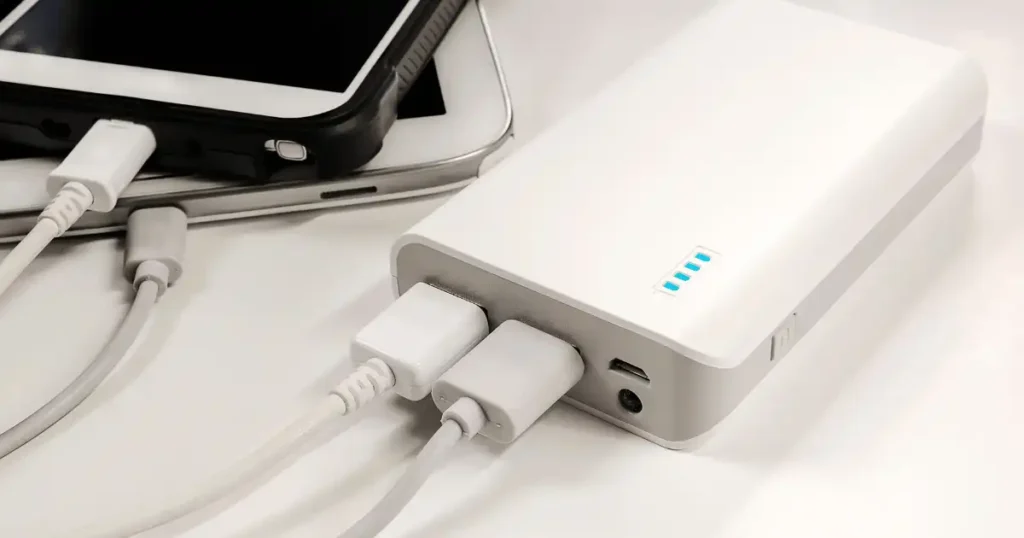
Plugging a power bank in before bed in Seattle and finding it barely charged the next morning is one of the most frustrating tech surprises around. A power bank charges slowly for one of two reasons, and beginners often mix the two up without realizing it. Either the power bank itself takes forever to refill, or the power bank charges your phone or other device slowly once it’s full. Charging speed depends on the entire chain working together, not just the mAh number printed on the box.
Charger wattage, input rating, cable quality, USB port type, charging protocol, temperature, battery condition, and total capacity all play a role. This guide walks through a practical, step-by-step troubleshooting process so you can pinpoint the actual cause instead of guessing.
Why Does a Power Bank Charge Slowly?
A slow power bank is not always a broken one. In many cases, a single part of the charging setup limits how much power can actually reach the battery.
The charger may not provide enough power
Input power and output power describe two different jobs. A 5W or 10W charger can take a painfully long time to refill a large power bank, since there simply is not enough power flowing in. Standard ratings like 5V/1A, 5V/2A, and 5V/3A each deliver a very different charging speed compared with a modern USB-C PD charger. A high-capacity 20,000mAh bank naturally needs far more total energy than a small 5,000mAh model, which means it demands a stronger charger to refill in a reasonable time.
The USB cable may be the bottleneck
Cable quality and power rating matter more than most people expect. A frayed cable, a damaged connector, or a cheap unrated cable can quietly cap your charging speed no matter how strong your charger is. USB-C alone does not guarantee fast charging, since USB-C describes a connector shape while USB Power Delivery describes the actual charging technology, and the two are related but genuinely separate concepts. Our guide on common charging problems covers several everyday situations rooted in this same confusion.
The power bank may have a low input rating
Input describes how quickly the power bank itself can recharge, while output describes how quickly it can charge another device. A power bank rated for 100W output does not automatically accept 100W input, and the two numbers often differ significantly. Check the printed label or manual before assuming your fast charger will actually speed up recharging.
The power bank may be large
Twenty thousand and thirty thousand milliamp-hour power banks naturally take longer to recharge simply because they store more total energy. mAh alone never tells the full story here. Watt-hours, or Wh, give a clearer picture of stored energy using a simple formula: Wh roughly equals mAh multiplied by voltage, divided by 1,000.
How Power Bank Charging Actually Works
Understanding the basic charging path makes troubleshooting far easier. No electrical engineering degree required, just a few simple numbers.
From wall outlet to battery cells
Power travels through a clear chain: wall outlet, charger, cable, power bank input, internal charging circuit, and finally the battery cells themselves. One weak link anywhere in that chain slows the entire process down, and the power bank’s internal circuitry actively controls and manages the charging current throughout.
What voltage, amps, and watts mean
Voltage
Voltage works like electrical pressure, measured in volts.
Current
Current describes the flow of electrical charge, measured in amps.
Power
Charging power is measured in watts, calculated as volts multiplied by amps.
What USB Power Delivery does
USB Power Delivery lets a device and charger negotiate an appropriate power level together rather than forcing a fixed amount blindly. USB PD supports much higher power levels than basic USB charging, and USB PD 3.1 can support up to 240W with the right equipment on both ends. Having a USB-C connector alone never guarantees Power Delivery support, so this distinction matters throughout your troubleshooting process.
Why charging speed is not constant
Charging naturally slows as the battery approaches full capacity. A constant-current phase delivers steady, strong power early on, followed by a constant-voltage phase where current gradually reduces near full charge. This explains why the final 10 to 20% of any charge often feels painfully slow, and it rarely signals a real fault.
10 Common Reasons a Power Bank Charges Slowly
Match your specific symptoms against these common causes, starting with the simplest checks before blaming the battery itself.
1. You are using a low-wattage wall charger
Check your charger’s printed label first. An old 5W phone charger can take an extremely long time to refill a large power bank. Pairing a large power bank with an old charger overnight may genuinely not be enough time to finish the job, and manufacturer guidance consistently identifies low-power adapters as a common culprit here.
2. The cable is damaged or poorly rated
A frayed cable, a loose connector, a bent plug, or an excessively cheap cable can each limit charging speed noticeably. Testing with a known-good cable quickly rules this cause in or out.
3. The power bank has a slow input port
USB-A input ports generally charge slower than USB-C input ports on comparable power banks. Check the printed input specification directly rather than assuming the fastest-looking port automatically delivers the fastest input speed.
4. You are using the wrong charging protocol
USB PD, PPS, Qualcomm Quick Charge, and various proprietary fast-charging systems do not always work together smoothly. Incompatible combinations often fall back to a slower, safer charging speed. Manufacturer support documentation, including guidance from brands like Huawei, notes that protocol mismatches can prevent fast charging from engaging at all.
5. The power bank is charging another device at the same time
Pass-through and simultaneous charging split available power across connected devices, and some models change their charging behavior entirely once a second device connects. Disconnecting other devices during testing removes this variable completely.
6. The battery is nearly full
Going from 10% to 50% typically moves fast, 50% to 80% slows slightly, and 80% to 100% slows the most. This normal pattern explains why the final percentage can feel agonizingly slow compared with the rest of the charge.
7. The power bank is too hot or too cold
Temperature directly affects charging behavior. Avoid charging under blankets, in direct sunlight, or inside a hot vehicle, and use a cool, ventilated surface instead. Never place a hot battery in a freezer to cool it down quickly, since rapid temperature swings can damage lithium-ion cells.
8. The battery cells have aged
Aging batteries lose capacity and gain internal resistance over time, both of which lead to longer charging times and shorter runtime. Our guide on why your laptop battery drains quickly explains a closely related aging pattern in more detail.
9. The charging port is dirty or damaged
Dust and debris inside a port can prevent proper contact, leading to a loose connection or intermittent charging. Clean gently and avoid inserting any metal object into the port. Our guide on how to clean a smartphone charging port covers safe cleaning techniques that also apply to power bank ports.
10. The power bank itself may be faulty
Any sudden change from normal charging behavior, excessive heat, swelling, a burning smell, strange sounds, or charging that repeatedly starts and stops all point toward a genuine hardware fault. If a lithium-ion power bank is swollen, damaged, leaking, unusually hot, or producing a burning smell, stop using it immediately rather than attempting to repair the battery yourself.
Quick Troubleshooting Checklist for Slow Charging
Run through these simple tests before buying a replacement. Most common problems can be narrowed down within a few minutes.
Step 1, check the power bank input rating
Find the input voltage, input amperage, and maximum input wattage printed on the label. Photograph it if the text is too small to read comfortably.
Step 2, check the wall charger
Look for the charger’s output ratings, calculate the total watts if needed, and compare that number directly against your power bank’s input rating.
Step 3, swap the cable
Use the included cable first when possible, then try a second known-good cable. Match the cable’s rating to the power level you actually need.
Step 4, try another wall outlet
Testing a different outlet rules out a faulty socket or a loose connection. Avoid testing through questionable extension cords or unreliable hubs during this step.
Step 5, disconnect everything else
Remove phones, tablets, earbuds, and any other connected devices, then test the power bank entirely on its own.
Step 6, let the power bank cool
Stop charging immediately if the unit becomes unusually hot, move it to a hard, open surface, and retest once it returns to normal room temperature.
Step 7, time a complete recharge
Start from a known battery level, record the exact charger and cable used, and compare your result against the manufacturer’s stated recharge time.
Charger and Cable Wattage Comparison
The numbers printed on chargers and cables can look like alphabet soup at first glance. This table turns them into something genuinely useful for diagnosing slow charging.
| Charging setup | Approx. power | Typical result |
|---|---|---|
| 5V x 1A | 5W | Very slow for large banks |
| 5V x 2A | 10W | Basic charging |
| 5V x 3A | 15W | Faster basic charging |
| USB-C PD | Varies | Fast charging when compatible |
| Higher-power USB-C PD | 30W+ | Faster recharge on supported banks |
Actual charging power still varies by device, cable, charger, protocol, and charging stage, so treat this table as a general guide rather than a promise of exact charging times.
How Long Should a Power Bank Take to Charge?
No single “normal” charging time exists across every power bank. Capacity and input power together matter far more than the size printed on the front of the box.
5,000mAh power banks
Smaller capacity generally means a quicker refill, making these units well suited for basic emergency charging needs.
10,000mAh power banks
This common everyday size takes noticeably longer than a 5,000mAh unit, with the exact recharge time depending heavily on the charger’s input power.
20,000mAh power banks
More stored energy can mean several hours of charging with a weak, low-power charger. A fast USB-C input makes a genuinely major difference at this capacity level.
30,000mAh and larger power banks
High capacity demands stronger input power to recharge in a reasonable time. Travel and airline considerations apply separately at this size, so check your airline’s current rules directly before flying with one, a habit worth pairing with our guide on how to buy electronics safely online. Capacity should never be confused with charging speed, since they measure two entirely different things.
Why advertised charging time can differ from real life
Energy conversion losses, the natural charging curve, cable limitations, temperature, battery condition, and the specific conditions used during manufacturer testing can all shift real-world results away from the number printed on the box.
Power Bank Capacity vs Charging Speed
This is one of the easiest places to get confused. A bigger mAh number gives you more stored energy, but it never automatically makes charging faster.
| Power bank size | Best suited for | What affects recharge time |
|---|---|---|
| 5,000mAh | Emergency phone top-ups | Input wattage |
| 10,000mAh | Daily phone use | Charger + cable |
| 20,000mAh | Travel and multiple devices | Input wattage + protocol |
| 30,000mAh+ | Laptops and heavy use | High-power USB-C PD |
Why mAh is not a charging-speed rating
mAh measures stored capacity, while watts describe delivered power. Think of mAh as the size of the tank and watts as how quickly you can actually fill it.
Why Wh can be more useful
Watt-hours describe true stored energy rather than raw charge capacity, which makes comparing power banks with different cell voltages far more accurate than comparing mAh numbers alone.
How to Make a Power Bank Charge Faster
Once you know which part of the system is slowing things down, the fix usually becomes straightforward.
Use a suitable USB-C PD charger
Match your charger’s output to the power bank’s maximum input rating rather than assuming a bigger number always helps. A 100W charger will never force a power bank to accept 100W, since the power bank’s own charging system only takes what it actually supports. A well-rated option like this charger on Amazon is worth comparing against your current setup.
Use a properly rated cable
Check your cable’s printed power rating carefully. The USB Implementers Forum now uses 60W and 240W power markings on applicable USB-C to USB-C cables, and pairing a high-watt charger with an unsuitable cable wastes the entire upgrade.
Charge the power bank by itself
Disconnect phones and other devices during troubleshooting, and avoid simultaneous charging until you have confirmed your baseline recharge speed.
Keep the power bank cool
Use a desk or hard surface, keep airflow moving freely around the device, and avoid any unnecessary heat buildup during charging.
Keep ports clean
Inspect the charging port regularly, remove loose debris carefully, and never force a tool or sharp object into the connector.
Power Bank Charging Slowly vs Charging Your Phone Slowly
These two problems sound nearly identical, but they call for different troubleshooting steps entirely.
| Symptom | Most likely area to check |
|---|---|
| Power bank takes hours to recharge | Input charger, cable, input rating |
| Phone charges slowly from power bank | Power bank output, phone, cable |
| Power bank gets hot while charging | Temperature, charger, battery |
| Charging stops and starts | Cable, port, connection |
| Only final 10 to 20% is slow | Normal charging behavior |
| Used to charge fast, now slow | Cable, port, battery aging |
If the power bank itself charges slowly
Focus your attention on input wattage, the charger, the cable, the input port, and general battery condition.
If your phone charges slowly from the power bank
Check the power bank’s output rating, your phone’s supported charging standard, the cable in use, ambient temperature, and whether multiple devices are connected at once. Manufacturer guidance from brands like Belkin similarly points to power bank output, cable capability, and device temperature as key factors behind slow phone charging.
How to Tell If Your Power Bank Battery Is Failing
Not every slow charge points to a battery problem. These specific signs make a genuine hardware issue much more likely.
Charging time suddenly becomes much longer
Compare current performance against how the unit charged in the past, and rule out the charger and cable first before assuming battery failure.
Battery percentage behaves strangely
Watch for readings that jump unexpectedly between levels, drop rapidly without explanation, or get stuck at one specific percentage for an unusually long time.
The power bank becomes unusually hot
Normal warmth during charging differs from genuinely excessive heat. Stop using the unit immediately if the heat feels abnormal.
The case is swollen or distorted
Treat any swelling as a serious safety warning. Never squeeze or puncture a swollen case, and stop charging it right away.
The power bank shuts down unexpectedly
Unexpected shutdowns can point toward cell degradation, protection-circuit behavior kicking in, or output overload from connected devices.
What a Real-World Charging Test Looks Like
Hands-on testing removes as many variables as possible, since otherwise you might blame the power bank for what is actually a bad cable.
Set up a simple home test
Start with the same power bank each time, use one known-good wall charger, use one known-good cable, record the starting percentage, disconnect all output devices, and charge everything at normal room temperature.
Test three charging setups
Compare an old low-power charger, a modern USB-C PD charger, and the manufacturer-recommended charger side by side under identical conditions.
Record the results
Track the starting percentage, ending percentage, total charging time, charger wattage, cable used, ambient temperature, and any charging interruptions along the way.
Example real-life scenario
A commuter leaves a 20,000mAh power bank charging overnight, only to find it barely full the next morning. The power bank looks like the obvious suspect at first. Testing reveals an old 5W adapter buried in a junk drawer as the real cause. Switching to a compatible, higher-power USB-C PD charger produces a dramatically shorter recharge time on the very next attempt.
USA Expert Advice on Slow Power Bank Charging
Hands-on testing perspective
Technology reviewers who spend real time testing consumer electronics and charging gear consistently push back against judging a power bank purely by the number on the box. Any direct quote used in coverage like this should come from a verified source, original article, or interview rather than an invented line. The core testing principle worth borrowing here stays simple and worth repeating.
Why hands-on testing matters
Test the charger, cable, device, and power bank together as one complete system rather than judging any single piece in isolation. Manufacturer maximum ratings never guarantee sustained real-world charging speed. Temperature and current battery level can both shift power draw during a session, and cable or protocol compatibility can quietly cap results below what the specs suggest. Genuine testing compares repeatable setups against each other rather than trusting marketing numbers alone.
Common Mistakes That Make Power Banks Charge Slowly
Some slow-charging problems are entirely self-inflicted, which fortunately also makes them some of the easiest to fix.
Using the oldest charger in the house
The random drawer charger often turns out to be a weak 5W or 10W unit. Check its printed wattage before relying on it again.
Assuming every USB-C cable is fast
USB-C describes the connector and interface shape, and individual cable capabilities still vary widely. USB-C is not automatically the same thing as USB Power Delivery.
Looking only at mAh
Capacity numbers describe storage, not input speed. Always check the input wattage separately before judging recharge speed.
Charging the power bank under a pillow or blanket
This traps heat, blocks ventilation entirely, and should be avoided completely regardless of how convenient it feels at night.
Charging several devices at once
Shared output or altered charging behavior on many models slows things down. Testing with one device at a time isolates the real cause quickly.
Buying a high-output bank without checking input
A power bank can output a strong 100W while accepting far less power during its own recharge. Always check both specifications separately rather than assuming they match.
When Should You Replace a Slow-Charging Power Bank?
If simple tests fail to improve charging speed, it may genuinely be time to stop troubleshooting and replace the unit.
Replace it if the battery is swollen
Safety always takes priority over saving money on an aging power bank.
Replace it if it overheats repeatedly
This matters especially when the overheating happens even with a fully compatible charger under normal conditions.
Replace it if charging is unreliable
Repeated disconnects, erratic percentage readings, and sudden shutdowns all point toward a unit worth retiring.
Replace it when capacity has clearly degraded
Very short runtime paired with a much longer recharge time signals a noticeable decline after extended use.
Check the warranty before buying another one
Gather your manufacturer warranty details, proof of purchase, model number, and any relevant support documentation before deciding whether a replacement or a repair claim makes more sense. Our guide on common tech buying mistakes beginners make is worth a look before your next purchase too.
How to Choose a Power Bank That Does Not Charge Slowly
If you are replacing the old unit, focus on the specifications that genuinely affect real charging performance rather than the biggest number on the box.
Check maximum input wattage
This ranks among the most important specifications to check, especially for 20,000mAh-plus models that need real power to recharge in a reasonable time.
Look for USB-C Power Delivery
USB-C PD proves genuinely useful for modern phones, tablets, handheld consoles, and some laptops, though checking the actual supported power profiles matters more than trusting the label alone.
Check PPS support when needed
PPS support matters particularly for devices that rely on PPS-based fast charging, and real compatibility always matters more than marketing language.
Buy a properly rated cable
Match your cable’s capability to both the charger and the power bank you plan to use it with, rather than grabbing whatever cable happens to be nearby.
Compare capacity and weight
Bigger is not automatically better here. A 20,000mAh model may be genuine overkill for someone who only needs a single phone top-up during the day.
| Specification | Why it matters |
|---|---|
| mAh | Shows battery capacity |
| Wh | Shows stored energy more clearly |
| Input watts | Determines recharge potential |
| Output watts | Determines device charging potential |
| USB-C PD | Enables supported fast charging |
| PPS | Helps with compatible devices |
| Cable rating | Can affect available charging power |
| Temperature control | Helps manage charging safely |
A model built around these specifications, similar to this power bank on Amazon, avoids most of the slow-charging complaints covered throughout this guide.
Frequently Asked Questions About Slow Power Banks
Why does my power bank take all night to charge?
A low-power charger, a large overall capacity, a poorly rated cable, or a limited input rating can each stretch out charging time significantly on their own or together.
Does a higher-watt charger charge a power bank faster?
Yes, but only if the power bank actually supports that higher input power. A stronger charger never forces unsupported power into a bank that cannot accept it.
Does a longer USB cable make charging slower?
Cable length can add some resistance, though cable quality and power rating matter far more than length alone. Focus on properly rated cables rather than trusting blanket claims about length.
Why does my power bank charge slowly near 100%?
This reflects a completely normal reduction in charging current as the battery approaches full capacity, not a fault worth troubleshooting.
Can I use my phone while the power bank is charging?
It depends on whether your specific power bank supports simultaneous input and output charging. For the fastest possible recharge test, disconnect everything else first.
Does a 20,000mAh power bank charge slower than a 10,000mAh one?
Usually yes, since it stores more total energy, unless the larger model also ships with a significantly stronger input rating to compensate.
Is slow charging a sign that my power bank is broken?
Not necessarily. Test the charger, cable, port, ambient temperature, and input rating first before assuming the unit itself has failed.
Final Practical Troubleshooting Checklist
Check the power bank’s maximum input wattage, then check the wall charger’s actual output rating. Use a compatible USB-C PD charger when your power bank supports it, and try a known-good, properly rated cable if charging still feels slow. Disconnect other devices during testing, inspect and safely clean the charging port, and charge on a hard, ventilated surface at normal room temperature. Compare your recharge time against the manufacturer’s stated specification, and stop using the unit immediately if it becomes swollen, leaking, severely damaged, or unusually hot at any point.
Final Recommendation
After years spent testing chargers, cables, and power banks together as complete systems, my honest advice stays simple. Before blaming a power bank charges slowly issue on the battery itself, rule out the charger, the cable, and the input rating first, since one of those three causes the problem far more often than genuine battery failure does.
Pair your power bank with a properly rated USB-C PD charger and cable, keep it cool during charging, and disconnect other devices whenever you want the fastest possible recharge. If your current setup still struggles after working through this checklist, a well-specified replacement like this power bank on Amazon is exactly what I would recommend to a friend tired of waking up to a half-charged power bank.

Ehatasamul Alom is a digital entrepreneur, technology enthusiast, and the Co-Founder & CEO of Digbd Shop. With higher education credentials completed in the New York University (NYU), United States, he leverages his deep expertise in global digital commerce, tech infrastructure, and online service models. Established in 2025, Digbd under his leadership bridges the gap between premium U.S. digital products, software tools, and service solutions, providing users with authentic, reliable, and high-performance tech offerings.