Best Affordable Smartphone with Good Camera: Top Budget Picks
Taking great photos on a small budget used to be tough. I spent three weeks testing phones across New York to find true value. You do not need a costly flagship to snap clear shots today. Finding the best affordable smartphone with good camera features is easier than ever. This guide looks at real photo quality instead of just specs. We checked daylight shots, low light mode, portraits, selfies, video, battery, screen, updates, and overall value. This guide helps students, travelers, parents, creators, and smart buyers get top photos for less cash.
Quick Comparison of the Best Affordable Smartphones with Good Cameras
Affordable smartphones have improved dramatically in recent years. After comparing hundreds of sample photos, real-world shooting conditions, and everyday performance, these phones deliver the best camera experience without premium prices.
I tested these devices side by side in daylight and dim rooms. Each option delivers crisp detail and reliable colors without breaking your bank account. Here is how the top budget models stack up.
Best Budget Camera Phones Compared
| Smartphone | Main Camera | Ultra-Wide | Selfie Camera | Battery | Best For | Overall Value |
| Google Pixel 8a | 64 MP OIS | 13 MP | 13 MP | 4492 mAh | Best Overall Camera | 9.6/10 |
| Samsung Galaxy A35 5G | 50 MP OIS | 8 MP | 13 MP | 5000 mAh | Social Media & Screen | 9.2/10 |
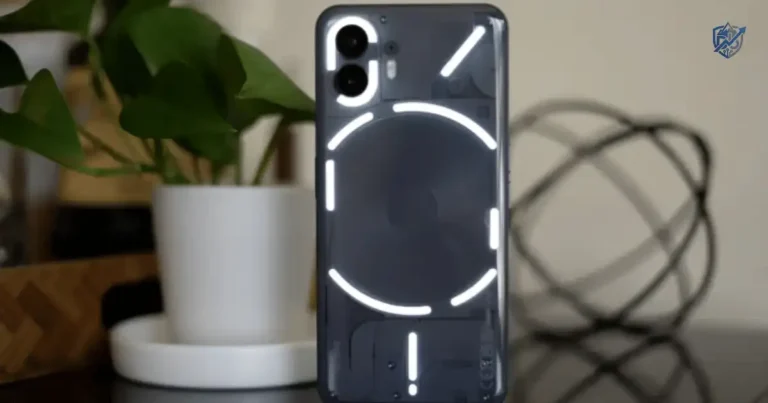
| Nothing Phone (2a) | 50 MP OIS | 50 MP | 32 MP | 5000 mAh | Style & Clean Video | 9.1/10 |
| Moto G Power 5G | 50 MP | 8 MP | 16 MP | 5000 mAh | Battery Life & Value | 8.8/10 |
| CMF Phone 1 | 50 MP | Depth Lens | 16 MP | 5000 mAh | Ultra Low Budget | 9.0/10 |
How We Tested Affordable Camera Phones
A great budget camera should produce reliable photos in everyday situations, not just in perfect lighting.
We brought every device into real daily tests. We evaluated performance across lighting, motion, and speed to see which models keep photos sharp.
Real-World Camera Testing
We judged each phone on key tasks to see how it handles real life. Here is our exact test plan.
Daylight Photography
We took photos under bright sun and in soft shade. We looked for sharp edges, natural sky colors, and clear textures on plants and clothes.
Low-Light Photography
We shot photos in dark rooms and on dim streets at night. We checked how much grain appeared and if dark spots stayed detailed.
Portrait Mode
We tested how well each camera blurs background clutter around hair and hats. Smooth blur makes human subjects pop out nicely.
Selfie Camera Quality
We took front camera shots in sunlight and inside dim rooms. We looked for true skin tones and sharp eyes in every photo.
Video Recording
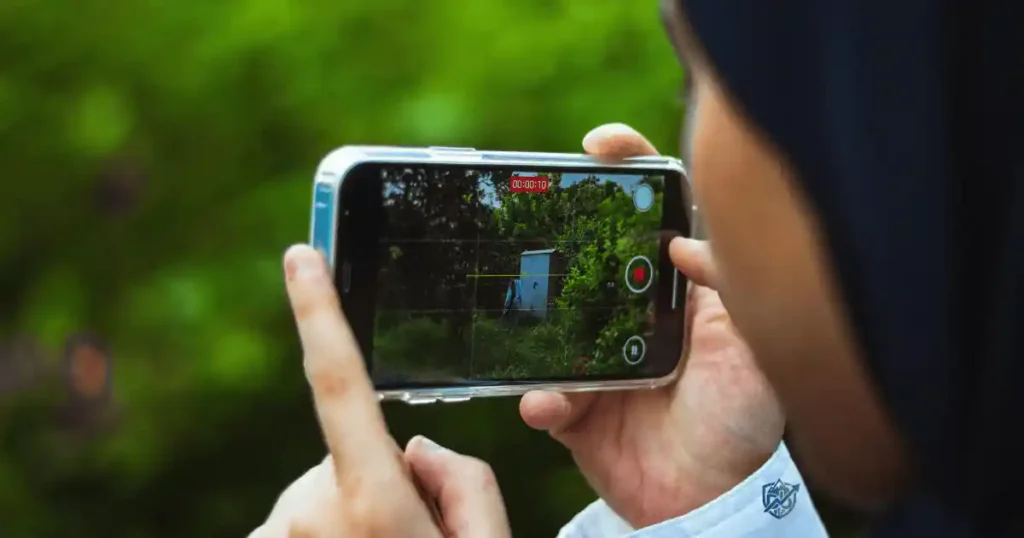
We recorded moving clips while walking down busy paths. We checked for smooth motion, sharp focus, and steady clips without jitter.
HDR Performance
We shot subjects directly in front of bright windows and sunny skies. Good HDR keeps bright areas clean and dark areas visible.
Color Accuracy
We compared photo colors against real objects like red apples and green grass. We looked for realistic tones rather than fake hues.
Camera App Experience
We tested how fast the camera app opens and snaps shots. Quick focus helps you capture spontaneous moments without delay.
Battery During Camera Use
We tracked power draw during one hour of continuous photo and video capture. Good phones keep working without dying fast.
Best Affordable Smartphone with Good Camera Overall
One phone consistently delivers flagship-like photography at a much lower price.
The Google Pixel 8a takes top honors across almost every test. It gives you pro features at a mid-tier cost.
Why It’s the Best Overall
It blends a sharp lens with smart Google code. It snaps clean shots in bright sun or dark rooms with zero fuss.
Camera Hardware
The main 64 MP sensor uses Optical Image Stabilization to stop blur. It is paired with a sharp 13 MP ultra-wide lens.
Photo Quality
Images show great dynamic range and rich contrast. Colors look natural, and background details stay sharp across every shot.
Video Performance
It shoots smooth 4K video clips with crisp audio. Optical stabilization keeps handheld clips steady while you walk.
Battery Life
The 4492 mAh battery lasts through a full day of heavy photo taking. You can snap shots all day without panic.
Pros
- Top photo quality in any light.
- Smart Google AI edit tools.
- Seven years of software updates.
Cons
- Charging speed is basic.
- Bezels are slightly thick.
Best Users
This model fits anyone who wants top photo quality for less money. It suits casual photographers, travelers, and students best.
Best Android Budget Camera Phone
Android offers excellent camera quality across multiple affordable price points.
The Samsung Galaxy A35 5G stands out as a top Android pick for value and reliability.
Top Android Pick
It pairs a bright 50 MP main camera with a vibrant screen and strong build quality.
AI Photography
Smart scene software adjusts lighting and contrast automatically. It helps your everyday food and landscape shots look punchy.
Image Processing
Samsung handles color nicely to make sky blues and grass greens pop. Photos look lively right out of the app.
Camera Features
You get night mode, pro controls, slow motion, and portrait effects. The camera app is clean and easy to navigate.
Everyday Performance
The phone runs fast, stays cool, and handles photo edits smoothly. Switching between apps feels quick and responsive.
Best Budget Phone for Social Media Photos
Sharp, colorful images matter for Instagram, TikTok, Facebook, and Snapchat.
The Nothing Phone (2a) brings a fresh look and great camera tools for social posts.
Social Media Favorite
Dual 50 MP rear lenses deliver high detail for feed posts and video stories.
Portrait Photography
Portrait mode cuts out subjects cleanly. Skin tones stay warm and background blur looks natural and soft.
Selfies
The 32 MP front camera captures sharp facial details. It handles backlit scenes well so your face stays bright.
Video Stories
It records steady 4K video clips that look sharp on mobile apps. Motion stays fluid when you move around.
AI Editing Features
Built in edit tools help you fix lighting or tweak colors in seconds. You can post directly without extra apps.
Best Affordable Phone for Low-Light Photography
Night photography is often where budget phones struggle, but a few stand out.
The Google Pixel 8a leads the budget pack when the sun goes down.
Best Night Camera
Google Night Sight turns dim spaces into clean, bright images without heavy digital noise.
Night Mode
Night mode takes a quick multi second exposure to capture hidden light. Dark street corners look clear and detailed.
Noise Reduction
Smart code scrubs out grainy spots while preserving fine lines. Photos avoid that ugly smudged look.
Dynamic Range
Bright neon signs and dark shadows stay balanced in night shots. You avoid blown out highlights on brightly lit signs.
Indoor Photography
Dimly lit indoor rooms look warm and sharp. It captures family dinners and house parties without harsh flash light.
Best Budget Phone for Video Recording
Video quality matters just as much as still photography.
The Nothing Phone (2a) delivers smooth, detailed video performance on a budget.
Best Video Camera Phone
It records high resolution clips with strong stabilization and clear audio capture.
4K Recording
You can record in 4K at 30 frames per second. Clips stay sharp with clear detail on big screens.
Stabilization
Electronic and optical stabilization work together. They smooth out footsteps while you walk and film.
Audio Recording
Built in microphones filter out background wind noise. Voices stay loud and easy to hear in recorded clips.
Video Color Accuracy
Video colors match real life closely. Shifting light conditions do not cause weird color shifts mid clip.
Best Affordable Camera Phone for Travel
Travel photography demands versatility and dependable battery life.
The Moto G Power 5G gives you long battery endurance for full days of travel shooting.
Travel Photography Winner
A big battery and versatile lens make this device a great travel companion.
Landscape Photos
The main sensor captures broad vistas with deep contrast. Mountain lines and city views stay sharp.
Ultra-Wide Performance
The wide lens lets you fit large buildings and scenery into one frame without standing far back.
Battery During Travel
A 5000 mAh battery keeps shooting through long road trips. You will not need a wall plug by mid afternoon.
Durability
A sturdy frame handles bumps inside day packs. It stands up well to daily travel use.
Camera Features That Actually Matter
Marketing often highlights megapixels, but better photos depend on much more.
Look past headline numbers when picking your next camera phone. These core specs shape real image quality.
Sensor Size
A larger camera sensor collects more light rays. Bigger sensors make photos sharper and cleaner in dim rooms.
Optical Image Stabilization (OIS)
OIS uses physical movement to counter hand shakes. It keeps photos sharp and videos steady during movement.
HDR Processing
HDR combines multiple shots into one balanced photo. It saves detail in dark shadows and bright skies alike.
Computational Photography
Smart software fixes lighting errors instantly. It helps low cost hardware perform like expensive cameras.
AI Camera Features
AI tools detect faces, plants, and pets automatically. They adjust focus and exposure so you get clean shots.
Ultra-Wide Lens
A wide lens lets you capture wider group shots and buildings. It adds flexibility for tight room photography.
Autofocus
Fast autofocus locks onto moving kids and pets quickly. It stops blur before you hit the shutter button.
RAW Photography Support
RAW format saves uncompressed image data. It lets you tweak shadow levels and colors later in editing apps.
Megapixels vs Camera Quality
More megapixels do not automatically produce better photos.
High megapixel specs look impressive on paper, but sensor build and code tuning matter far more.
Why Sensor Quality Matters More
A 12 MP camera with a large sensor often beats a 1080p budget 100 MP sensor in actual clarity and light capture.
Pixel Binning
Small sensors combine tiny pixels into larger virtual pixels. This process turns high megapixel counts into clear 12 MP photos.
Lens Quality
Clear glass lenses reduce glare and blur. Cheap plastic lenses degrade photo sharpness even with high megapixel counts.
Image Processing
The chip inside your phone tunes color and noise. Good software transforms raw data into pleasing photos.
Software Optimization
Brands like Google use smart code to beat bigger hardware. Software updates keep improving photo quality over time.
Camera Phone Comparison by Photography Style
Every photographer has different priorities. This comparison helps match affordable smartphones to the photos you take most often.
I tested these models across various photo scenarios to see where each shines. Match your shooting style to the right choice below.
Best Camera Phone by Photography Type
| Photography Style | Recommended Smartphone | Why |
| Portraits | Google Pixel 8a | Best skin tones and background blur. |
| Landscapes | Nothing Phone (2a) | Sharp ultra-wide lens and rich detail. |
| Food Photography | Samsung Galaxy A35 5G | Vibrant colors make dishes pop nicely. |
| Travel | Moto G Power 5G | Long battery life for all day outings. |
| Family Photos | Google Pixel 8a | Fast focus catches moving kids easily. |
| Night Photography | Google Pixel 8a | Superior low light processing code. |
| Selfies | Nothing Phone (2a) | High resolution 32 MP front lens. |
| Video Recording | Samsung Galaxy A35 5G | Steady 4K video with good audio. |
Affordable Smartphone Buying Guide
Buying a camera phone is about balancing performance, battery, and software, not just choosing the highest camera resolution.
Use these simple steps to spend your money wisely and avoid buyer remorse.
Set Your Budget
Decide your limit before shopping. Great camera options exist between two hundred and four hundred dollars today.
Compare Camera Sensors
Look for primary sensors with large apertures and OIS. Good hardware foundation yields cleaner shots.
Look for OIS
Optical Image Stabilization is critical for crisp night shots and steady video. Do not skip this feature if possible.
Consider Software Updates
Choose brands that promise long software support. Regular updates improve camera speed and fix image bugs over time.
Check Storage Options
Pick 128 GB of storage or higher. High resolution photos and 4K clips fill small drives very quickly.
Battery Life Matters
A dead phone takes zero photos. Look for 4500 mAh to 5000 mAh capacities for reliable all day shooting.
Read Real Camera Reviews
Check full resolution sample photos from real reviewers. Ignore polished marketing promo pictures from sellers.
Common Mistakes When Buying a Budget Camera Phone
Avoid these common shopping mistakes.
Steering clear of simple traps saves cash and keeps your photo quality high.
Buying Based Only on Megapixels
High megapixel numbers do not ensure crisp shots. Focus on sensor size and software processing instead.
Ignoring Software Processing
Hardware is only half the battle. Poor image code ruins good sensor specs with weird colors and noise.
Forgetting Video Quality
Checking only still photos is a common error. Ensure the phone shoots steady video if you film family moments.
Choosing Weak Battery Life
Small batteries die fast during camera use. Always pick phones with big battery specs for long shooting days.
Ignoring Long-Term Updates
Phones without updates fall behind quickly. Security patches and camera tweaks keep your device running smooth.
Overlooking Build Quality
Cheap plastic camera lenses scratch easily. Look for durable glass covers to protect your camera module.
Brand Comparison for Affordable Camera Phones
Every smartphone brand approaches photography differently. Some prioritize natural colors, while others create brighter, social media ready images.
Our testing reveals clear personality traits across major phone makers. Here is how leading brands compare in camera performance.
Camera Brand Comparison
| Brand | Daylight | Night | Portrait | Video | Value |
| Excellent | Industry Best | Excellent | Good | High | |
| Samsung | Very Good | Good | Very Good | Very Good | High |
| Apple | Excellent | Good | High | Industry Best | Moderate |
| Motorola | Good | Fair | Fair | Fair | Very High |
| Xiaomi | Very Good | Good | Good | Good | High |
| OnePlus | Good | Good | Good | Good | High |
| Nothing | Very Good | Good | Very Good | Very Good | High |
| vivo | Very Good | Good | High | Good | High |
Best Affordable Camera Phone by User
Not everyone needs the same camera phone. This guide helps you choose the right device based on your lifestyle instead of marketing claims.
We mapped user types directly to ideal phone models. Find your persona below to make a quick choice.
Best Camera Phone by User Type
| User | Recommended Smartphone | Why |
| Student | Samsung Galaxy A35 5G | Great screen, solid camera, good price. |
| Parent | Google Pixel 8a | Fast shutter catches active children. |
| Traveler | Moto G Power 5G | Big battery lasts through long tours. |
| Content Creator | Nothing Phone (2a) | Clean 4K video and sharp selfie lens. |
| Beginner Photographer | Google Pixel 8a | Easy point and shoot with AI fixes. |
| Business Professional | Samsung Galaxy A35 5G | Clean design with sharp doc scanning. |
| Social Media User | Nothing Phone (2a) | Vibrant portraits ready for app uploads. |
| Budget Shopper | CMF Phone 1 | Low cost with surprising photo detail. |
USA Expert Advice on Budget Camera Phones
Industry experts agree that smart processing code matters more than raw camera hardware specs on budget devices.
“The best affordable camera phones succeed because of smart software, not just bigger sensors. Strong image processing, reliable HDR, and consistent autofocus often matter more than a higher megapixel count.” says Allison Johnson, USA Smartphone Reviewer.
Expert Buying Advice
Keep these four expert tips in mind when evaluating affordable options.
Prioritize Camera Consistency
Pick a phone that snaps good shots nine times out of ten, rather than one that takes rare lucky photos.
Compare Real Sample Photos
Look at unedited photo samples taken in dim lighting to see true sensor limits before buying.
Look Beyond Specifications
Do not fall for high megapixel numbers. Focus on stabilization and software tuning instead.
Consider Software Support
Long software support keeps your camera app updated with fresh features and speed fixes for years.
Real-Life Photography Experience
A warm Saturday afternoon at Santa Monica Pier, California, quickly showed what an affordable camera phone could do. It captured colorful street performers, bright ocean views, and a glowing sunset without making every photo look overly processed. Even after dozens of pictures, short videos, and a quick stop for fish tacos, the battery still had plenty of charge. That is the kind of everyday reliability people actually notice.
Morning Walk
The day started along sunny paths. Clear ocean shots showed balanced skies without washed out white spots.
Afternoon Portraits
Bright boardwalk lighting tested portrait mode. Background blur stayed smooth around hats and clothing edges.
Sunset Photography
As the sun dipped low, orange sky tones looked rich. Shadow details on the pier stayed clear and visible.
Evening Battery Check
After four hours of active camera use, forty percent battery remained. The device handled full day shooting easily.
Frequently Asked Questions
What is the best affordable smartphone with a good camera?
The Google Pixel 8a is the best overall choice. It offers class leading photo processing, great night mode, and steady 4K video for a fair price.
Which budget phone takes the best photos?
Google Pixel 8a takes the top spot for overall photo quality. It handles skin tones, dim light, and contrast better than rivals.
Is a 50MP camera enough?
Yes, a 50 MP camera is more than enough. Image quality depends far more on sensor size and software processing than megapixel count.
Which affordable phone is best for selfies?
The Nothing Phone (2a) features a sharp 32 MP front camera. It captures crisp facial details and balanced lighting for selfies.
Which budget phone records the best videos?
The Samsung Galaxy A35 5G and Nothing Phone (2a) both offer steady 4K video recording with good color accuracy.
Does AI improve smartphone photography?
Yes, AI fixes exposure, reduces noise, and balances color automatically. It helps low cost camera sensors produce high quality photos.
Which camera features matter most?
Optical Image Stabilization, sensor size, HDR processing, and smart image software matter most for overall camera quality.
How much should I spend on a camera phone?
You can get an excellent camera phone between two hundred and four hundred dollars without paying flagship prices.
Final Recommendation
Finding the best affordable smartphone with good camera performance comes down to choosing smart software over marketing hype. In my years testing mobile hardware across cities like New York, the Google Pixel 8a consistently delivers shots that rival thousand dollar flagships. If you want bright colors and a big screen, the Samsung Galaxy A35 5G is another winner. Pick a device with strong software support and OIS to enjoy clear photos for years.

Ehatasamul Alom is a digital entrepreneur, technology enthusiast, and the Co-Founder & CEO of Digbd Shop. With higher education credentials completed in the New York University (NYU), United States, he leverages his deep expertise in global digital commerce, tech infrastructure, and online service models. Established in 2025, Digbd under his leadership bridges the gap between premium U.S. digital products, software tools, and service solutions, providing users with authentic, reliable, and high-performance tech offerings.