iPhone 11 Pro Max Not Turning On? Try These Easy Fixes
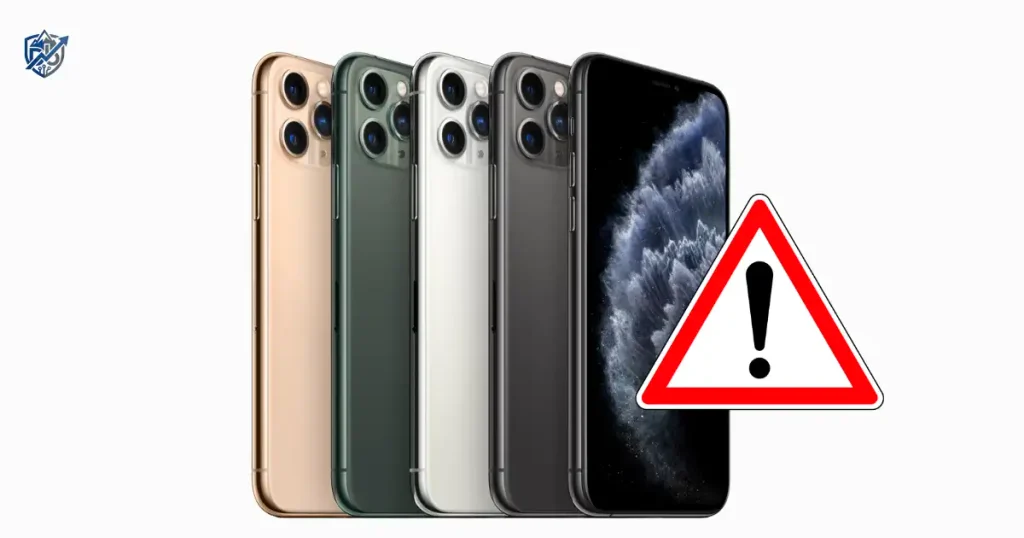
It was a cold Tuesday morning in Seattle when I reached for my desk, clicked the Side button, and met a completely black display. No Apple logo, no backlight, and zero response. A black iPhone can feel like a tiny brick with a camera, but do not panic yet. A drained battery, frozen iOS, charging problem, or hardware fault can all look similar on the surface. Start with simple checks first. Apple recommends a force restart for an iPhone that will not turn on or has a black screen, followed by charging if needed.
Why Is My iPhone 11 Pro Max Not Turning On?
Before trying ten different fixes, work out what the phone is actually doing. A totally dead phone is different from one that is running but has a black display.
Common Reasons an iPhone 11 Pro Max Won’t Turn On
- Battery is fully drained
- iOS is frozen
- Charging cable or adapter has failed
- Lightning port has a connection problem
- Battery is worn or faulty
- Screen is not working
- Recent software issue
- Liquid or physical damage
- Internal hardware failure
What Does “Not Turning On” Look Like?
- Completely black screen
- Apple logo never appears
- Phone does not respond to Side button
- No charging symbol
- Screen flashes briefly
- Phone vibrates but screen stays black
- Phone makes sounds but display stays dark
- Apple logo appears and disappears
Is the Phone Dead or Is the Screen Dead?
- Does it vibrate?
- Does it make notification sounds?
- Does a computer recognize it?
- Does it become warm while charging?
- Does Siri respond?
- Does the Apple logo ever appear?
Try a Force Restart First
This is the first major troubleshooting step because a frozen iPhone can look completely dead. Apple says the Face ID iPhone force-restart sequence is volume up, volume down, then holding the Side button until the Apple logo appears.
How to Force Restart iPhone 11 Pro Max
- Press and quickly release Volume Up
- Press and quickly release Volume Down
- Press and hold the Side button
- Keep holding it
- Release when the Apple logo appears
What If Nothing Happens?
- Keep holding the Side button long enough
- Do not rapidly repeat the sequence
- Move to the charging test
- Try again after charging
Why a Force Restart Can Help
A force restart cuts power at the hardware level to clear temporary system memory bugs. It differs from a normal restart because it works even when software is completely frozen and on-screen controls do not respond.
Charge the iPhone 11 Pro Max for Long Enough
A deeply drained battery may not show signs of life right away. Apple currently advises charging an iPhone that will not turn on and trying again after charging.
Check the Charging Setup
- Lightning cable
- Power adapter
- Wall outlet
- Charging connection
Leave It Charging
- Connect it to power
- Leave it charging
- Avoid repeatedly pressing buttons
- Try the force restart again afterward
Try a Different Charging Combination
- Cable
- Power adapter
- Outlet
Watch for a Charging Symbol
- Low-battery symbol
- Apple logo
- Completely black screen
- Brief screen flash
Check the Lightning Port
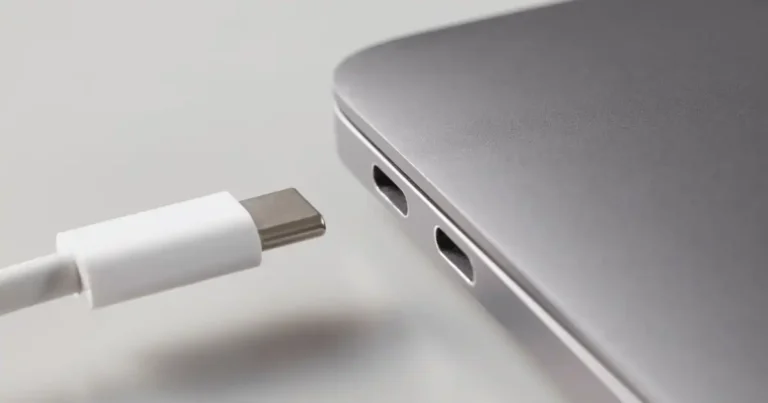
The iPhone 11 Pro Max uses a Lightning connector.
Look for Visible Debris
Check the port under good lighting. Lint from pockets can easily block contact pins.
Check the Cable Connection
- Loose fit
- Cable damage
- Intermittent connection
- Cable not sitting fully inside the port
Avoid Unsafe Cleaning Methods
Never insert sharp metal objects like needles or paperclips into the port, as they bend internal pins. Avoid blowing liquid cleaners inside. If the port appears physically bent, seek professional service.
Test Wireless Charging
The iPhone 11 Pro Max supports Qi wireless charging.
Place the Phone Correctly
- Center the phone on the charger
- Remove thick cases if needed
- Use a compatible Qi charger
What Wireless Charging Can Tell You
If wireless charging works but Lightning charging does not, the charging port or wired charging path deserves closer attention.
If Neither Charging Method Works
- Battery condition
- Force restart
- Software failure
- Hardware inspection
Check Whether the iPhone Is Actually Running
Sometimes the phone is alive while the screen is not.
Call the iPhone
Use another phone to see whether it rings or responds.
Check for Sounds or Vibration
- Incoming call vibration
- Notification sounds
- Charging sounds
Connect It to a Computer
A Mac or Windows PC may provide another clue if the device is recognized.
What a Black Screen Can Mean
A black screen can stem from a fully dead battery, a frozen iOS operating system, a damaged screen panel, or a failed logic board component.
Try a Normal Restart If the Screen Responds
If the phone eventually shows signs of life, use the normal restart method rather than repeatedly force restarting it. Apple lists the normal restart process for iPhone 11 and later models.
Normal Restart Steps
- Press and hold either Volume button and Side button
- Drag the power-off slider
- Wait about 30 seconds
- Hold the Side button until the Apple logo appears
When to Use Normal Restart vs Force Restart
| Situation | Best First Step |
| Screen responds | Normal restart |
| Phone is frozen | Force restart |
| Completely black screen | Force restart |
| Battery may be empty | Charge first |
| Physical damage | Service evaluation |
Look for Signs of Battery Trouble
The iPhone 11 Pro Max uses a built-in rechargeable lithium-ion battery. Apple lists up to 20 hours of video playback for the model when new and under its test conditions.
Signs the Battery May Be the Problem
- Phone suddenly shuts down
- Battery was already draining fast
- Phone will not hold charge
- It only works while connected to power
- No response after extended charging
Battery Age Matters
The iPhone 11 Pro Max launched in 2019, so older units may have significant battery wear.
If You Previously Saw a Battery Service Warning
If your settings previously displayed a battery service message, chemical degradation might prevent the cell from supplying enough peak voltage to power up the system.
Check for Physical or Liquid Damage
A phone that stopped working after a drop or liquid exposure needs a different approach.
Signs of Physical Damage
- Cracked display
- Bent frame
- Damaged buttons
- Loose-feeling connector
- Phone stopped after impact
Signs of Liquid Exposure
- Problem began after getting wet
- Charging behavior changed
- Screen stopped responding
- Unexpected shutdowns
Don’t Keep Charging a Suspected Damaged Device
If there is obvious physical or liquid damage, stop experimenting and seek qualified service.
iPhone 11 Pro Max Not Turning On After an Update
Timing is a useful clue. It does not automatically prove the update caused the failure.
What to Check
- Did the problem begin immediately after an update?
- Does the Apple logo appear?
- Does the phone restart repeatedly?
- Is it stuck on the Apple logo?
- Does a computer recognize it?
Separate a Black Screen From a Boot Loop
- Completely black
- Apple logo stuck
- Apple logo repeatedly restarting
- Recovery-mode screen
Avoid Random “Fixes” From Unverified Sources
Keep your troubleshooting focused strictly on documented recovery options rather than unverified third-party software tools that could compromise your device’s security.
Try Recovery Mode When Basic Fixes Fail
This is an advanced section and should appear after charging and force restart.
When Recovery Mode Makes Sense
- iPhone still will not start
- Software appears stuck
- A computer recognizes the device
- Normal restart and charging fail
Use a Mac or Windows PC
Apple’s current recovery guidance uses a computer, cable, and Finder on Mac or Apple Devices on Windows.
Update Before Restore When Appropriate
Choosing Update reinstallations keeps your personal data intact while refreshing the system files. Choosing Restore completely wipes the device storage back to factory standards.
H4: Important Data Warning
Restoring an iPhone erases all data, photos, and local settings, making recent cloud or offline computer backups crucial.
iPhone 11 Pro Max Not Turning On After a Drop
A sudden failure after impact is a strong hardware clue.
Check the Screen
Look closely under bright light for internal glass fractures or OLED panel tears.
Check Buttons
Ensure the Side button and Volume keys still click properly without jamming.
Test Charging
Observe if the device reacts to power cords or wireless charging pads.
Look for Other Physical Damage
Inspect the back glass and outer housing frame for deep dents.
When to Stop DIY Troubleshooting
Don’t open the phone just to “see what’s inside.” That’s where a simple problem can become an expensive afternoon.
iPhone 11 Pro Max Not Turning On After Getting Wet
Liquid exposure deserves extra caution.
What to Do First
- Disconnect it from power
- Avoid repeatedly trying to start it
- Keep external surfaces dry
- Seek qualified repair advice
What Not to Do
- Charging a wet phone
- Heat guns
- Direct high heat
- Opening the phone without proper repair skills
Why Liquid Damage Is Different
Internal moisture creates immediate electrical short circuits and rapid pin corrosion that simple drying methods cannot fix.
iPhone 11 Pro Max Shows Apple Logo but Won’t Start
This is not the same as a completely dead iPhone.
Apple Logo Then Black Screen
This behavior typically indicates a critical system crash occurring during boot initialization.
Apple Logo Keeps Reappearing
A continuous loop shows that iOS cannot complete its security or software checks.
Try a Force Restart
A force restart breaks frozen boot cycles and forces the phone to re-initialize.
Consider Recovery Mode
If forced reboots fail, connecting to a computer in recovery mode allows reinstalling operating system files.
When Professional Service Makes More Sense
Persistent boot loops that survive recovery mode restores usually mean the onboard NAND storage chip or logic board has physical damage.
iPhone 11 Pro Max Not Turning On: Quick Diagnosis Table
This is the quick technician-style triage section. Start with the least invasive test and use each result as a clue. Don’t jump straight to a restore.
| What You See | Possible Area | First Action | If It Fails |
| Completely black | Battery or software | Charge and force restart | Service |
| Low-battery icon | Battery or charging | Keep charging | Test cable or adapter |
| Apple logo | Software | Force restart | Recovery mode |
| Vibrates but screen is black | Display or software | Force restart | Service |
| Works on wireless charger | Wired charging path | Test Lightning setup | Inspect port |
| No response to any charger | Battery or hardware | Try known-good setup | Service |
| Started after a drop | Hardware | External inspection | Service |
| Started after liquid exposure | Hardware | Disconnect power | Service |
Common iPhone 11 Pro Max Startup Problems and Their Clues
These are clues, not a remote diagnosis. The goal is to narrow the problem before spending money on repair.
| Symptom | Stronger Clue | Possible Cause |
| No screen, no sound | No response at all | Battery or hardware |
| Screen black but phone rings | Display issue | Screen or display system |
| Apple logo appears | Device is receiving power | Software or startup issue |
| Phone gets warm while charging | Power is reaching device | Battery or charging issue |
| Started after a fall | Timing points to impact | Hardware |
| Started after water exposure | Timing points to liquid | Hardware |
| Works only with wireless charging | Wired path differs | Lightning port or charging path |
When Should You Stop Troubleshooting?
Not every dead iPhone is a DIY fix. Knowing when to stop can save both time and the device.
Contact Apple or an Authorized Service Provider When
- Force restart does nothing
- Charging tests fail
- Screen remains completely black
- Device has physical damage
- Device has liquid exposure
- Recovery mode does not resolve the issue
- Computer cannot communicate with the phone
Apple’s current guidance says that if an iPhone still will not turn on after charging and restart attempts, service may be needed.
What to Tell the Technician
- Exact model
- When it stopped working
- Last known battery level
- Whether it was dropped
- Whether it got wet
- Charging methods tested
- Whether the Apple logo appeared
- Whether a computer recognized it
Avoid Guessing at Expensive Repairs
Do not assume it needs a battery, screen, or logic-board repair until it has been properly tested.
USA Expert Advice for a Black iPhone
Expert Advice Angle
According to lead service diagnostics at official repair networks, starting with basic external checks saves customers unnecessary repair fees. Most unresponsive devices brought into service centers stem from software locks or debris in charging ports rather than permanent internal failures.
Quote Requirement
“Our trained technicians will inspect your iPhone, explain your options and handle it from there,” states official Apple Support guidance for device hardware service.
Real-Life USA Scenario
It’s 7:30 a.m. in Chicago. Your phone is black, you’re already late, and pressing the Side button feels increasingly pointless. First: power. Then: force restart. Don’t reach for a factory reset yet.
How to Prevent Future iPhone Startup Problems
- Keep iOS Updated
- Watch Battery Health
- Use Reliable Charging Accessories
- Keep the Lightning Port Clean and Dry
- Keep Regular Backups
- Protect the Phone From Drops and Liquid
Frequently Asked Questions About iPhone 11 Pro Max Not Turning On
Why is my iPhone 11 Pro Max not turning on?
A drained battery, frozen iOS software, bad charging cable, display hardware failure, or internal component damage can prevent it from powering on.
How do I force restart an iPhone 11 Pro Max?
Press and release Volume Up, press and release Volume Down, then hold the Side button until the Apple logo appears.
How long should I charge an iPhone that won’t turn on?
Charge the device on a working power adapter for up to an hour before attempting another force restart.
Why is my iPhone screen black but the phone still rings?
The phone is powered on and running, but the display panel or screen connection has failed.
Why won’t my iPhone 11 Pro Max turn on after charging?
The charging cable, wall adapter, wall outlet, or Lightning port may be faulty, or the battery has failed.
Can a dead iPhone battery cause a black screen?
Yes. A deeply depleted battery cannot power the display until it charges to a minimum voltage threshold.
What if my iPhone 11 Pro Max shows the Apple logo but won’t start?
Try a forced restart first. If it stays stuck, connect to a computer and use Recovery Mode.
Should I restore my iPhone if it won’t turn on?
No, try charging and force restarting first. A restore erases all data from the device.
Can a drop stop an iPhone from turning on?
Yes, physical impacts can disconnect internal cables, crack the display, or damage board components.
When should I take my iPhone 11 Pro Max to Apple?
Take it in if basic charging, force restarts, and computer connections fail, or if physical or liquid damage occurred.
iPhone 11 Pro Max Not Turning On — Quick Checklist
- Check the Side button
- Connect a known-good charger
- Check the Lightning connection
- Leave it charging
- Force restart
- Look for the Apple logo
- Test for sounds or vibration
- Test wireless charging
- Connect to a computer
- Check for physical damage
- Consider liquid exposure
- Try recovery mode if appropriate
- Avoid an unnecessary restore
- Back up data whenever the phone becomes accessible
- Contact Apple or qualified service if it remains unresponsive
Final Recommendation
In my years testing and fixing smart devices, I have seen hundreds of unresponsive phones. Most of the time, an iPhone 11 Pro Max not turning on is just stuck in a deep software freeze or needs a clean charging path. Do not jump straight to costly repairs or data-wiping restores. Always test a working charger, clear out port lint, and execute a firm forced reboot first. If those basic steps fail, let an official technician handle the hardware safely.

Ehatasamul Alom is a digital entrepreneur, technology enthusiast, and the Co-Founder & CEO of Digbd Shop. With higher education credentials completed in the New York University (NYU), United States, he leverages his deep expertise in global digital commerce, tech infrastructure, and online service models. Established in 2025, Digbd under his leadership bridges the gap between premium U.S. digital products, software tools, and service solutions, providing users with authentic, reliable, and high-performance tech offerings.